Helping Moodle users with print disabilities
- Talk date: 2012 (year only; exact date not established)
- SlideShare upload: 2012-04-04 (upload date, not the delivery date)
- Event: Moodle Moot 2012
- Place: Not established
- Topics: Access & reading
- Language: en
- Slides in the original listing: 34
- Coverage: Full text in 33 reading sections. The 38 original pages are a separate sequence: no verified map links sections to pages.
- Original listing: https://www.slideshare.net/slideshow/helping-moodle-users-with-print-disabilities/12280308
- Cover image: https://slides.dominiklukes.net/readers/helping-moodle-users-with-print-disabilities-2012/pages/page-01.png
- Reader data (JSON): https://slides.dominiklukes.net/readers/helping-moodle-users-with-print-disabilities-2012/presentation.json
- TalkWeaver package (outline and images, ZIP): https://slides.dominiklukes.net/helping-moodle-users-with-print-disabilities-2012/helping-moodle-users-with-print-disabilities-2012-talkweaver.zip
- TalkWeaver outline: https://slides.dominiklukes.net/helping-moodle-users-with-print-disabilities-2012/talkweaver/helping-moodle-users-with-print-disabilities-2012-outline.md
- Markdown copy: https://slides.dominiklukes.net/helping-moodle-users-with-print-disabilities-2012/index.md
38 rendered Word document pages and 33 text sections. The public SlideShare listing has 34 slides. These are different representations of the presentation. The event name comes from the recovered source files; delivery at that event has not been independently confirmed.
Section 1: Helping Moodle users with print disabilities
Dominik Lukeš, Dyslexia Action @techczech

Section 2: Load2Learn
- online catalogue of curriculum resources for print disabled learners
- provides access to digital books and images that can be used by learners with their own technology
- being developed by Dyslexia Action and RNIB, funded by DfE
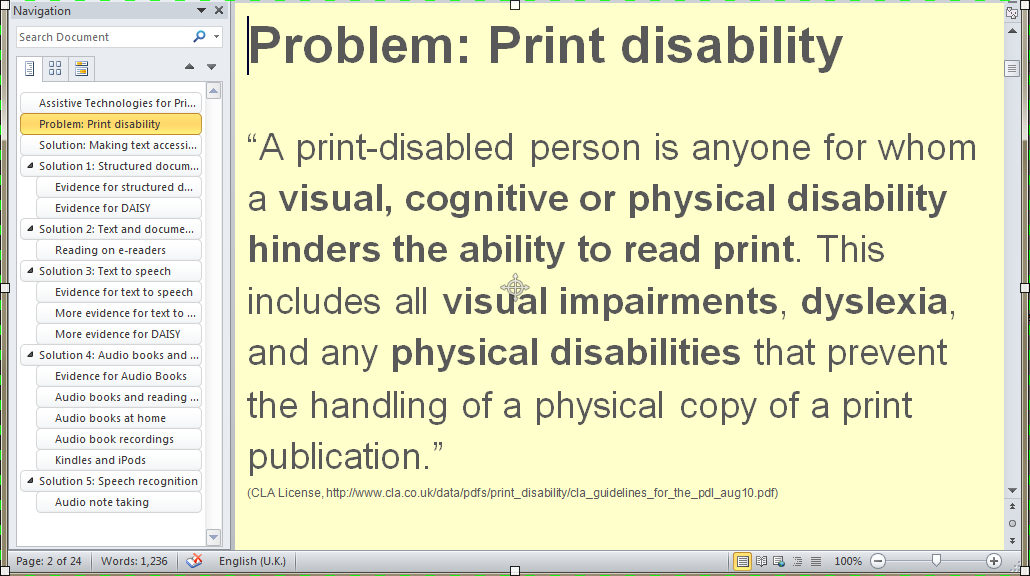
Section 3: Problem: Print disability
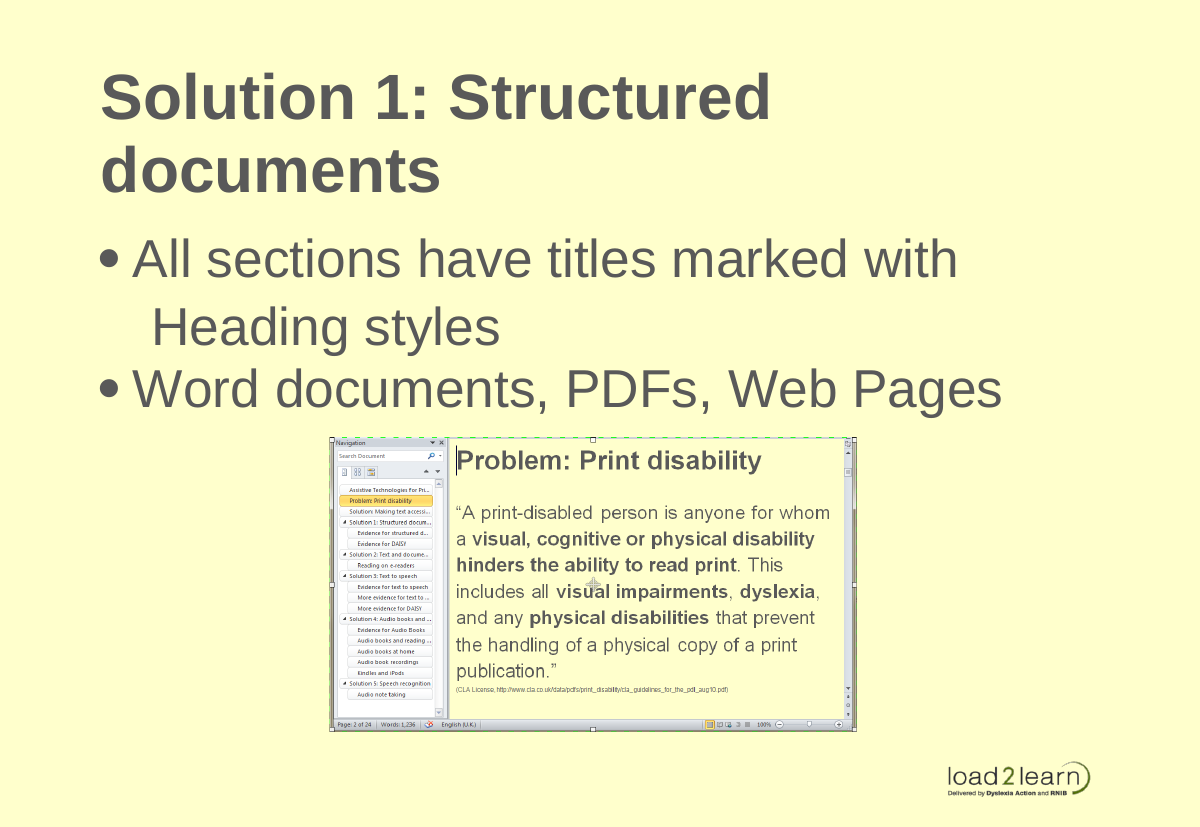
“A print-disabled person is anyone for whom a visual, cognitive or physical disability hinders the ability to read print. This includes all visual impairments, dyslexia, and any physical disabilities that prevent the handling of a physical copy of a print publication.”
CLA License,
http://www.cla.co.uk/data/pdfs/print_disability/cla_guidelines_for_the_pdl_aug10.pdf
Section 4: Print Disability: Perception Issues
- Cannot see text
- Can only see text at a certain size
- Cannot see certain colours, colour combinations
- Prefers certain contrast
Section 5: Print Disability: Issues with Processing Text
- Difficulties decoding written word
- Difficulties finding information in large chunks of text
- Needs special formatting (e.g. Sans Serif, not-justified, no all caps, no underline, no italics)
Section 6: Print Disability: Physical Difficulties
- Can only use the keyboard
- Can only use a pointing device
- Can only use voice input
Section 7: Key legal provisions
- Make an accessible copy of a document for a print disabled person under the CLA PD Licence
- Accessible document: large print, electronic copy, audio version (MP3), Braille
- Unless a suitable commercial alternative exists
Section 8: Conversation reminder
Please tweet any questions, comments @techczech
Section 9: Solution: Making text accessible
- Structured documents with easy navigation (Word, PDF)
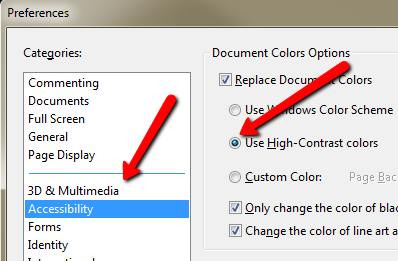
- Modification of font colour, font type, font size, background colour (PDF, Word)
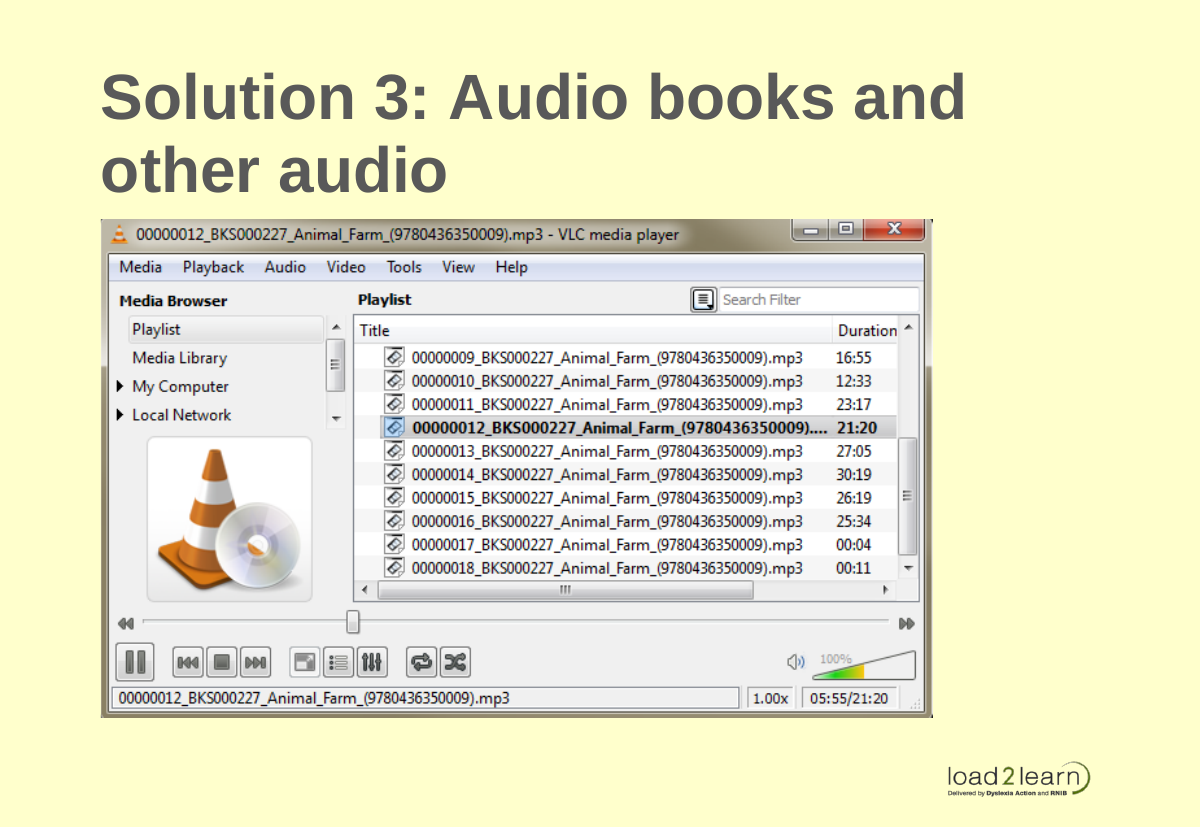
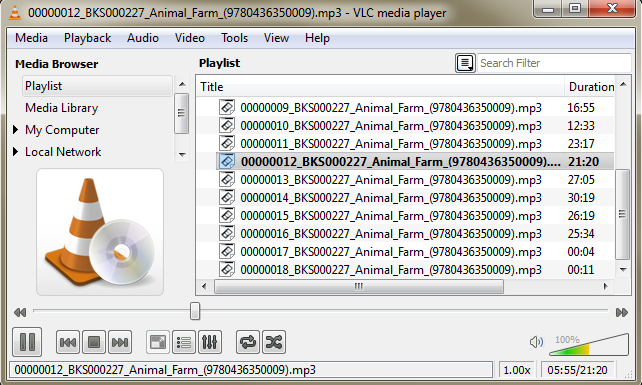
- Audio books
- Text-to-speech: PDF, Wordtalk, Balbolka, voices, screen reader
- Audio and text linked (DAISY, WordTalk)
Section 10: Solution 1: Structured documents
- All sections have titles marked with Heading styles
- Word documents, PDFs, Web Pages
Section 11: Solution 2: Text and document modification
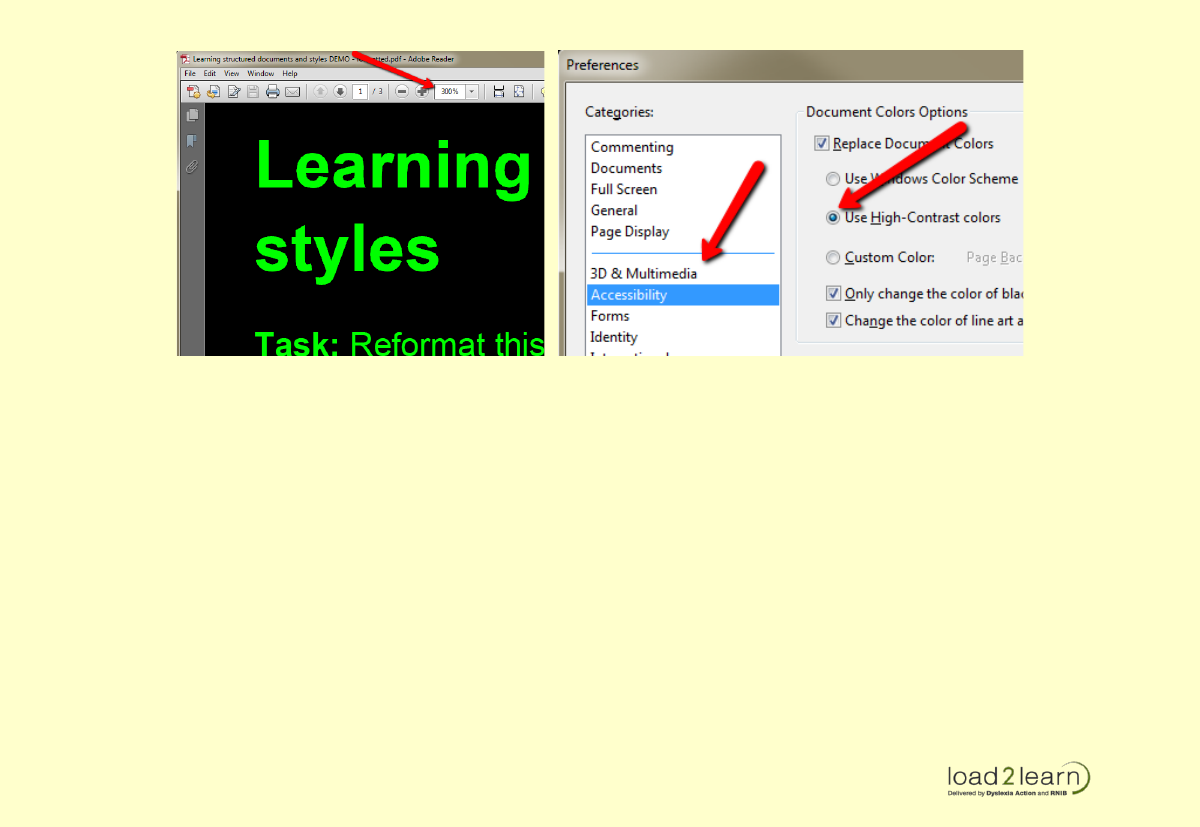
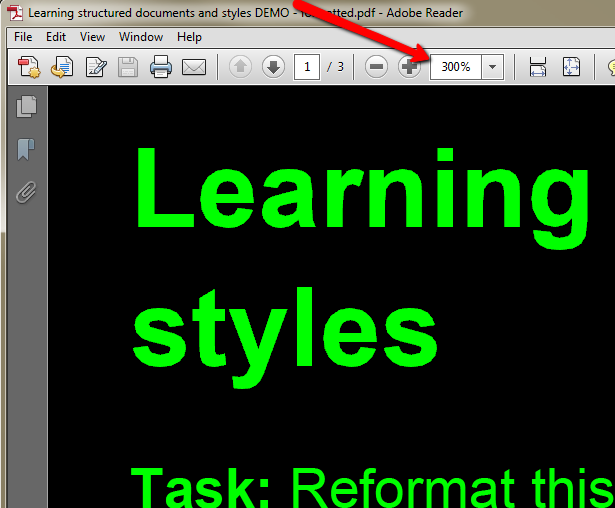
- Change font size proportionally
- Change font colours and background colours
Section 12: Solution 3: Audio books and other audio
Section 13: Evidence for Audio Books
- Boys found audio-reading enjoyable and their self-confidence as readers improved.
- ‘a marked reduction in the quantity of errors … when reading independently’
- The boys found audio reading was relatively effortless yet they perceived that they were reading books appropriate to their age and could read ‘hard words’ like their peers (Byrom, 1998, p.5)
Section 14: Audio as spectacles
‘some children require spectacles to enable them to read a book, others may require an audio tape to enable them to read the same book’ (Byrom, 1998, p. 6)
‘Today some of these people with dyslexia even regard the computer as their equivalent to the glasses of the weak-sighted’. (Tank & Frederikson, 2007, p.947)
Section 15: Audio books at home
- parents reported that audio-books appeared to have ‘a positive influence in reducing emotional– behavioural problems’
- and that the use of audio-books within the home environment appeared to reduce their child’s sense of frustration and distractibility attributed to greater ease in studying. (Milani et al, 2003, p.93)
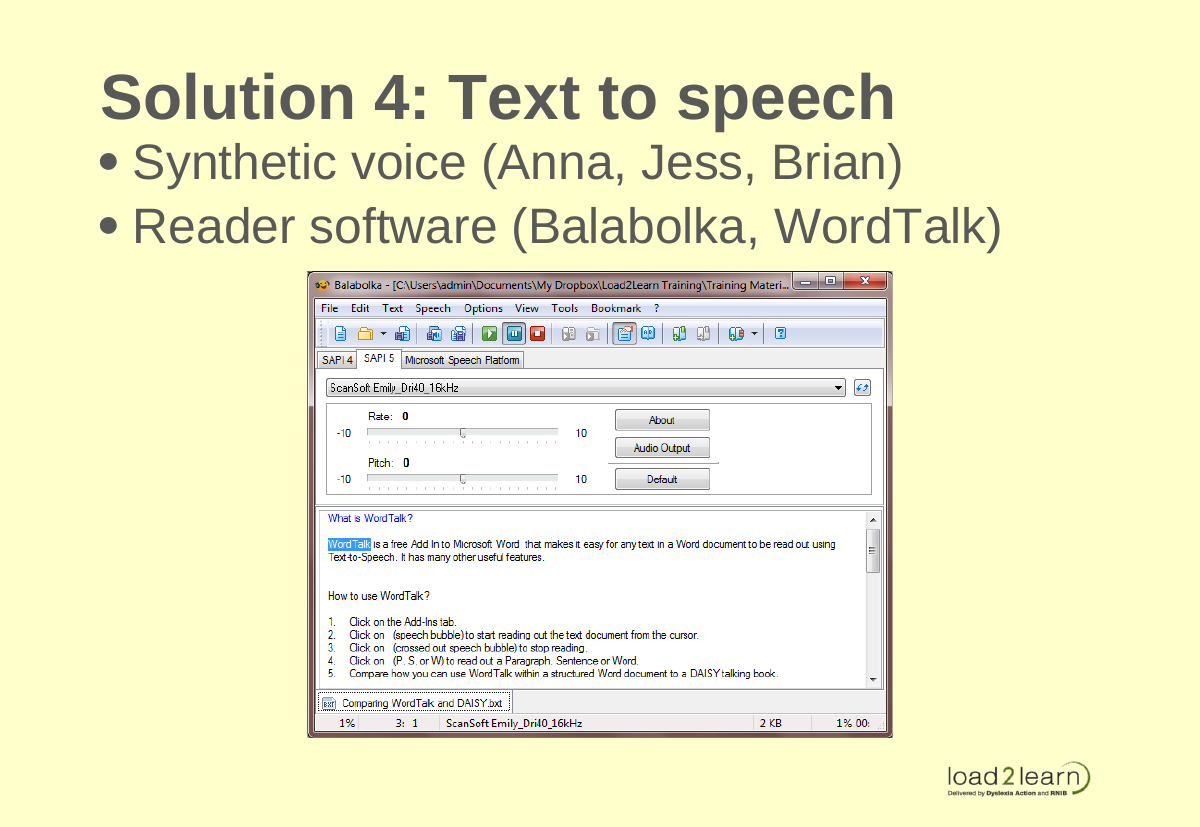
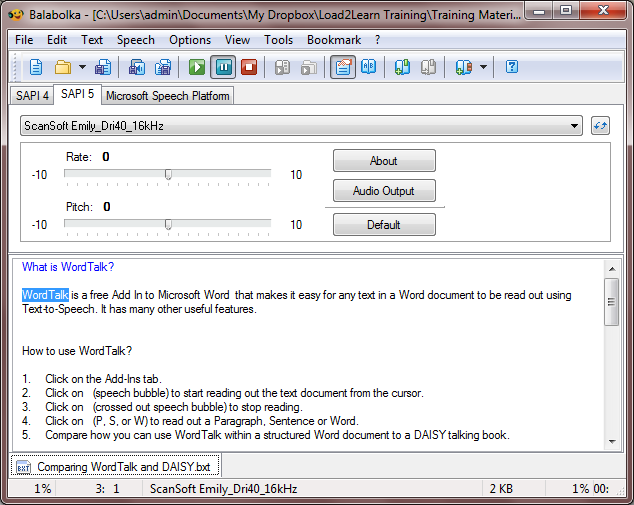
Section 16: Solution 4: Text to speech
- Synthetic voice (Anna, Jess, Brian)
- Reader software (Balabolka, WordTalk)
Section 17: Evidence for text to speech
Students took their SQA standard grade examinations in ‘Accessible PDF’ format.
- Staff praised: “independence offered by the electronic format”
- Students “all found them easier to use than a scribe”
- “mean score was 8.93 compared with 8.00 for scribes” (Nisbet et al, 2005, p.1)
Section 18: More evidence for text to speech
- Text to speech can ‘relieve the burden of decoding for struggling readers, allowing them to focus on comprehension’ (Wise, Ring, and Olson, 2000).
- students ‘could double or triple the time that they could sustain reading’ (Elkind et al, 1996, p.160).
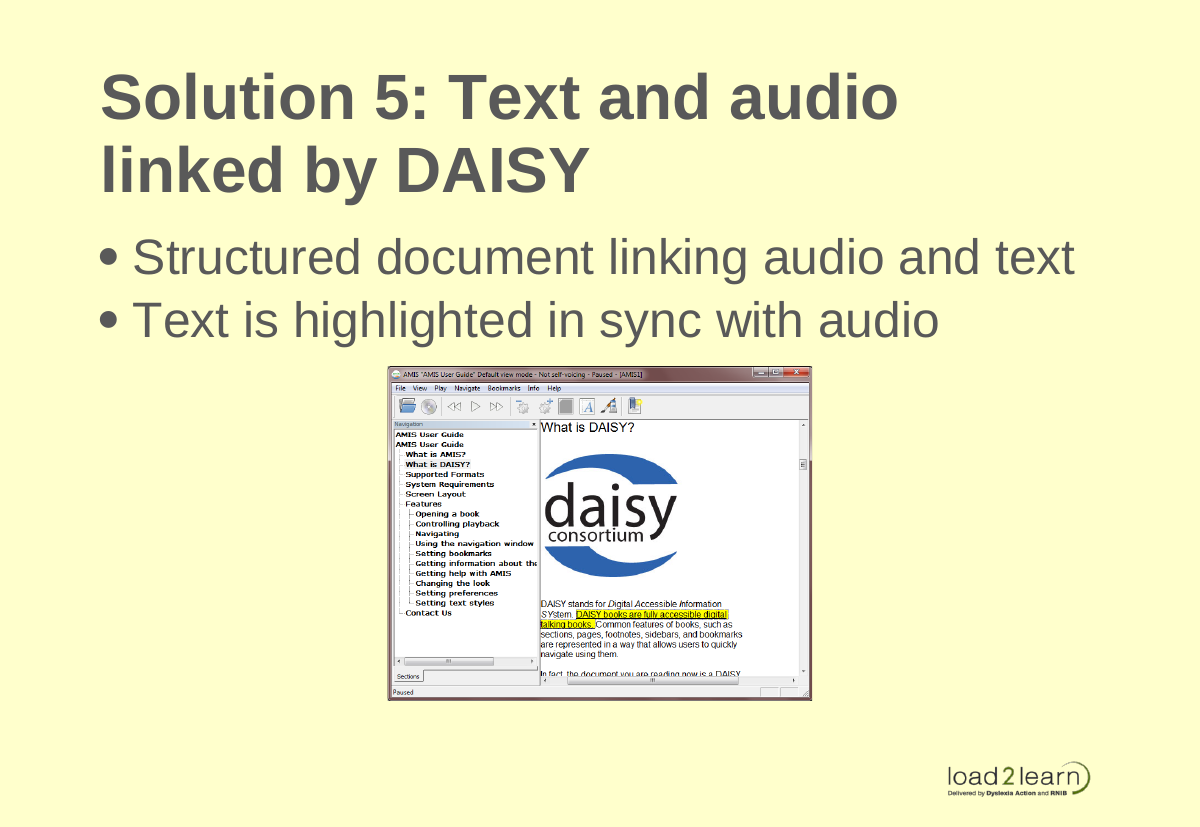
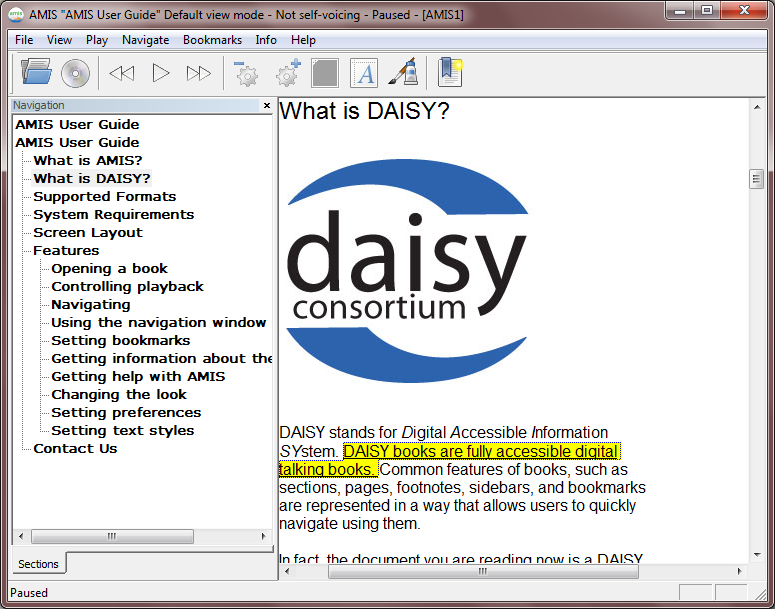
Section 19: Solution 5: Text and audio linked by DAISY
- Structured document linking audio and text
- Text is highlighted in sync with audio
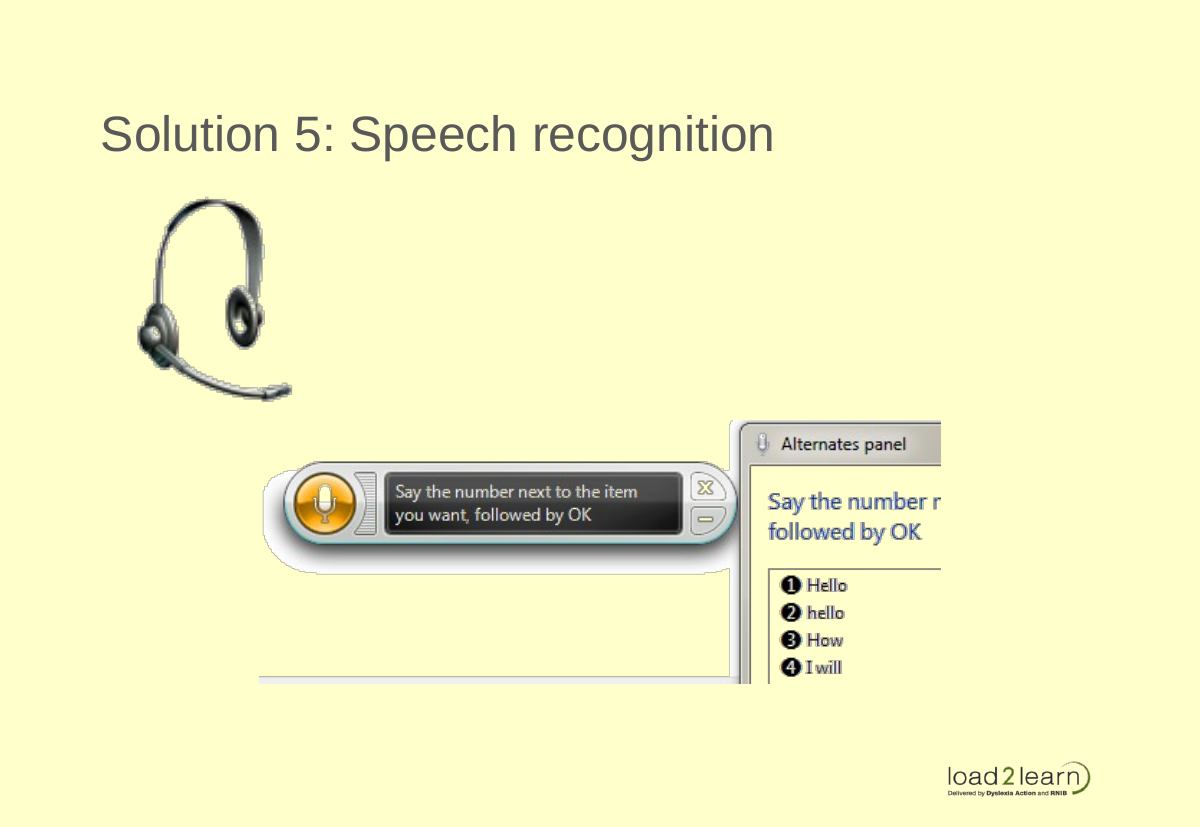
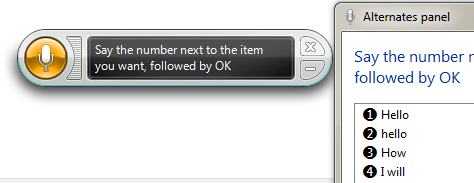
Solution 5: Speech recognition

Audio note taking
‘By using the note tool, they engaged in new literacy practices by envisioning new ways to access their thought processes to engage in spontaneous, instantaneous response to the e-books’ (Larson, 2009, p. 256)
Section 20: Evidence for DAISY
‘Research confirms that highlighting text as it is spoken can help learners pay attention and remember more’ (cited in Silver-Pacuilla and Fleischman, 2006, p. 84)
Section 21: DAISY for Dyslexia
- DAISY is used by people with dyslexia in Denmark and other countries.
- ‘Today some of these people with dyslexia even regard the computer as their equivalent to the glasses of the weak-sighted’. (Tank & Frederikson, 2007, p.947)
Section 22: Conversation reminder
Please tweet any questions, comments @techczech
Section 23: What it means for Moodle
Present information in accessible formats.
Think about:
- Document creation
- Course page formatting
- User training
Section 24: Presenting information on Moodle
- Make sure uploaded documents are accessible. I.e. can be converted into multiple formats
- Make your PDFs accessible
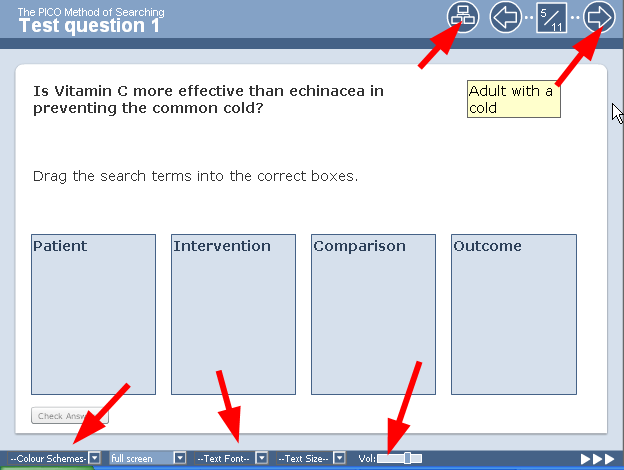
- Consider using Xerte for interactive content
- Train users how to access information
Section 25: Moodle Course Page Formatting
- Use proper structure – H1 for title, H2 for topic headings, H3 – H5 for subheadings
- Don’t use Headings for anything that is not a section title (e.g. not
<h2>Welcome!</h2> - Chunk information into small sections
- Provide clickable table of contents
Section 26: User training: Mini curriculum
- Structured documents (save yourself time and use headings styles!!!!!)
- Modification of font size, colour (PDF, Word)
- Keyboard shortcuts
- Text to speech: how to create MP3 files from documents with software and voices
Section 27: Tools for Print Accessibility
- Structured word processing and accessible PDFs
- Portable Apps (MyStudyBar)
- Text to speech
- Balabolka
- WordTalk
- Amis
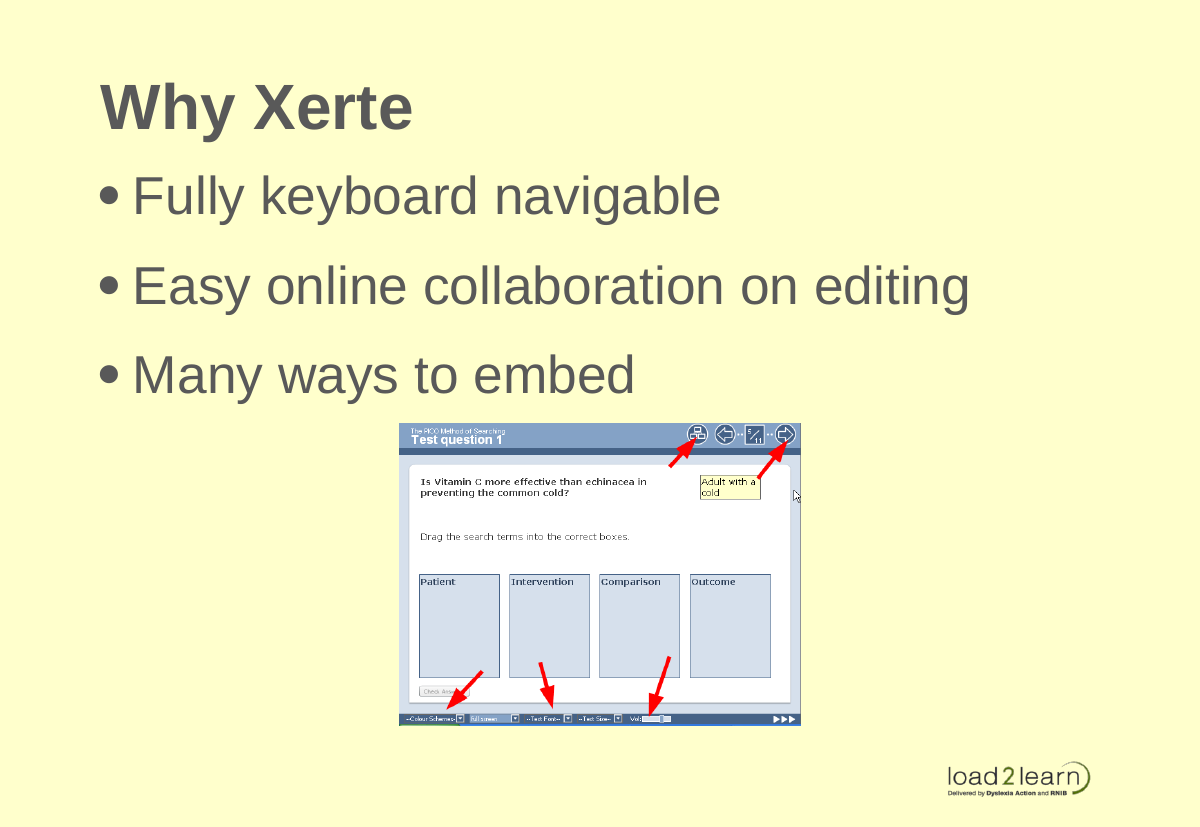
Section 28: Why Xerte
- Fully keyboard navigable
- Easy online collaboration on editing
- Many ways to embed
Section 29: Keyboard Shortcuts
Do you know how to type keyboard shortcuts correctly?
How many keyboard shortcuts do you know?
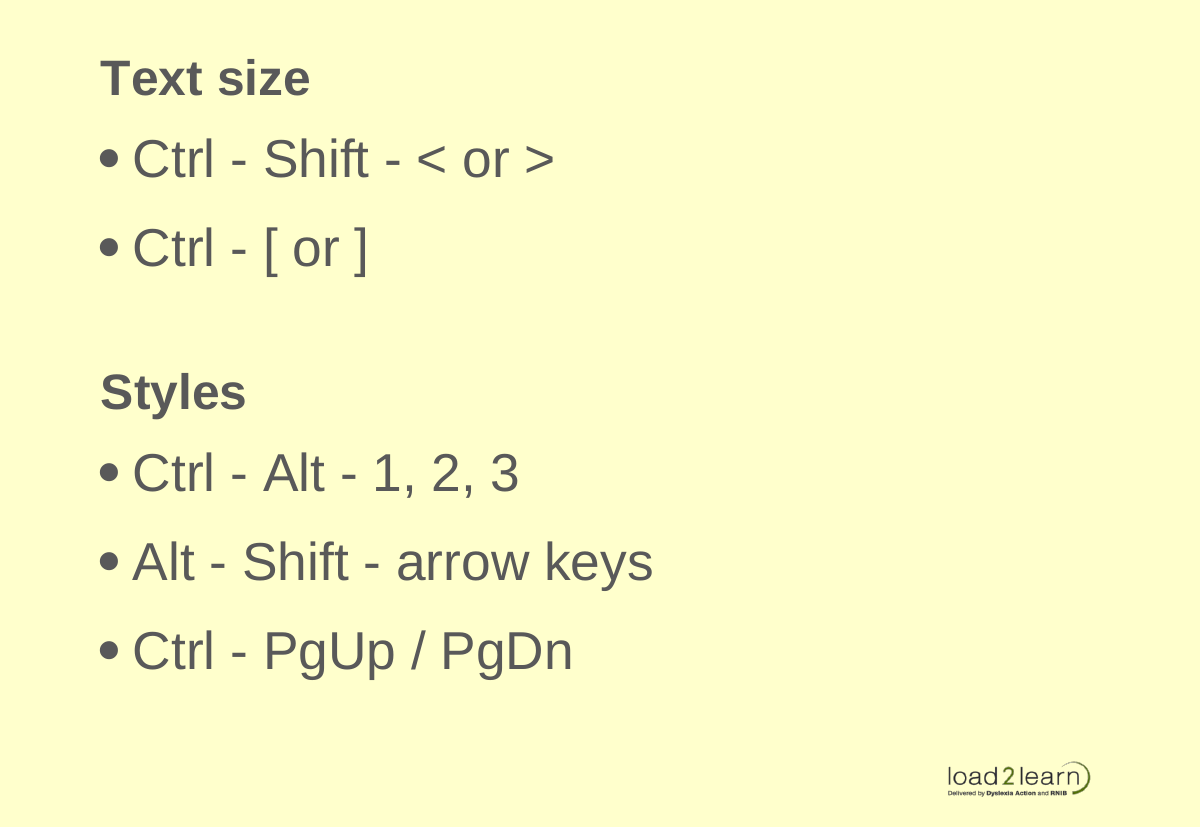
Section 30: Text size
- Ctrl - Shift -
<or> - Ctrl - [ or ]
Section 31: Styles
- Ctrl - Alt - 1, 2, 3
- Alt - Shift - arrow keys
- Ctrl - PgUp / PgDn
Section 32: Key new terms to remember
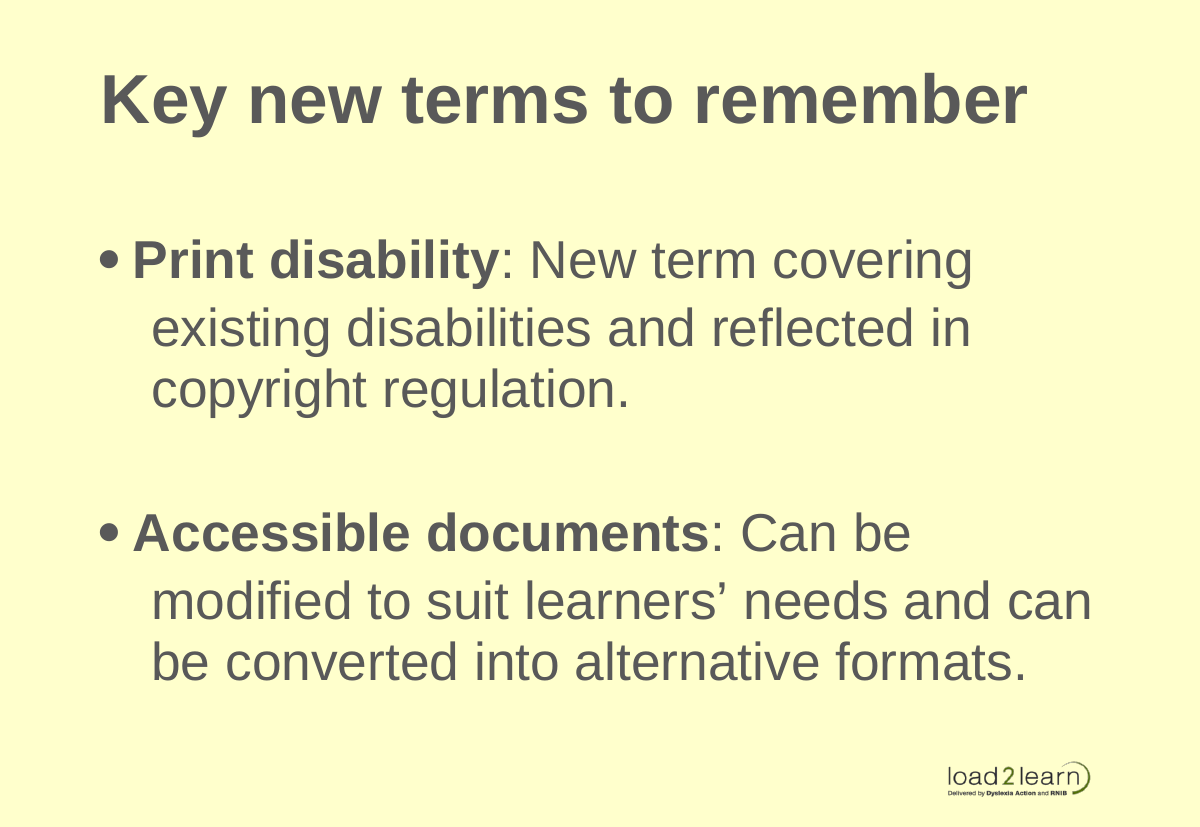
- Print disability: New term covering existing disabilities and reflected in copyright regulation.
- Accessible documents: Can be modified to suit learners’ needs and can be converted into alternative formats.
Section 33: Where to go next?
- Information forthcoming. Go to http://trainingpilot.load2learn.com to register for updates.
- Tweet @techczech for questions