How to Teach and Learn with ChatGPT: AI and new horizons for assistive technologies
- SlideShare title: How to Teach and Learn with ChatGPT - BETT 2023
- Talk date: Not established
- SlideShare upload: 2023-04-02 (upload date, not the delivery date)
- Event: Not established
- Place: Not established
- Topics: Teaching & technology
- Language: en
- Slides in the original listing: 155
- Coverage: Full text of all 155 slides, each paired with its original slide image (slide N is section N).
- Original listing: https://www.slideshare.net/slideshow/how-to-teach-and-learn-with-chatgpt-bett-2023/257111297
- Cover image: https://slides.dominiklukes.net/readers/how-to-teach-and-learn-with-chatgpt-bett-2023/pages/page-01.png
- Reader data (JSON): https://slides.dominiklukes.net/readers/how-to-teach-and-learn-with-chatgpt-bett-2023/presentation.json
- TalkWeaver package (outline and images, ZIP): https://slides.dominiklukes.net/how-to-teach-and-learn-with-chatgpt-bett-2023/how-to-teach-and-learn-with-chatgpt-bett-2023-talkweaver.zip
- TalkWeaver outline: https://slides.dominiklukes.net/how-to-teach-and-learn-with-chatgpt-bett-2023/talkweaver/how-to-teach-and-learn-with-chatgpt-bett-2023-outline.md
- Markdown copy: https://slides.dominiklukes.net/how-to-teach-and-learn-with-chatgpt-bett-2023/index.md
Slide 1: How to Teach and Learn with ChatGPT: AI and new horizons for assistive technologies
How to Teach and Learn with ChatGPT: AI and new horizons for assistive technologies
Dominik Lukes, EduTools.fyi

Slide 2: Lots of developments since we scheduled the session
Lots of developments since we scheduled the session

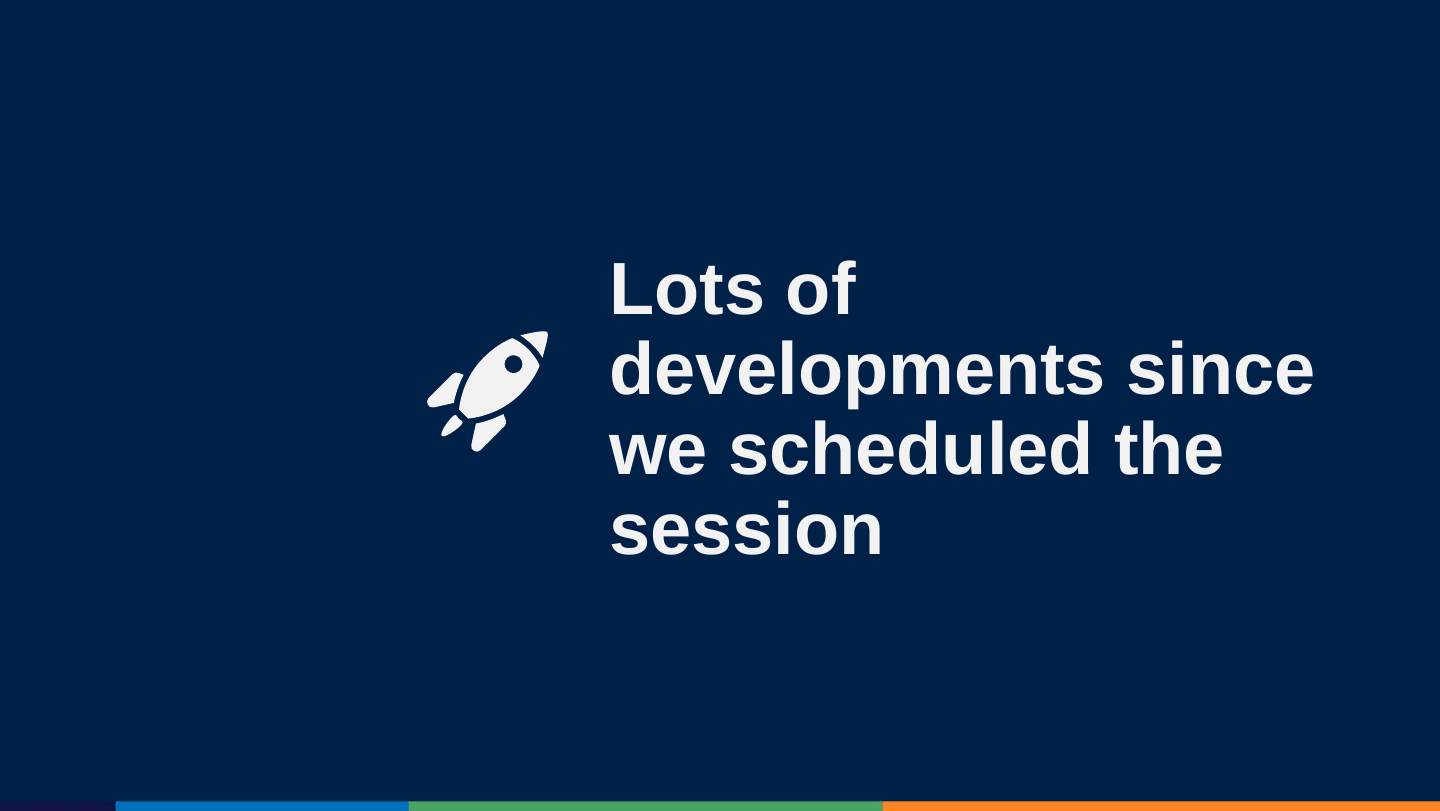
Slide 3: What has changed
What has changed
- Bing Chat
- GPT-4
- Google Bard
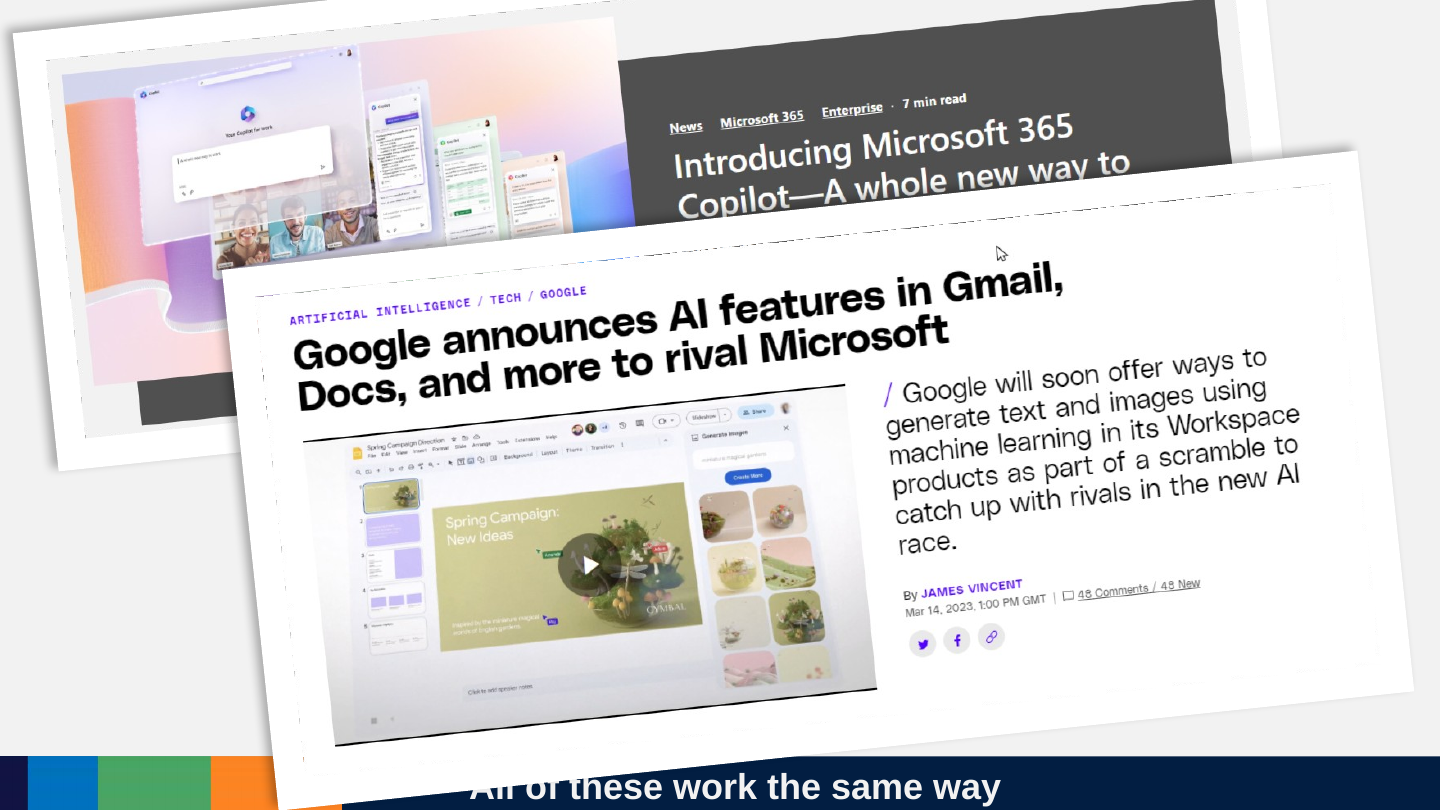
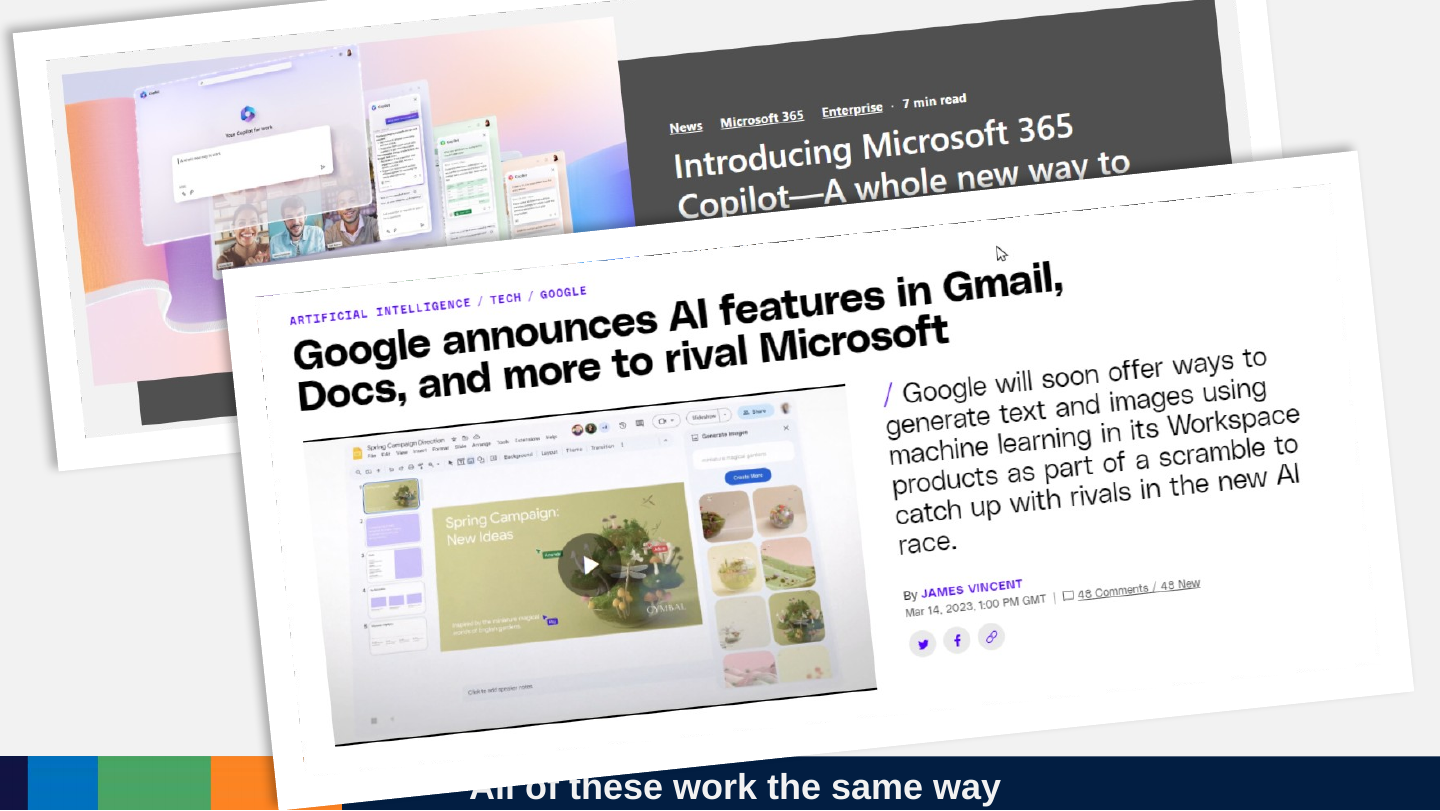
- Office ‘Co-Pilot’s
- GPT-4 Plugins
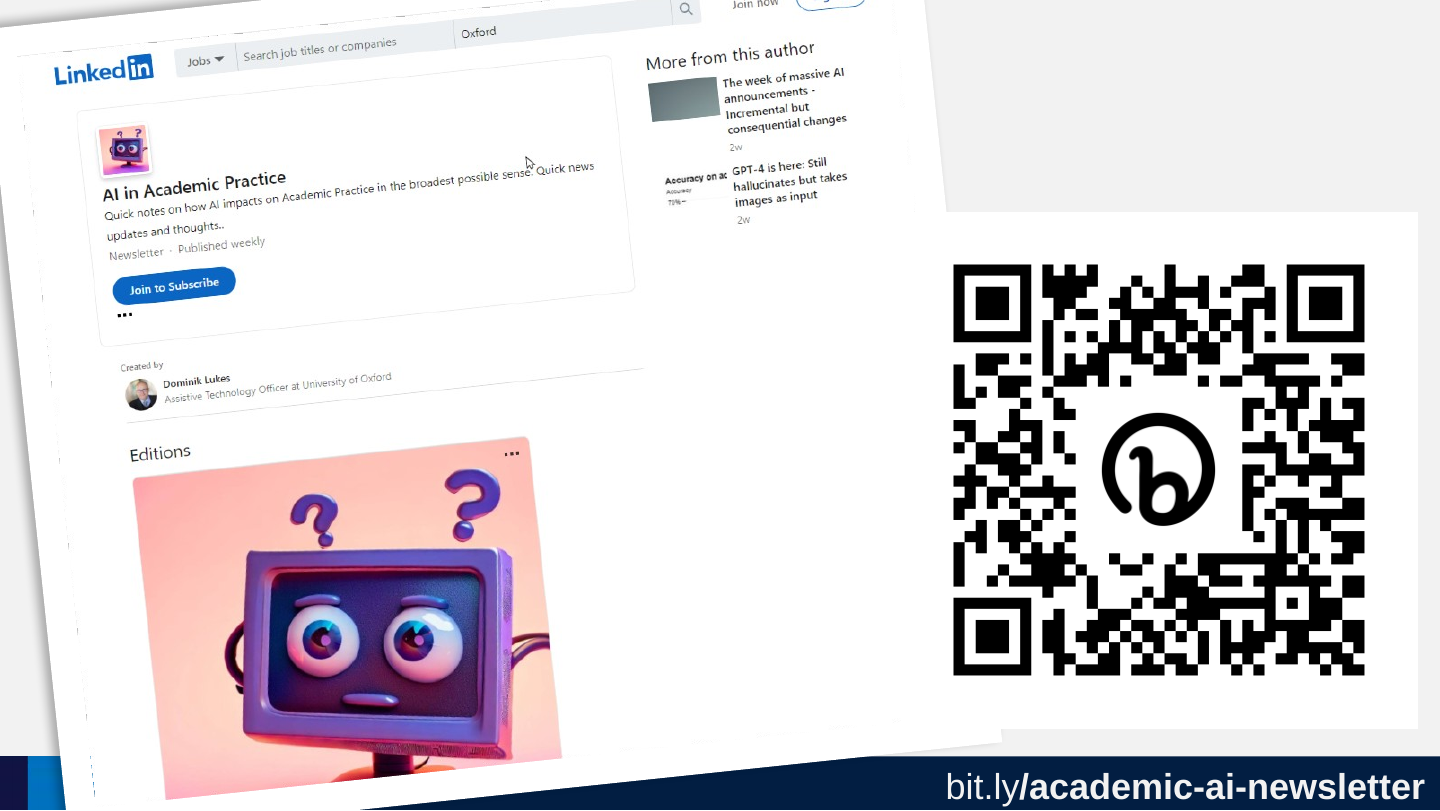
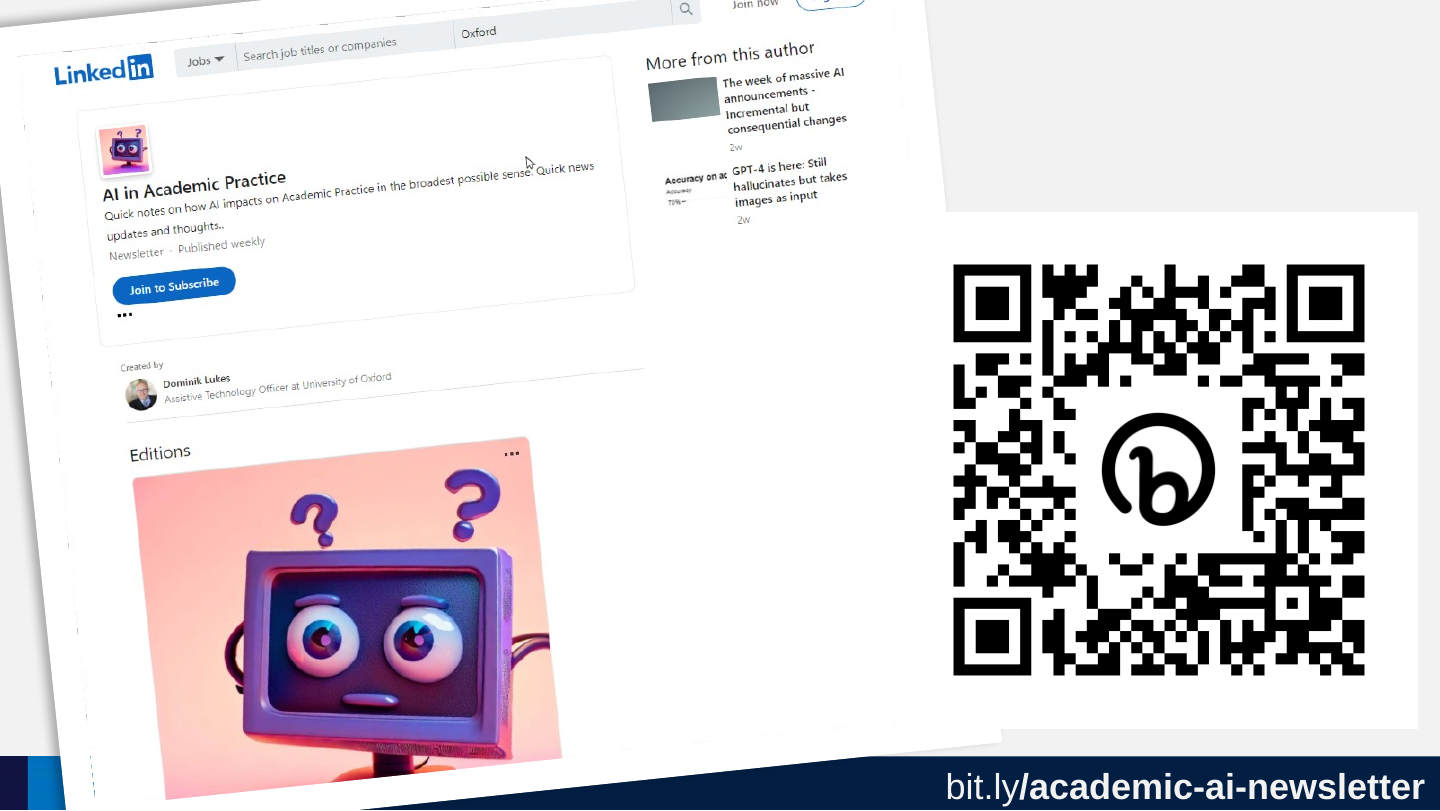
Slide 4: bit.ly/academic-ai-newsletter
bit.ly/academic-ai-newsletter
https://bit.ly/academic-ai-newsletter
Slide 5: Poll: What is your experience with ChatGPT?
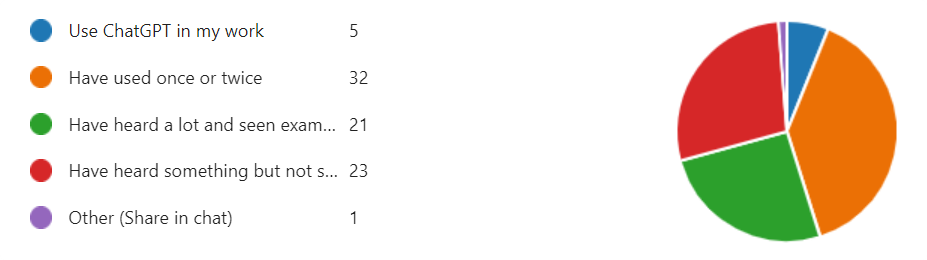
Poll: What is your experience with ChatGPT?

Slide 6: Poll: Experience?
Poll: Experience?
- Use it every day
- Played around with it
- Heard a LOT about it
- I heard something about it
Slide 7: Comparison from a recent talk
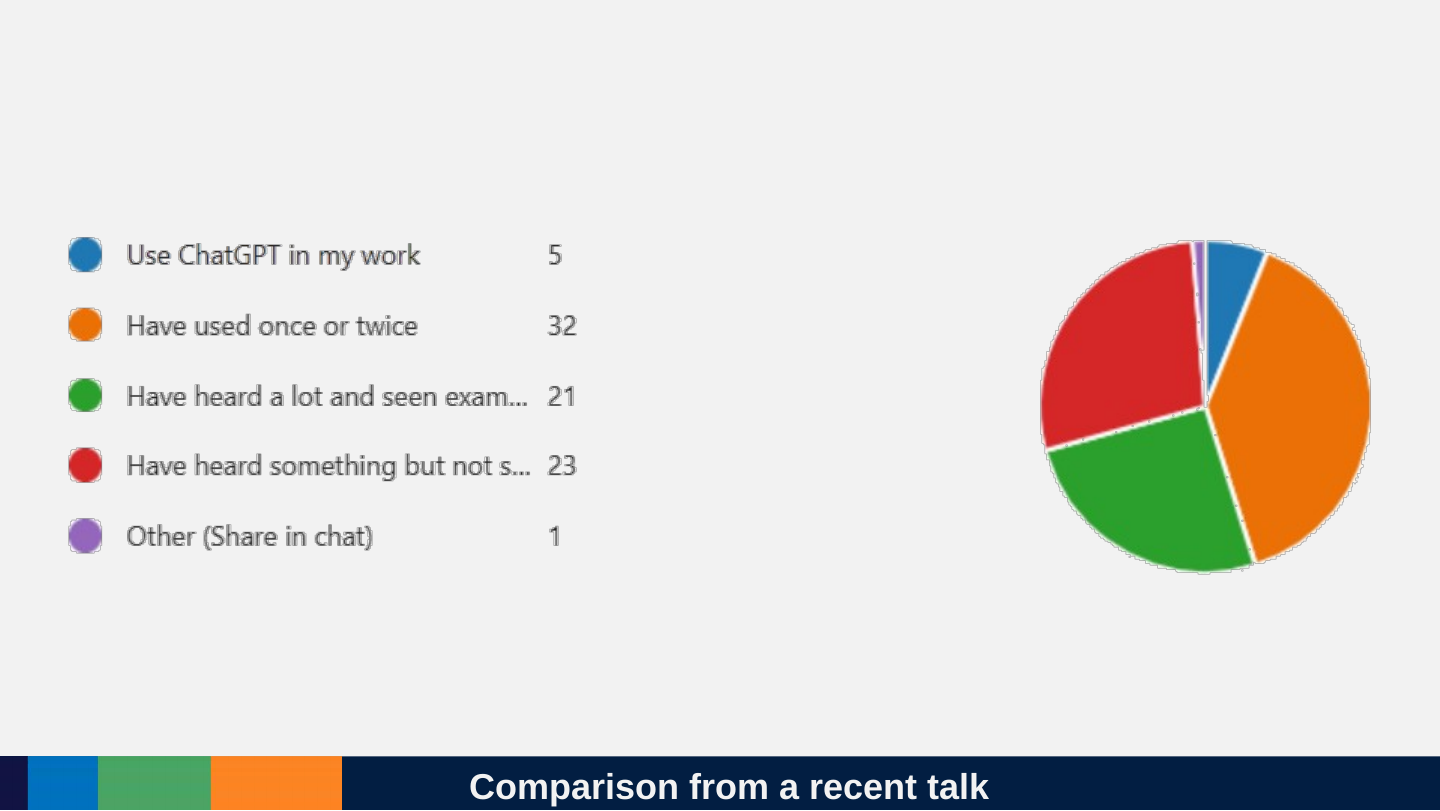
Comparison from a recent talk
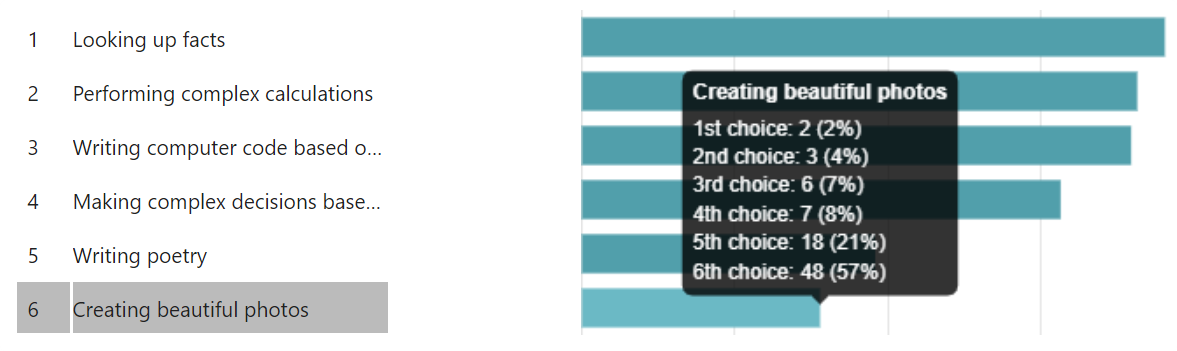
Slide 8: Poll: What do you think AI might be best at?
Poll: What do you think AI might be best at?
Slide 9: What do you think AI might be best at?
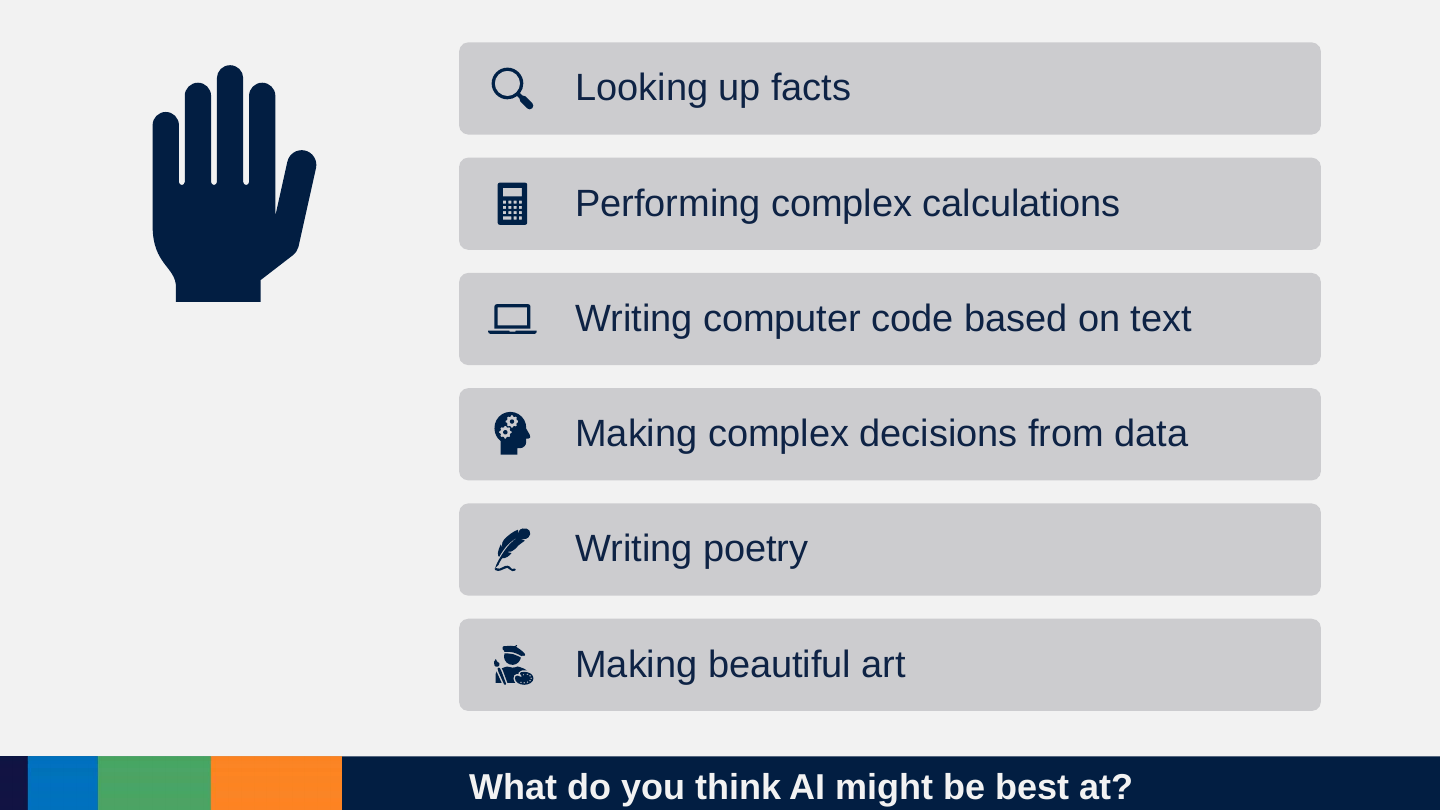
What do you think AI might be best at?
- Looking up facts
- Performing complex calculations
- Writing computer code based on text
- Making complex decisions from data
- Writing poetry
- Making beautiful art
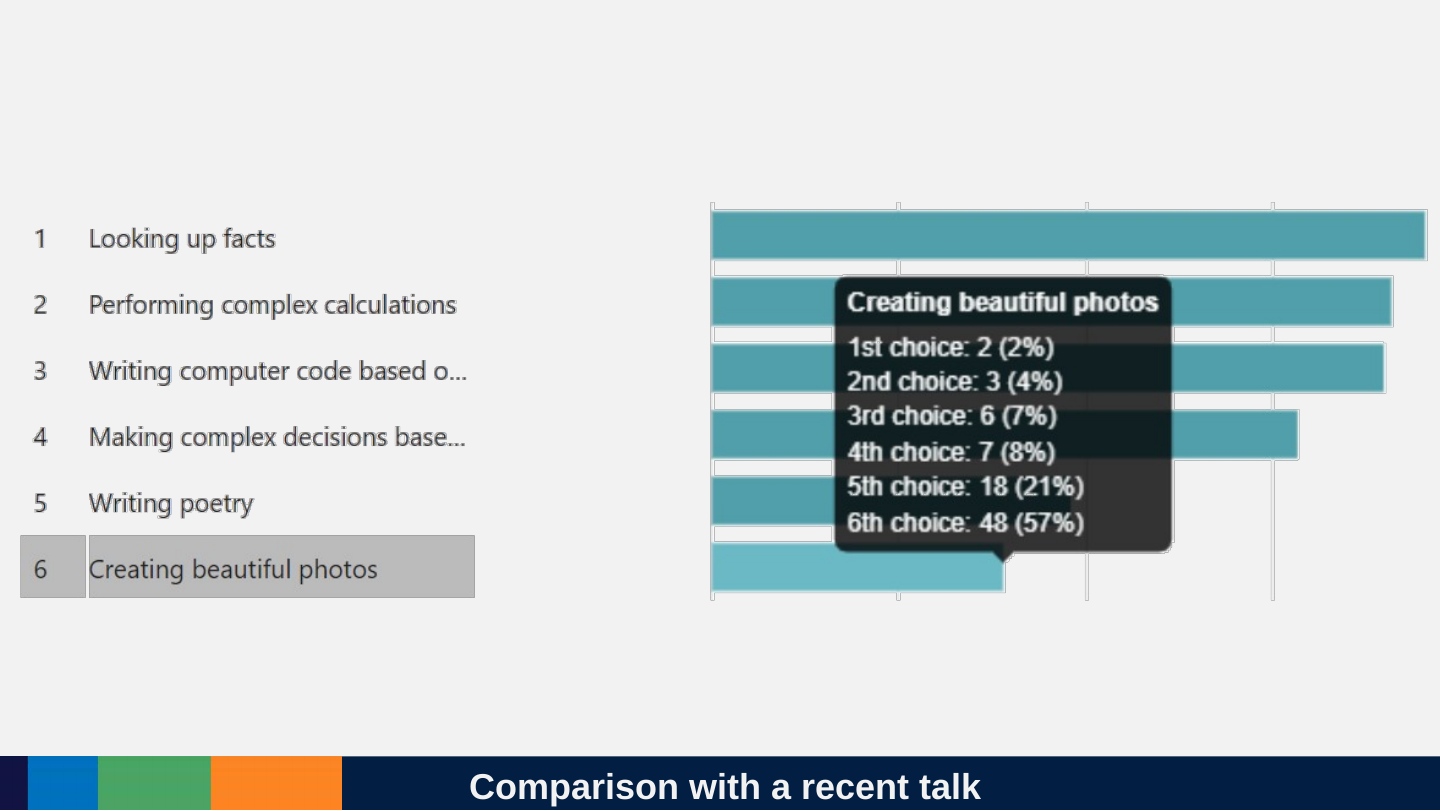
Slide 10: Comparison with a recent talk
Comparison with a recent talk
Slide 11: What it is actually good at?
What it is actually good at?

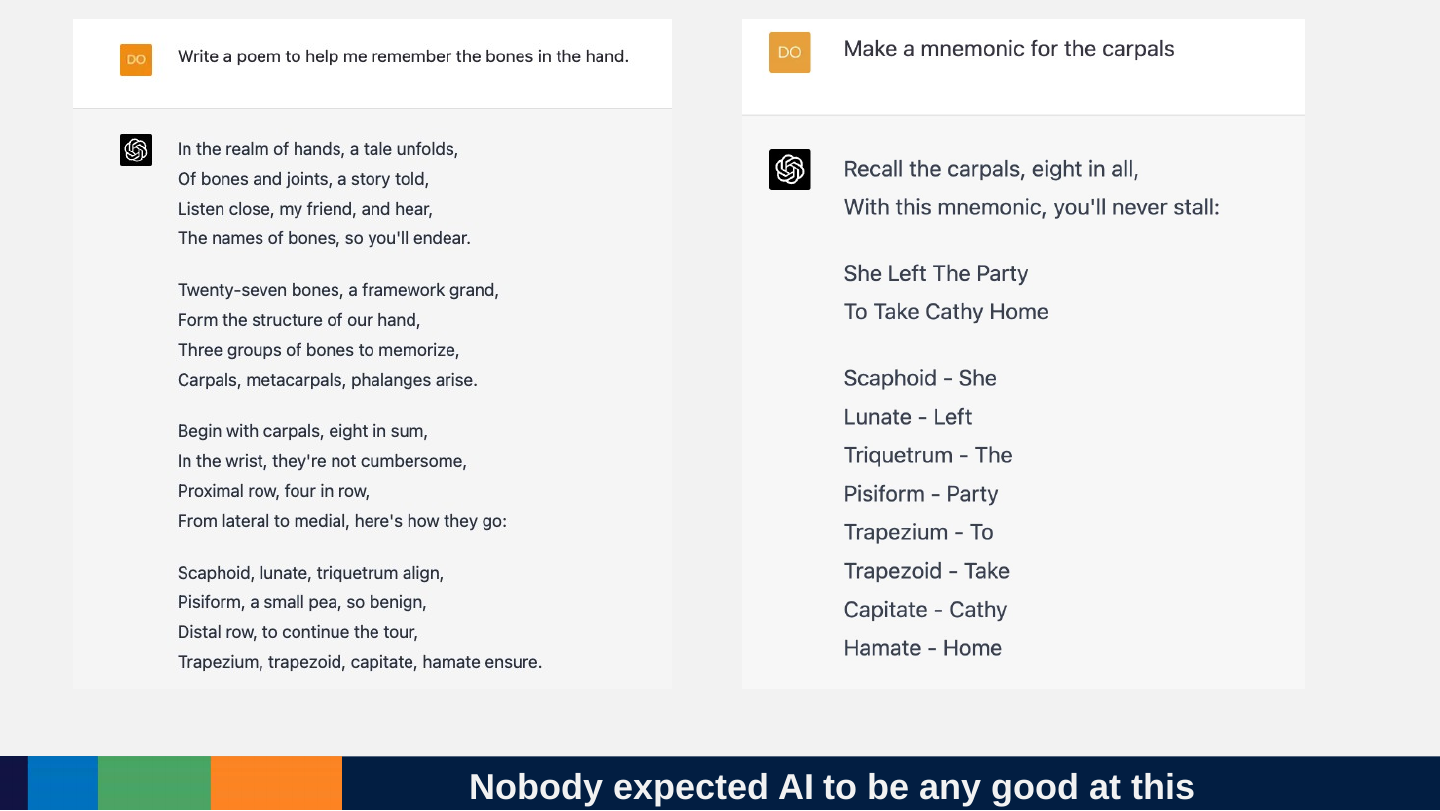
Slide 12: Nobody expected AI to be any good at this
Nobody expected AI to be any good at this
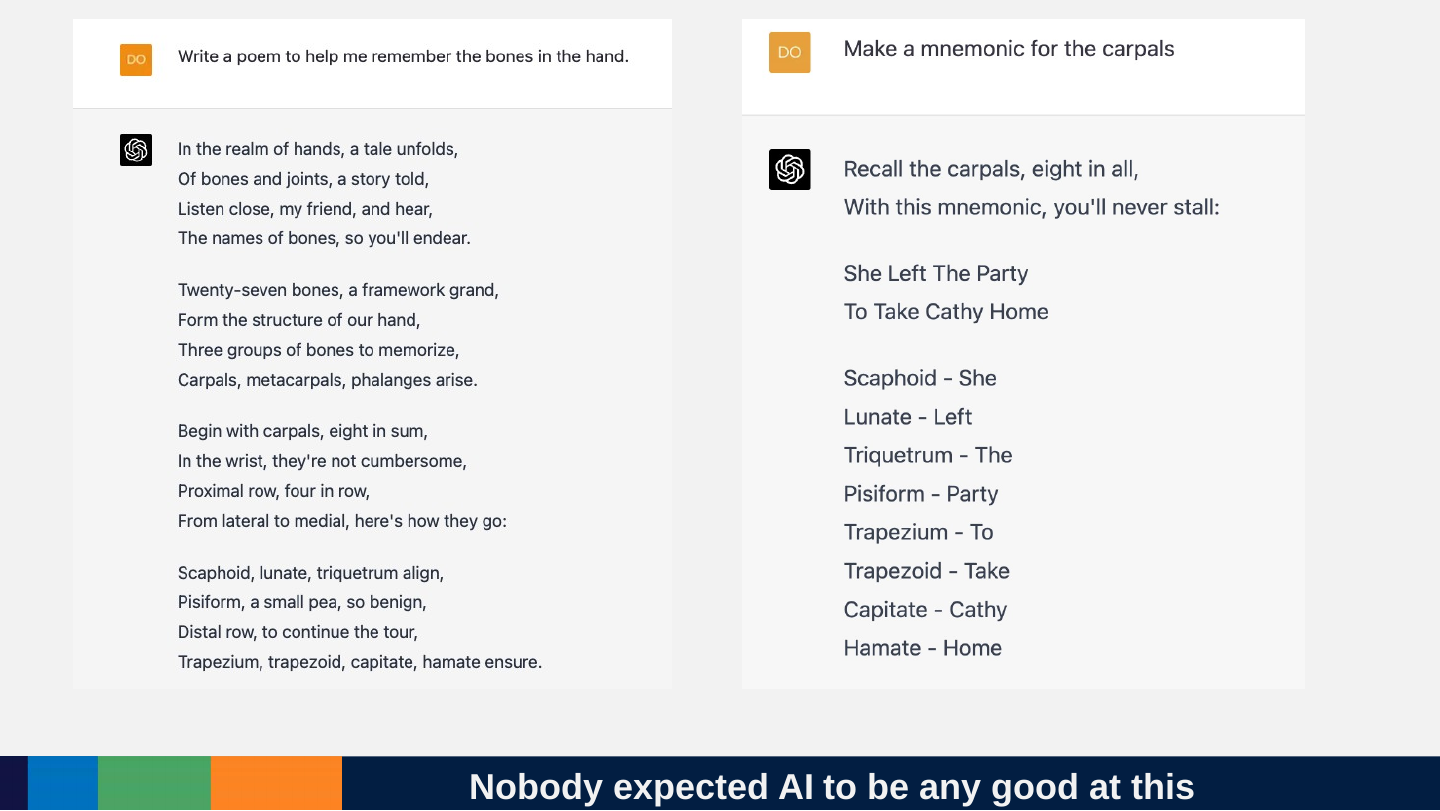
Prompt (left): Write a poem to help me remember the bones in the hand.
In the realm of hands, a tale unfolds,
Of bones and joints, a story told,
Listen close, my friend, and hear,
The names of bones, so you'll endear.
Twenty-seven bones, a framework grand,
Form the structure of our hand,
Three groups of bones to memorize,
Carpals, metacarpals, phalanges arise.
Begin with carpals, eight in sum,
In the wrist, they're not cumbersome,
Proximal row, four in row,
From lateral to medial, here's how they go:
Scaphoid, lunate, triquetrum align,
Pisiform, a small pea, so benign,
Distal row, to continue the tour,
Trapezium, trapezoid, capitate, hamate ensure.
Prompt (right): Make a mnemonic for the carpals
Recall the carpals, eight in all,
With this mnemonic, you'll never stall:
She Left The Party
To Take Cathy Home
- Scaphoid - She
- Lunate - Left
- Triquetrum - The
- Pisiform - Party
- Trapezium - To
- Trapezoid - Take
- Capitate - Cathy
- Hamate - Home
Slide 13: Or this
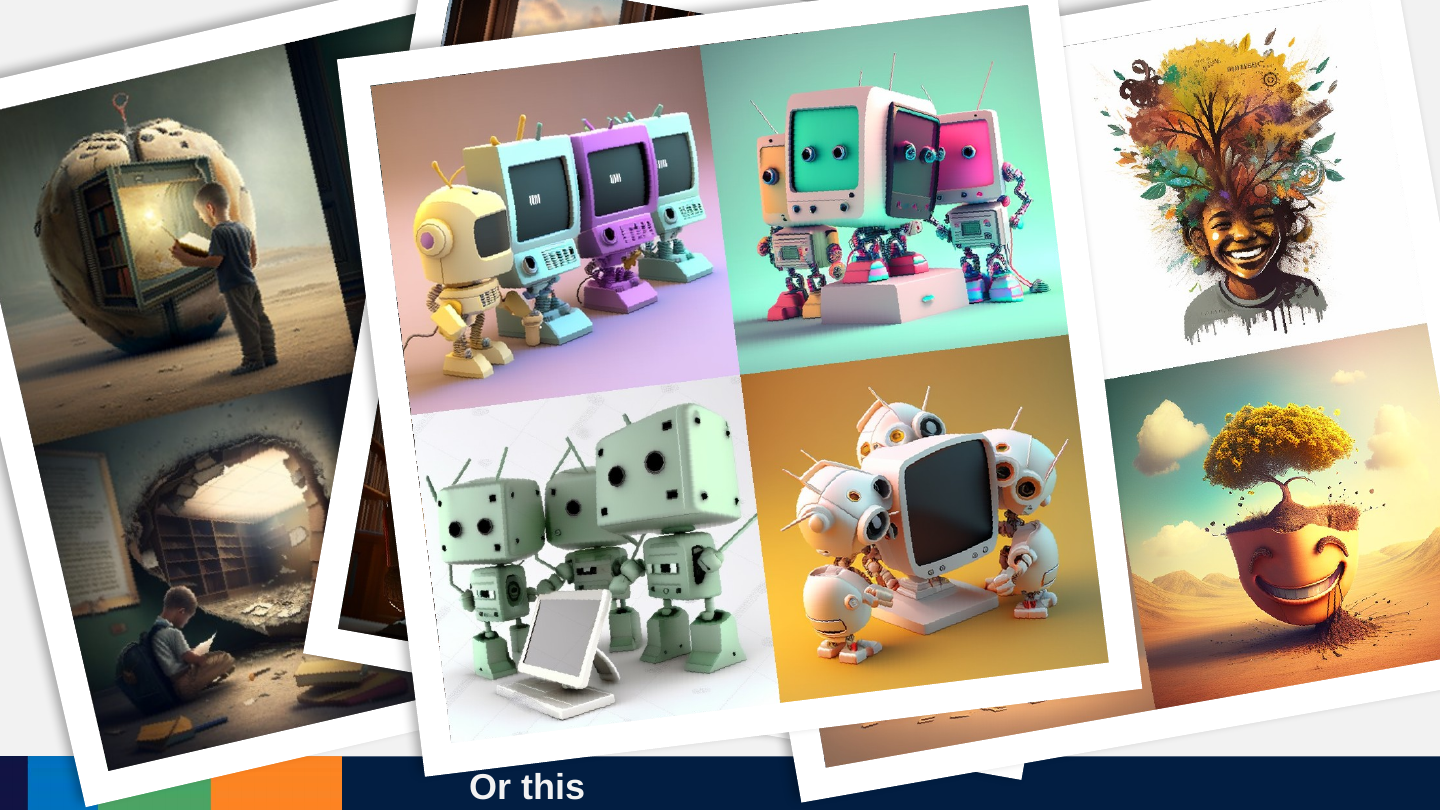
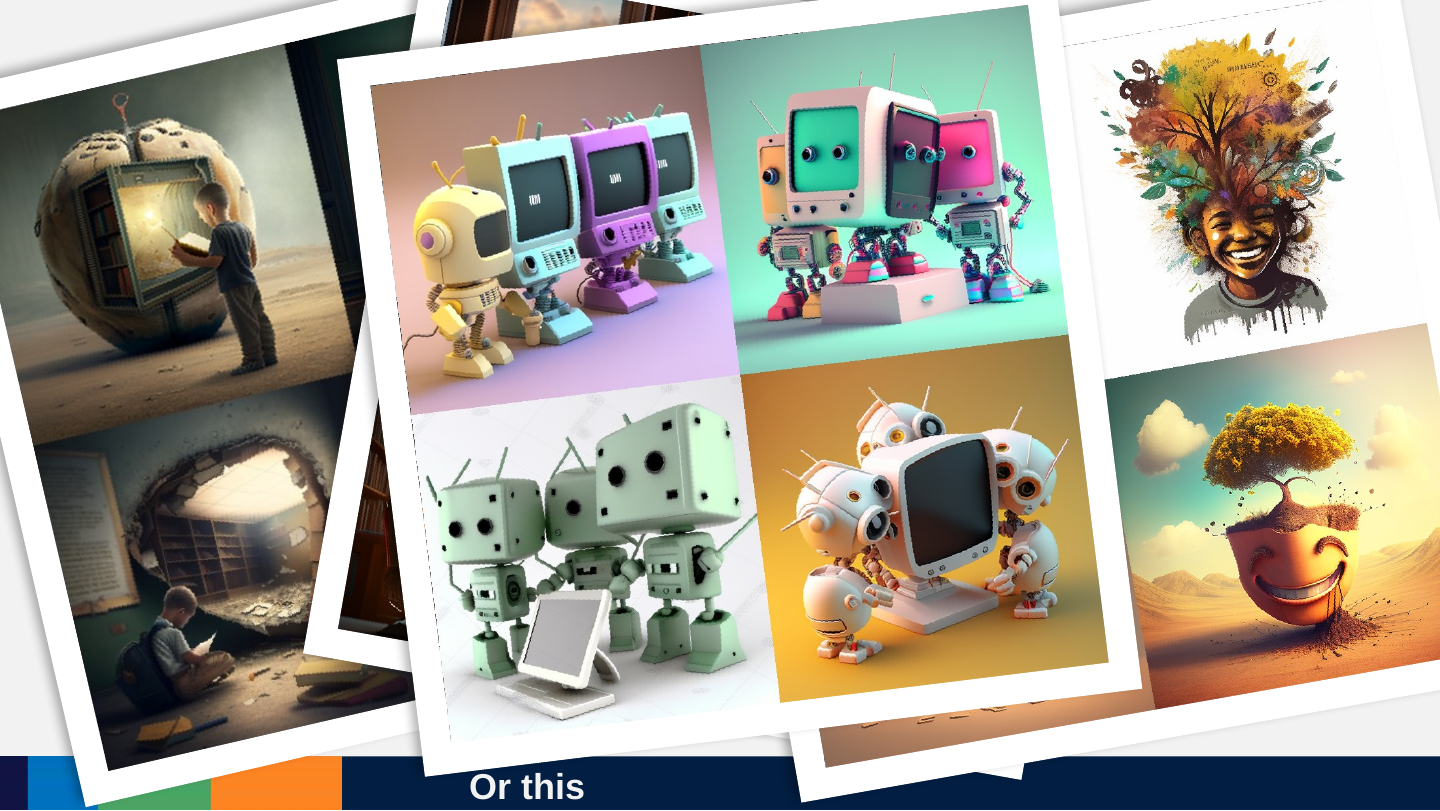
Or this
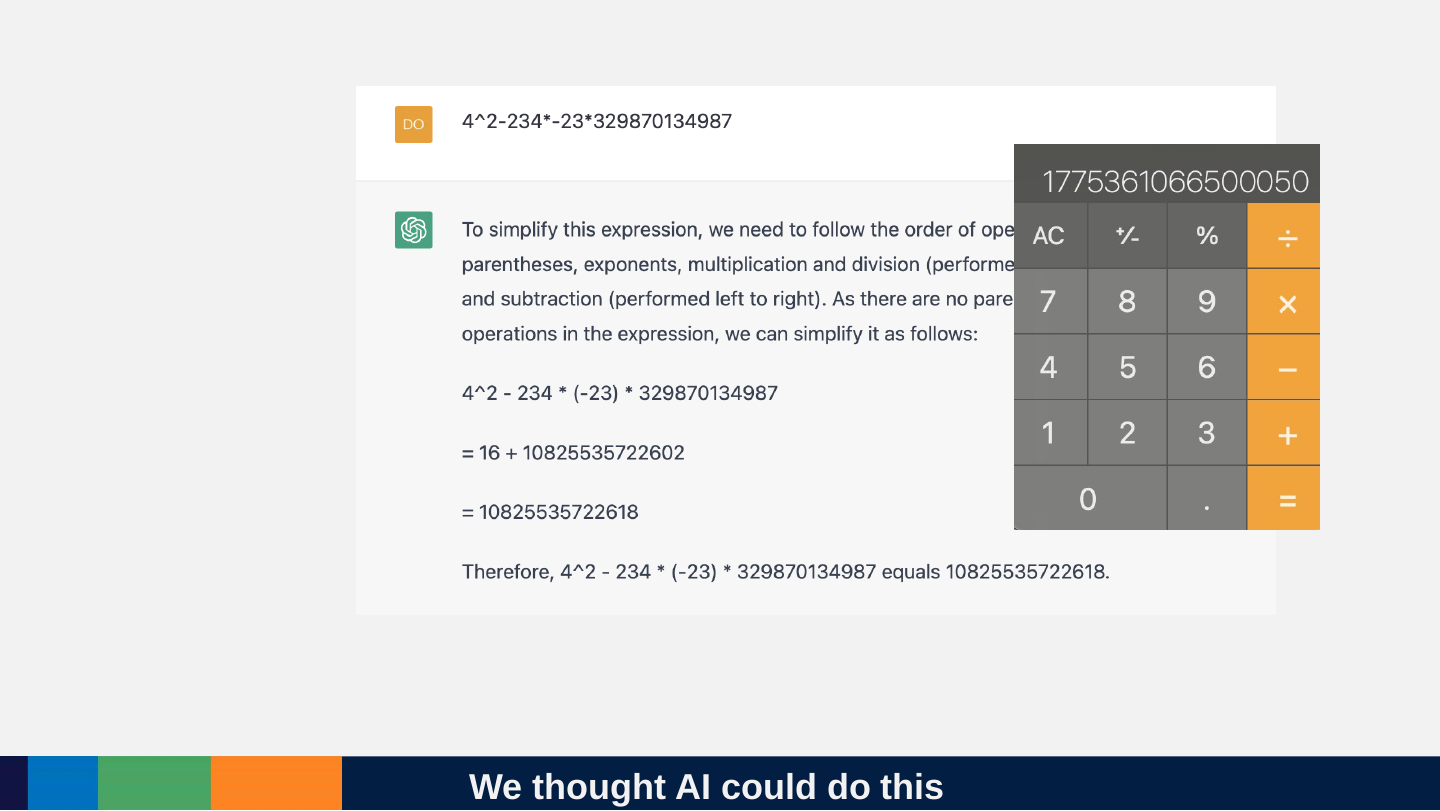
Slide 14: We thought AI could do this
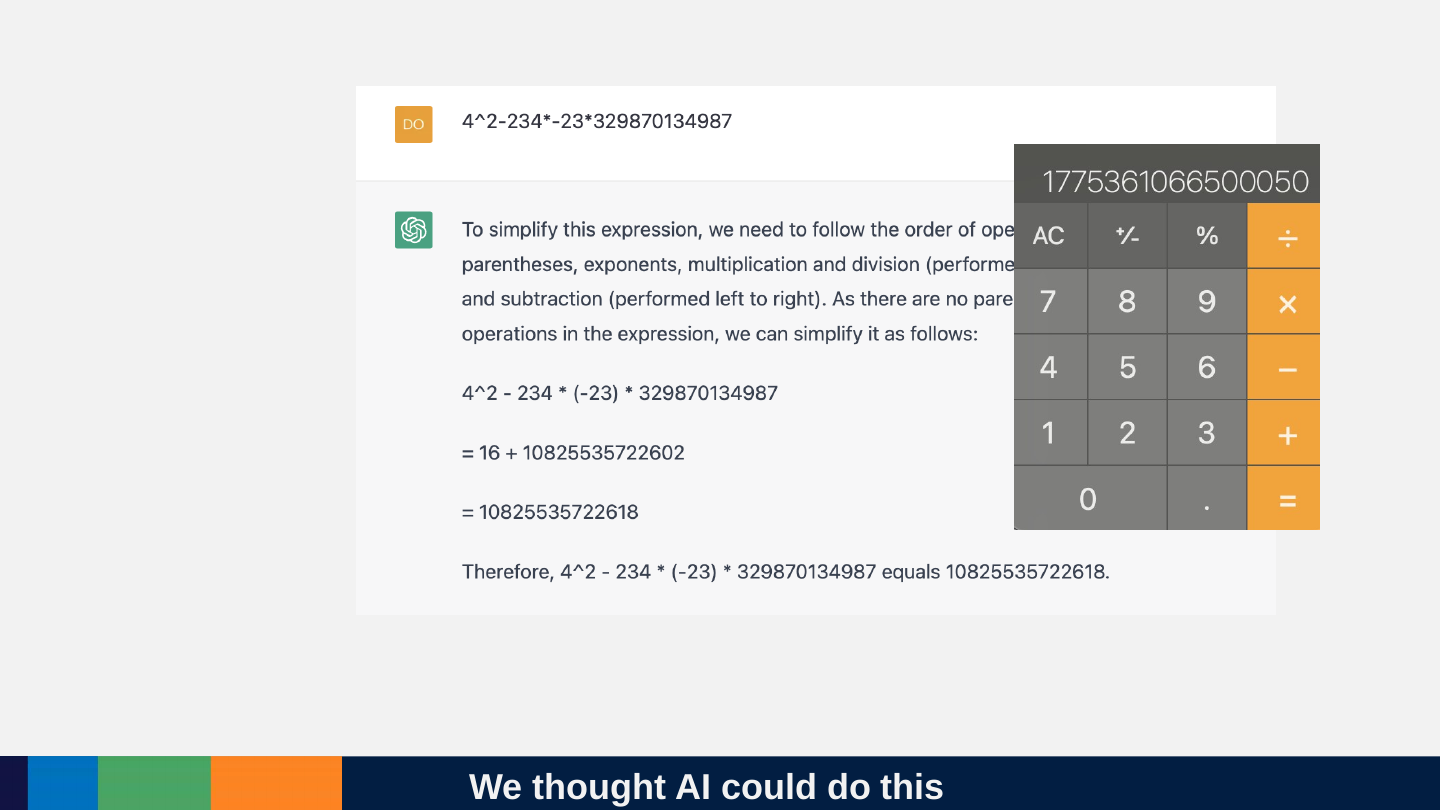
We thought AI could do this
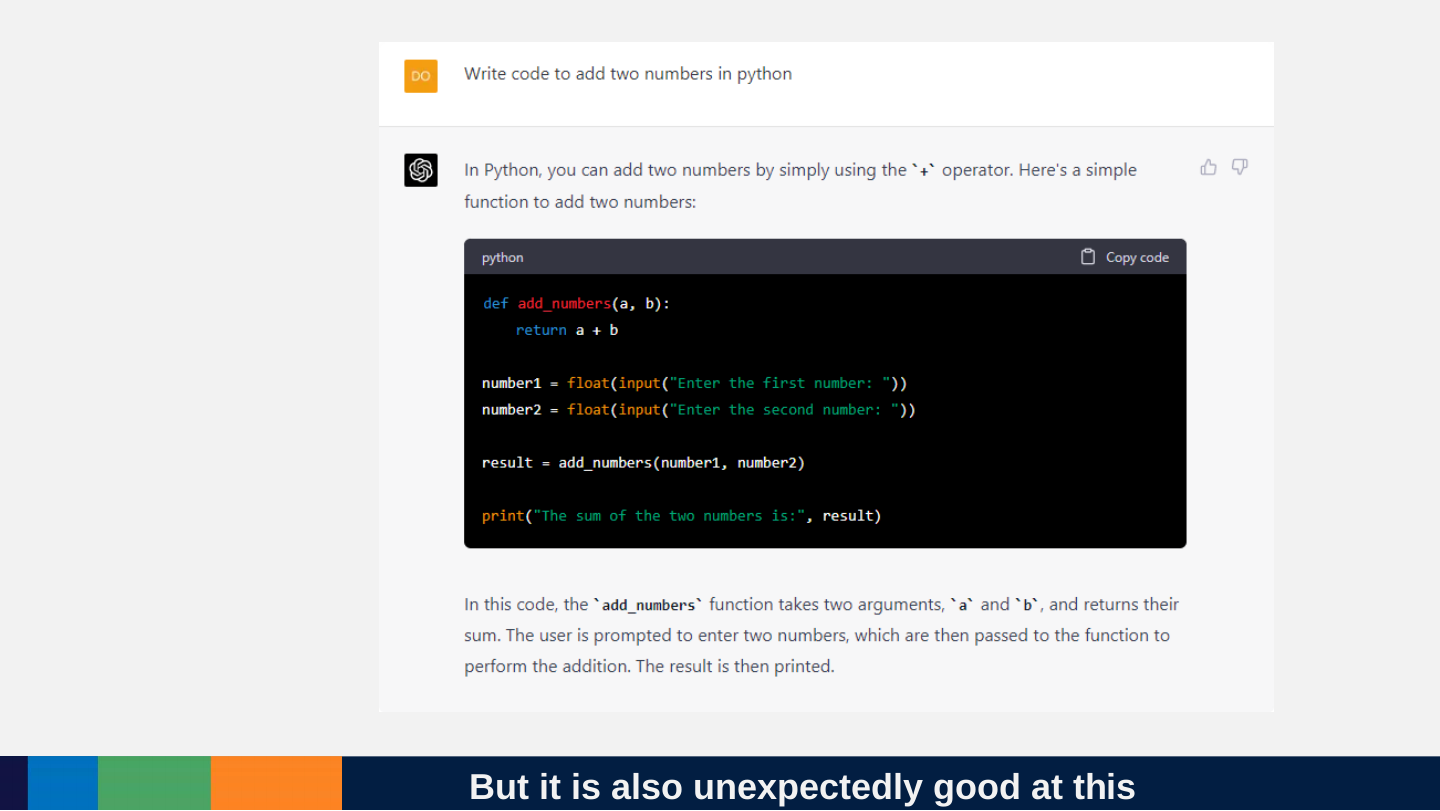
Slide 15: But it is also unexpectedly good at this
But it is also unexpectedly good at this
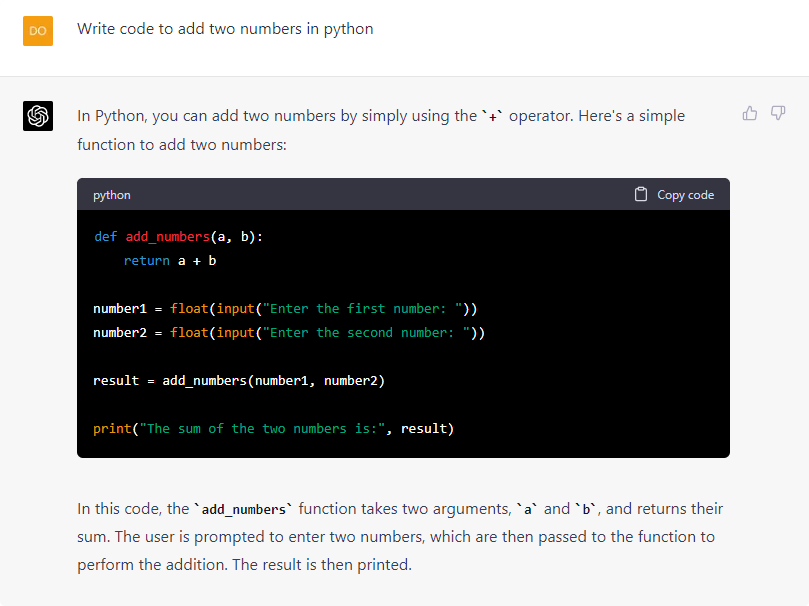
Prompt: Write code to add two numbers in python
In Python, you can add two numbers by simply using the + operator. Here's a simple function to add two numbers:
def add_numbers(a, b):
return a + b
number1 = float(input("Enter the first number: "))
number2 = float(input("Enter the second number: "))
result = add_numbers(number1, number2)
print("The sum of the two numbers is:", result)
In this code, the add_numbers function takes two arguments, a and b, and returns their sum. The user is prompted to enter two numbers, which are then passed to the function to perform the addition. The result is then printed.
Slide 16: How do we know what modern AI will be good or bad at?
How do we know what modern AI will be good or bad at?

Slide 17: We have evaluate it systematically. Almost as a new organism.
We have evaluate it systematically. Almost as a new organism.

Slide 18: Hofstadter, 1979: Questions
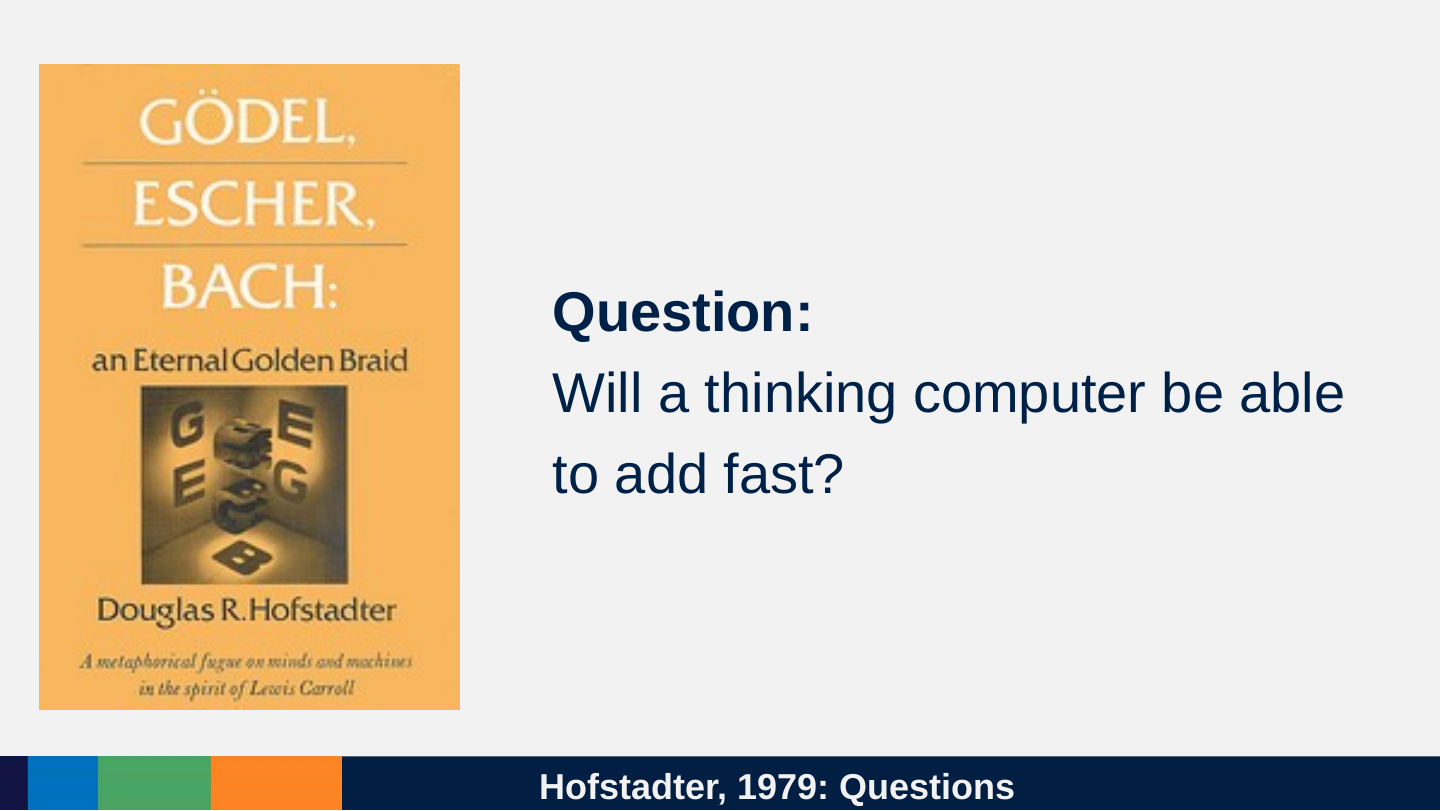
Hofstadter, 1979: Questions
Question: Will a thinking computer be able to add fast?
Slide 19: Hofstadter, 1979, Speculations
Hofstadter, 1979, Speculations
Speculation: Perhaps not. We ourselves are composed of hardware which does fancy calculations but that doesn't mean that our symbol level, where "we" are, knows how to carry out the same fancy calculations.
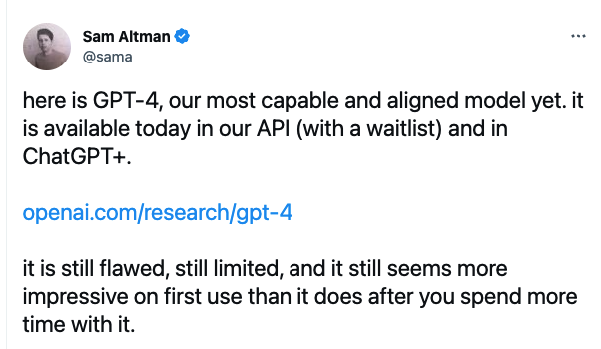
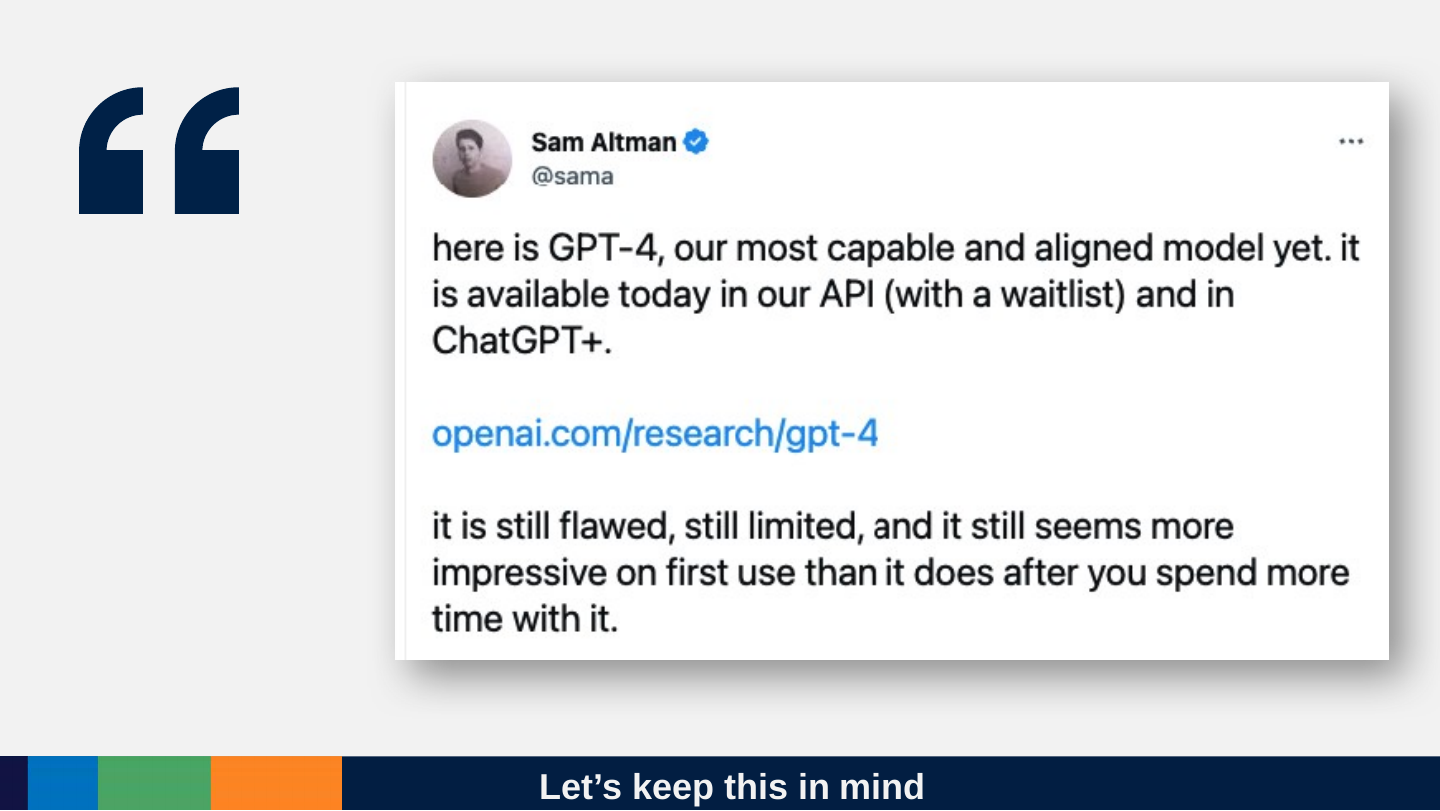
Slide 20: Let’s keep this in mind
Let’s keep this in mind
Slide 21: What ChatGPT can do for YOU?
What ChatGPT can do for YOU?
Slide 22: Better at poetry than math still means it can be incredibly useful.
Better at poetry than math still means it can be incredibly useful.
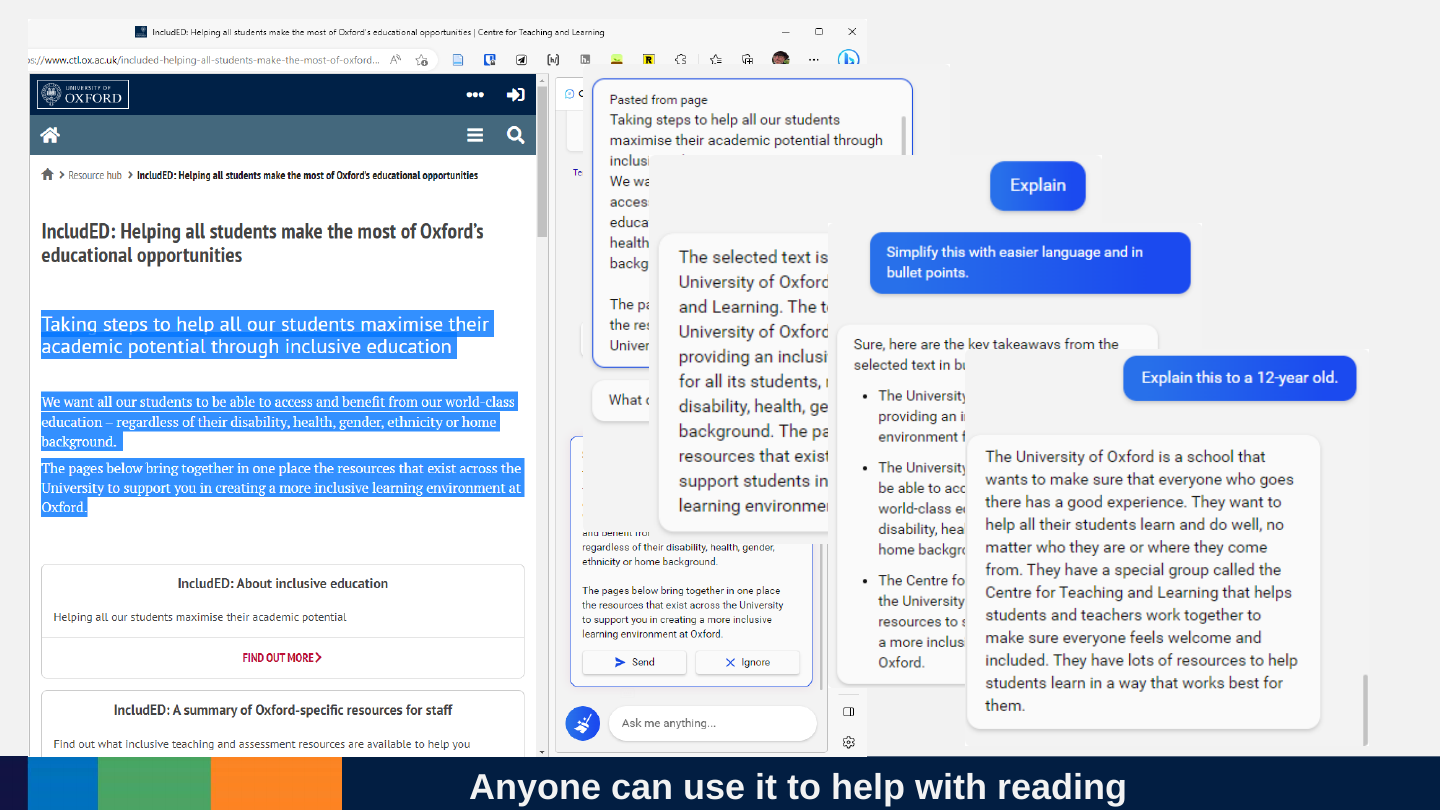
Slide 23: Anyone can use it to help with reading
Anyone can use it to help with reading
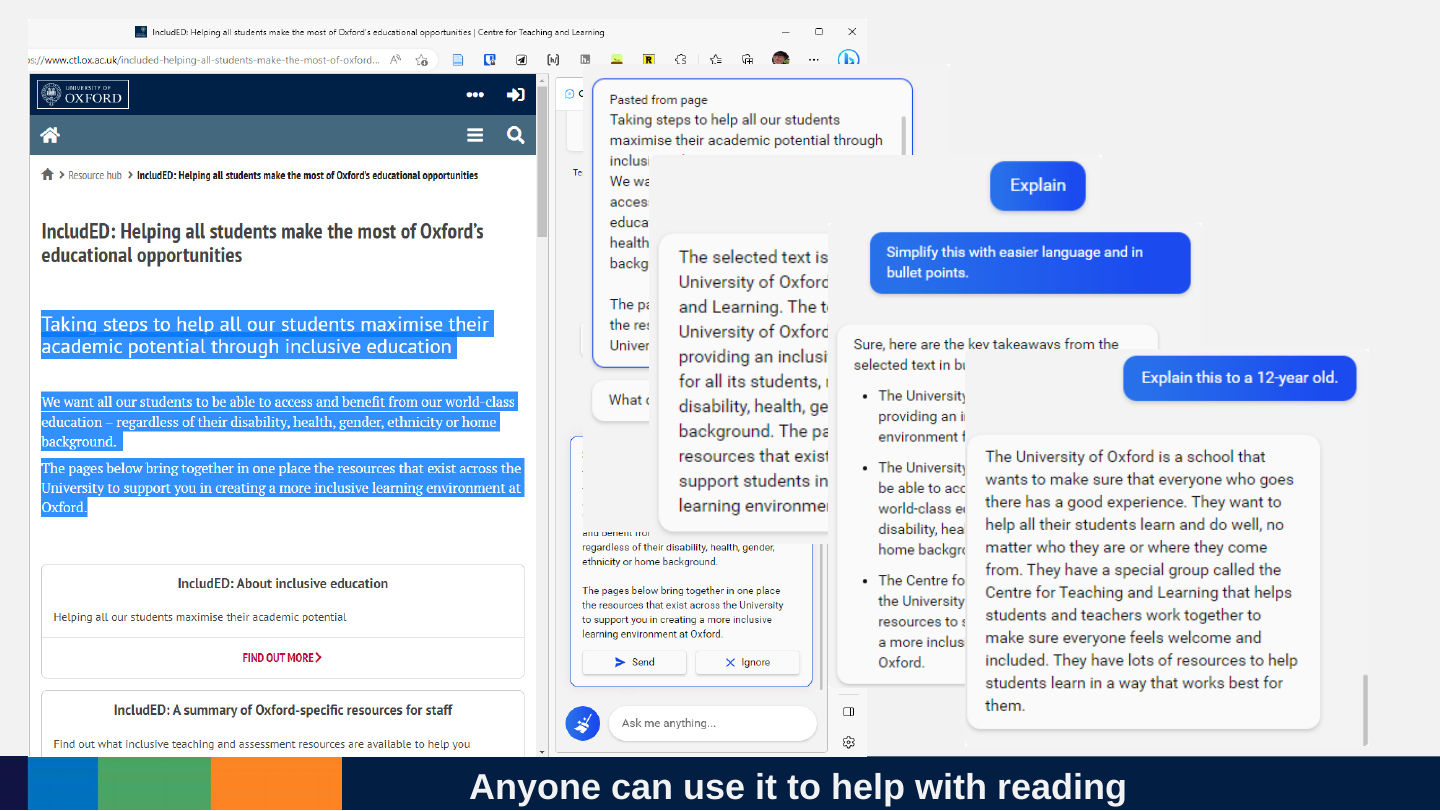
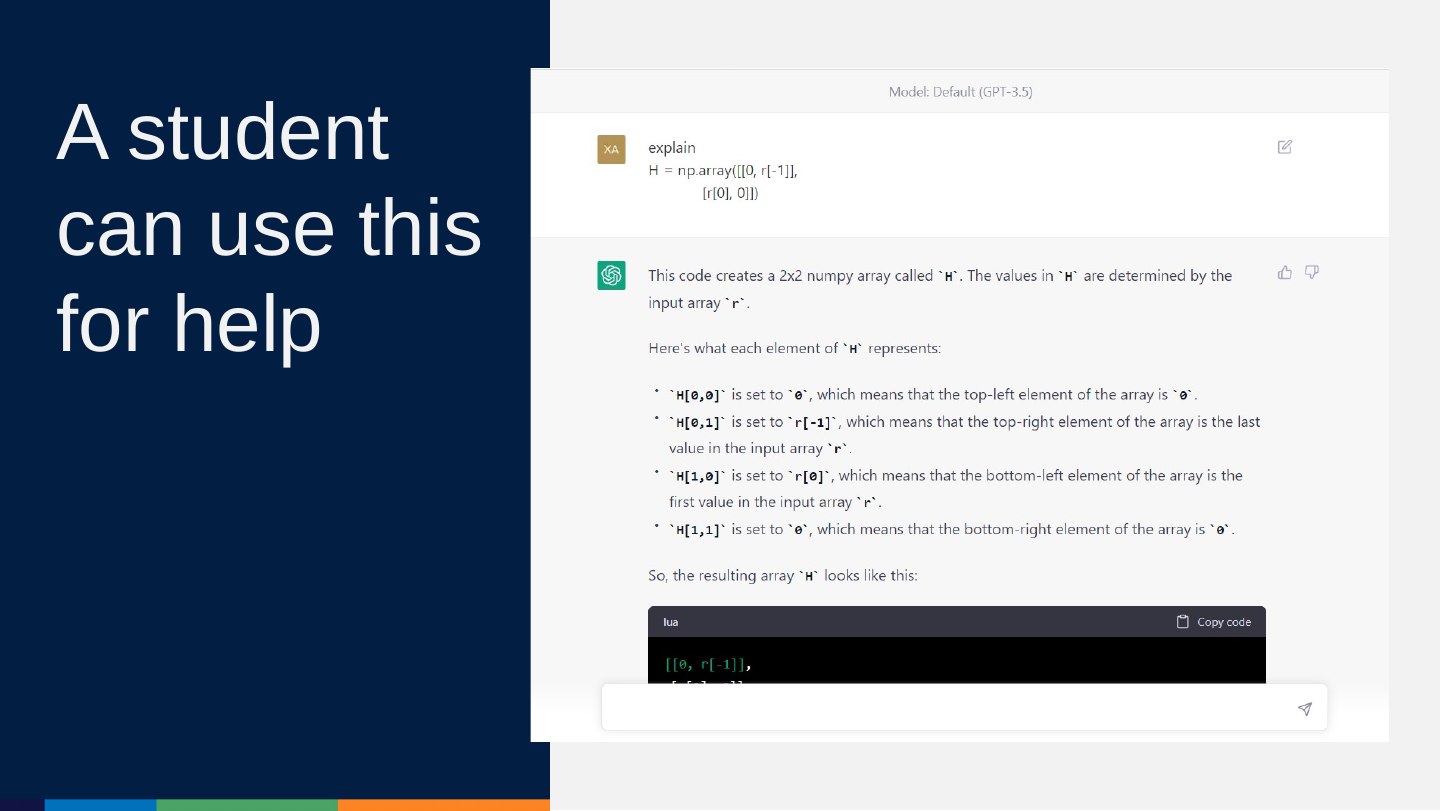
Slide 24: A student can use this for help
A student can use this for help
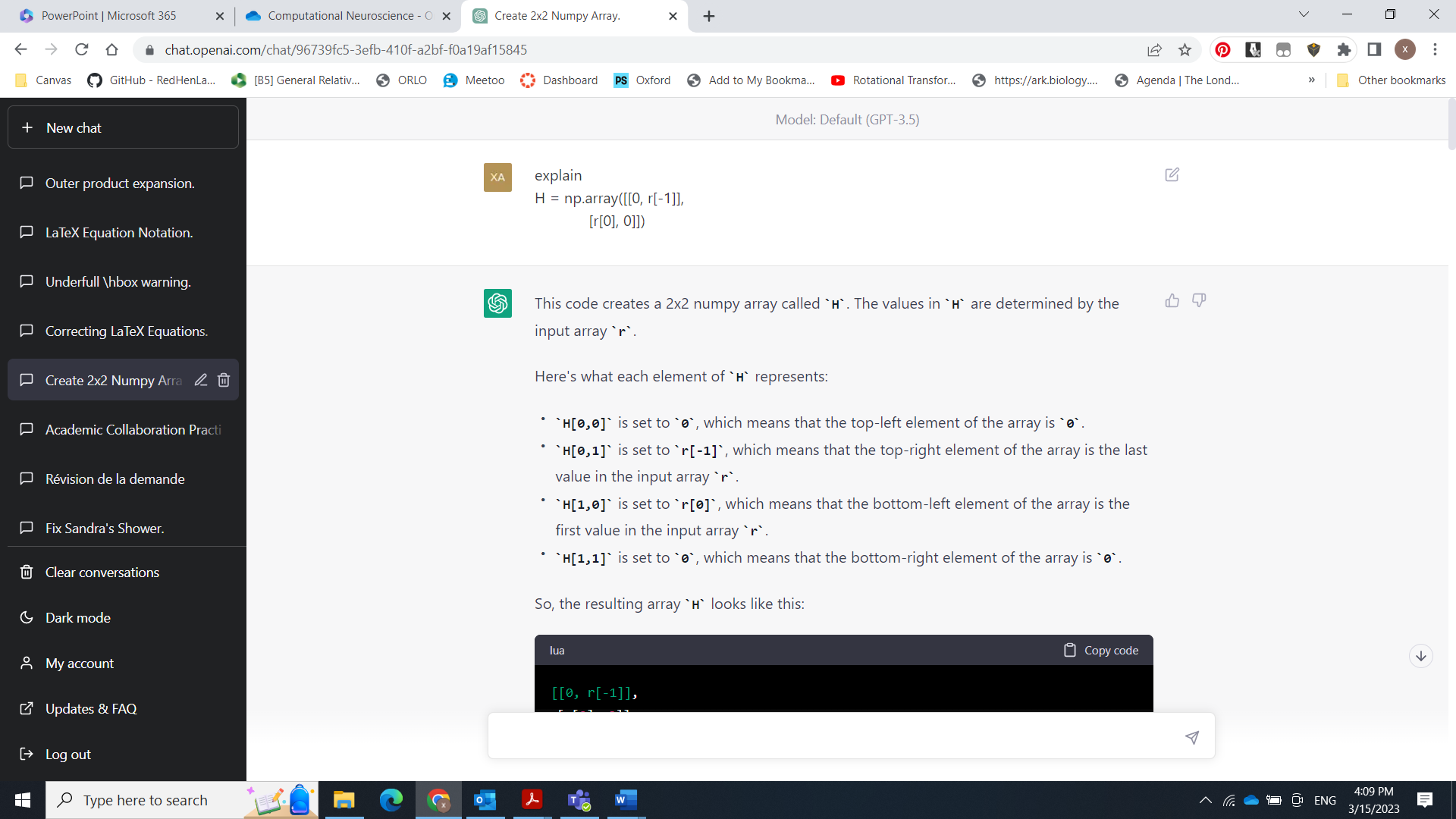
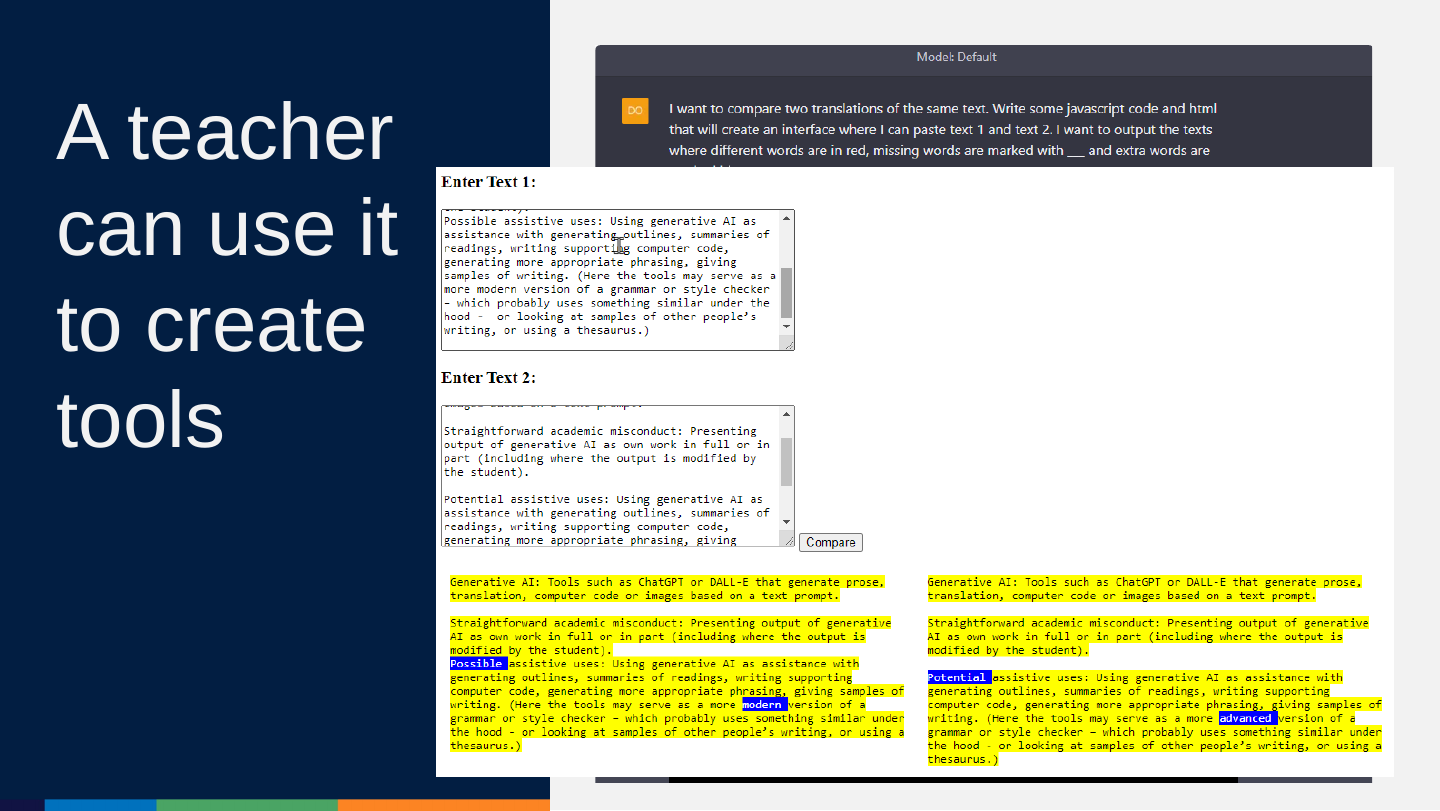
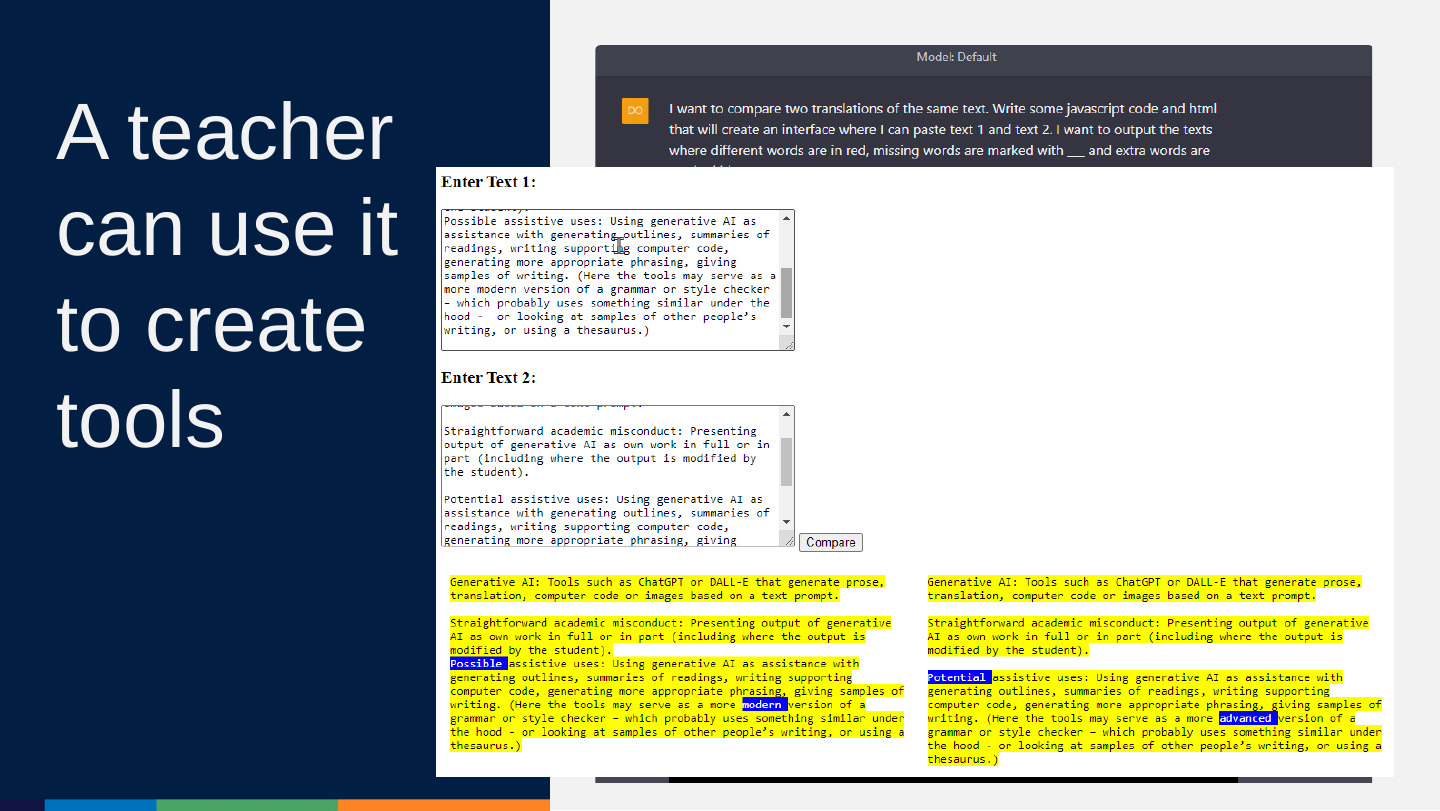
Slide 25: A teacher can use it to create tools
A teacher can use it to create tools
Slide 26: There are limits but also, we can use it to assist us in real ways. But we should understand what it is doing.
There are limits but also, we can use it to assist us in real ways. But we should understand what it is doing.
Slide 27: 5 Things about ChatGPT in 15(ish) Minutes
5 Things about ChatGPT in 15(ish) Minutes
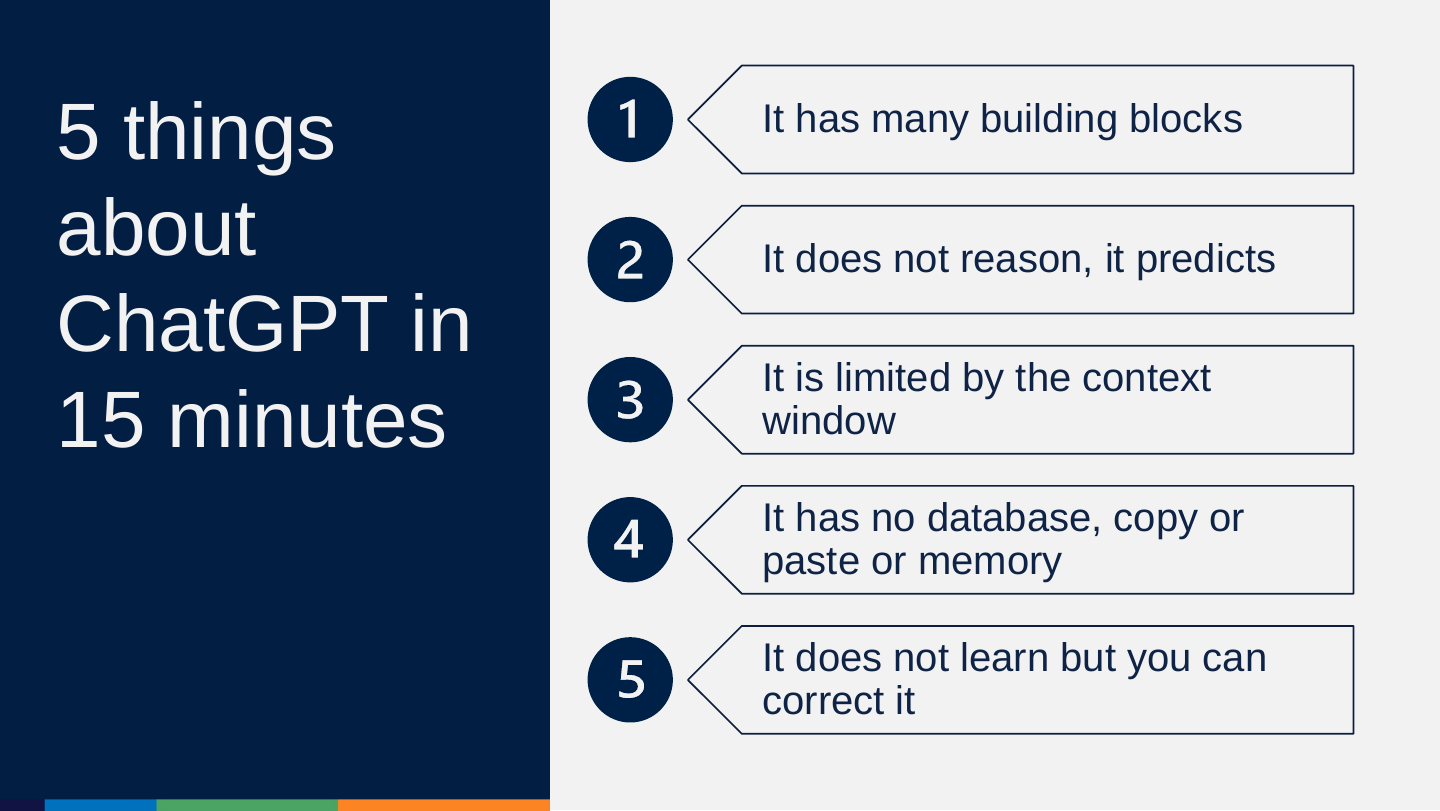
Slide 28: 5 things about ChatGPT in 15 minutes
5 things about ChatGPT in 15 minutes
- It has many building blocks
- It does not reason, it predicts
- It is limited by the context window
- It has no database, copy or paste or memory
- It does not learn but you can correct it
Slide 29: Building blocks of modern AI
Building blocks of modern AI
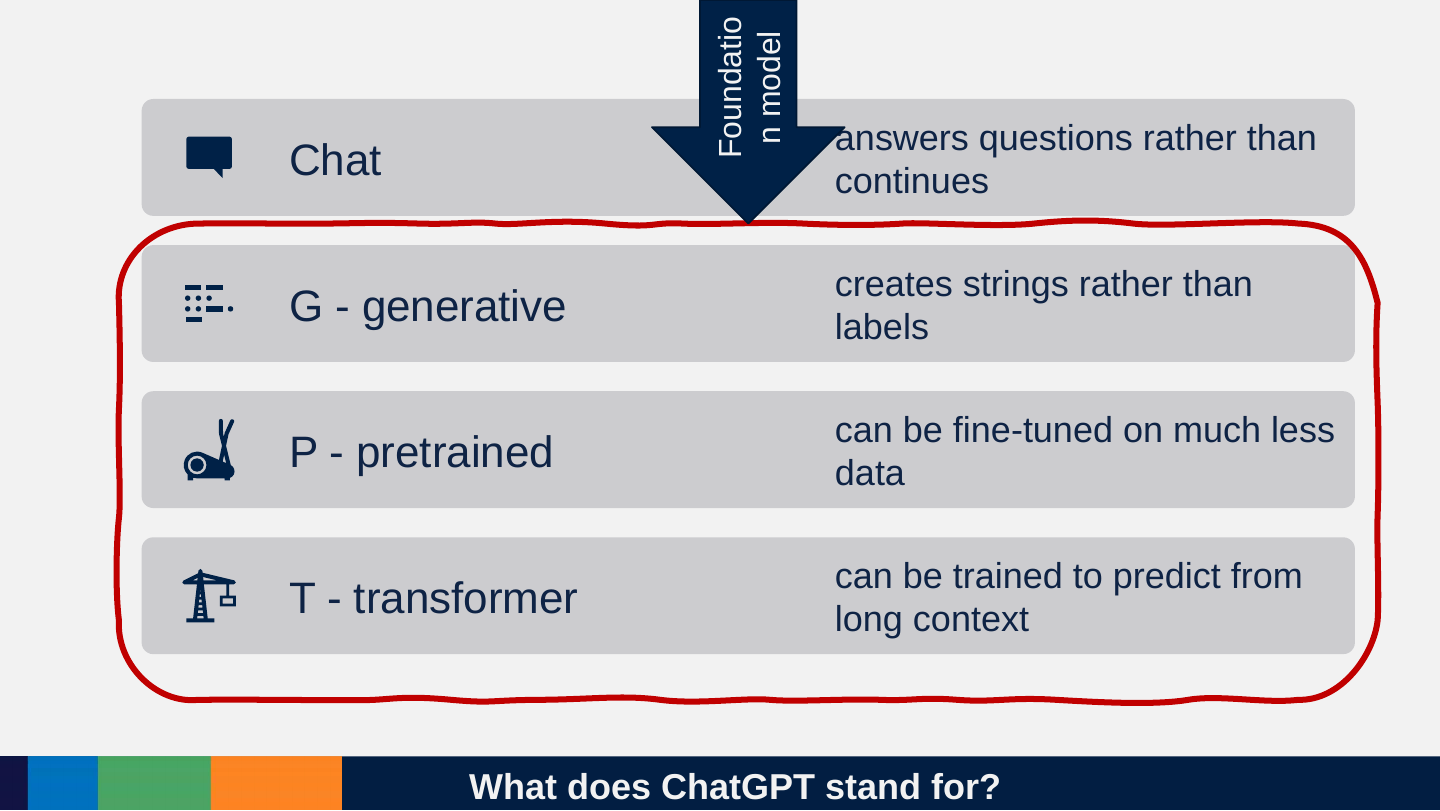
Slide 30: What does ChatGPT stand for?
What does ChatGPT stand for?
- Chat: answers questions rather than continues
- G - generative: creates strings rather than labels
- P - pretrained: can be fine-tuned on much less data
- T - transformer: can be trained to predict from long context
Foundation model
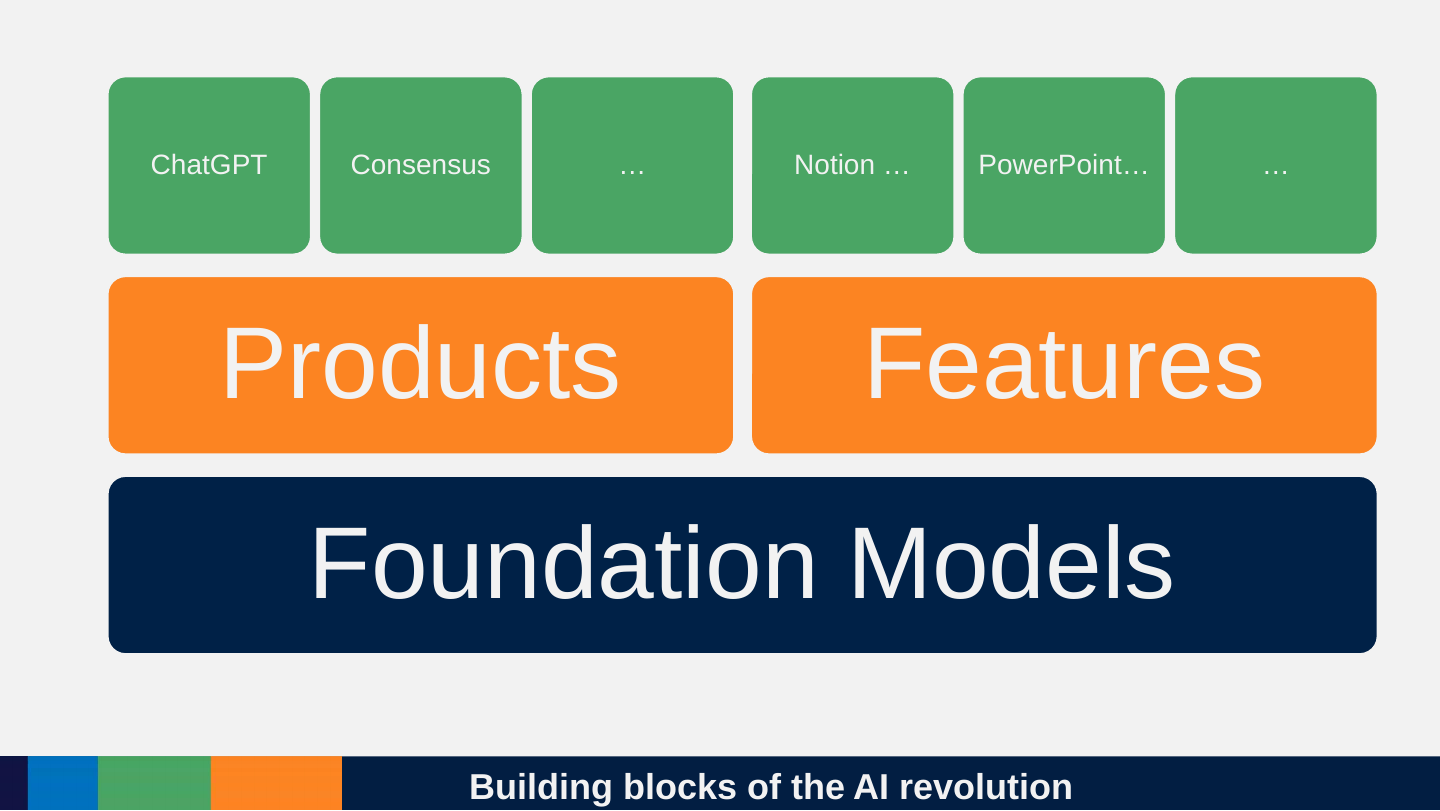
Slide 31: Building blocks of the AI revolution
Building blocks of the AI revolution
- Foundation Models
- Products: ChatGPT, Consensus, …
- Features: Notion …, PowerPoint…, …
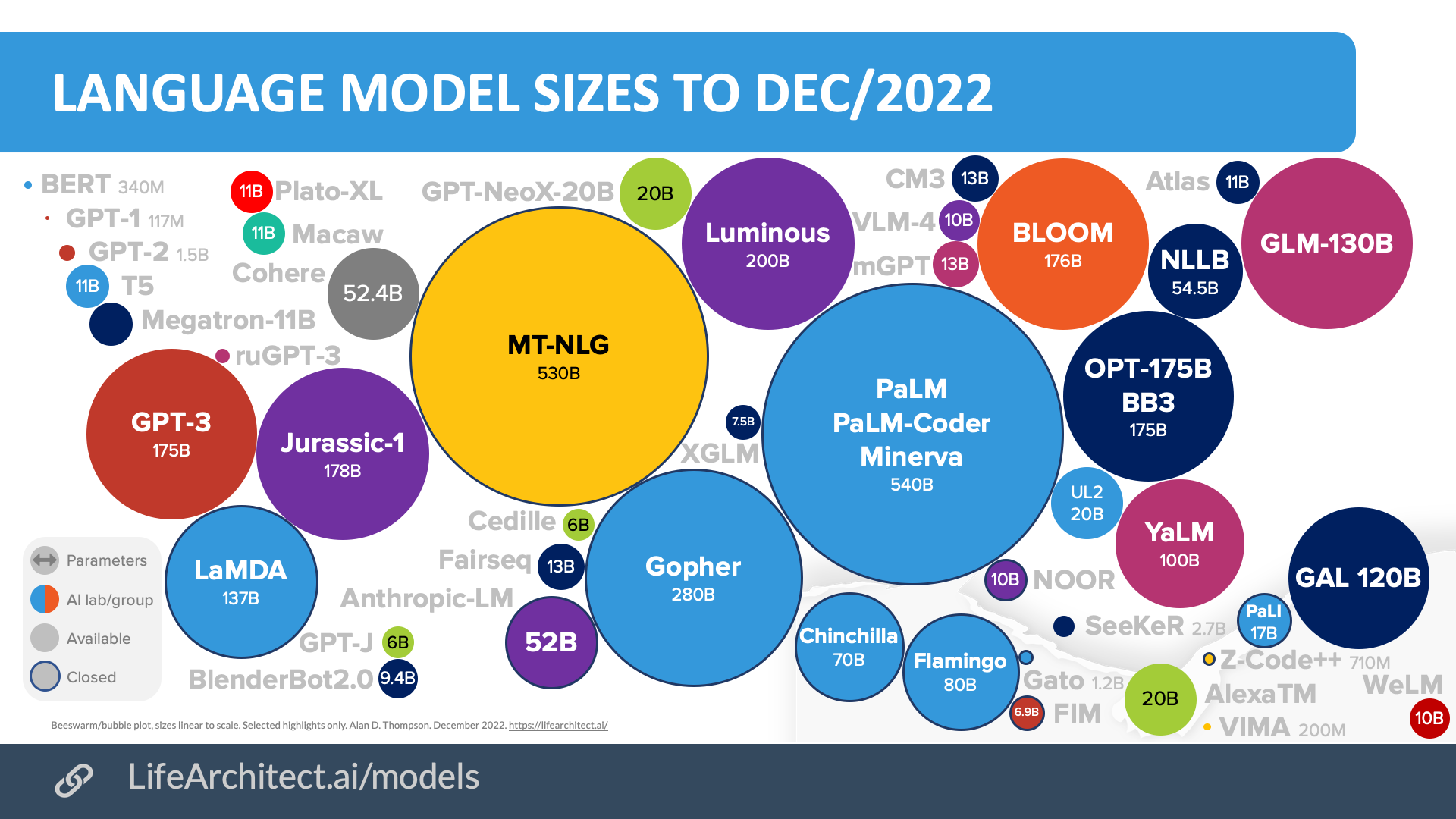
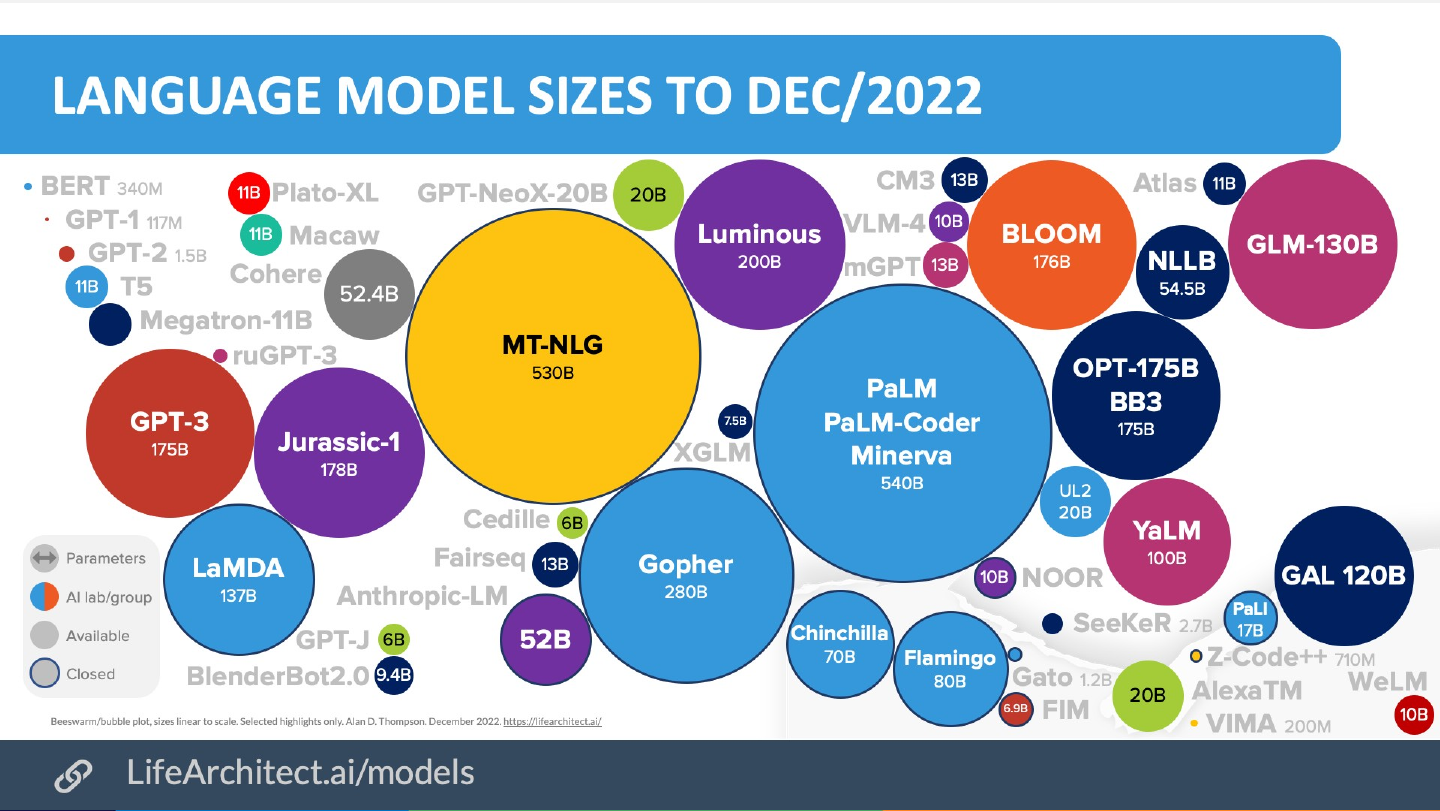
Slide 32: Language model universe in 2022
Language model universe in 2022
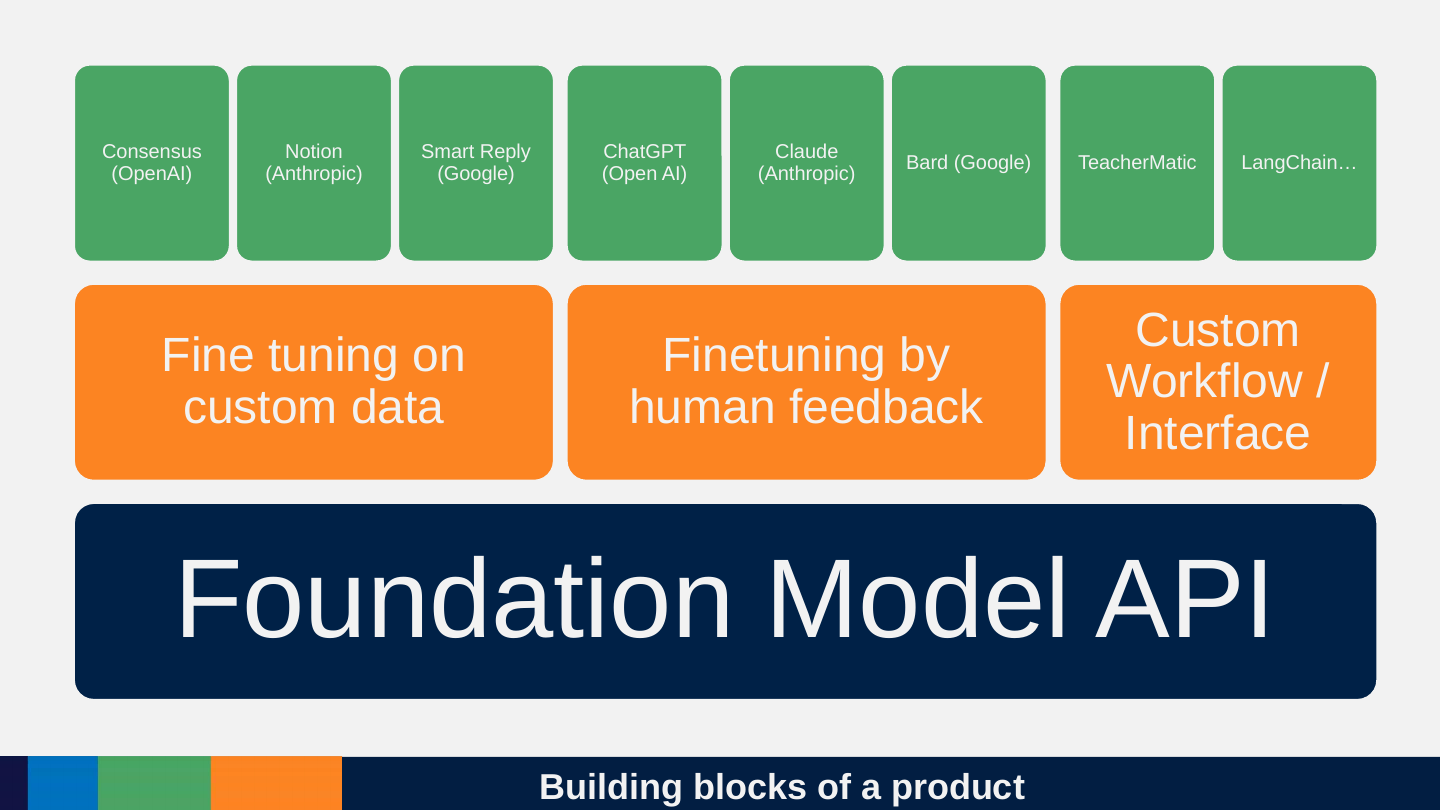
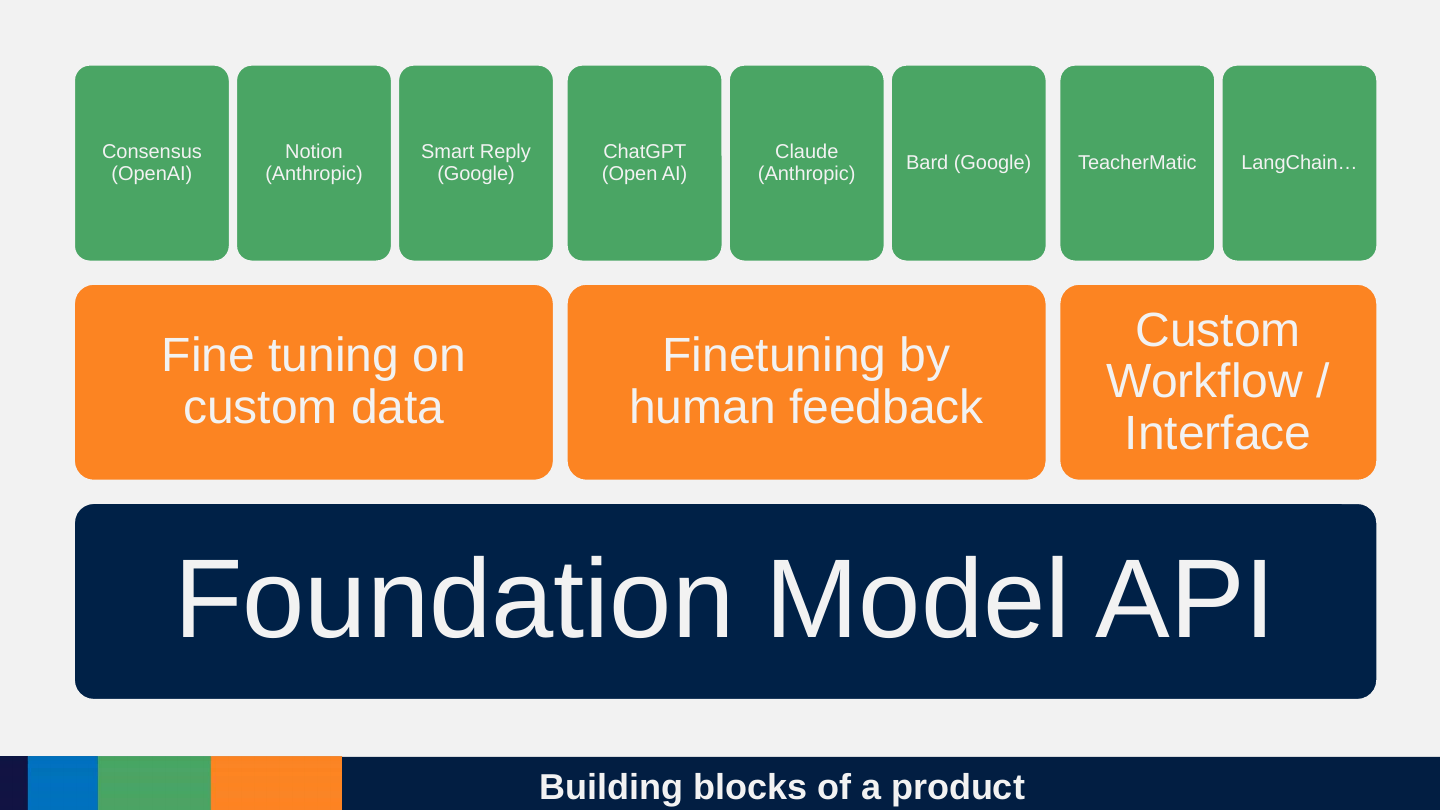
Slide 33: Building blocks of a product
Building blocks of a product
- Foundation Model API
- Fine tuning on custom data
- Finetuning by human feedback
- Custom Workflow / Interface
- Consensus (OpenAI)
- Notion (Anthropic)
- Smart Reply (Google)
- ChatGPT (Open AI)
- Claude (Anthropic)
- Bard (Google)
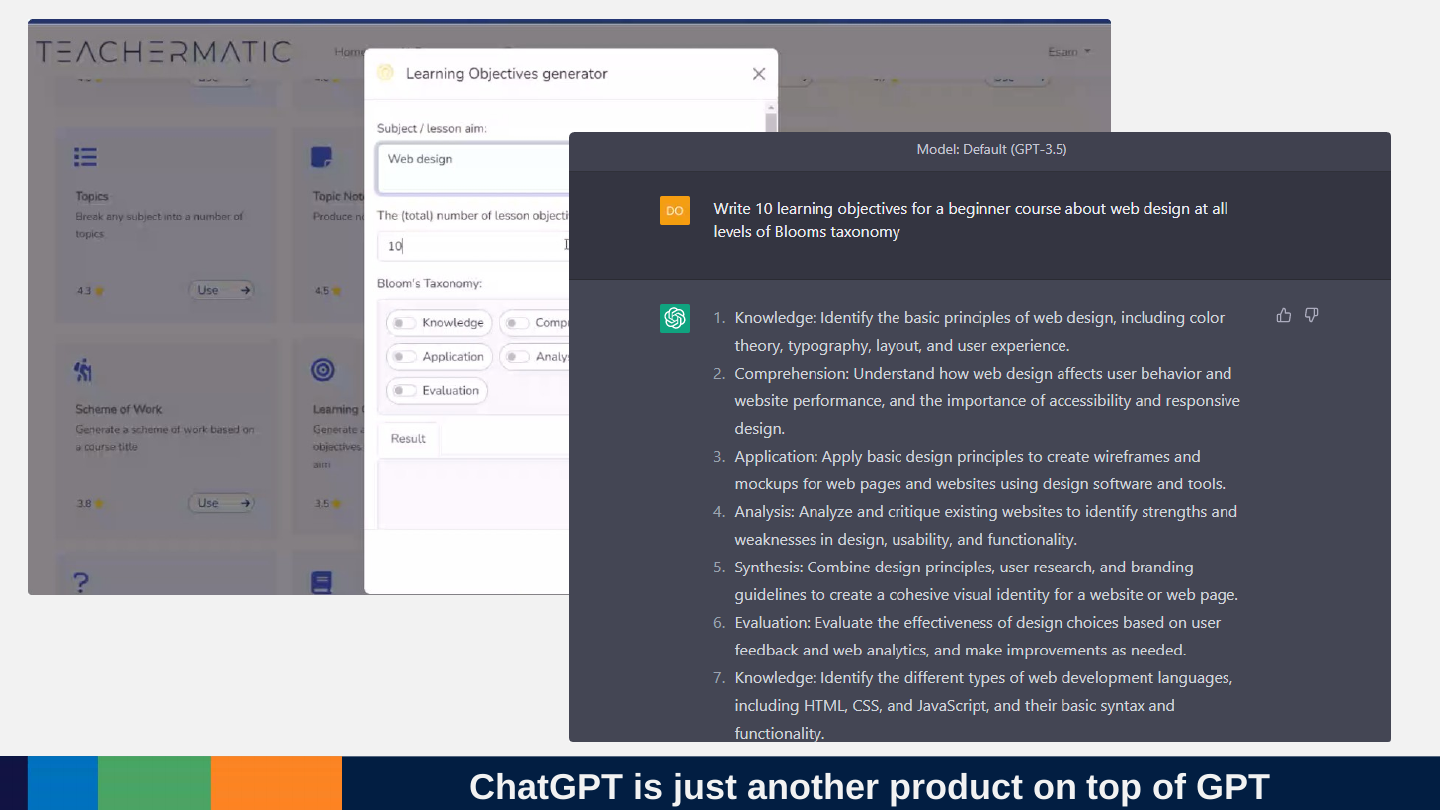
- TeacherMatic
- LangChain…
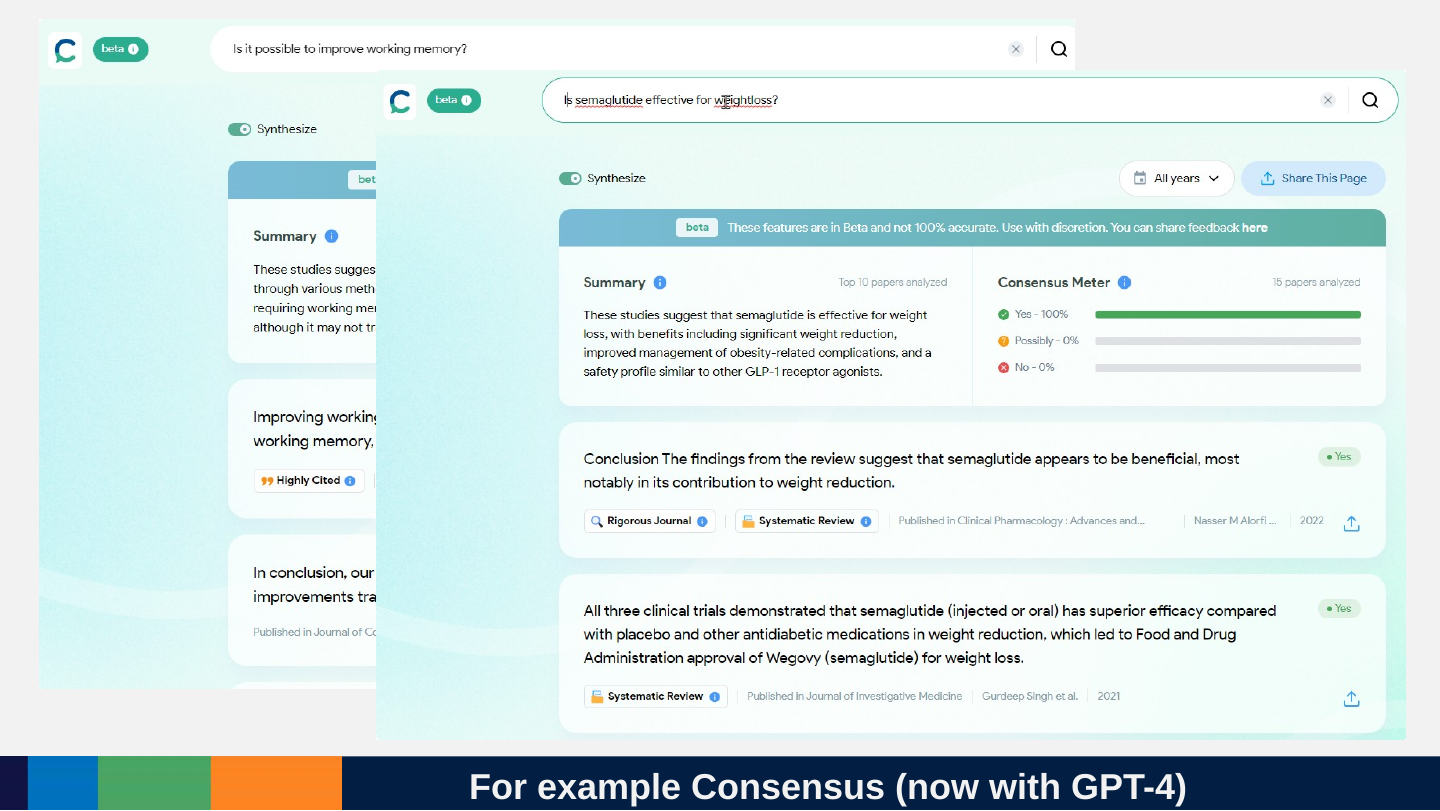
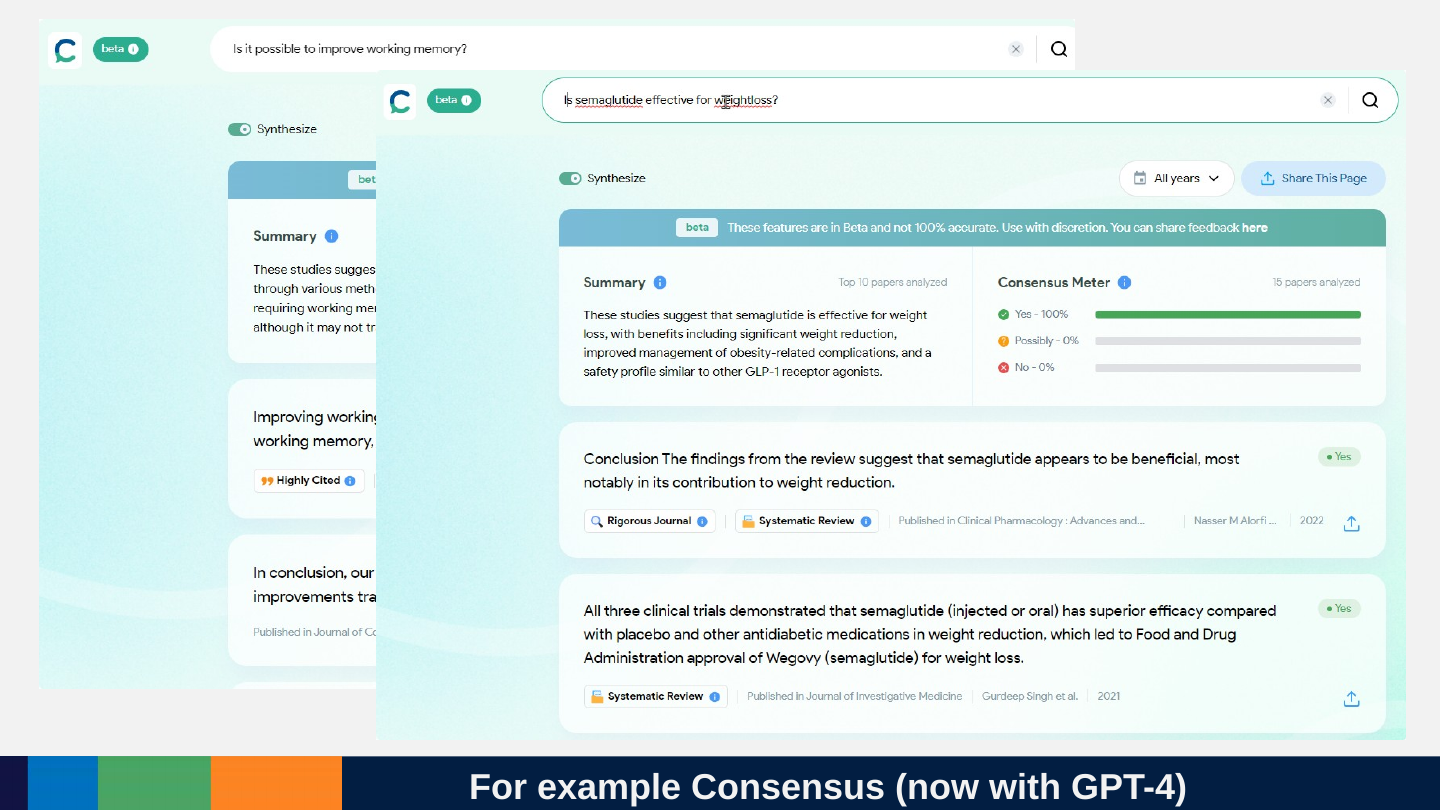
Slide 34: For example Consensus (now with GPT-4)
For example Consensus (now with GPT-4)
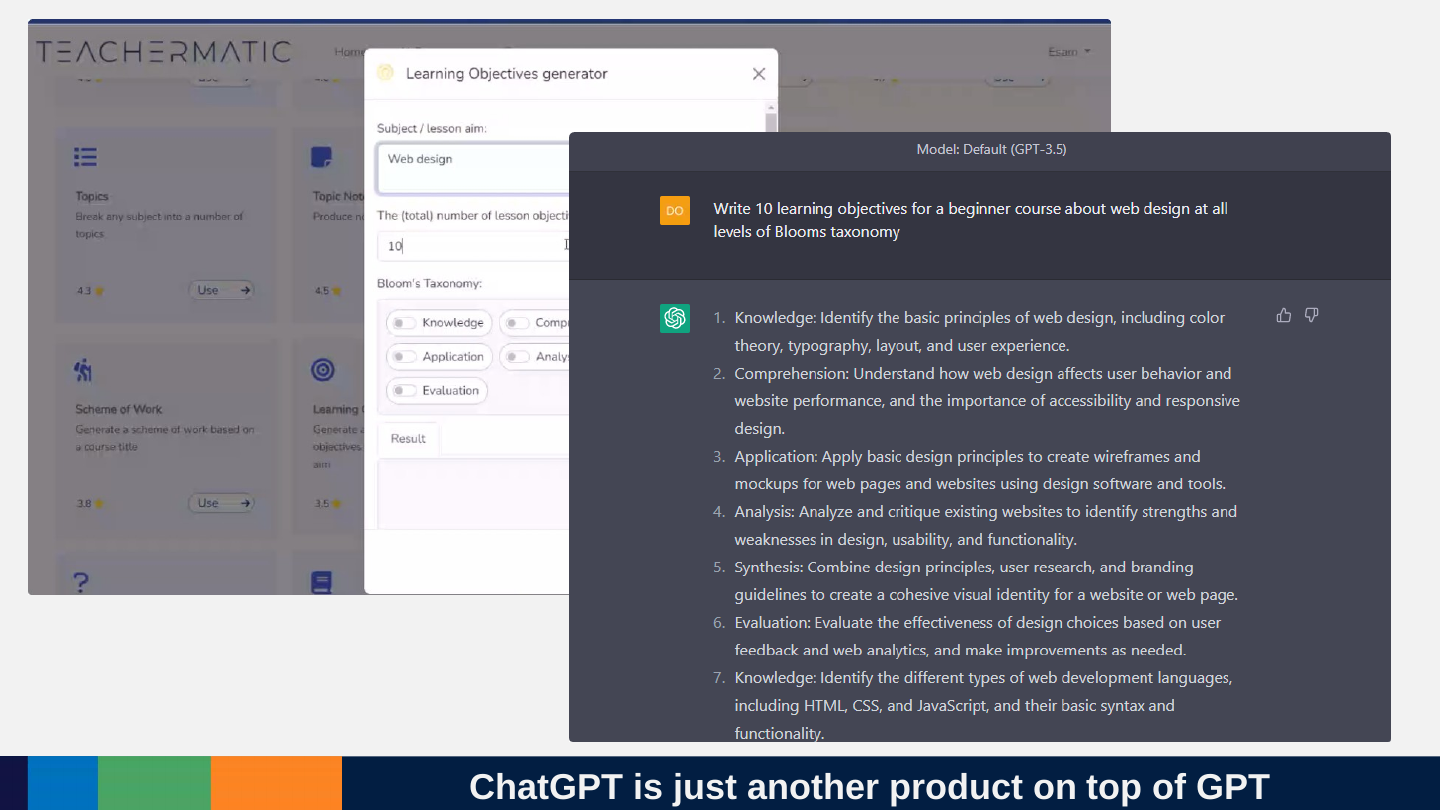
Slide 35: ChatGPT is just another product on top of GPT
ChatGPT is just another product on top of GPT
Slide 36: All of these work the same way
All of these work the same way
Slide 37: Big API providers
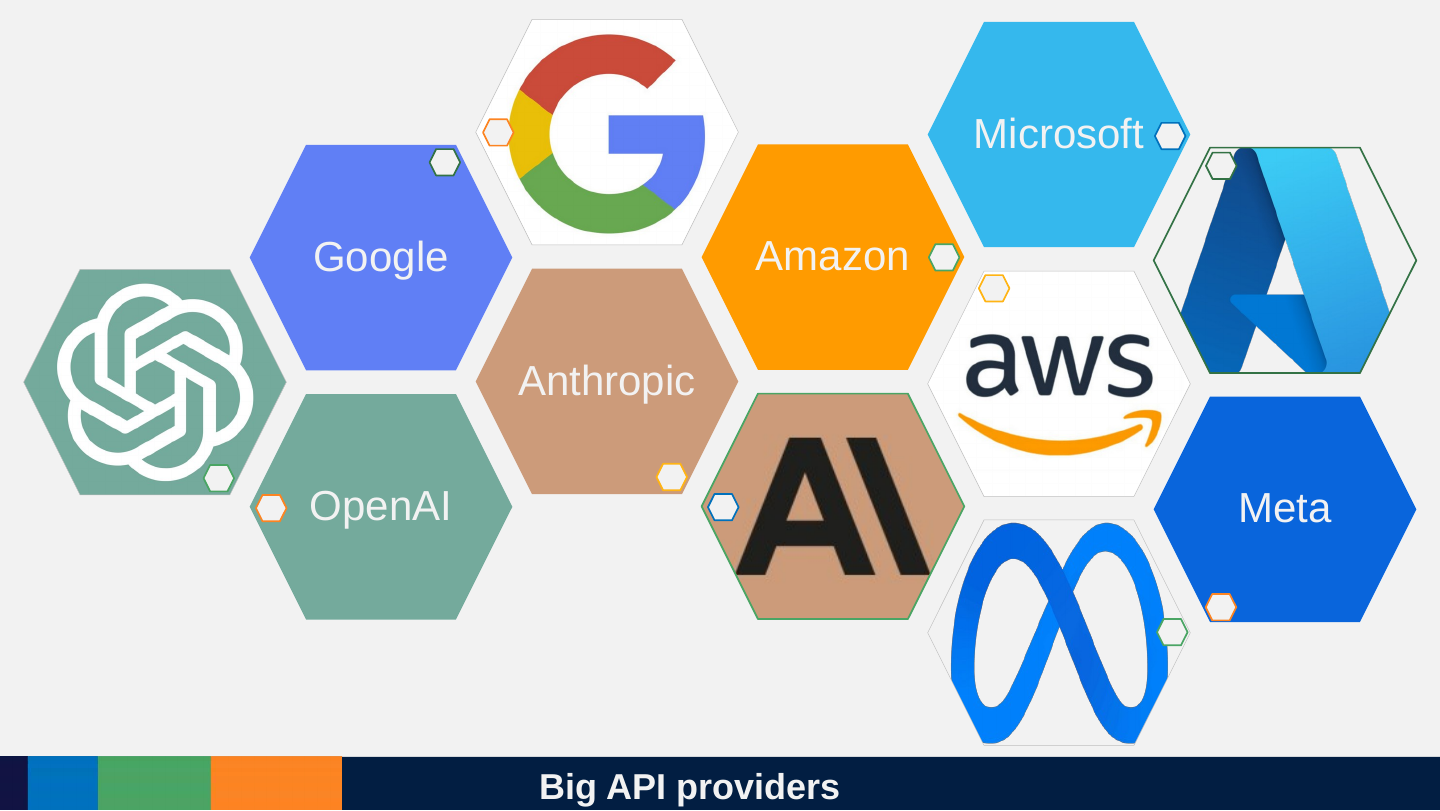
Big API providers
- OpenAI
- Anthropic
- Amazon
- Microsoft
- Meta
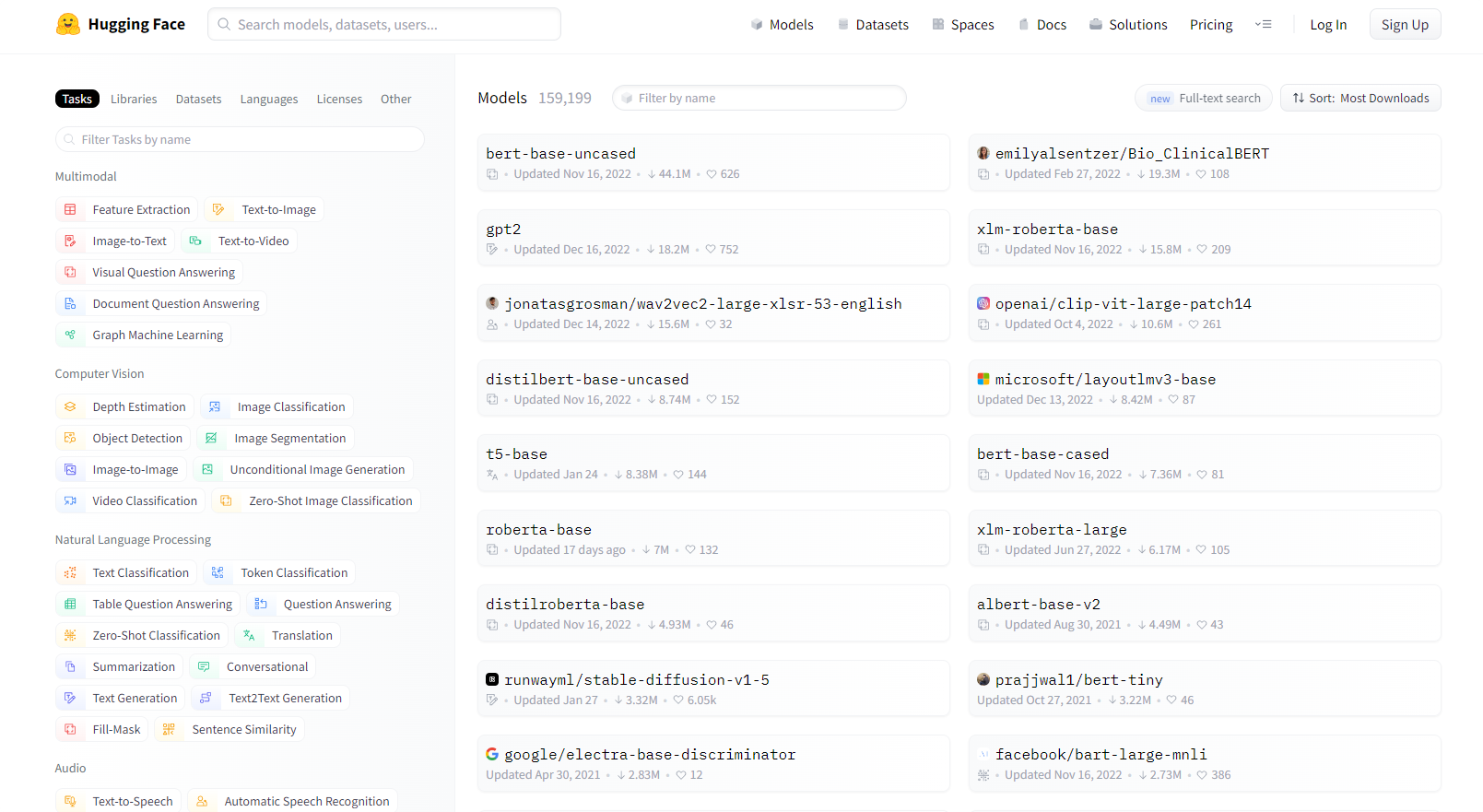
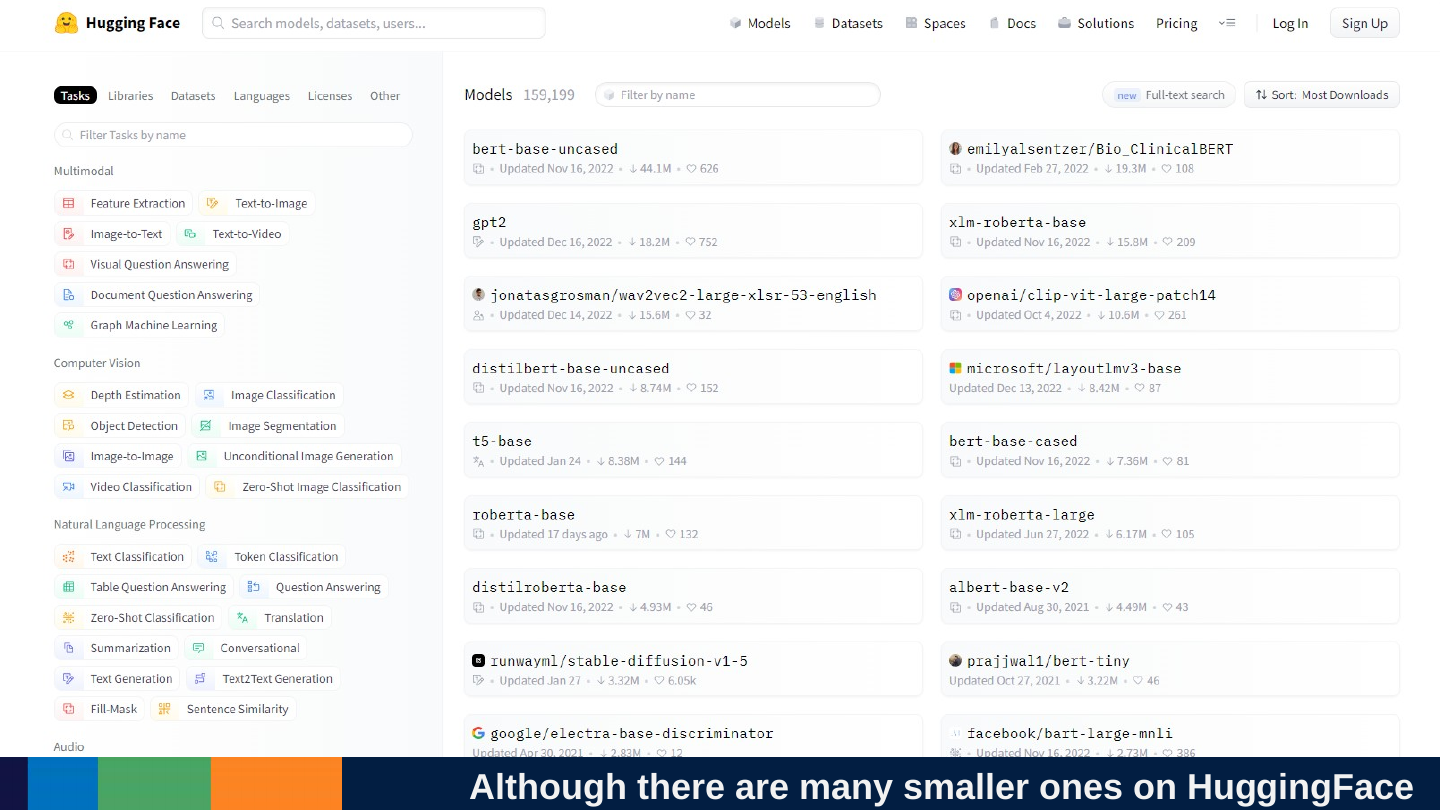
Slide 38: Although there are many smaller ones on HuggingFace
Although there are many smaller ones on HuggingFace
Slide 39: Thousands API customers
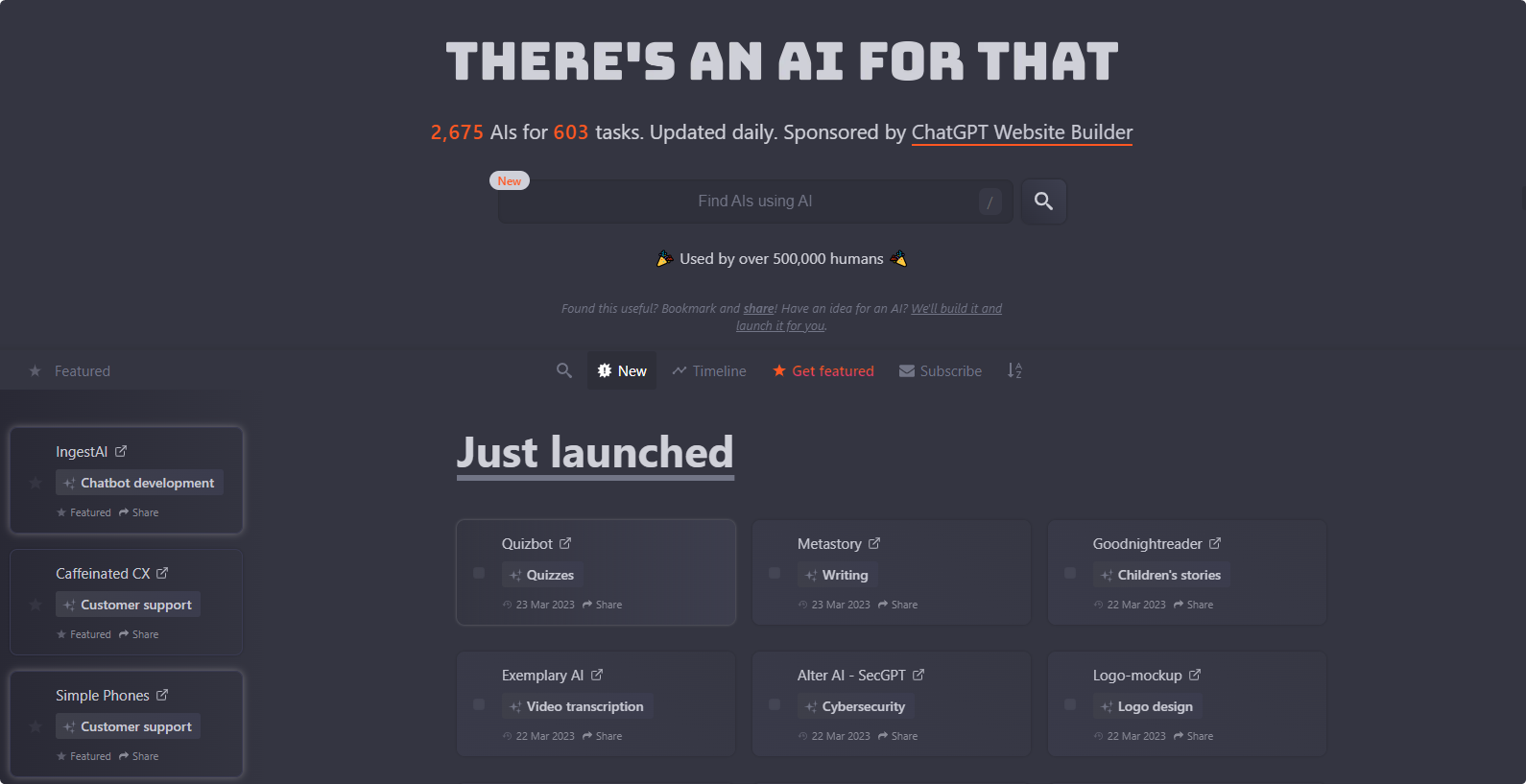
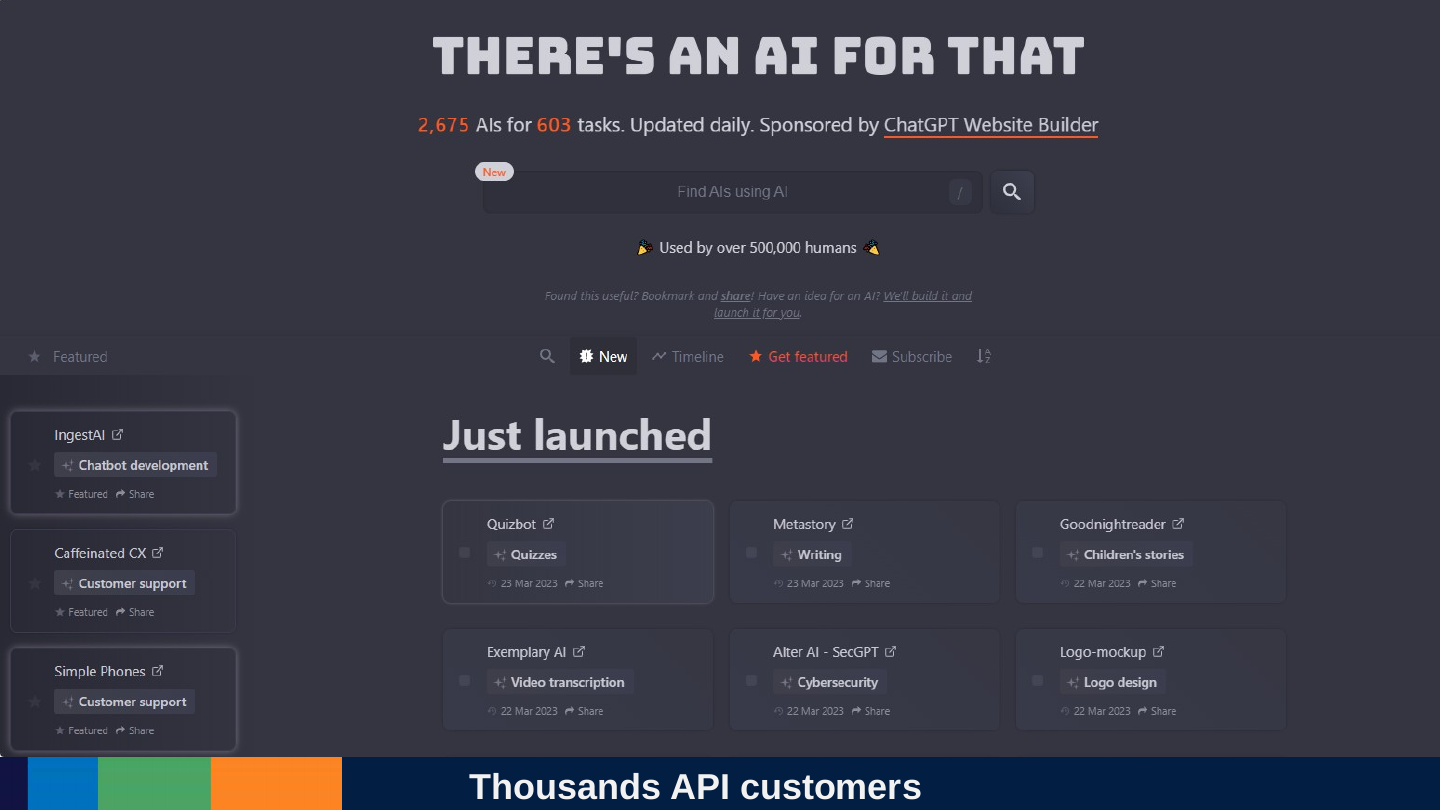
Thousands API customers
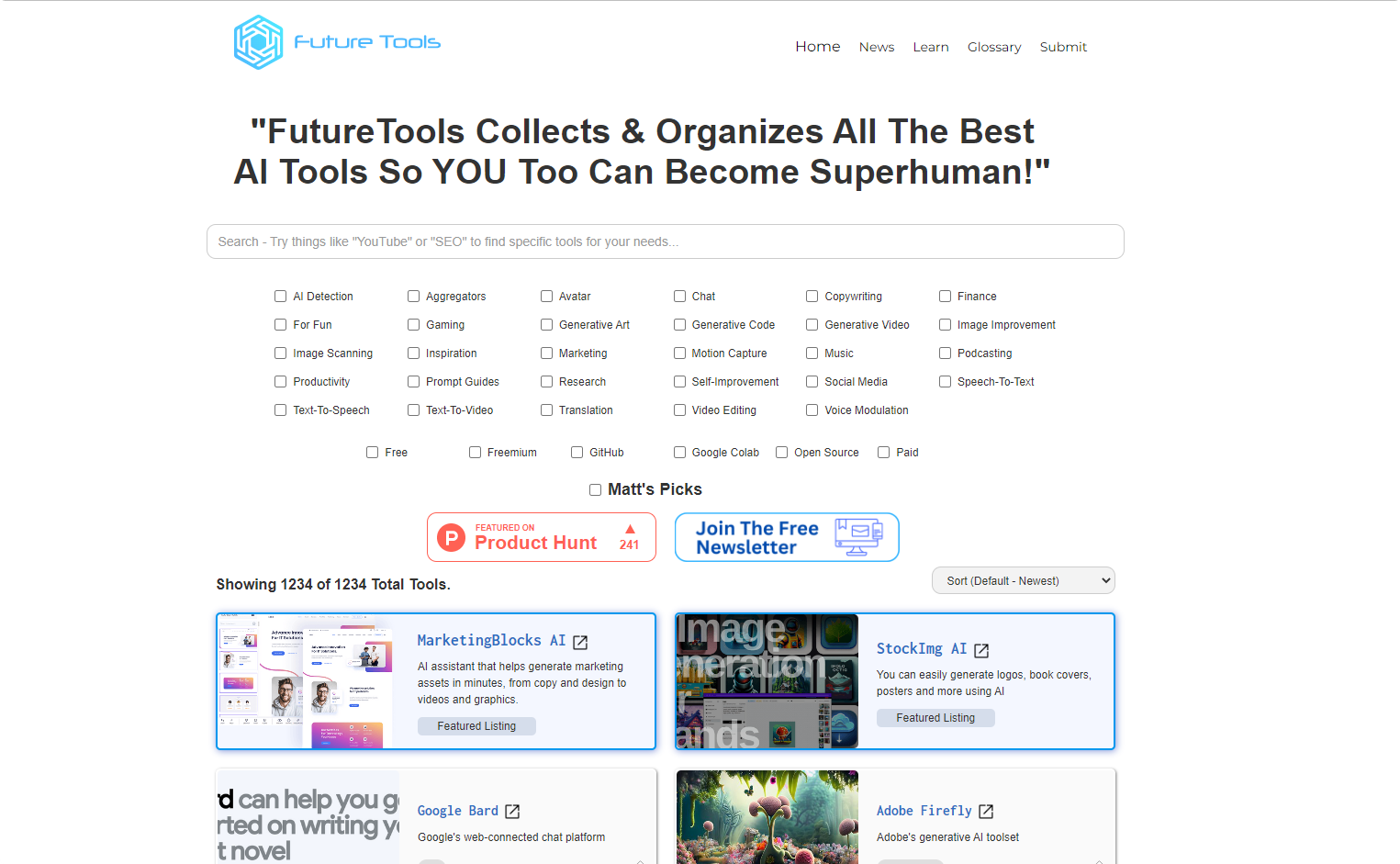
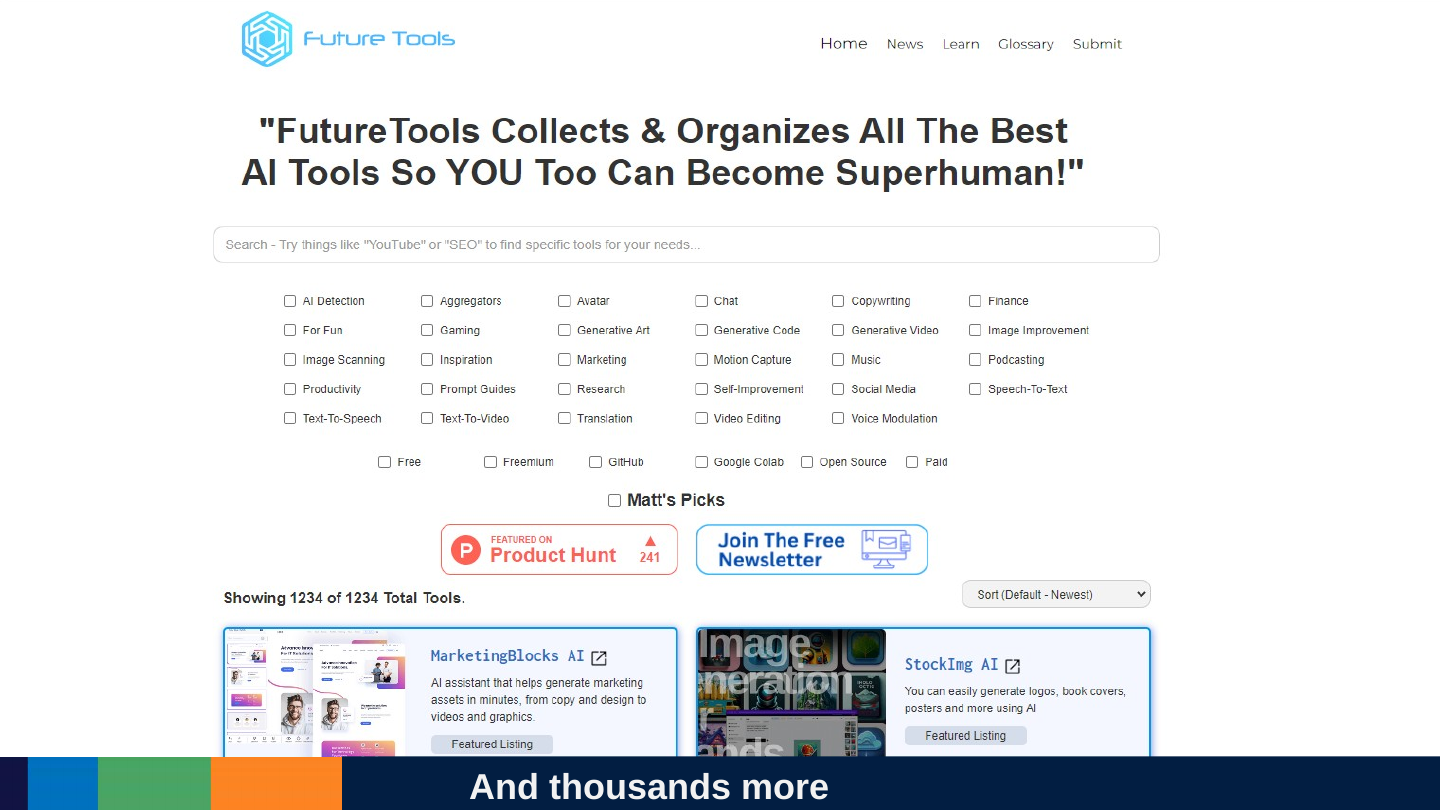
Slide 40: And thousands more
And thousands more
Slide 41: Always ask what API a product uses!
Always ask what API a product uses!
Slide 42: It does not reason, it predicts
It does not reason, it predicts
Slide 43: It is easy to be deceived by appearances.
It is easy to be deceived by appearances.
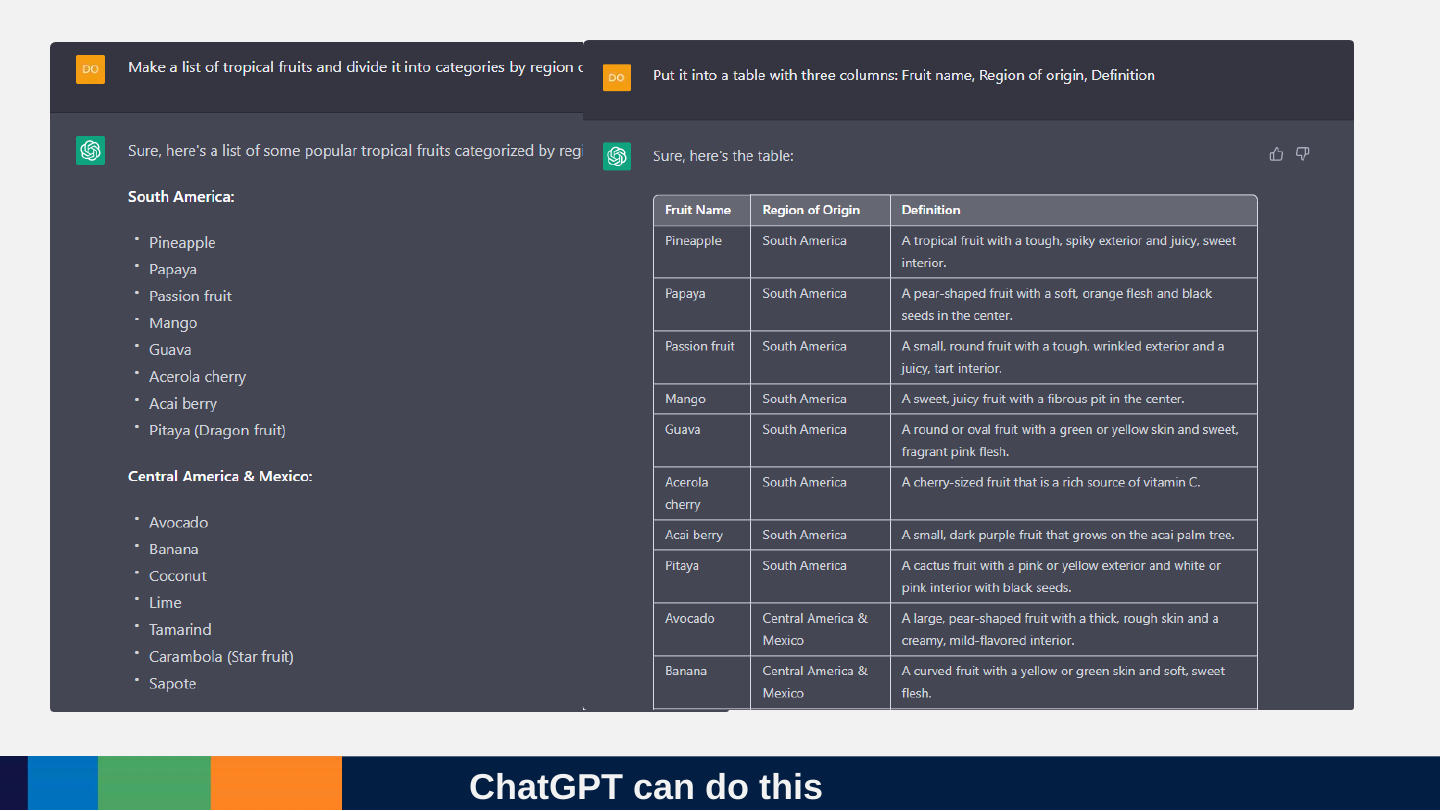
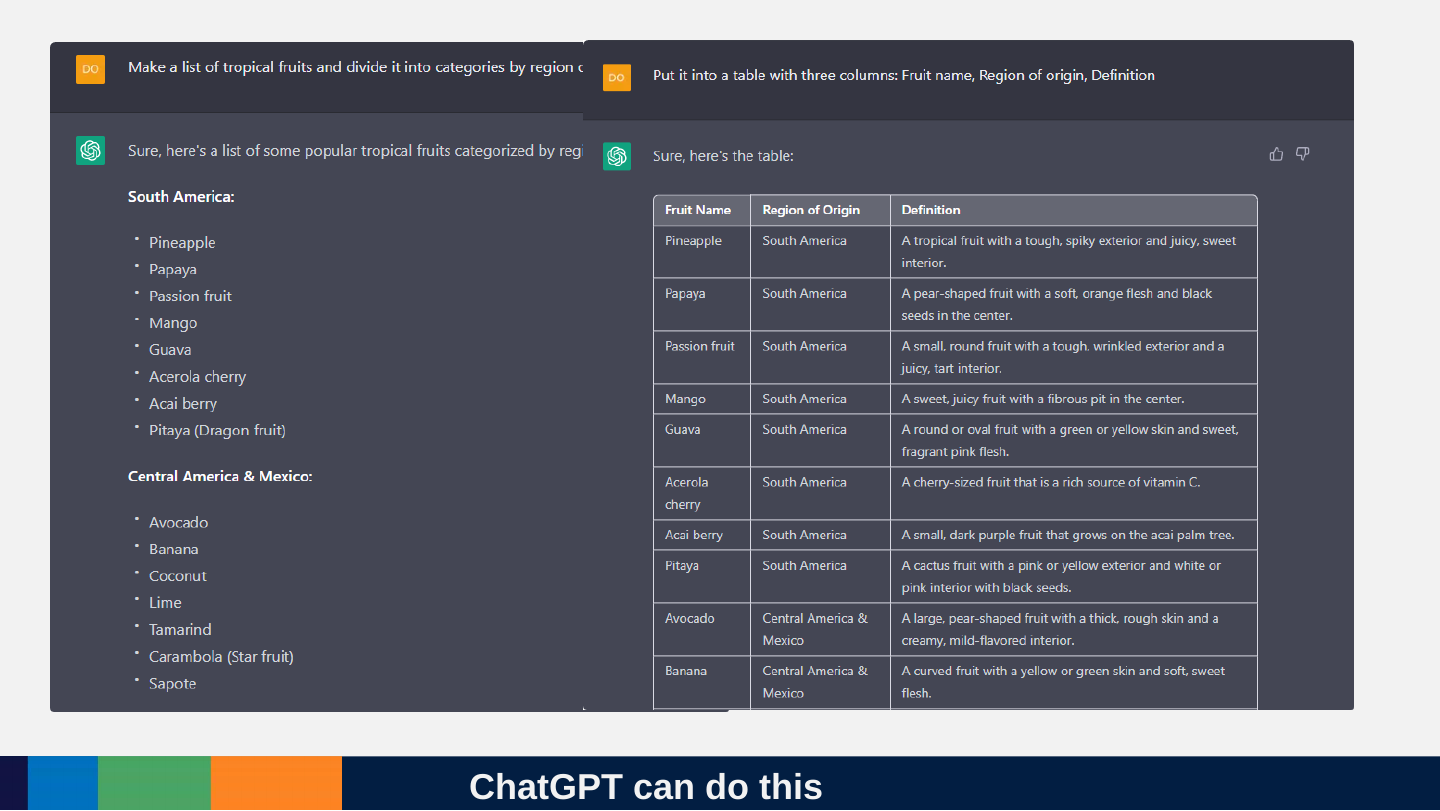
Slide 44: ChatGPT can do this
ChatGPT can do this
Slide 45: How do we solve these kinds of problems?
How do we solve these kinds of problems?
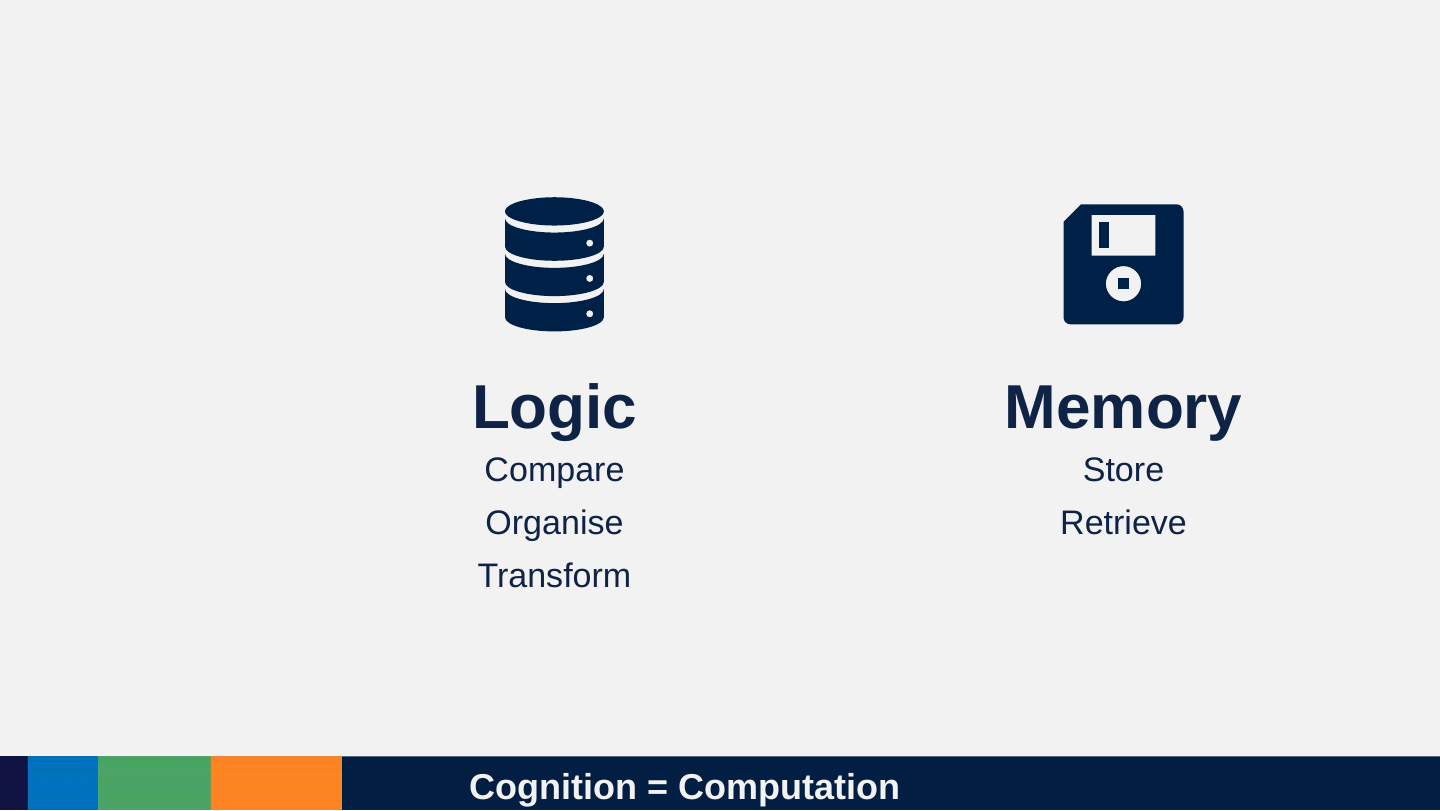
Slide 46: Cognition = Computation
Cognition = Computation
Logic
- Compare
- Organise
- Transform
Memory
- Store
- Retrieve
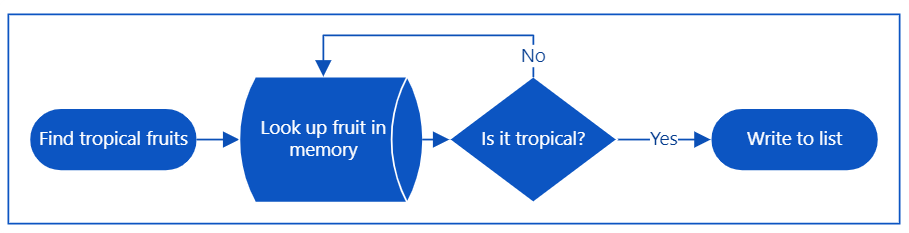
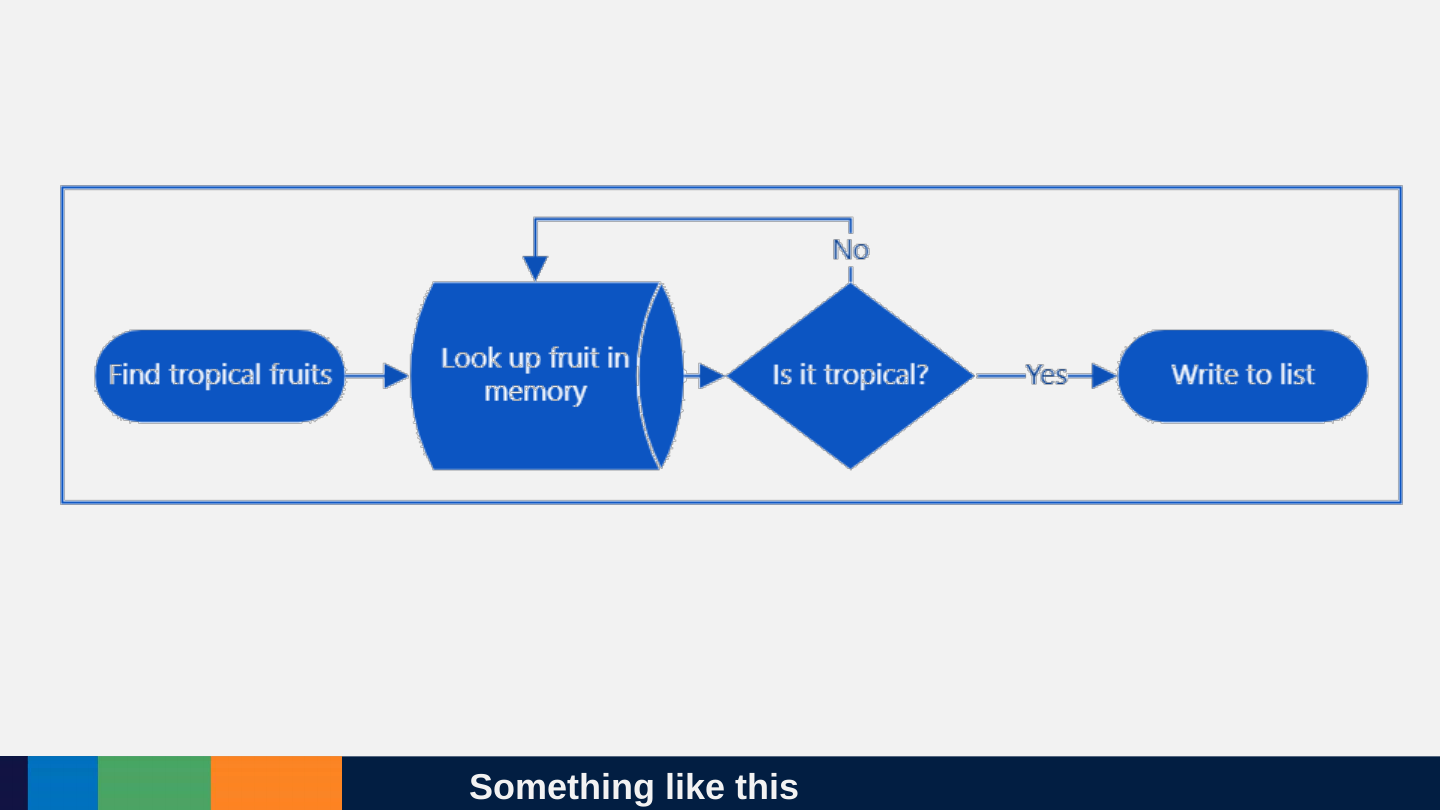
Slide 47: Something like this
Something like this
Slide 48: How does ChatGPT solve these kinds of problems?
How does ChatGPT solve these kinds of problems?
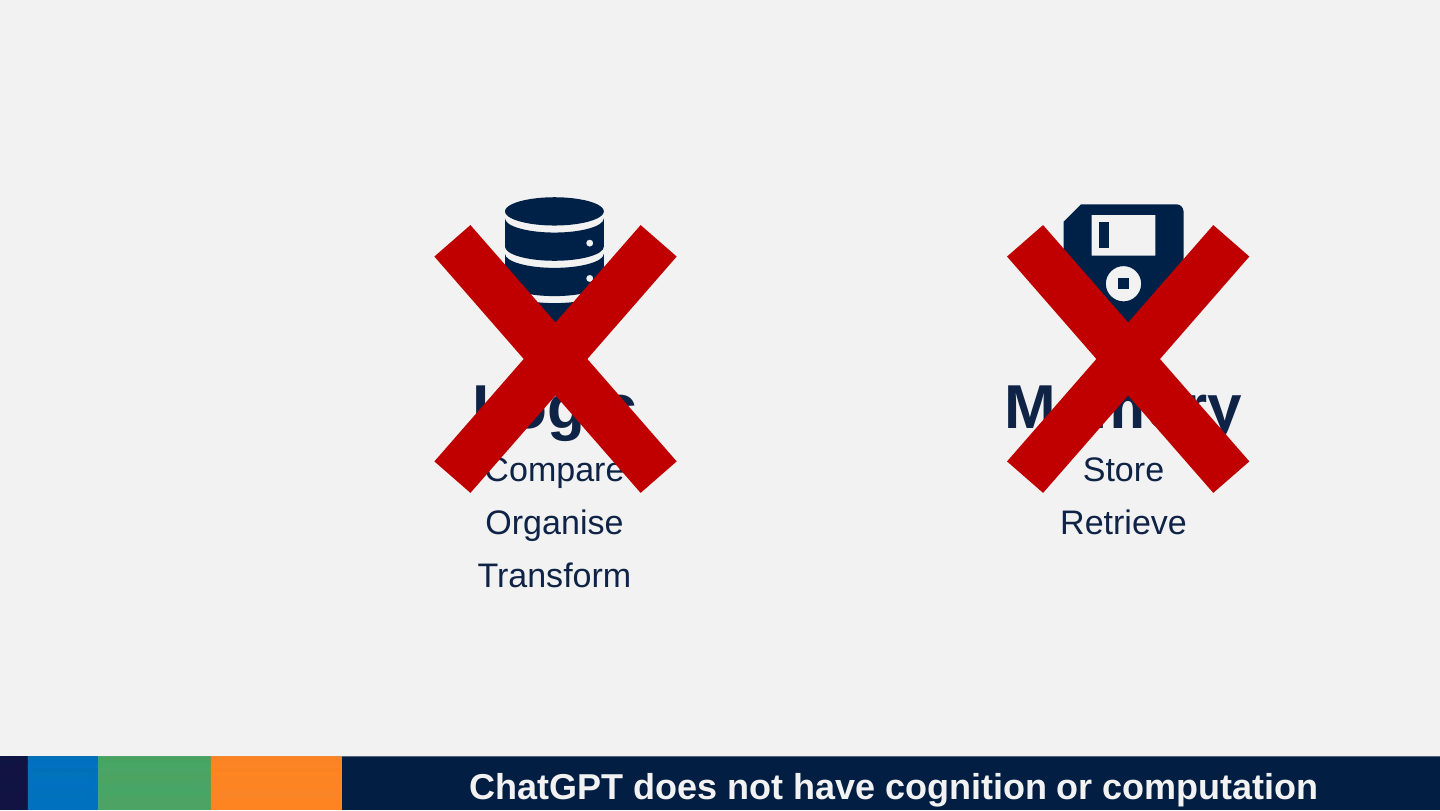
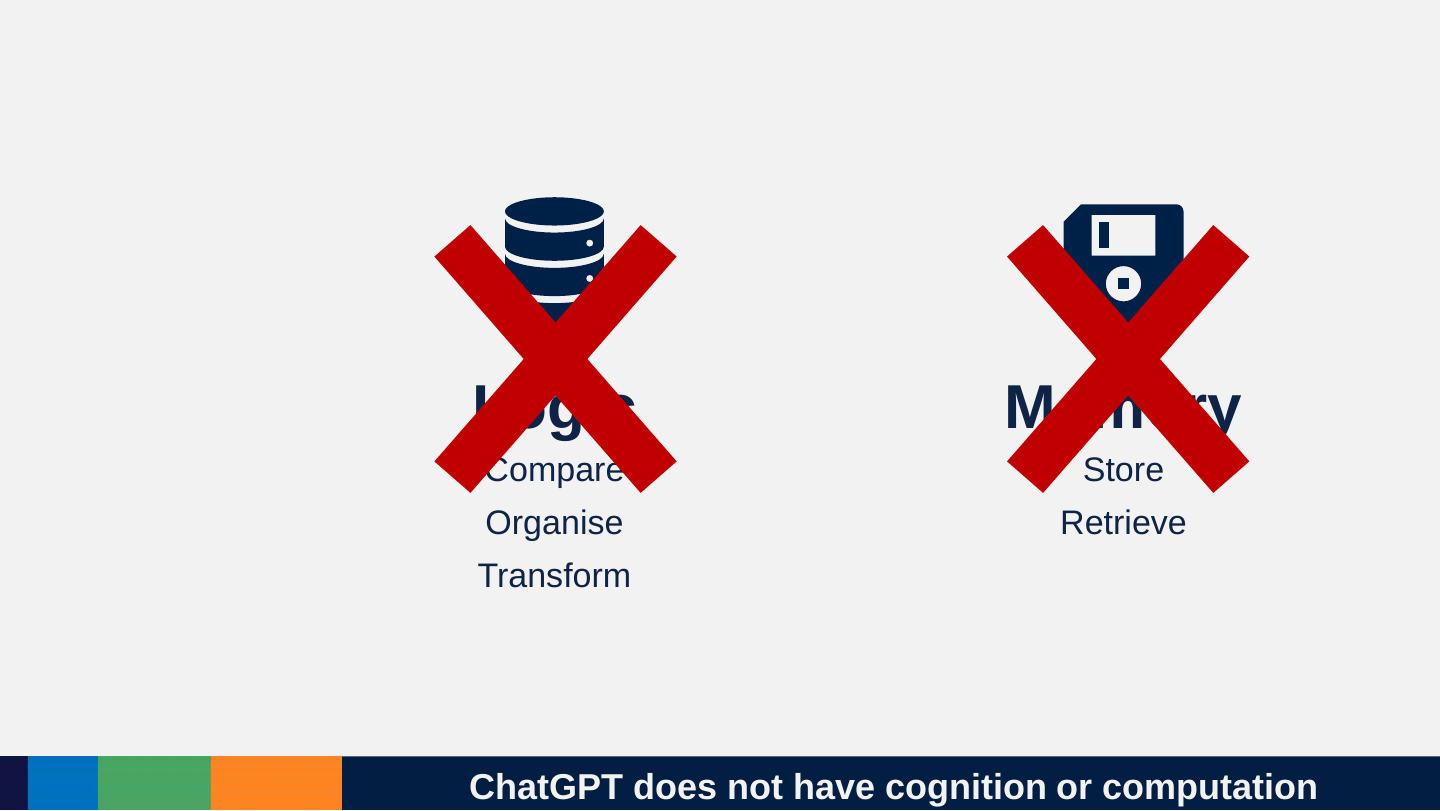
Slide 49: ChatGPT does not have cognition or computation
ChatGPT does not have cognition or computation
Logic
- Compare
- Organise
- Transform
Memory
- Store
- Retrieve
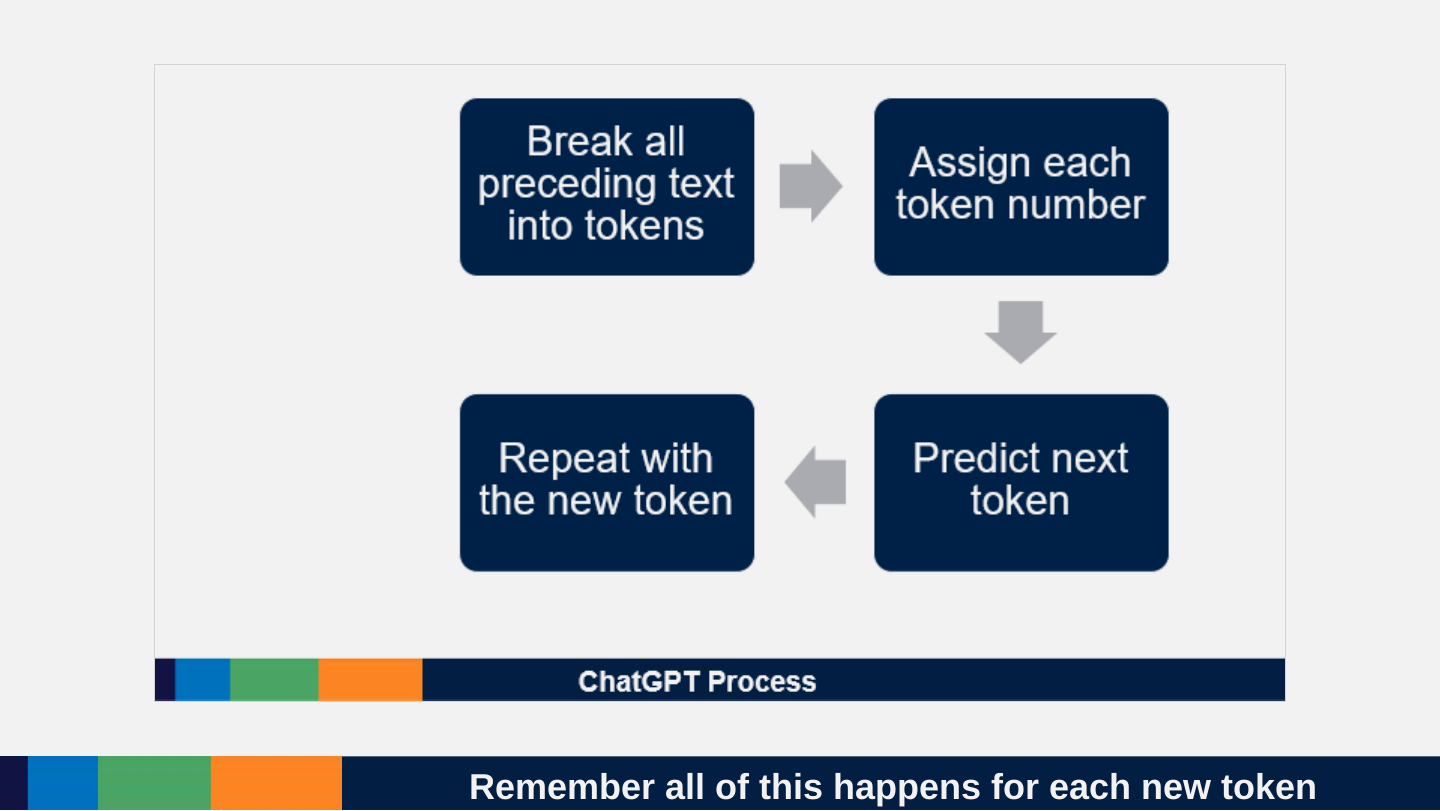
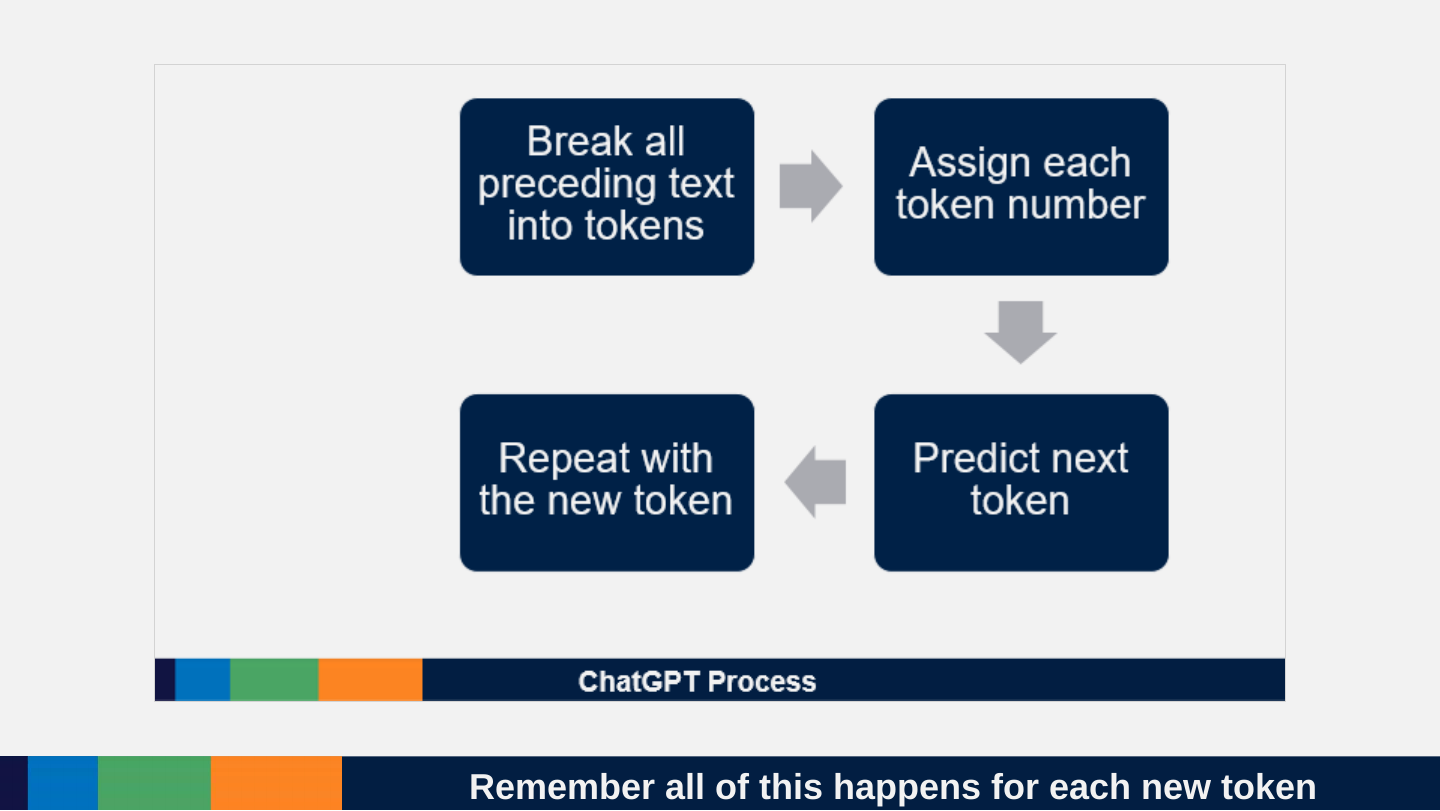
Slide 50: ChatGPT Process
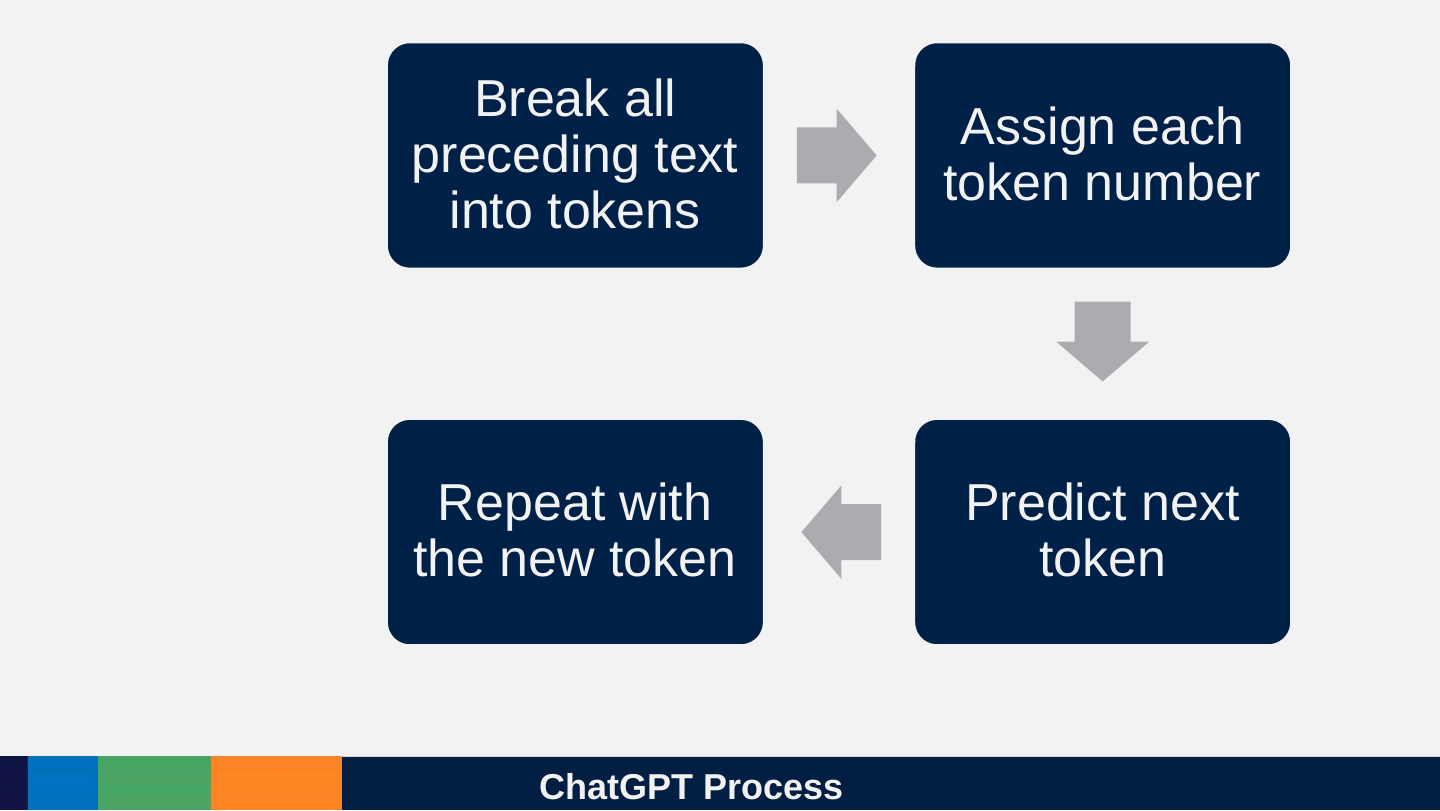
ChatGPT Process
- Break all preceding text into tokens
- Assign each token number
- Predict next token
- Repeat with the new token
Slide 51: What and why of tokens? And why it matters. A lot!
What and why of tokens? And why it matters. A lot!

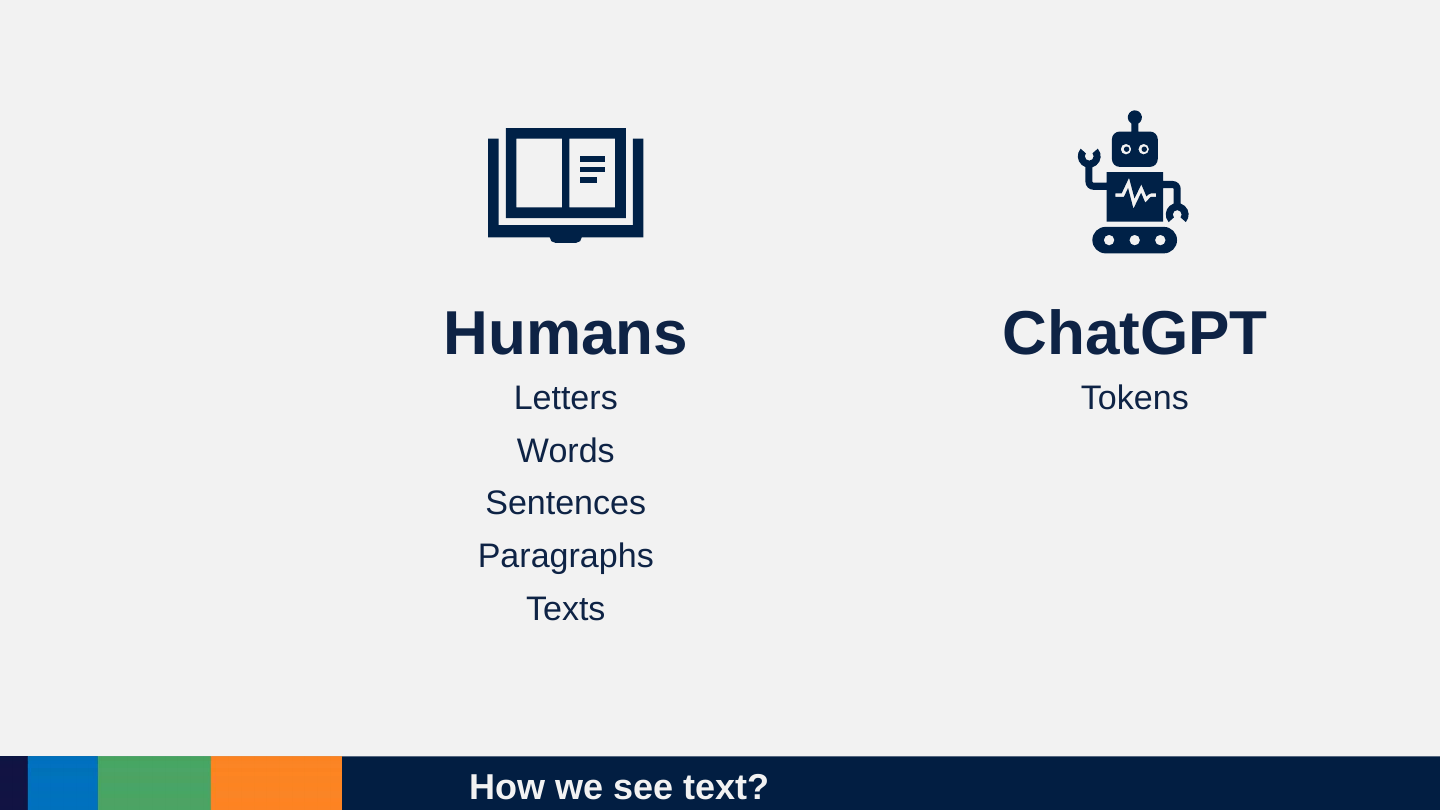
Slide 52: How we see text?
How we see text?
Humans
- Letters
- Words
- Sentences
- Paragraphs
- Texts
ChatGPT
- Tokens
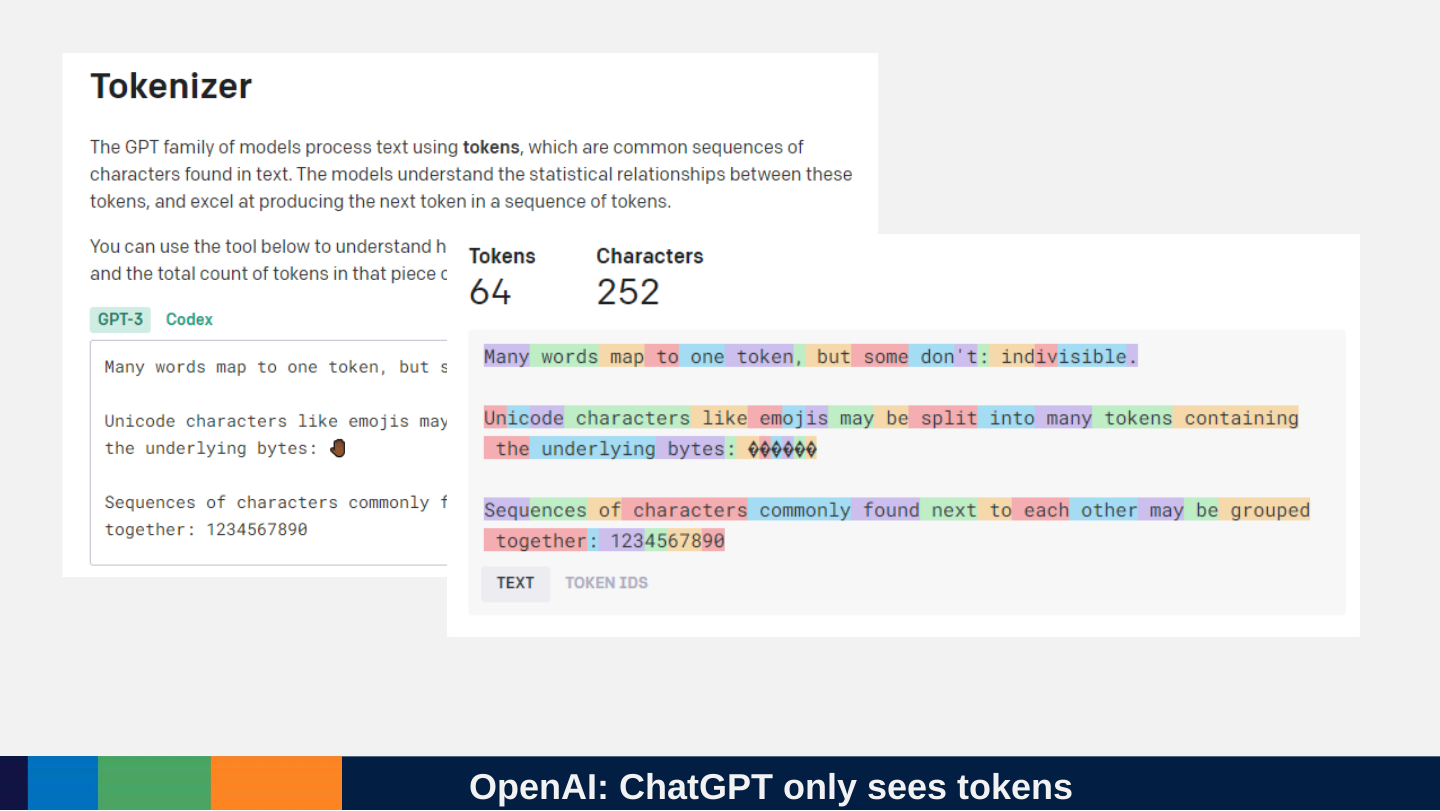
Slide 53: OpenAI: ChatGPT only sees tokens
OpenAI: ChatGPT only sees tokens
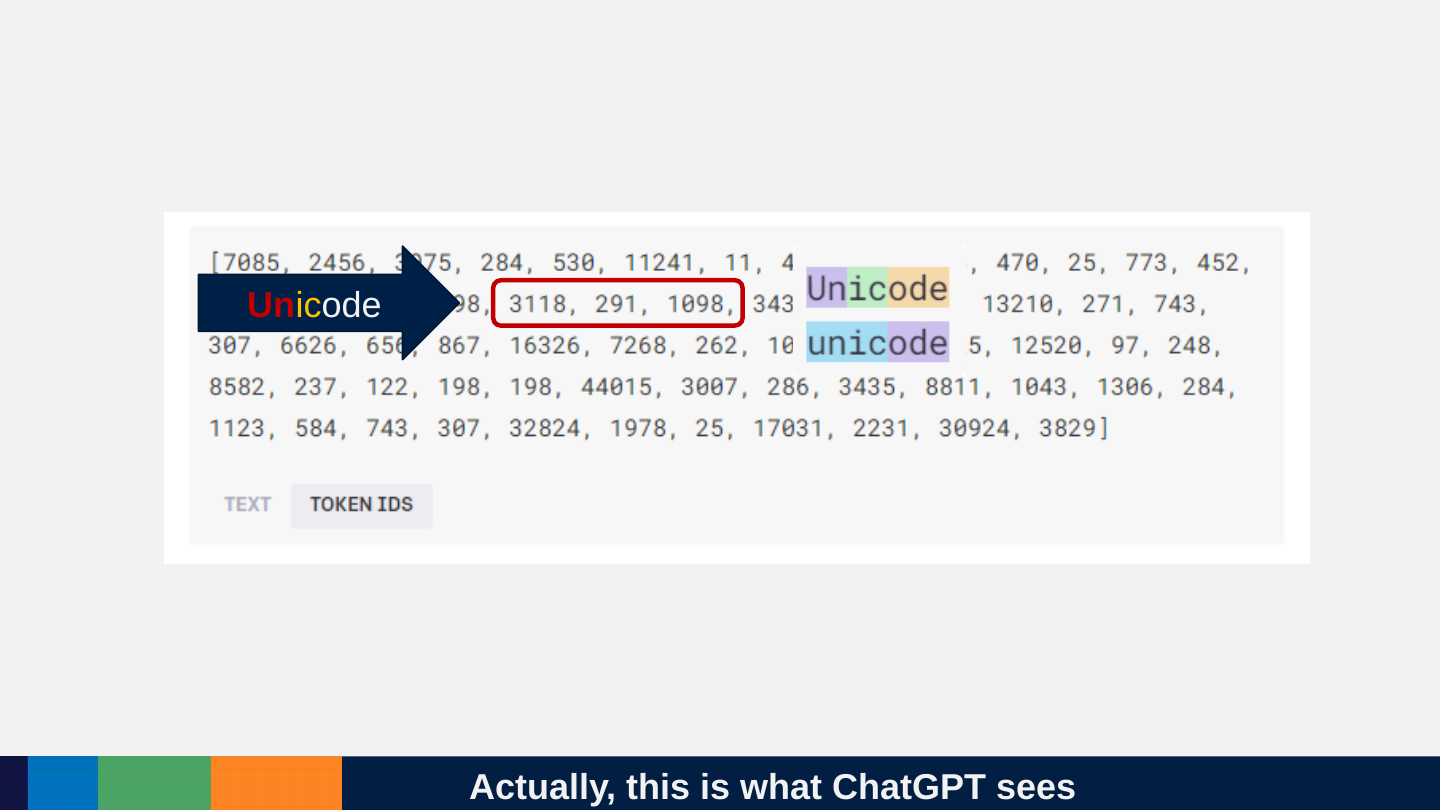
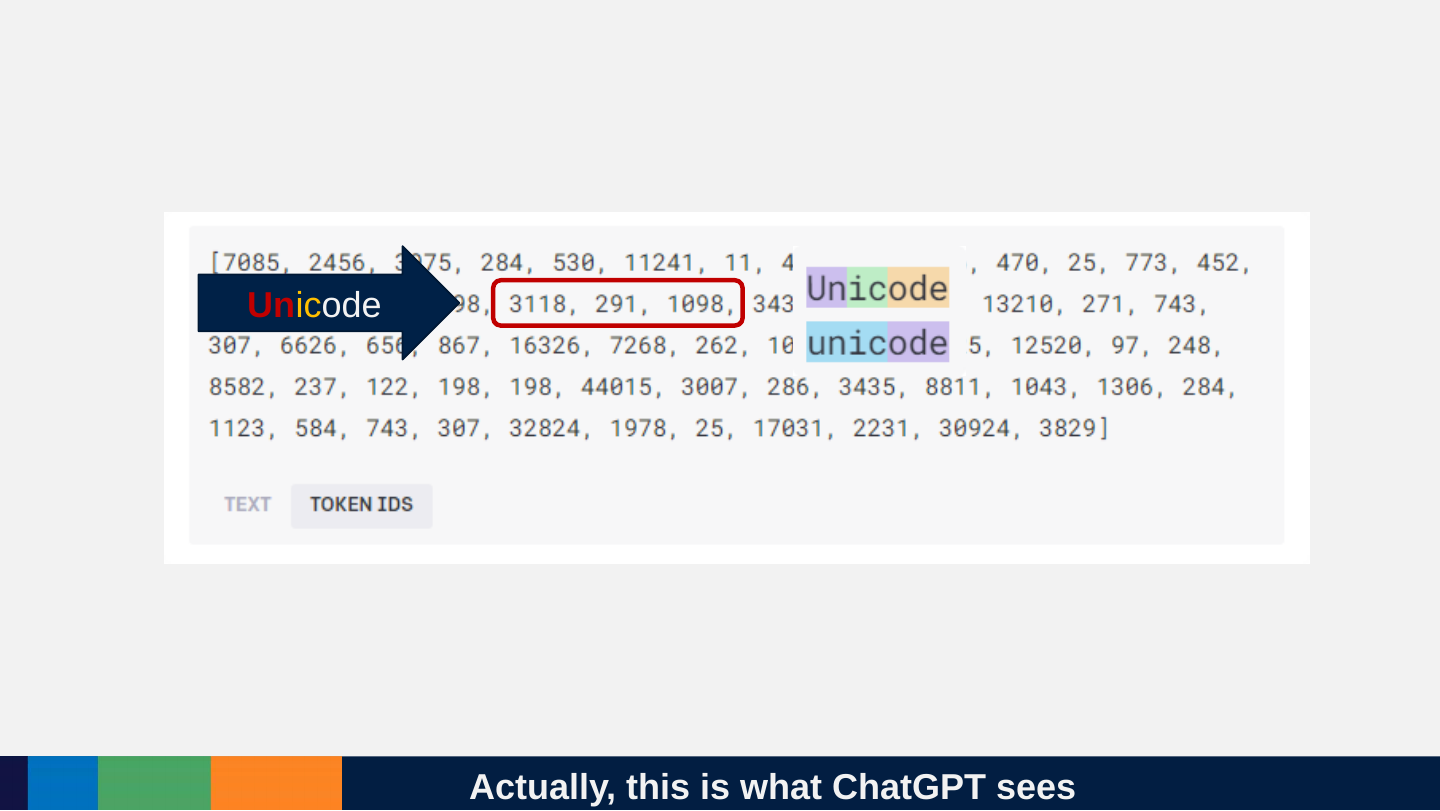
Slide 54: Actually, this is what ChatGPT sees
Actually, this is what ChatGPT sees
Unicode
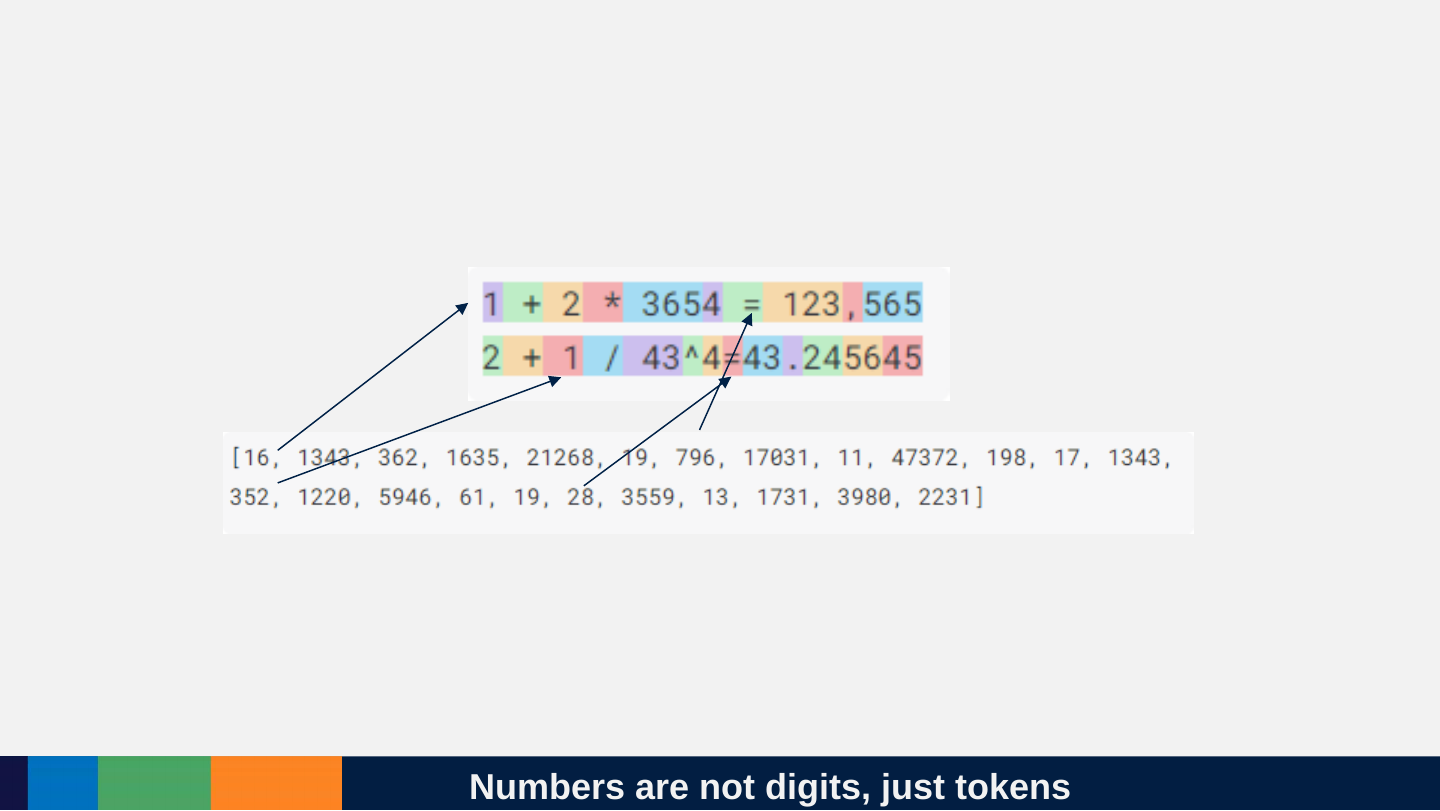
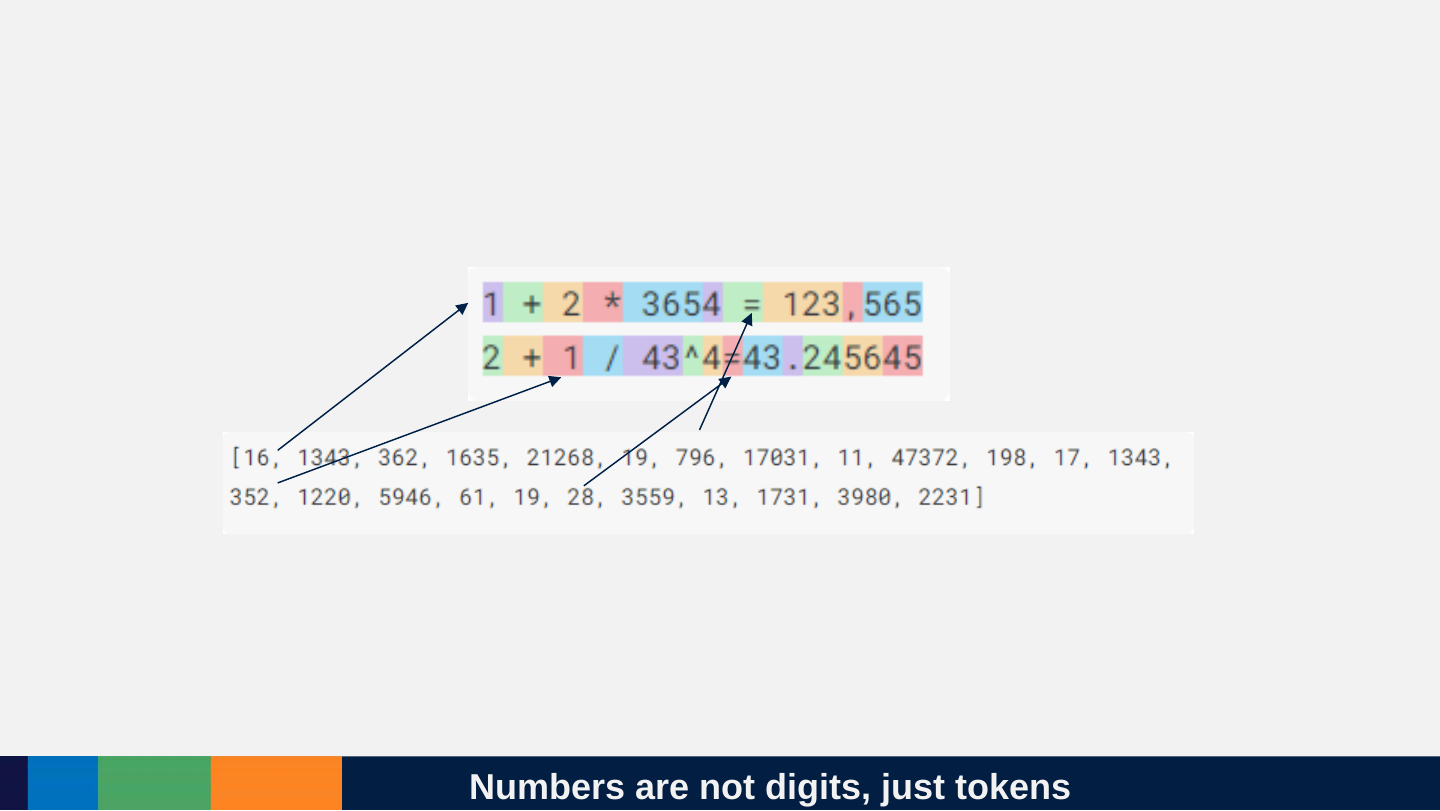
Slide 55: Numbers are not digits, just tokens
Numbers are not digits, just tokens
Slide 56: Fun facts about OpenAI tokens
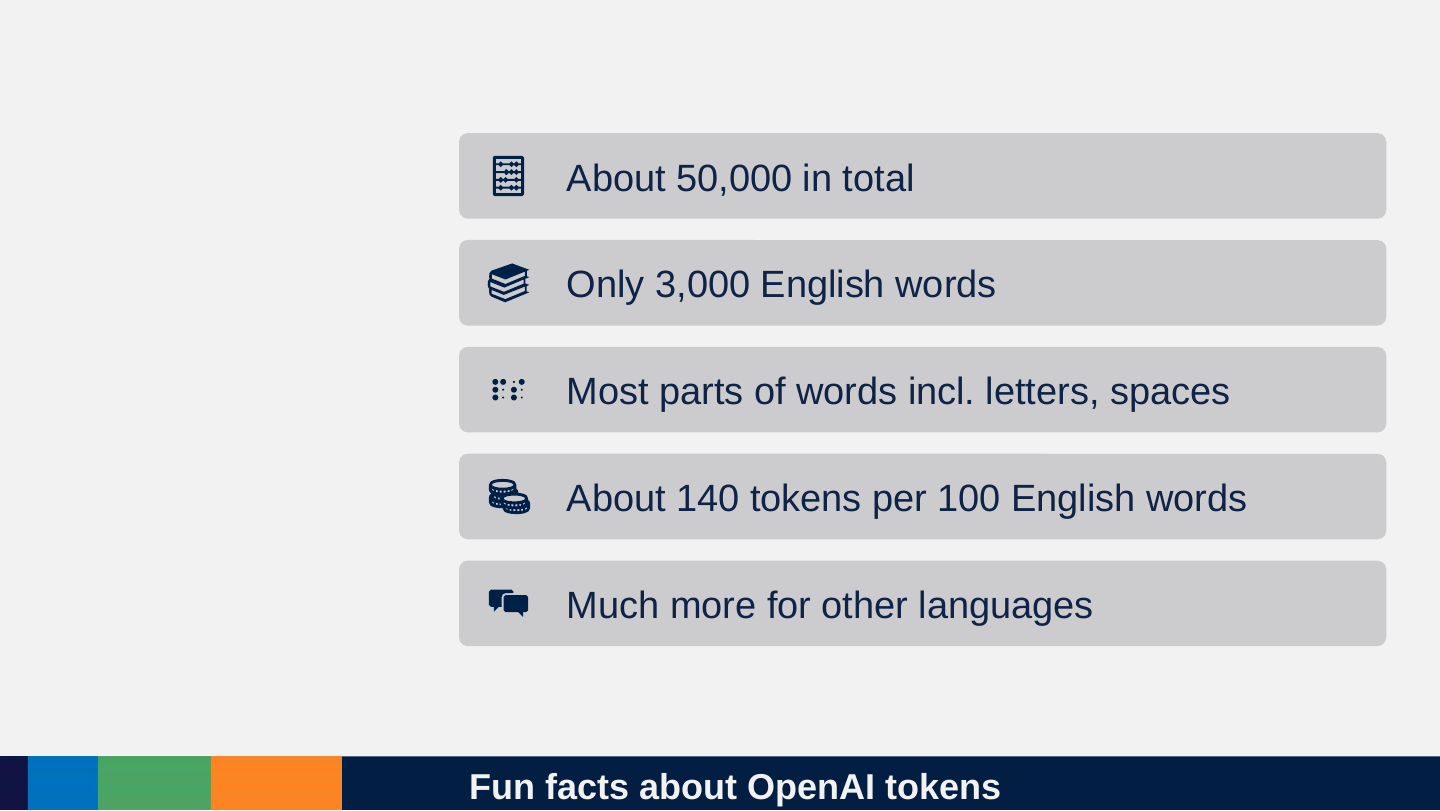
Fun facts about OpenAI tokens
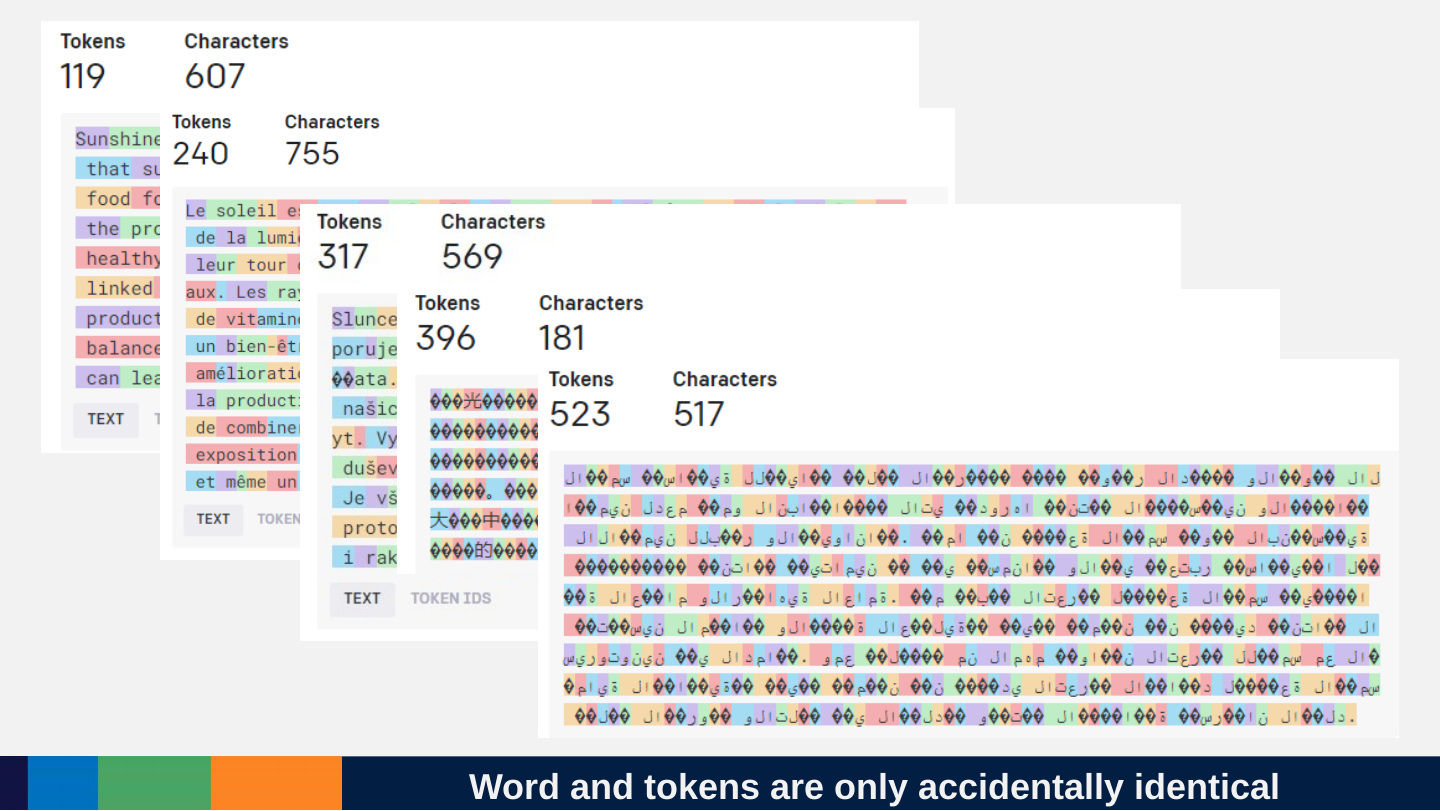
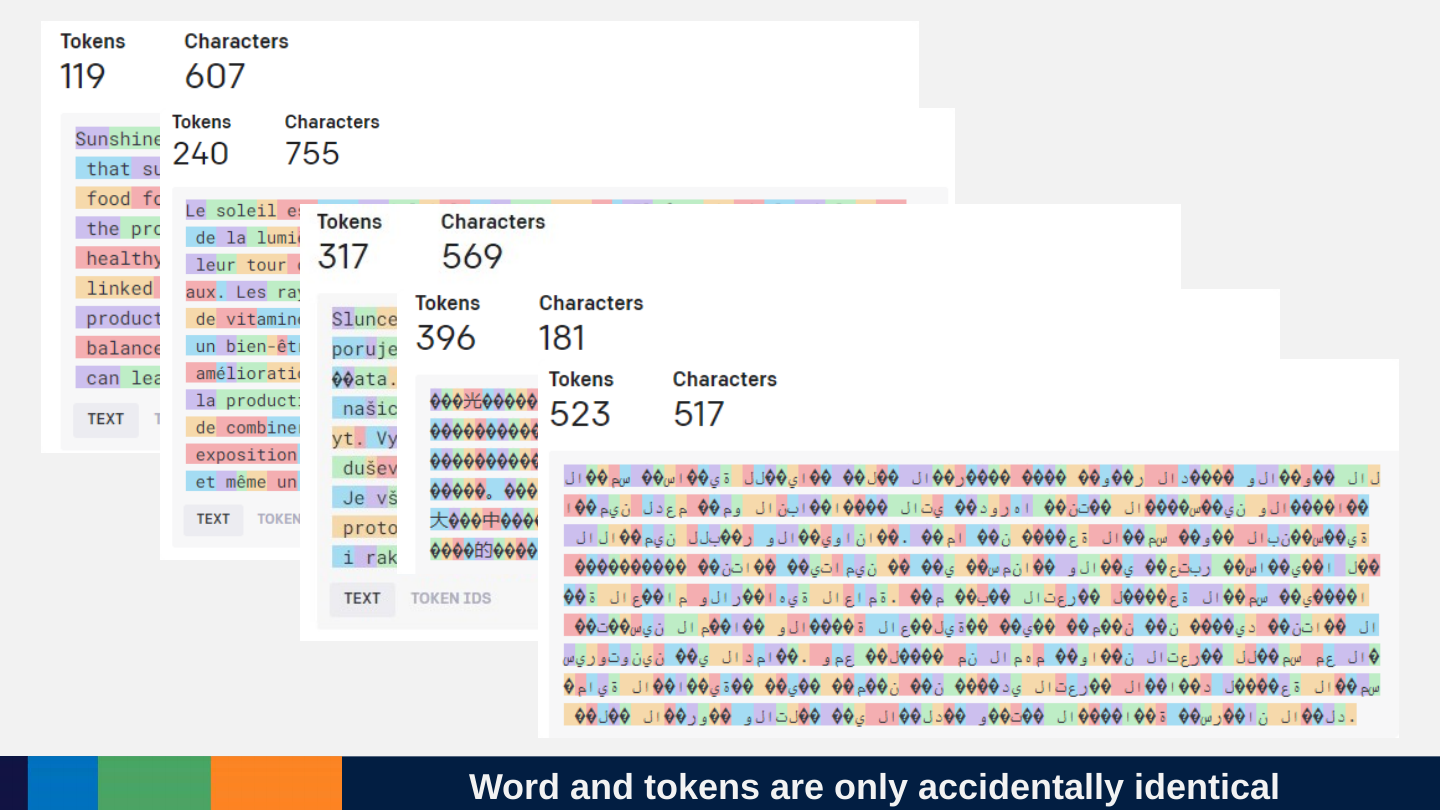
- About 50,000 in total
- Only 3,000 English words
- Most parts of words incl. letters, spaces
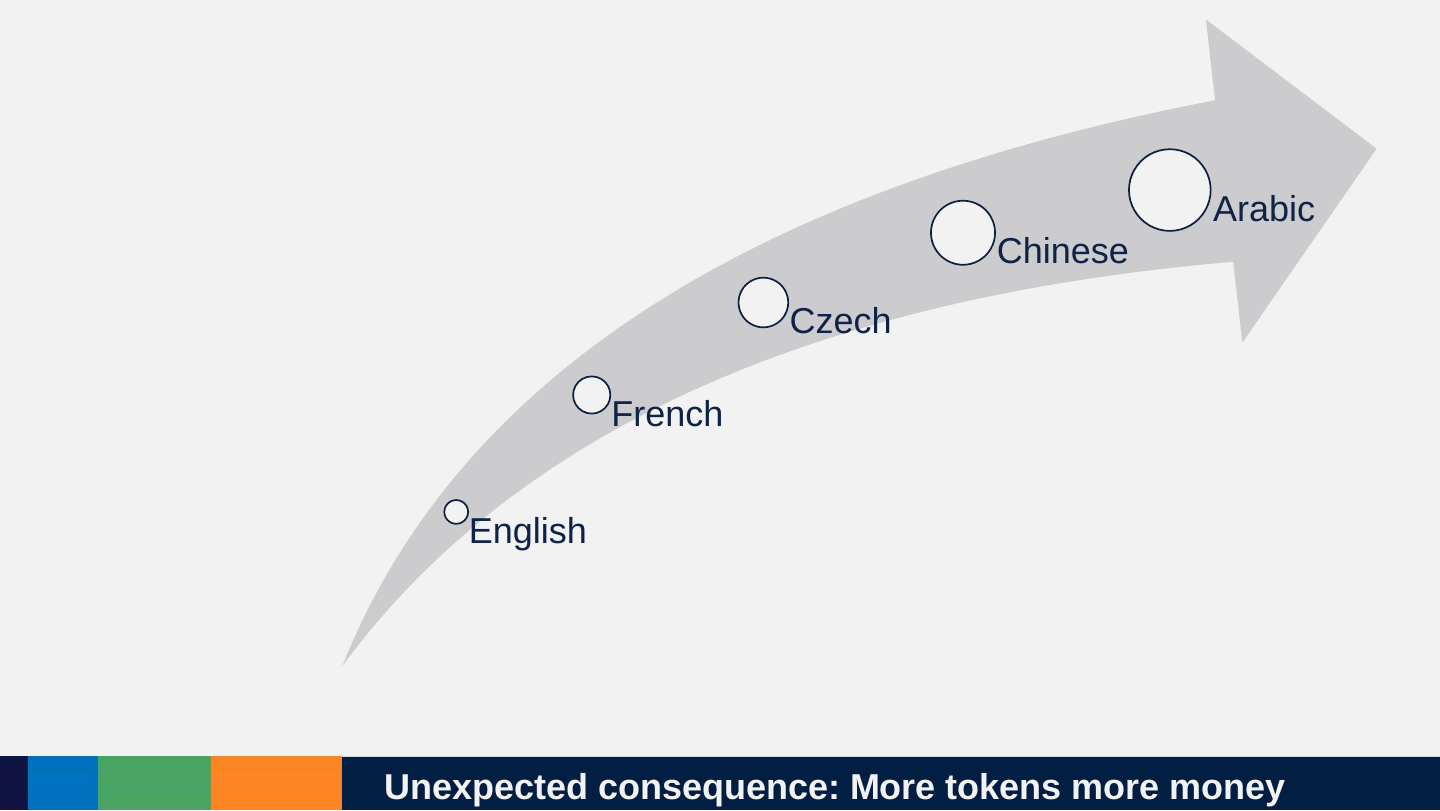
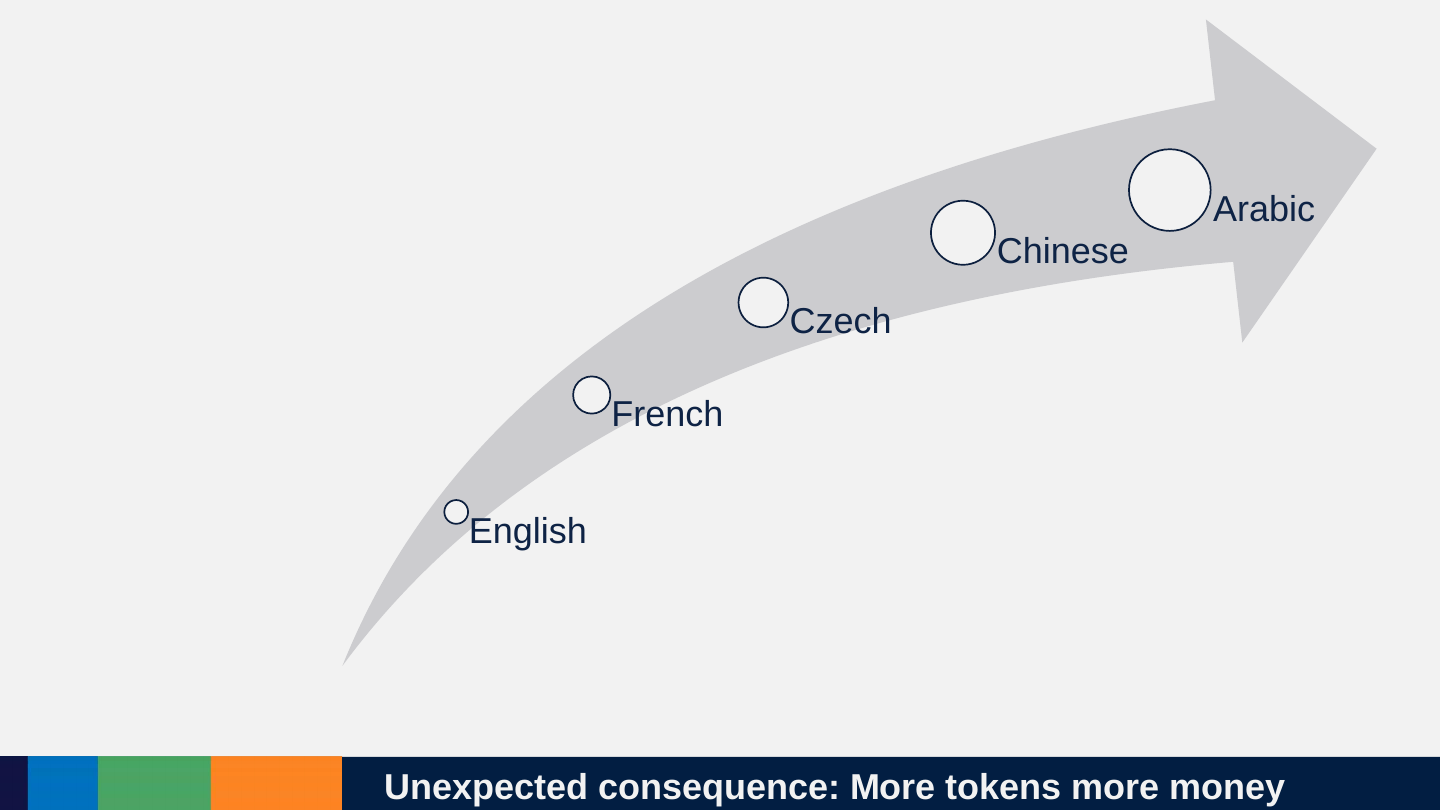
- About 140 tokens per 100 English words
- Much more for other languages
Slide 57: Word and tokens are only accidentally identical
Word and tokens are only accidentally identical
Slide 58: Unexpected consequence: More tokens more money
Unexpected consequence: More tokens more money
- English
- French
- Czech
- Chinese
- Arabic
Slide 59: Consequences of tokens
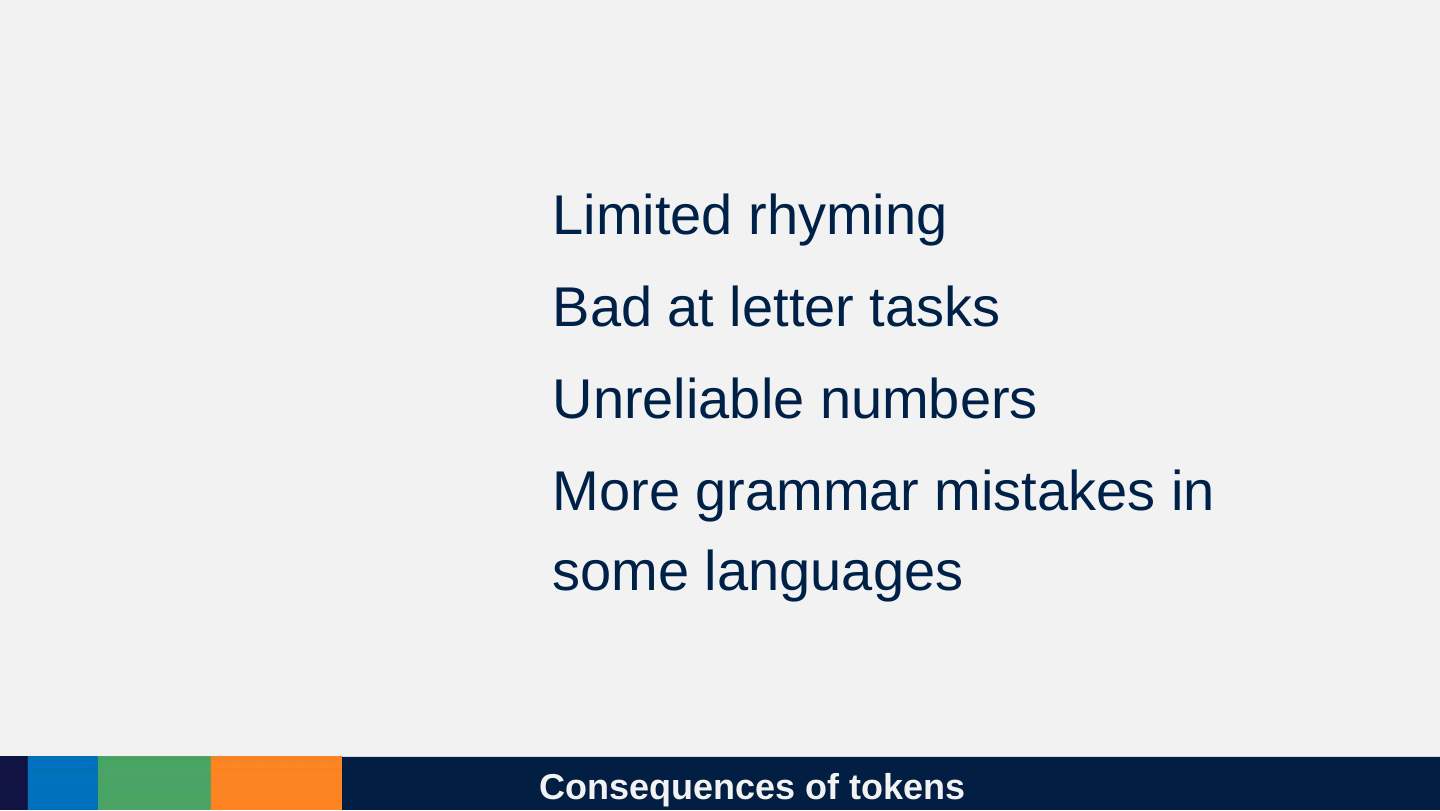
Consequences of tokens
- Limited rhyming
- Bad at letter tasks
- Unreliable numbers
- More grammar mistakes in some languages
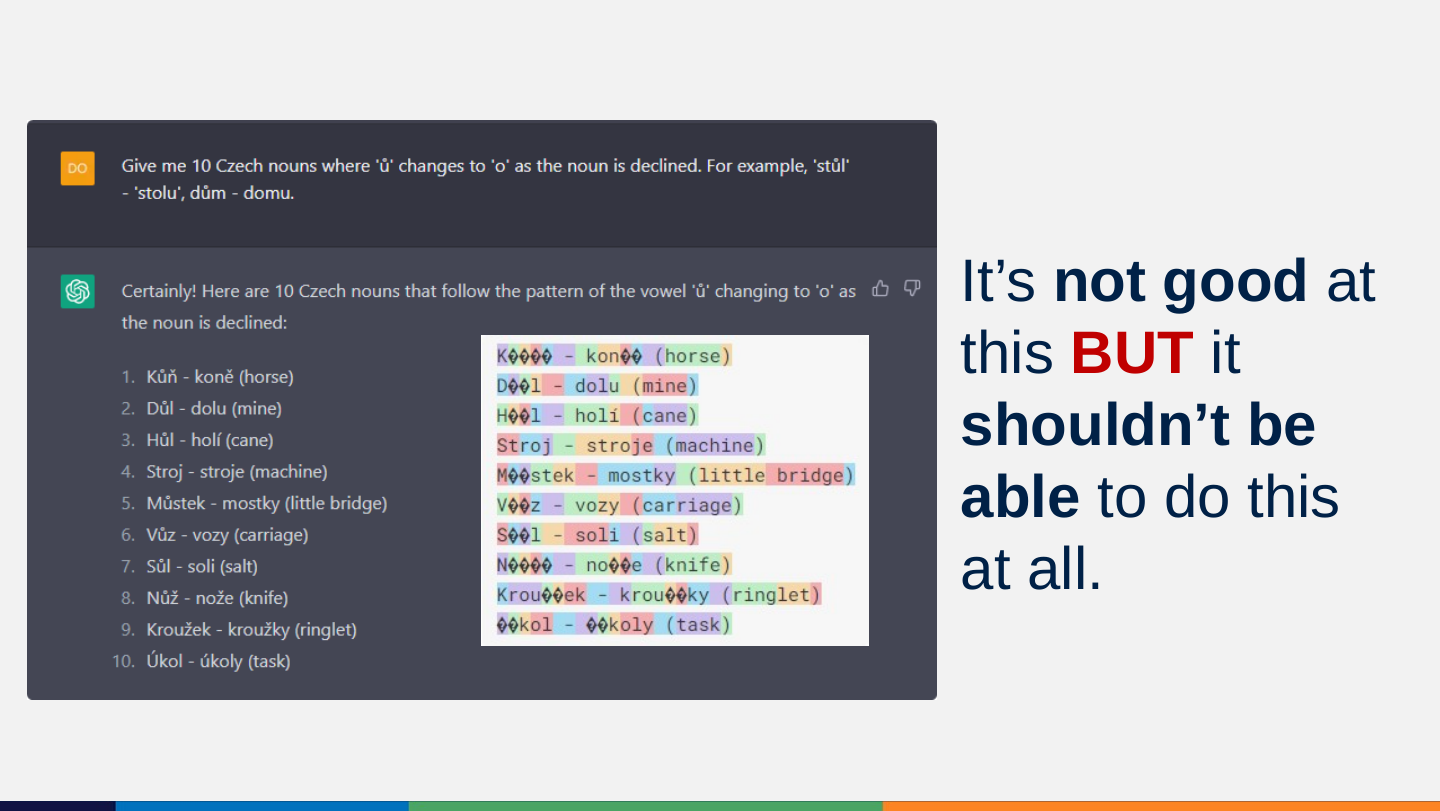
Slide 60: It’s not good at this BUT it shouldn’t be able to do this at all.
It’s not good at this BUT it shouldn’t be able to do this at all.
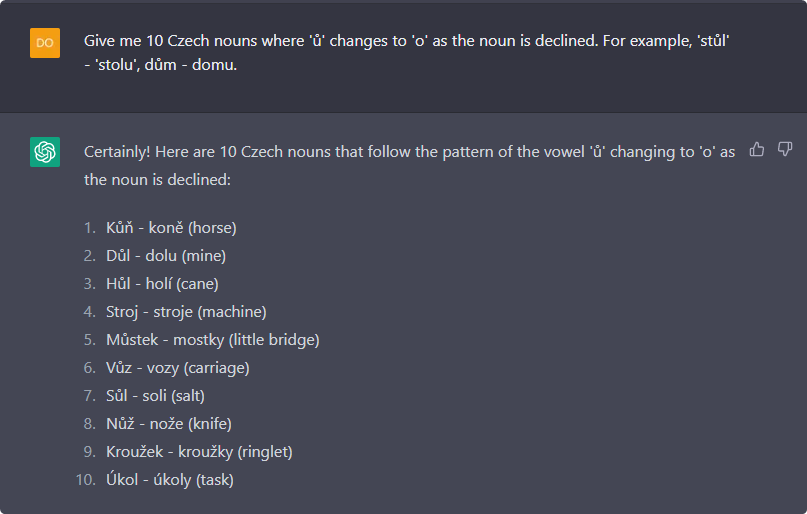
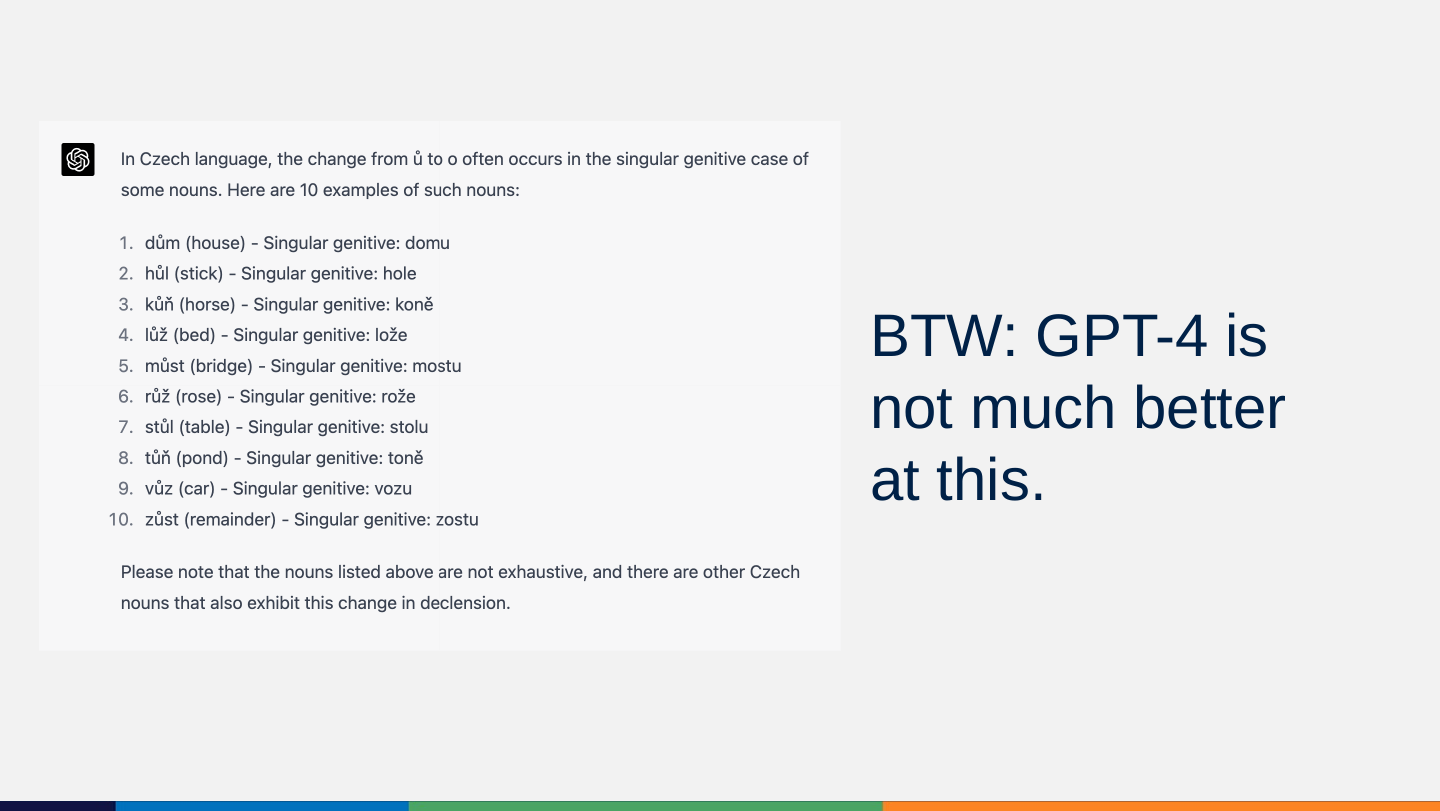
Prompt: Give me 10 Czech nouns where ‘ů’ changes to ‘o’ as the noun is declined. For example, ‘stůl’ - ‘stolu’, dům - domu.
Certainly! Here are 10 Czech nouns that follow the pattern of the vowel ‘ů’ changing to ‘o’ as the noun is declined:
- Kůň - koně (horse)
- Důl - dolu (mine)
- Hůl - holí (cane)
- Stroj - stroje (machine)
- Můstek - mostky (little bridge)
- Vůz - vozy (carriage)
- Sůl - soli (salt)
- Nůž - nože (knife)
- Kroužek - kroužky (ringlet)
- Úkol - úkoly (task)
Tokeniser view on the original slide: beside the screenshot, the slide shows the same ten answers as coloured tokens in which every accented letter appears as one or two replacement characters: K���� - kon�� (horse); D��l - dolu (mine); H��l - holí (cane); Stroj - stroje (machine); M��stek - mostky (little bridge); V��z - vozy (carriage); S��l - soli (salt); N���� - no��e (knife); Krou��ek - krou��ky (ringlet); ��kol - ��koly (task).
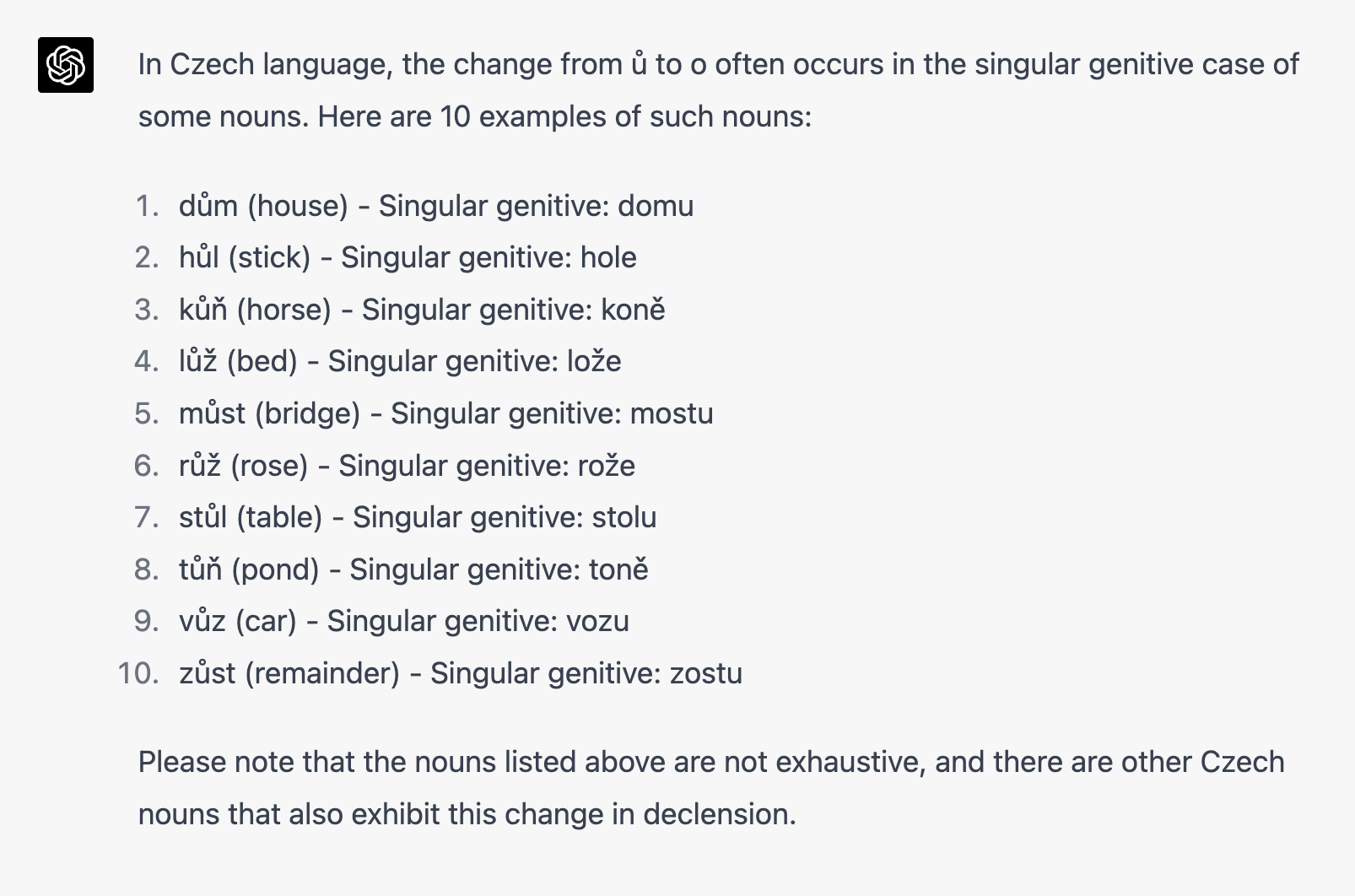
Slide 61: BTW: GPT-4 is not much better at this.
BTW: GPT-4 is not much better at this.
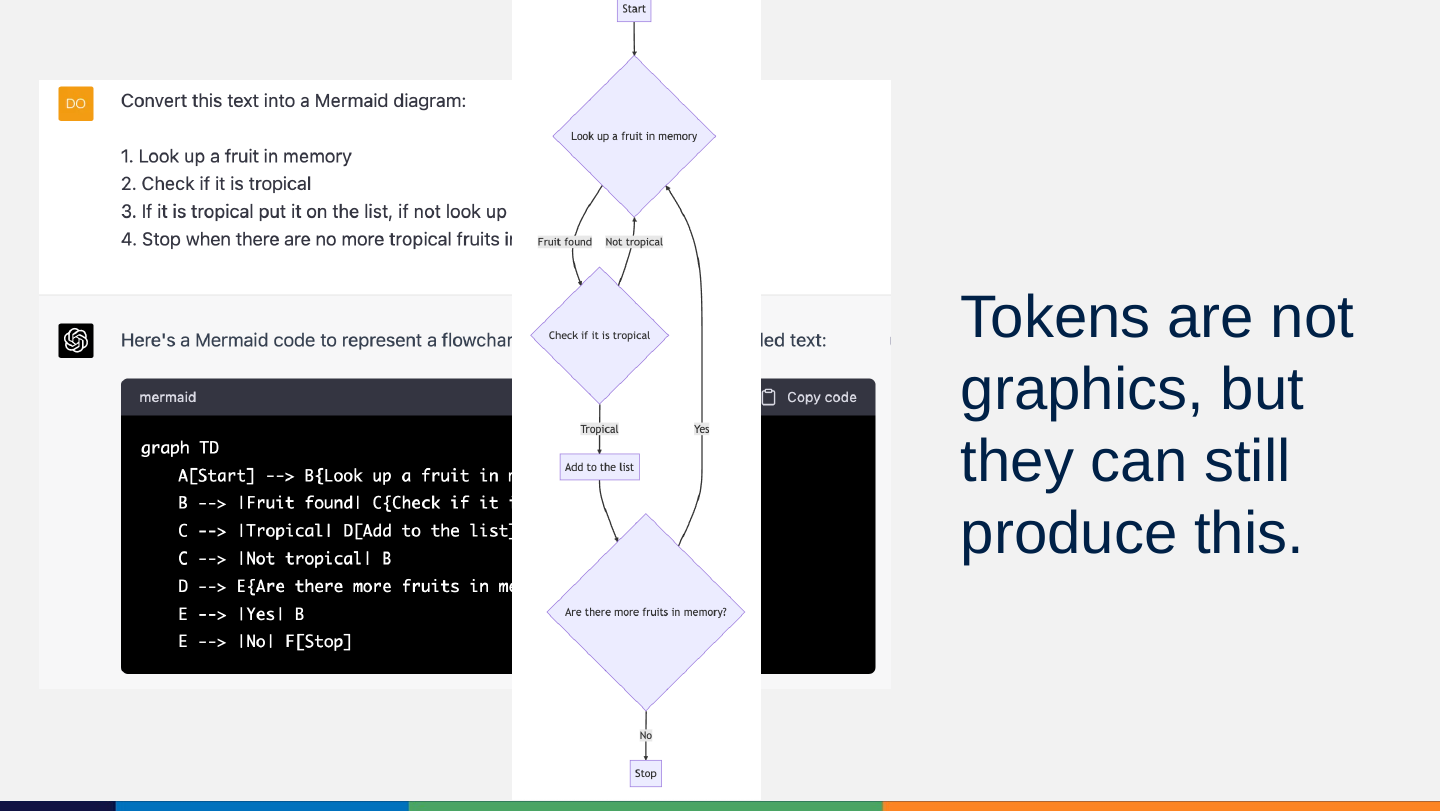
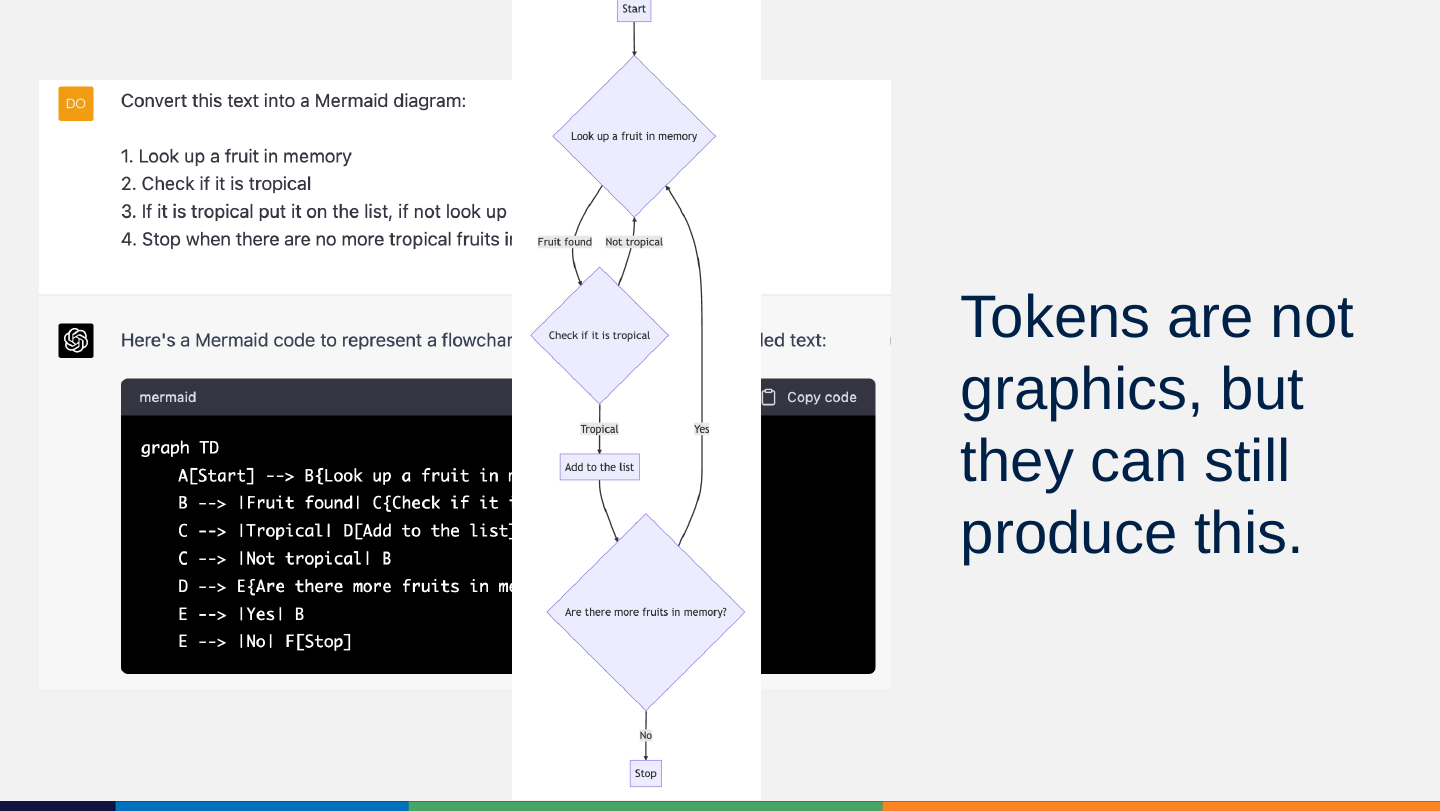
Slide 62: Tokens are not graphics, but they can still produce this.
Tokens are not graphics, but they can still produce this.
Slide 63: Embeddings: Give tokens meaning
Embeddings: Give tokens meaning

Slide 64: What are embeddings?
What are embeddings?
Embeddings show how tokens relate to each other in multidimensional-dimensional space.

Slide 65: Language embeddings
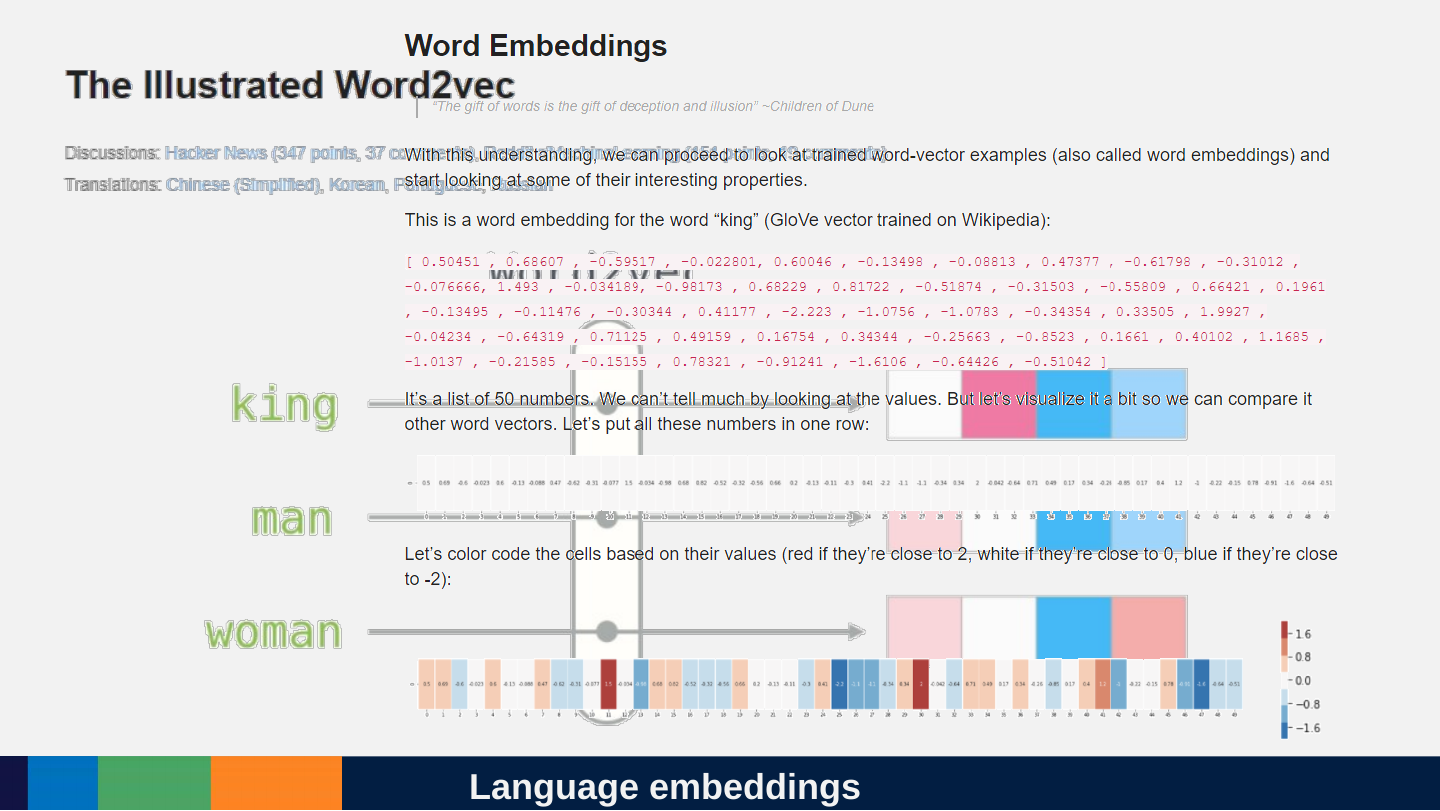
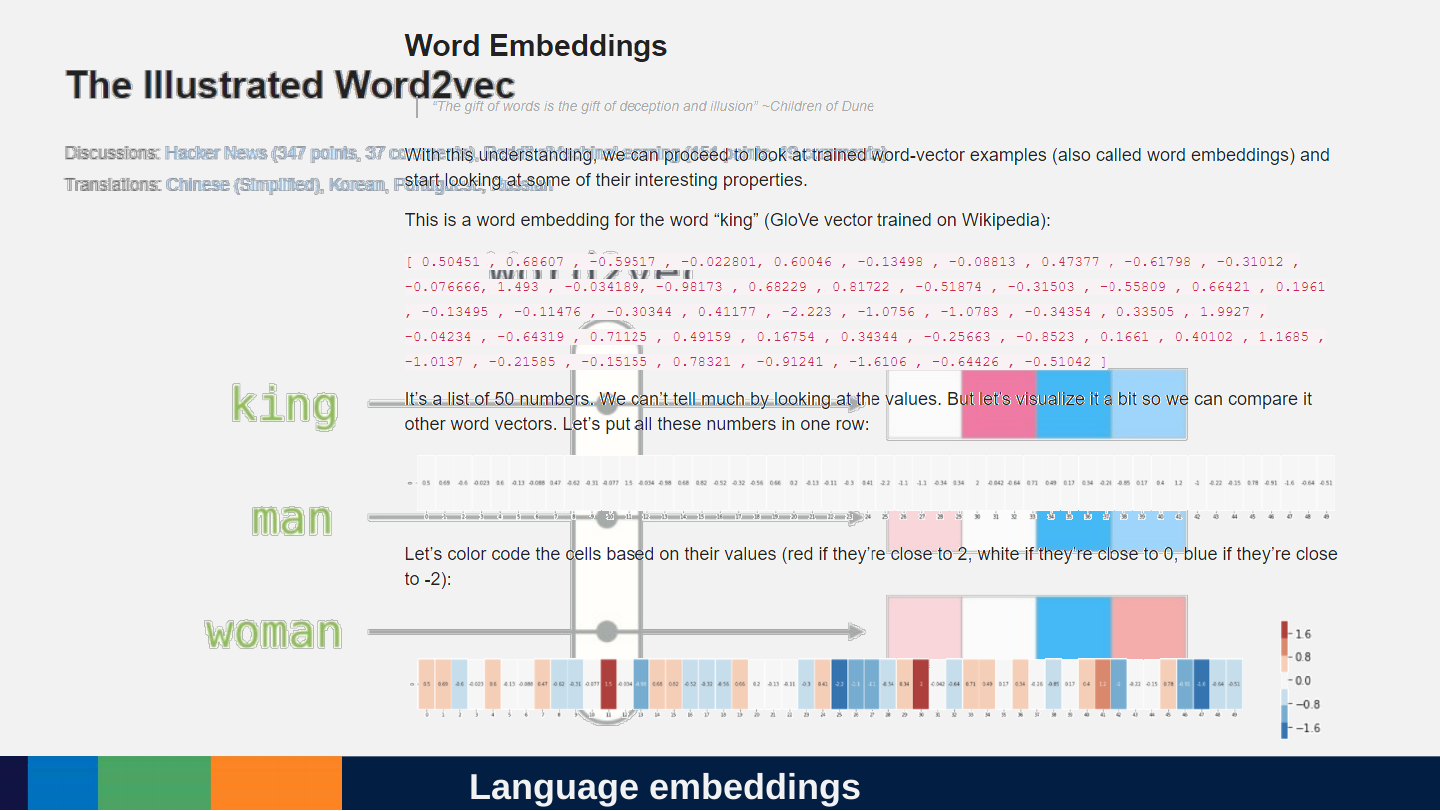
Language embeddings
Slide 66: You do maths on matrices and you get
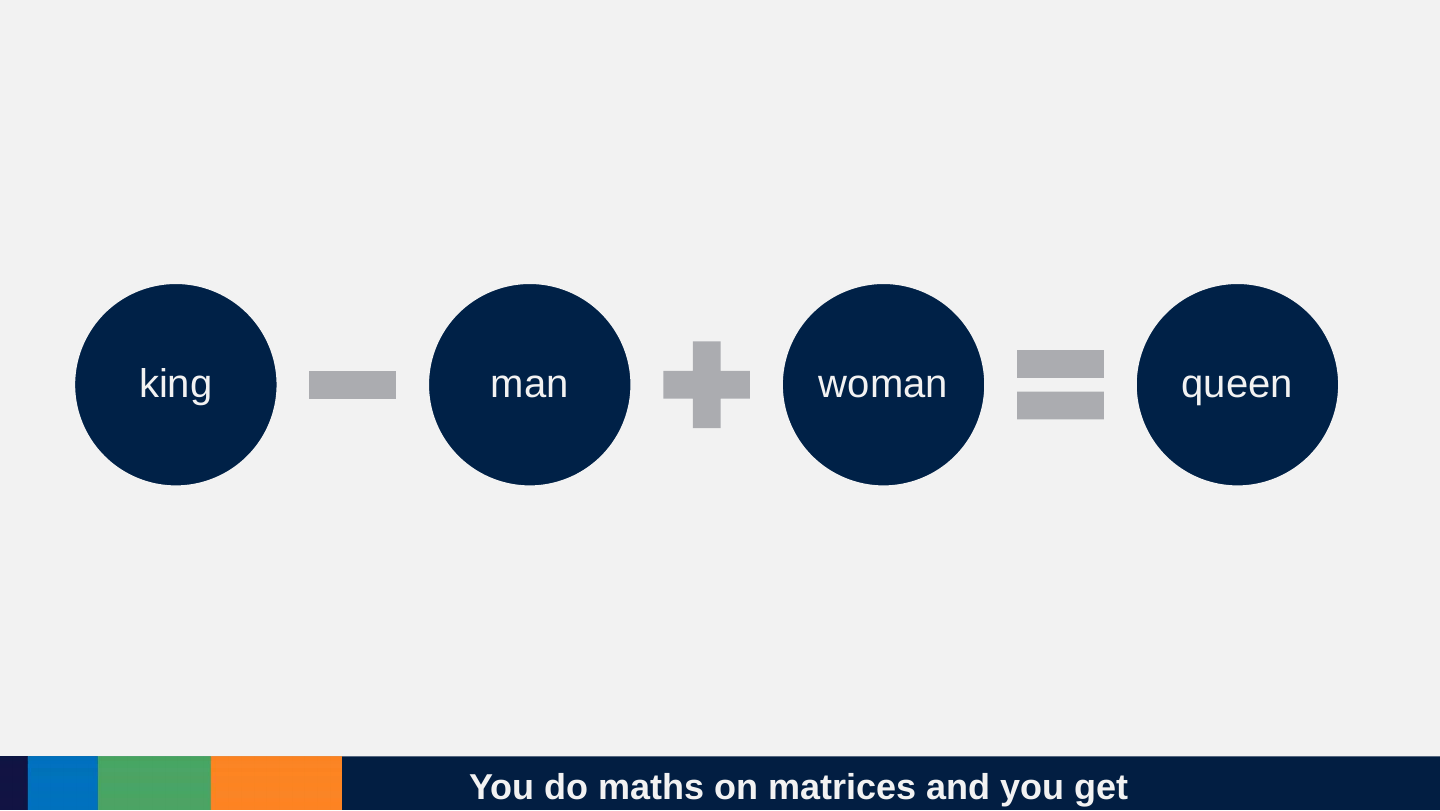
You do maths on matrices and you get
king − man + woman = queen
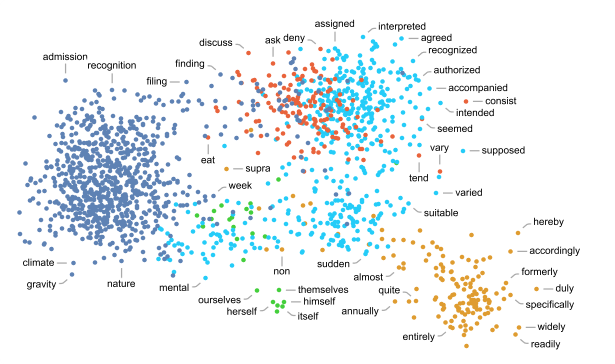
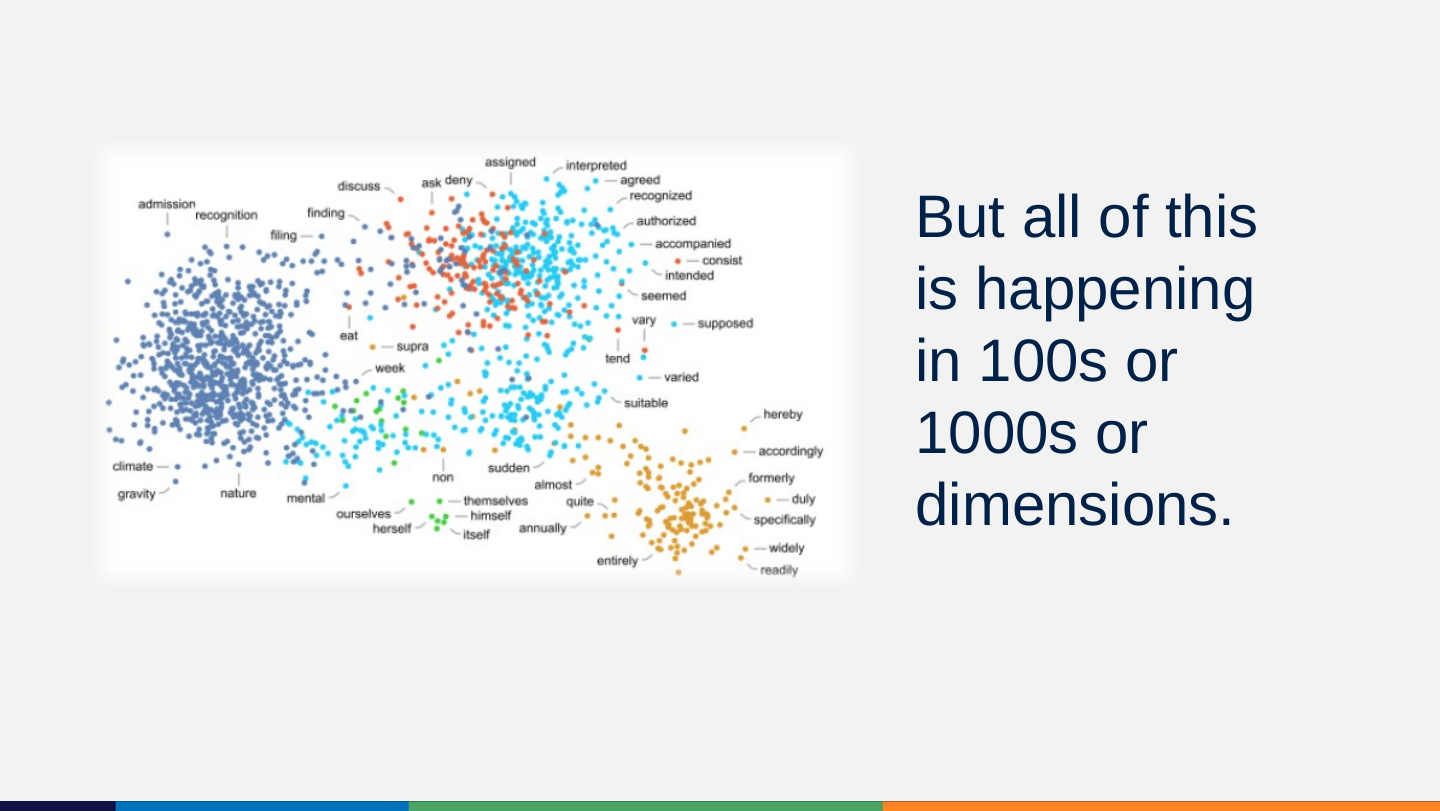
Slide 67: But all of this is happening in 100s or 1000s or dimensions.
But all of this is happening in 100s or 1000s or dimensions.
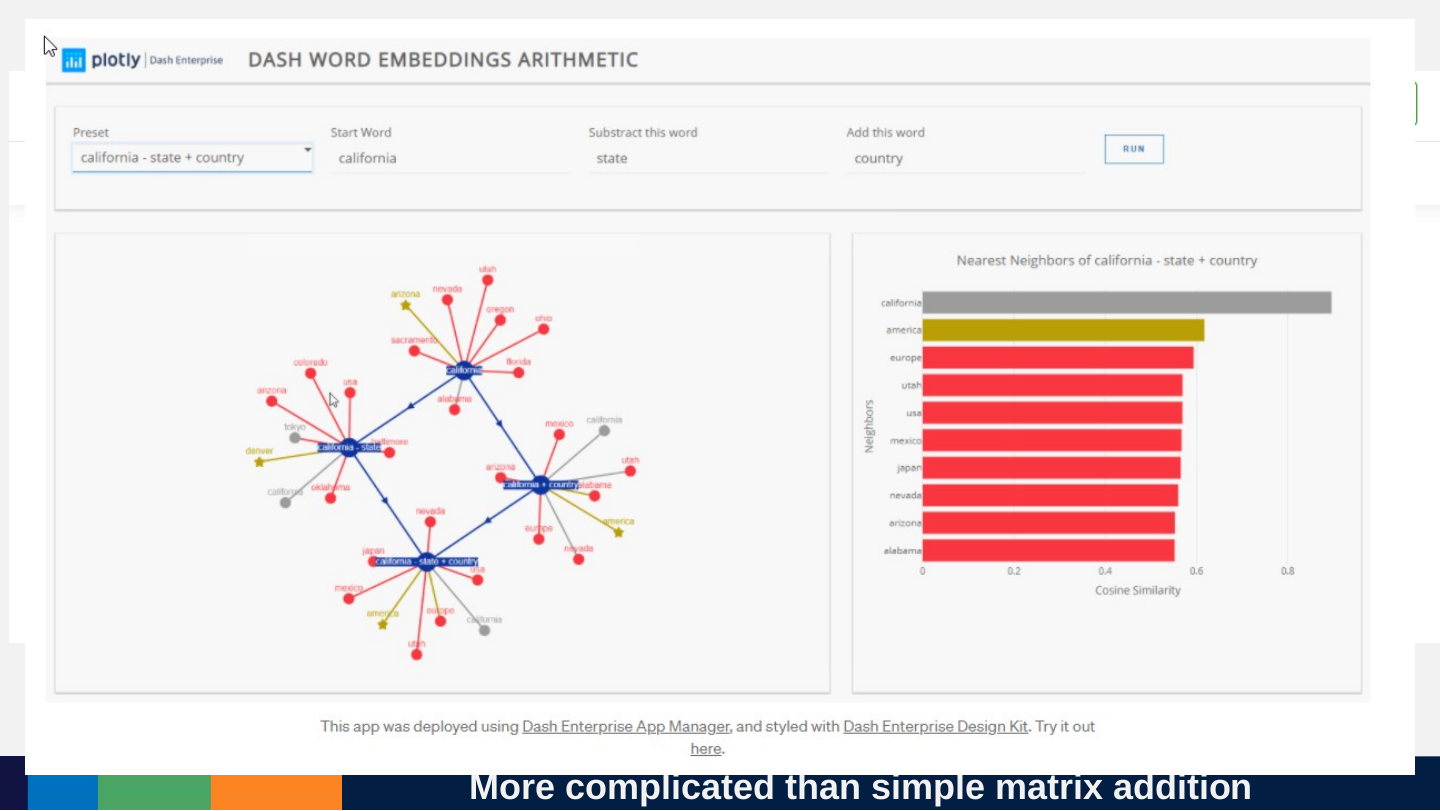
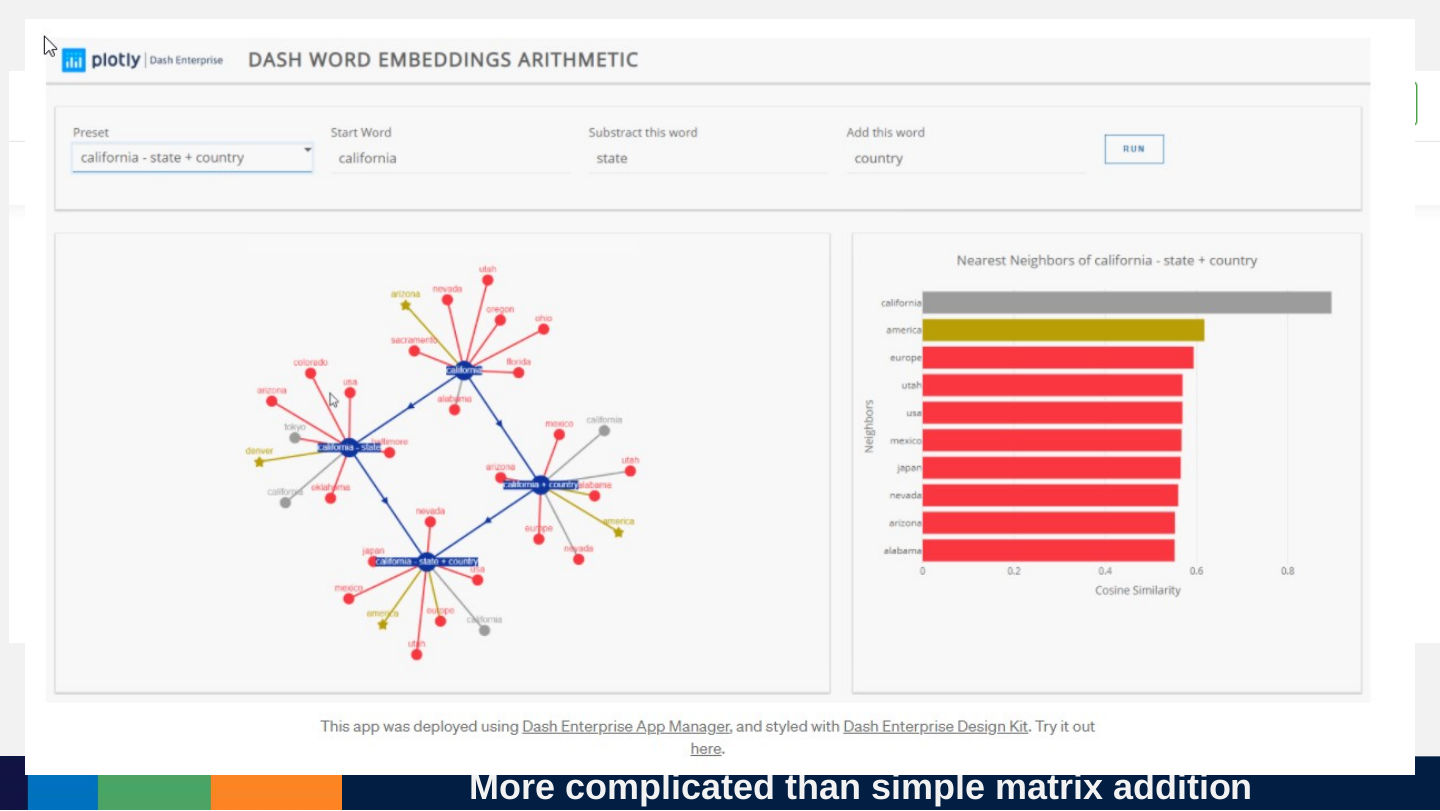
Slide 68: More complicated than simple matrix addition
More complicated than simple matrix addition
Slide 69: Add it all up
Add it all up

Slide 70: All it is doing on the inside is multiplying matrices.
All it is doing on the inside is multiplying matrices.
Slide 71: Really big ones, for every single token in the context window!
Really big ones, for every single token in the context window!
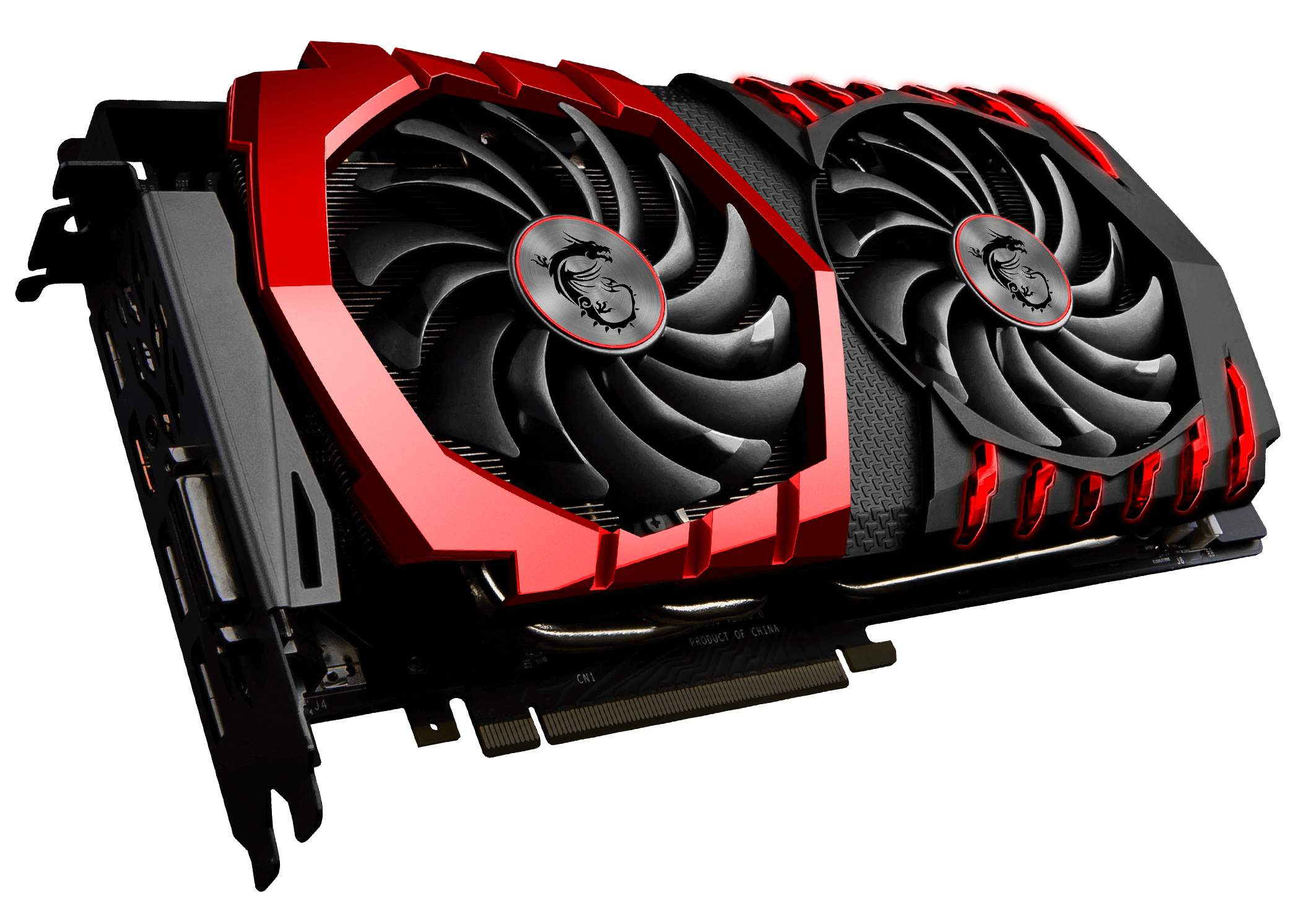
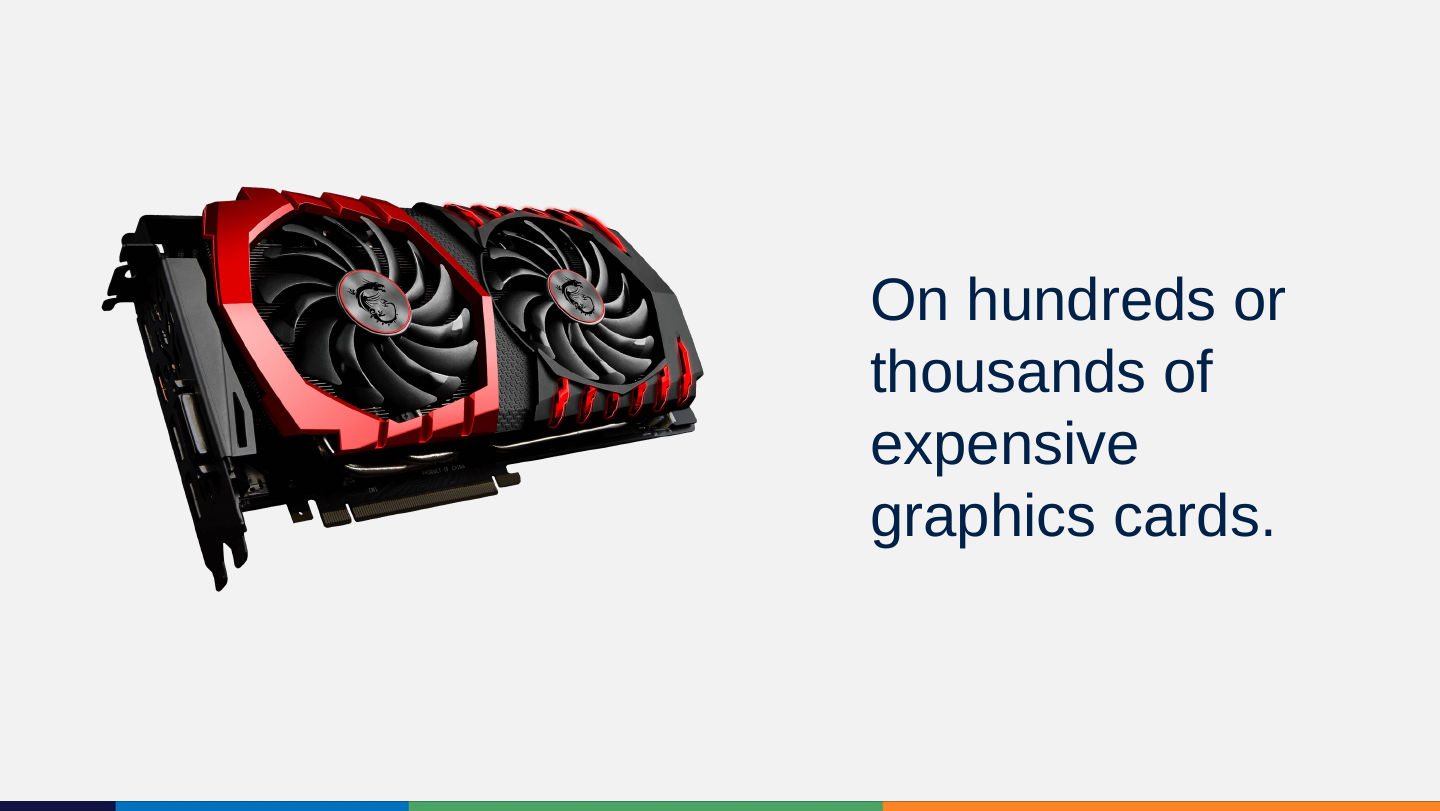
Slide 72: On hundreds or thousands of expensive graphics cards.
On hundreds or thousands of expensive graphics cards.
Slide 73: This means it costs $$ every time you ask it to do something.
This means it costs $$ every time you ask it to do something.

Slide 74: Generate predictions
Generate predictions

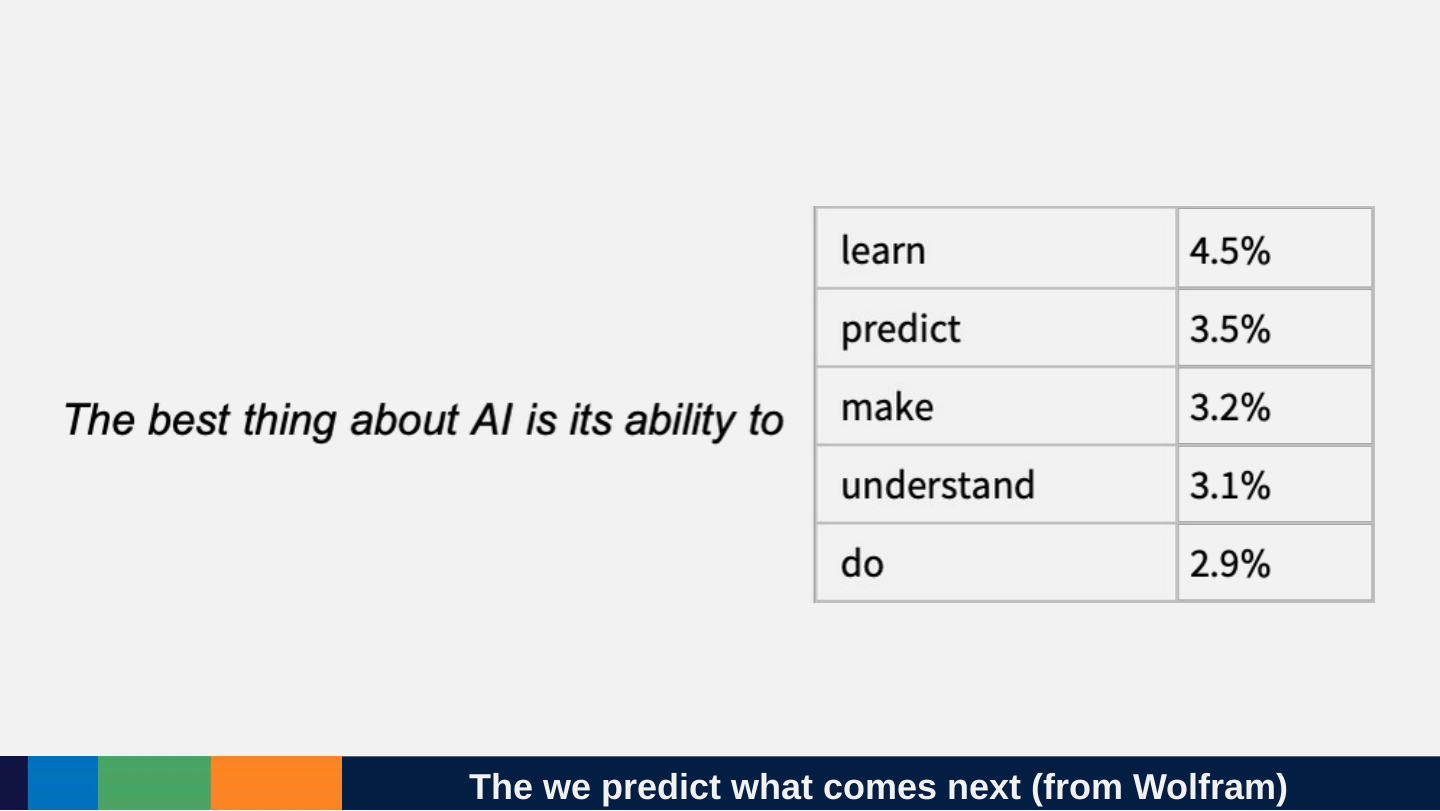
Slide 75: The we predict what comes next (from Wolfram)
The we predict what comes next (from Wolfram)

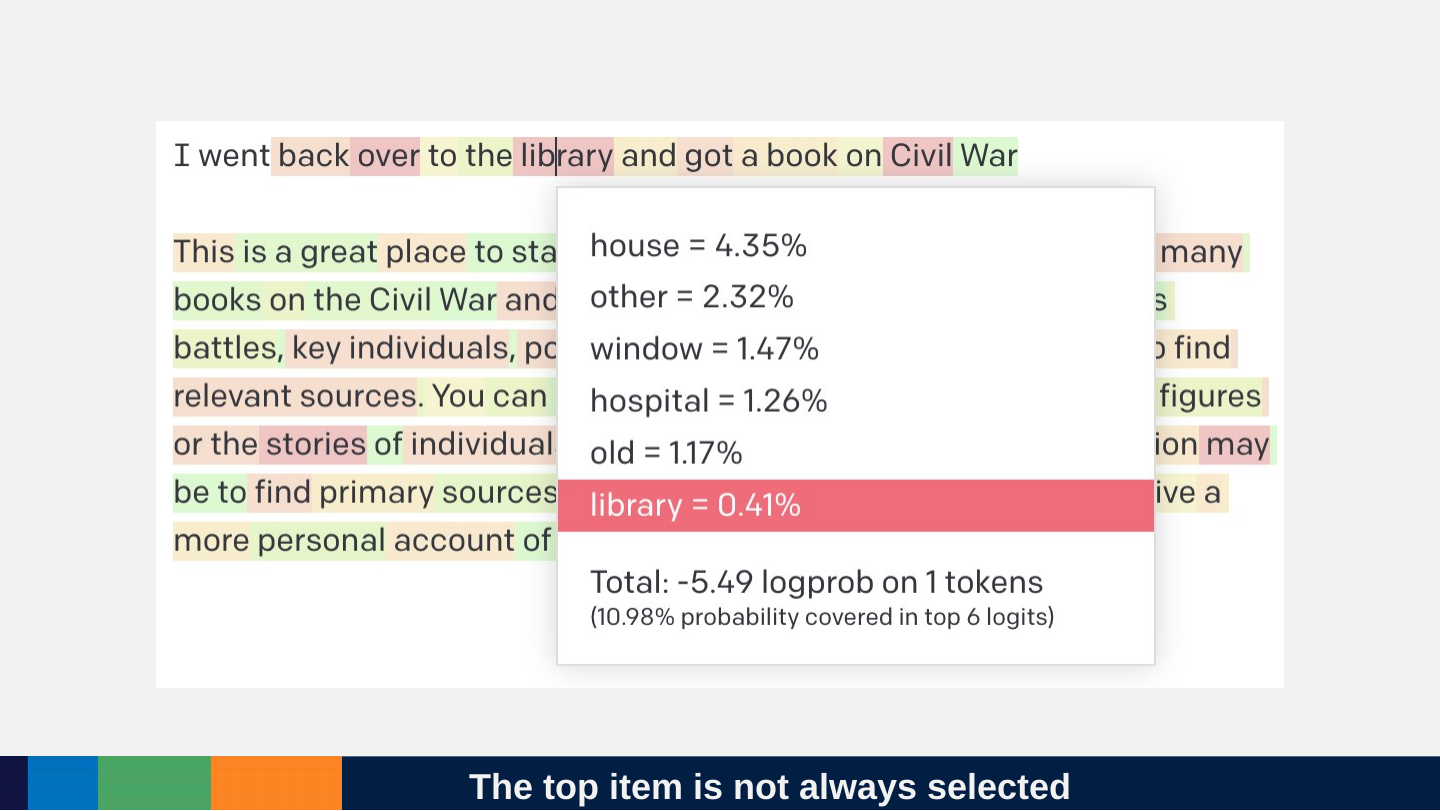
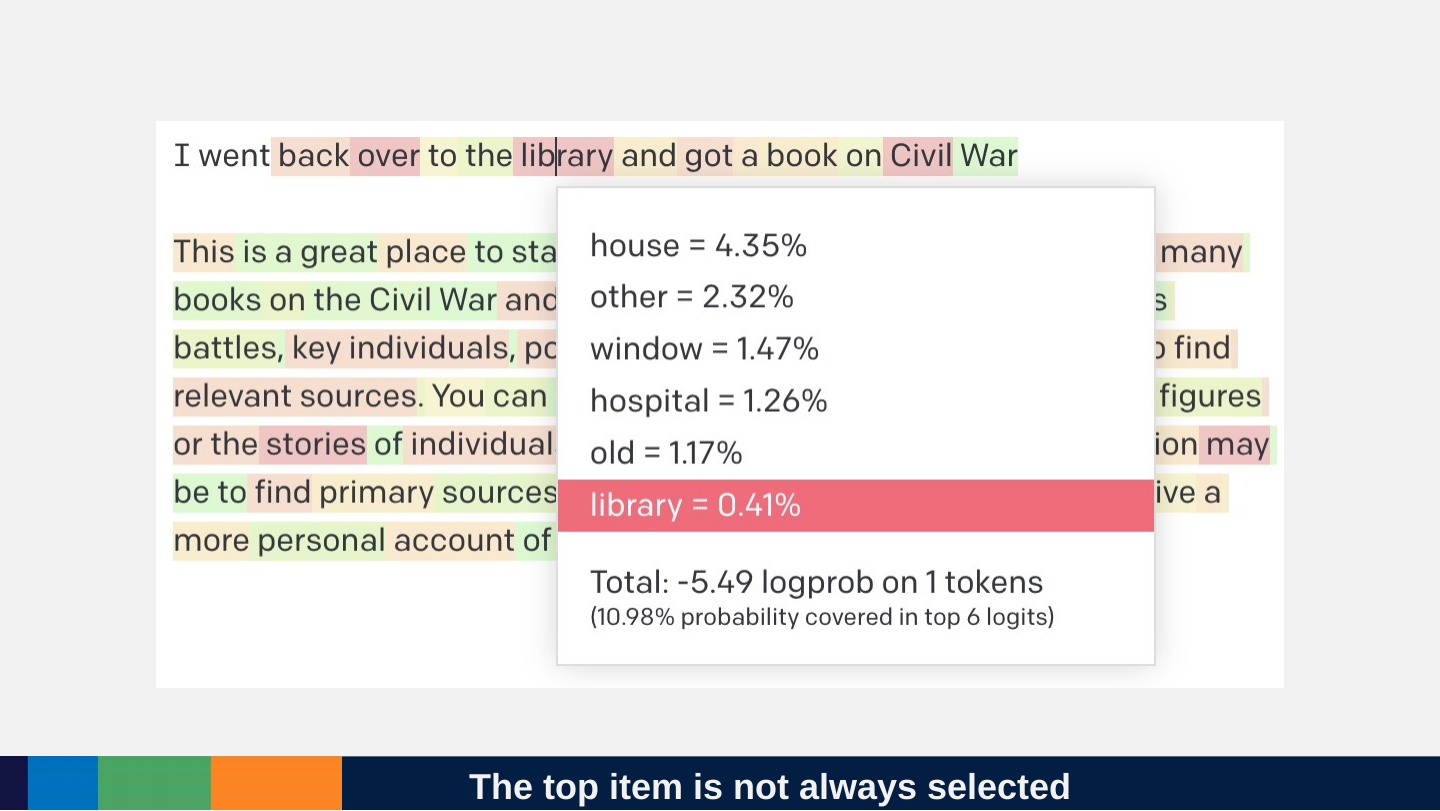
Slide 76: The top item is not always selected
The top item is not always selected
Slide 77: Turn up the temperature: Randomness
Turn up the temperature: Randomness

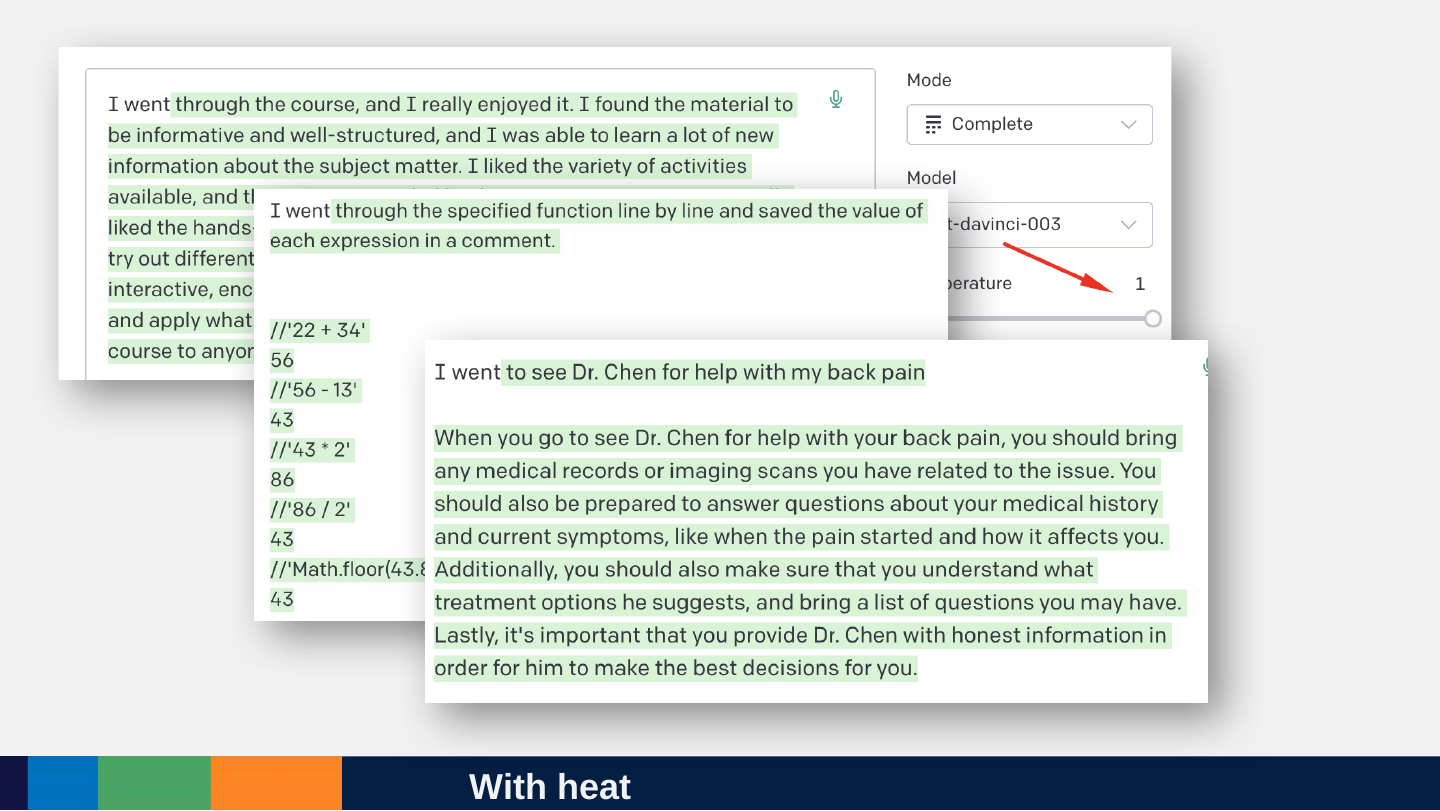
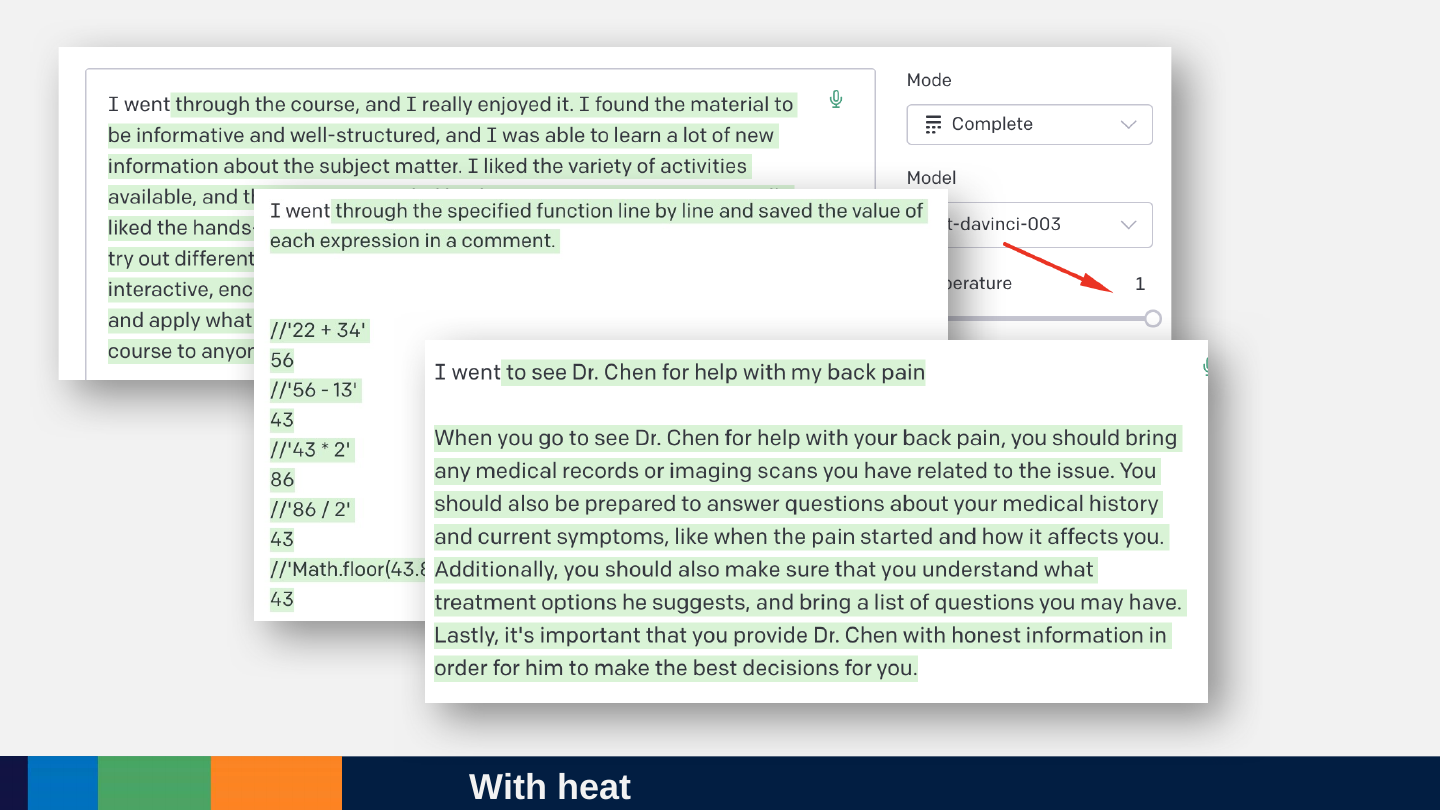
Slide 78: With heat
With heat
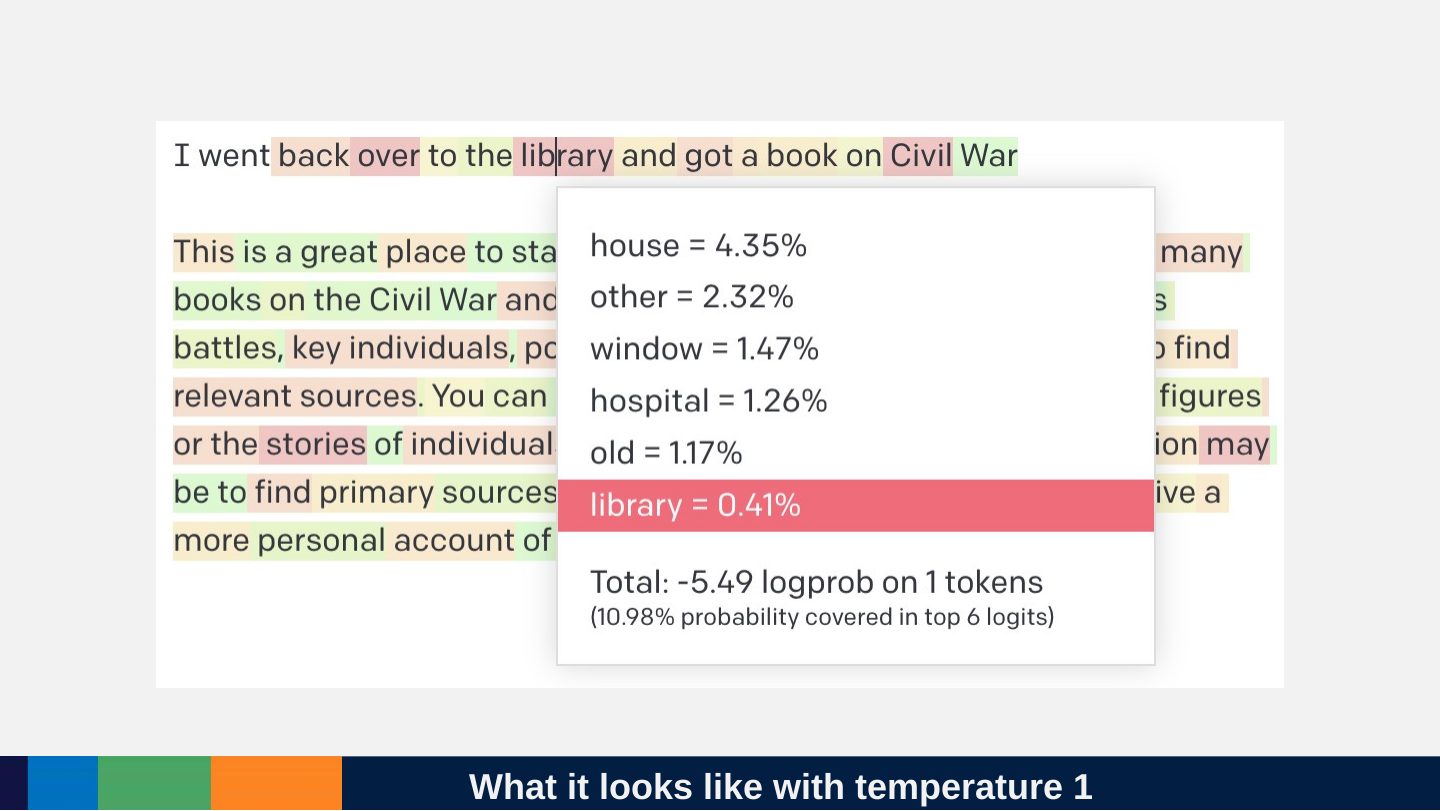
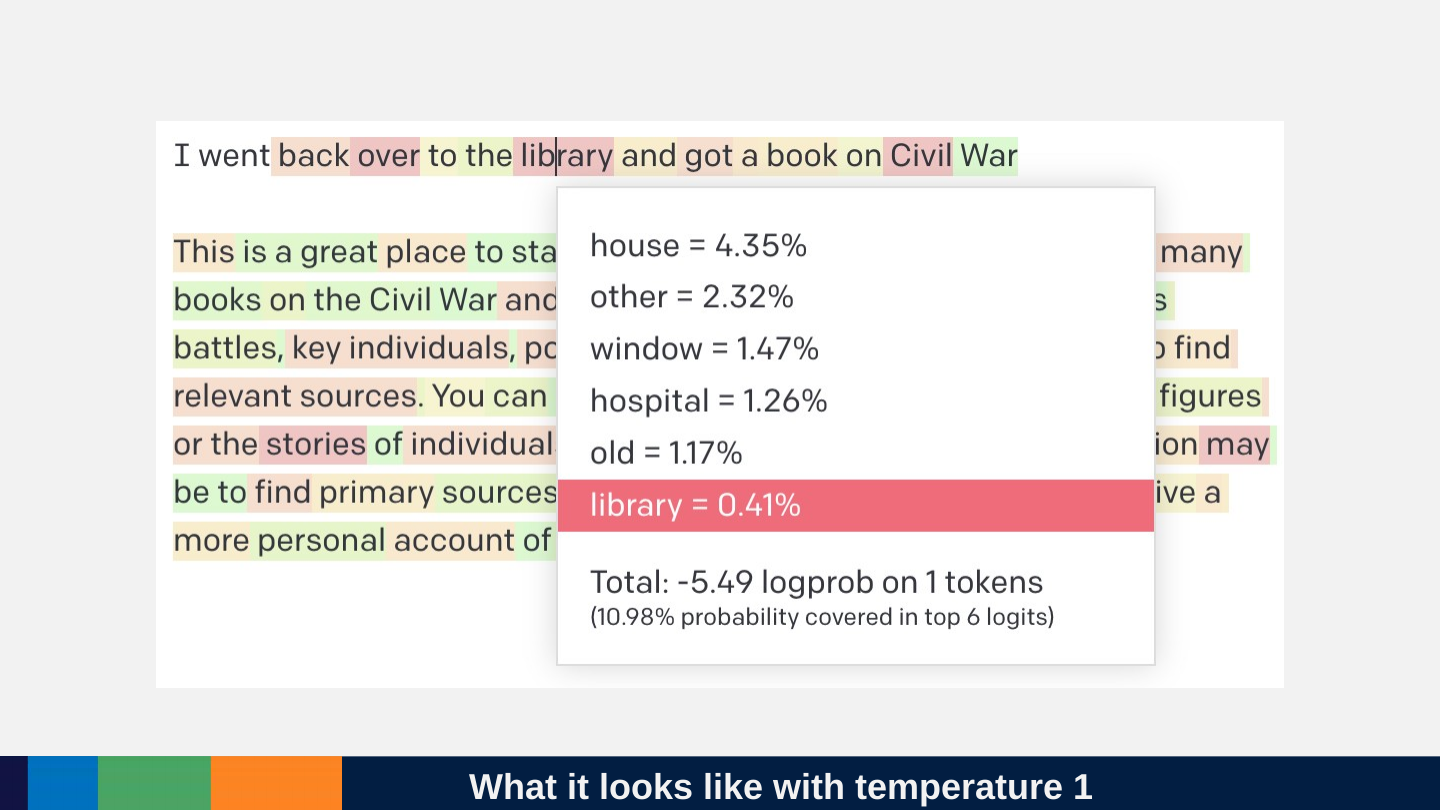
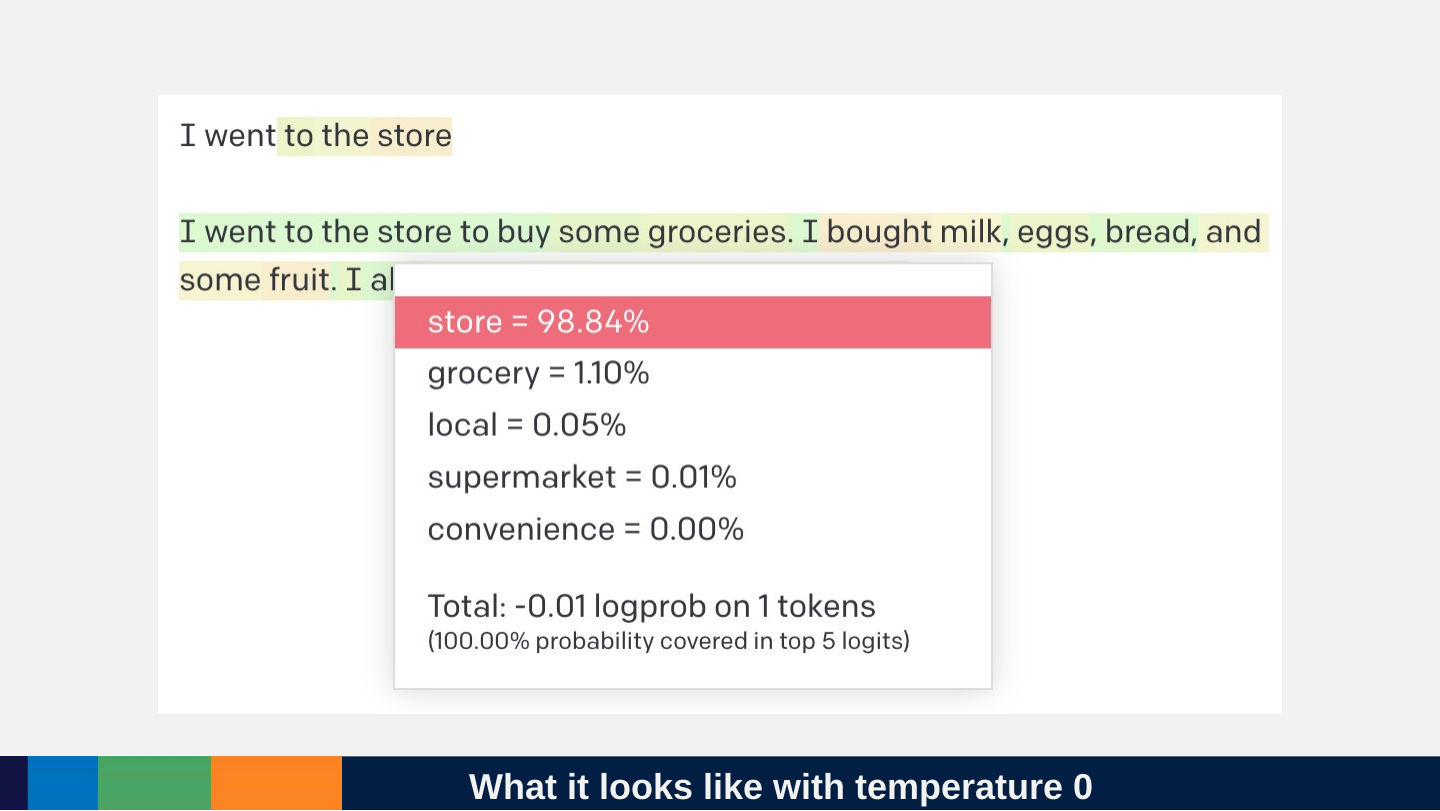
Slide 79: What it looks like with temperature 1
What it looks like with temperature 1
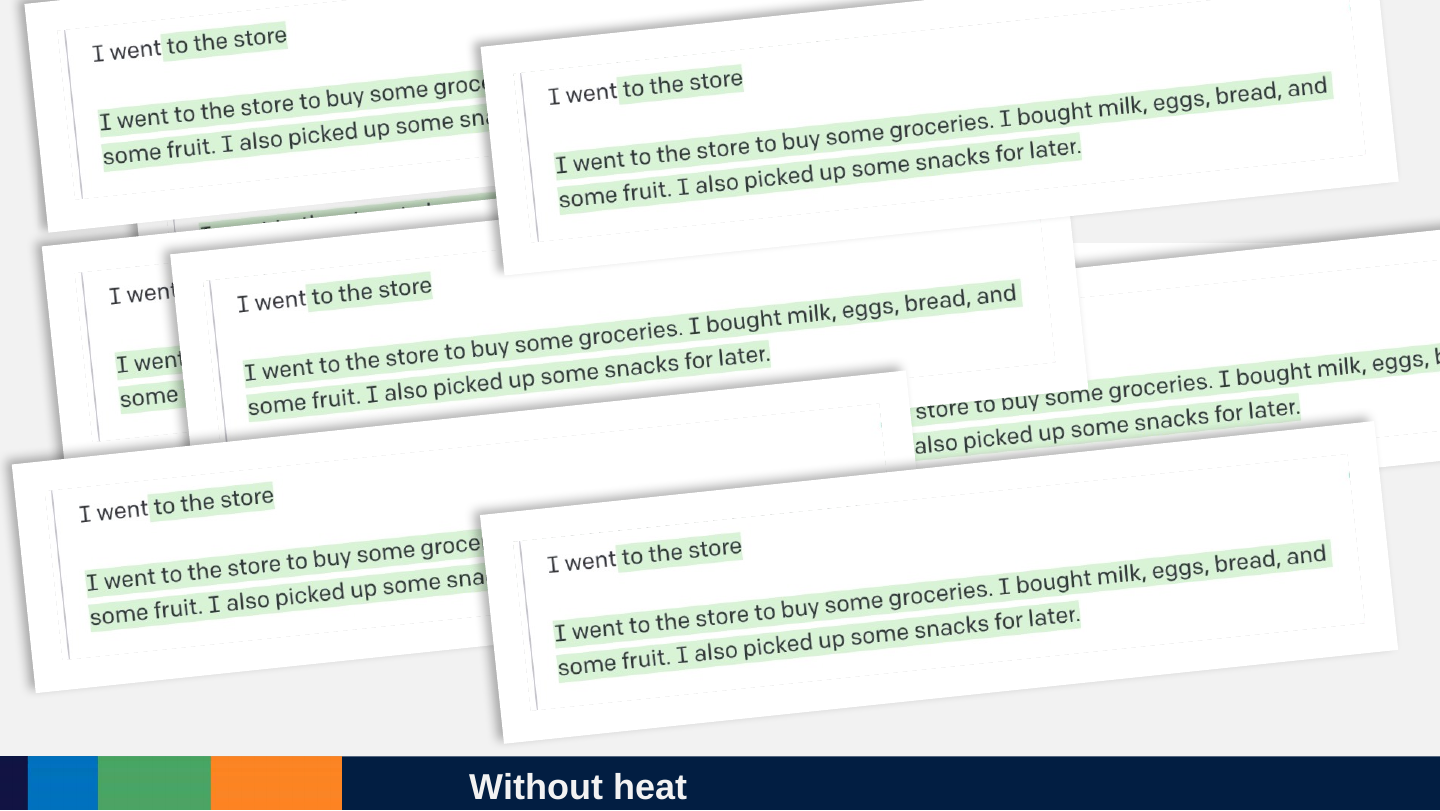
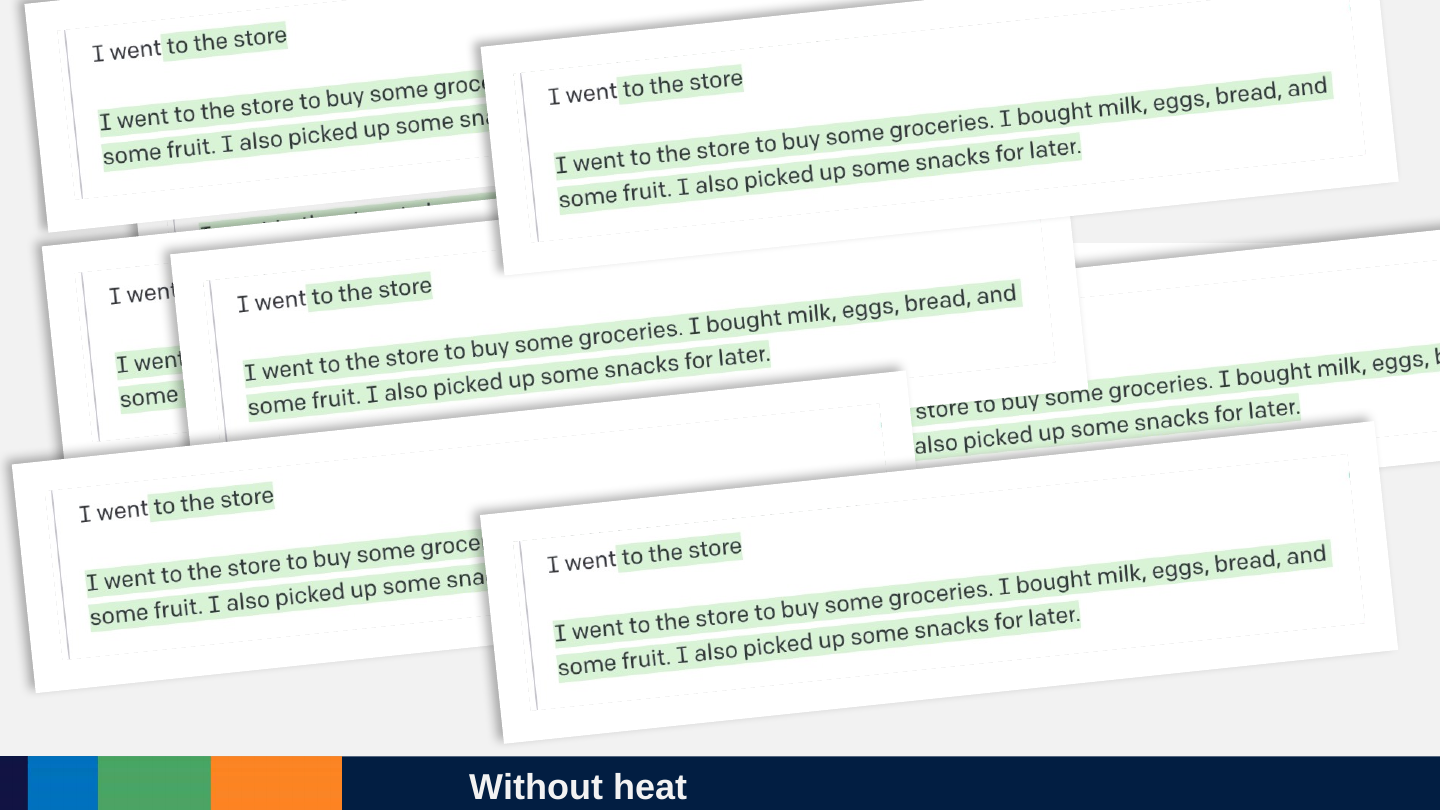
Slide 80: Without heat
Without heat
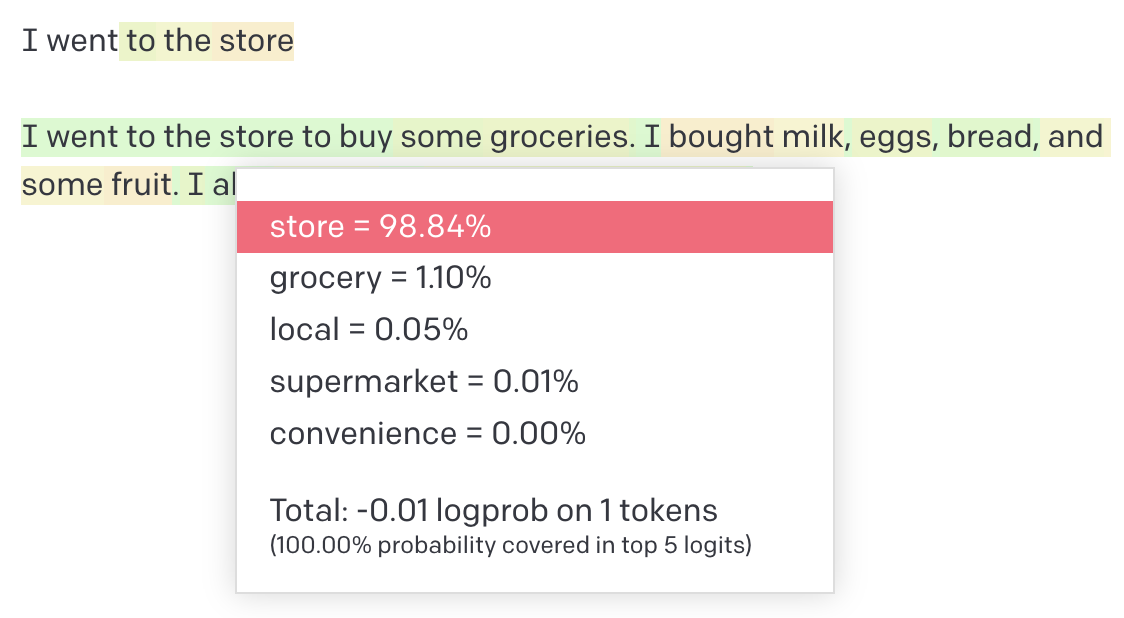
Slide 81: What it looks like with temperature 0
What it looks like with temperature 0
Slide 82: Remember all of this happens for each new token
Remember all of this happens for each new token
Slide 83: Context window is a limit on prediction
Context window is a limit on prediction
Slide 84: GPT-3.5 has a context window of 2,000 tokens. GPT-4 has 8,000 – 32,000.
GPT-3.5 has a context window of 2,000 tokens. GPT-4 has 8,000 – 32,000.

Slide 85: Every new token generated, eats into the context window!
Every new token generated, eats into the context window!

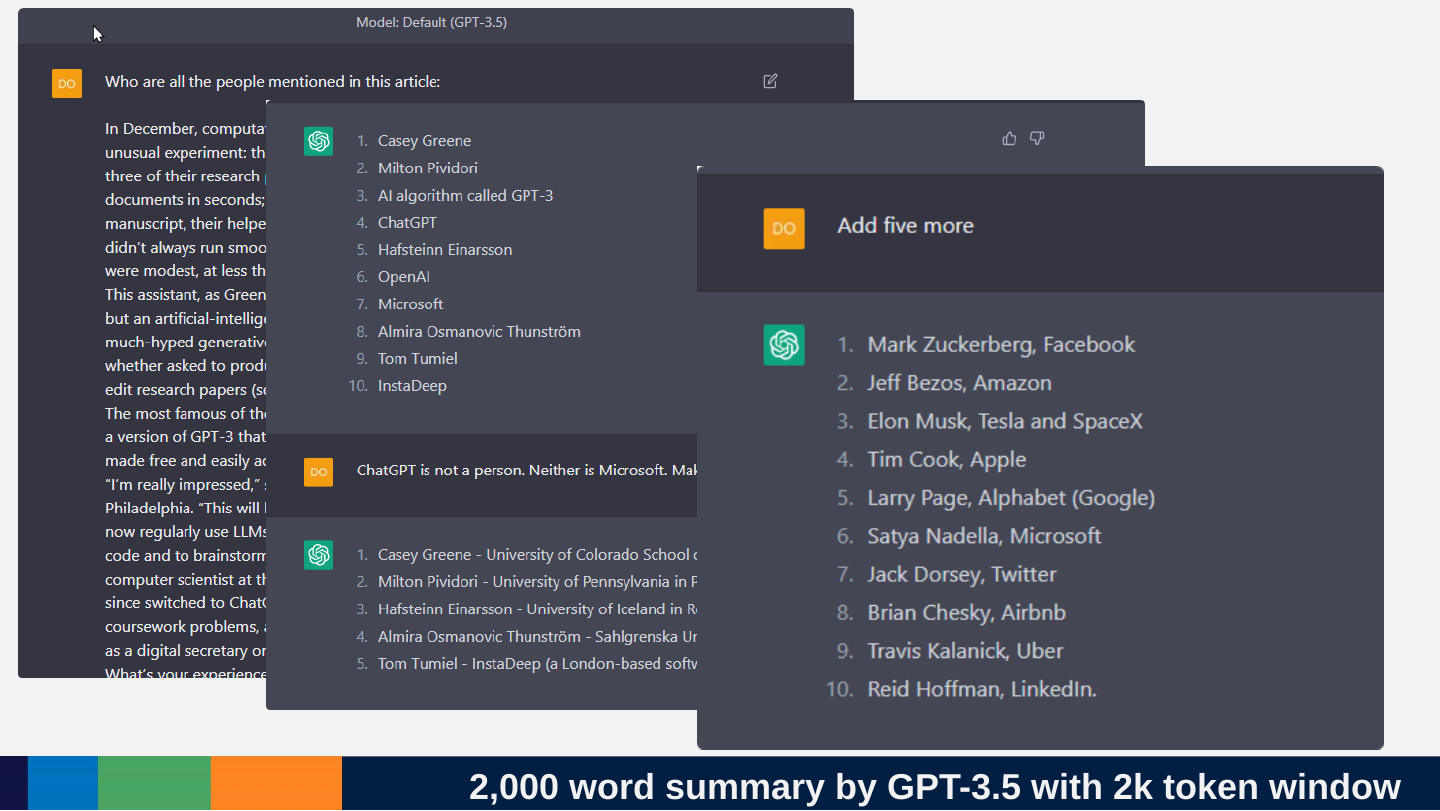
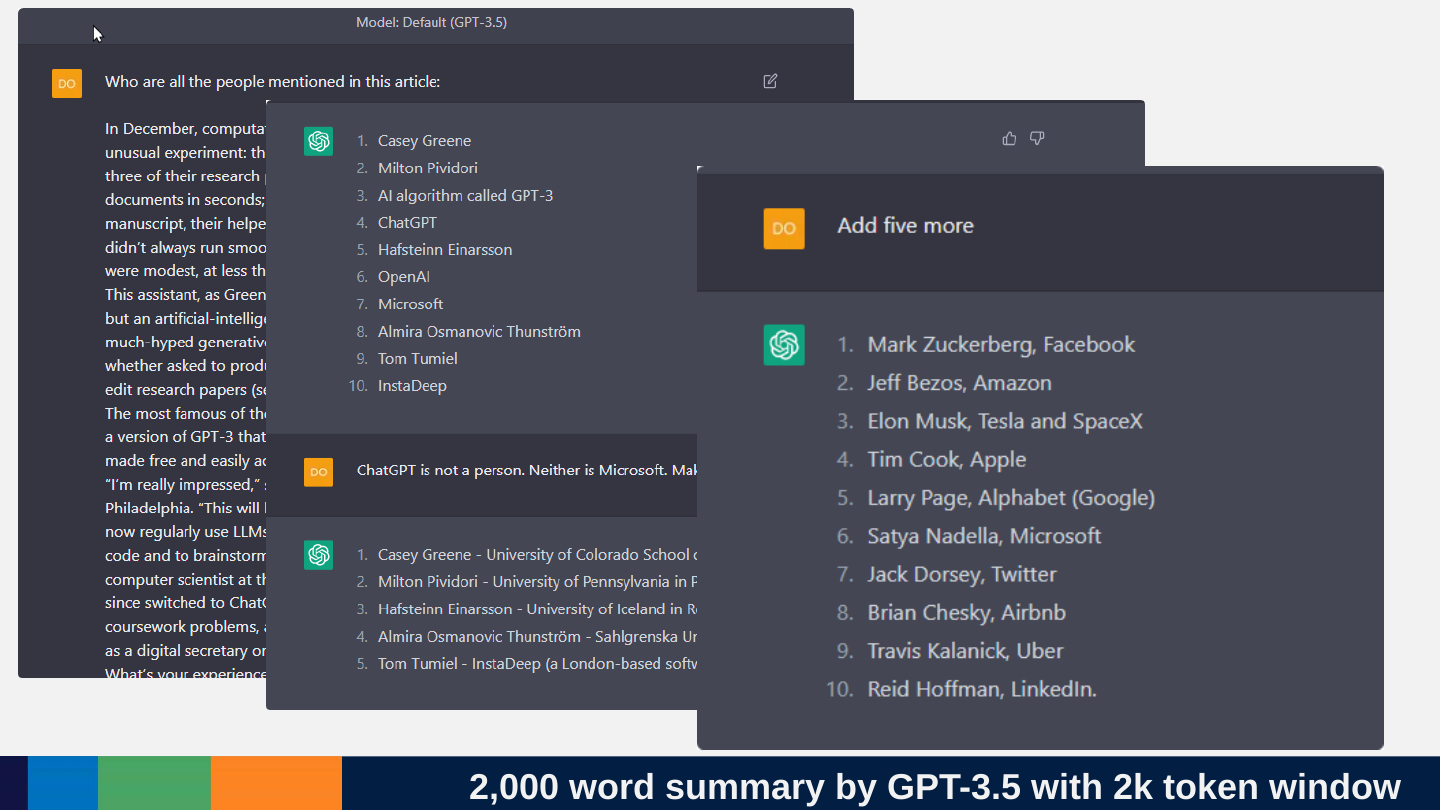
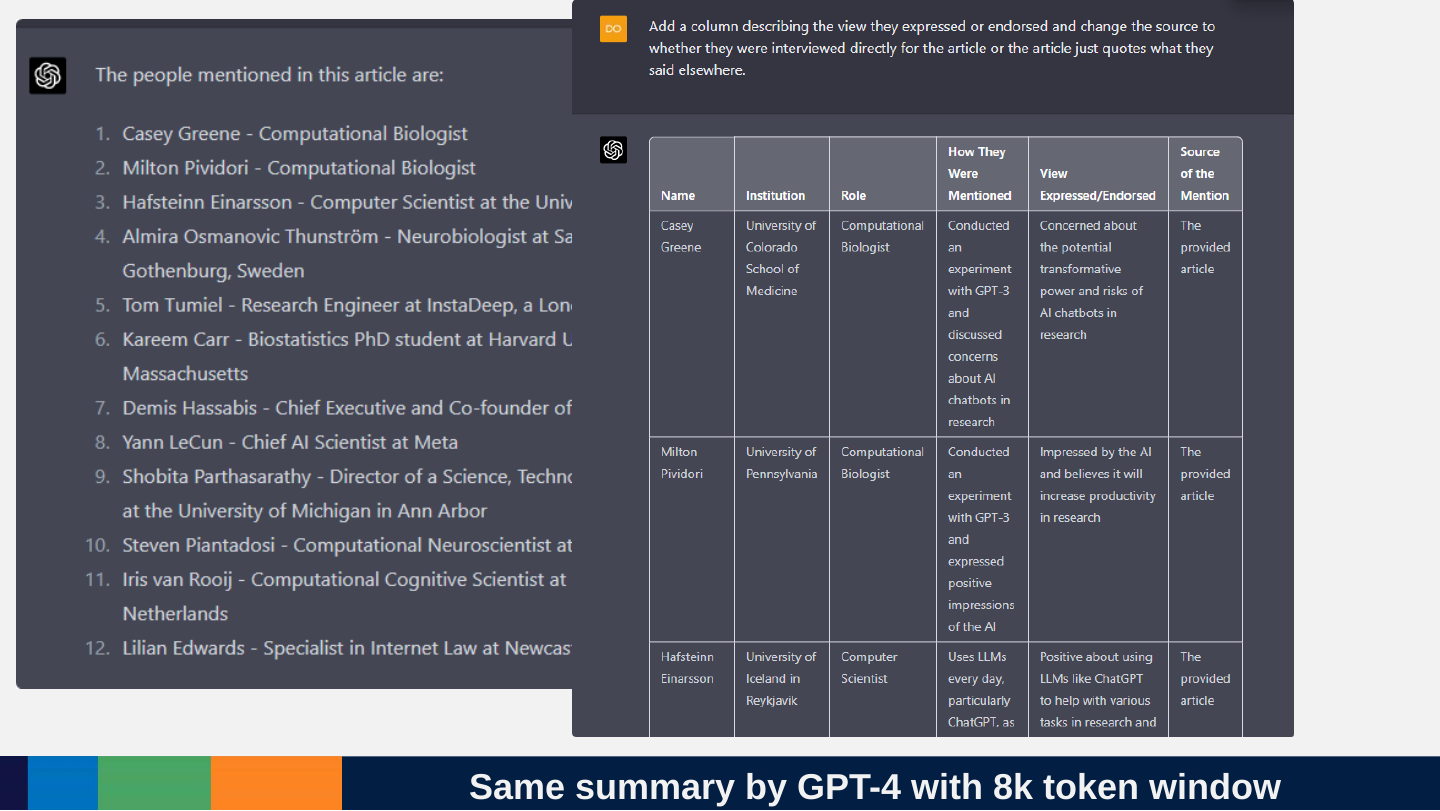
Slide 86: 2,000 word summary by GPT-3.5 with 2k token window
2,000 word summary by GPT-3.5 with 2k token window
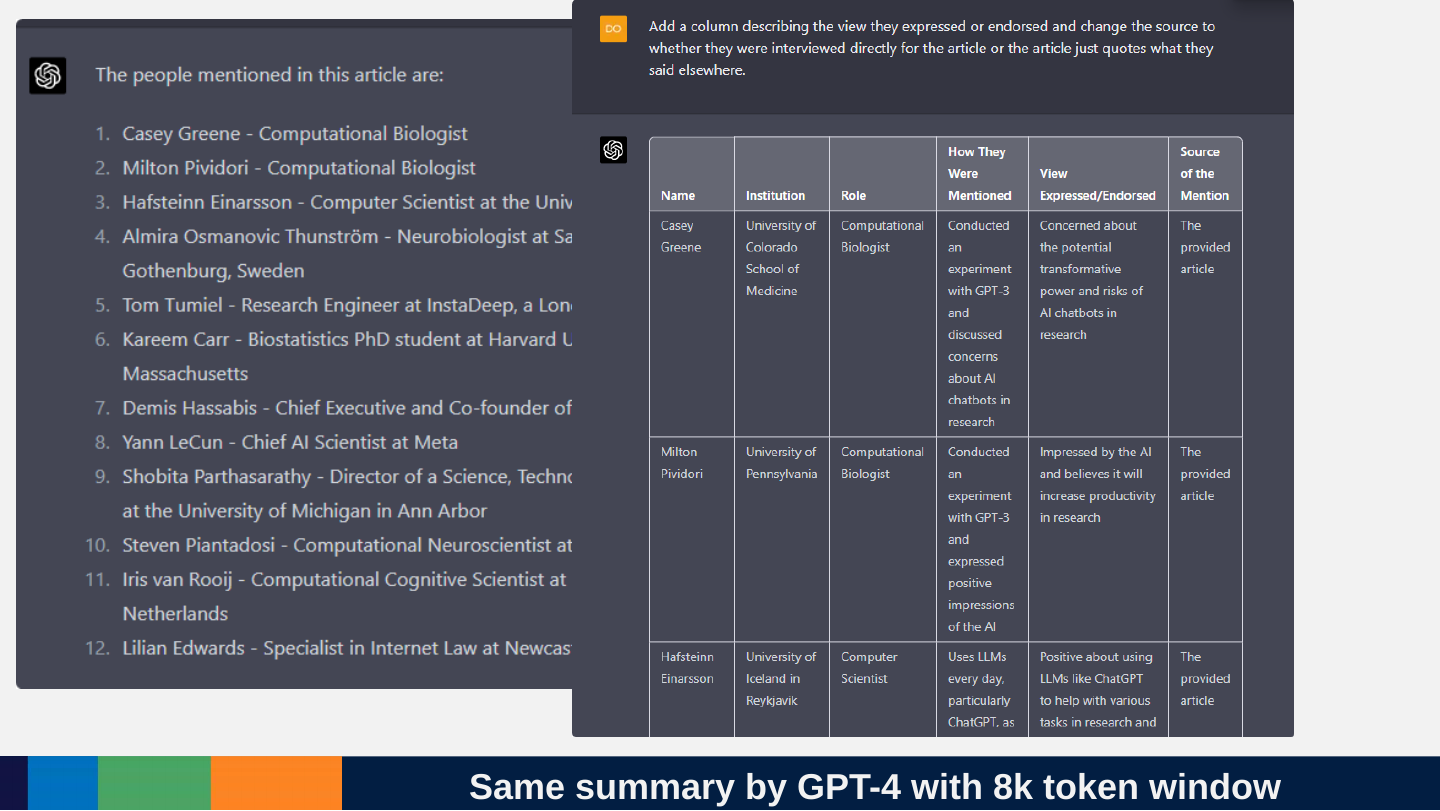
Slide 87: Same summary by GPT-4 with 8k token window
Same summary by GPT-4 with 8k token window
Slide 88: There is no database
There is no database
Slide 89: It looks like it’s looking things up, copying them and pasting them. BUT
It looks like it’s looking things up, copying them and pasting them. BUT
Slide 90: It always just predicts
It always just predicts
https://what-if.xkcd.com/34

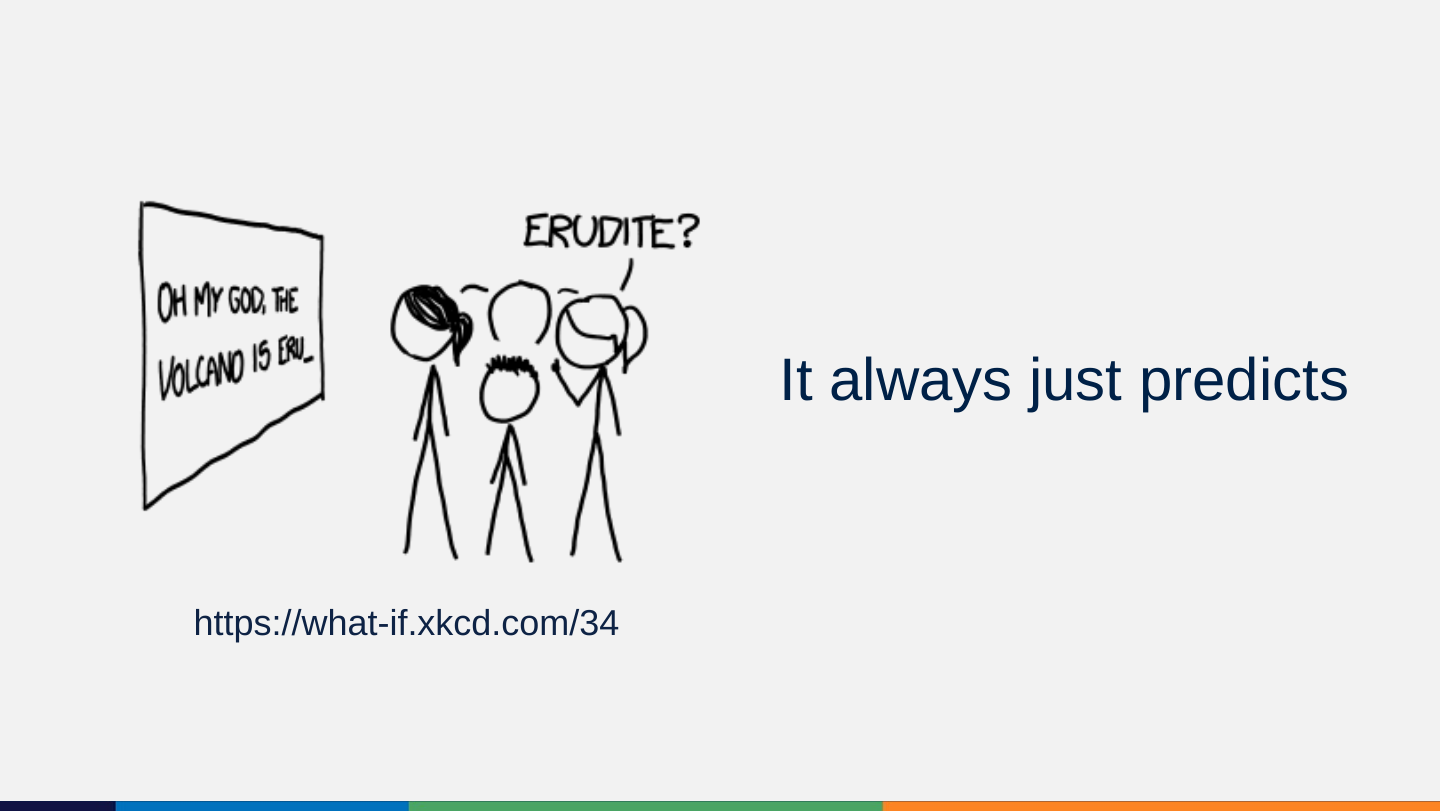
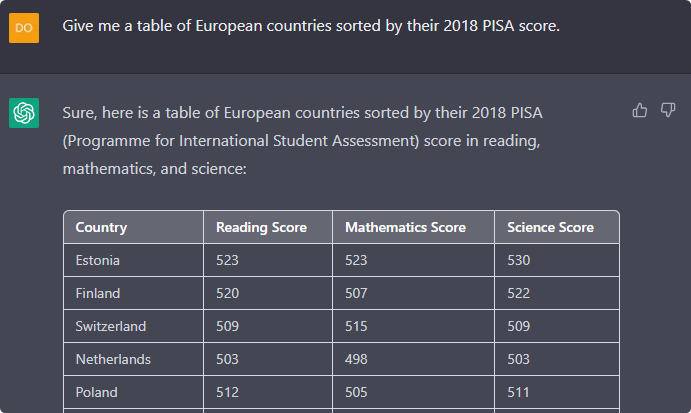
Slide 91: But because it was trained on almost trillion tokens and has 175 billion parameters, it can do this.
But because it was trained on almost trillion tokens and has 175 billion parameters, it can do this.
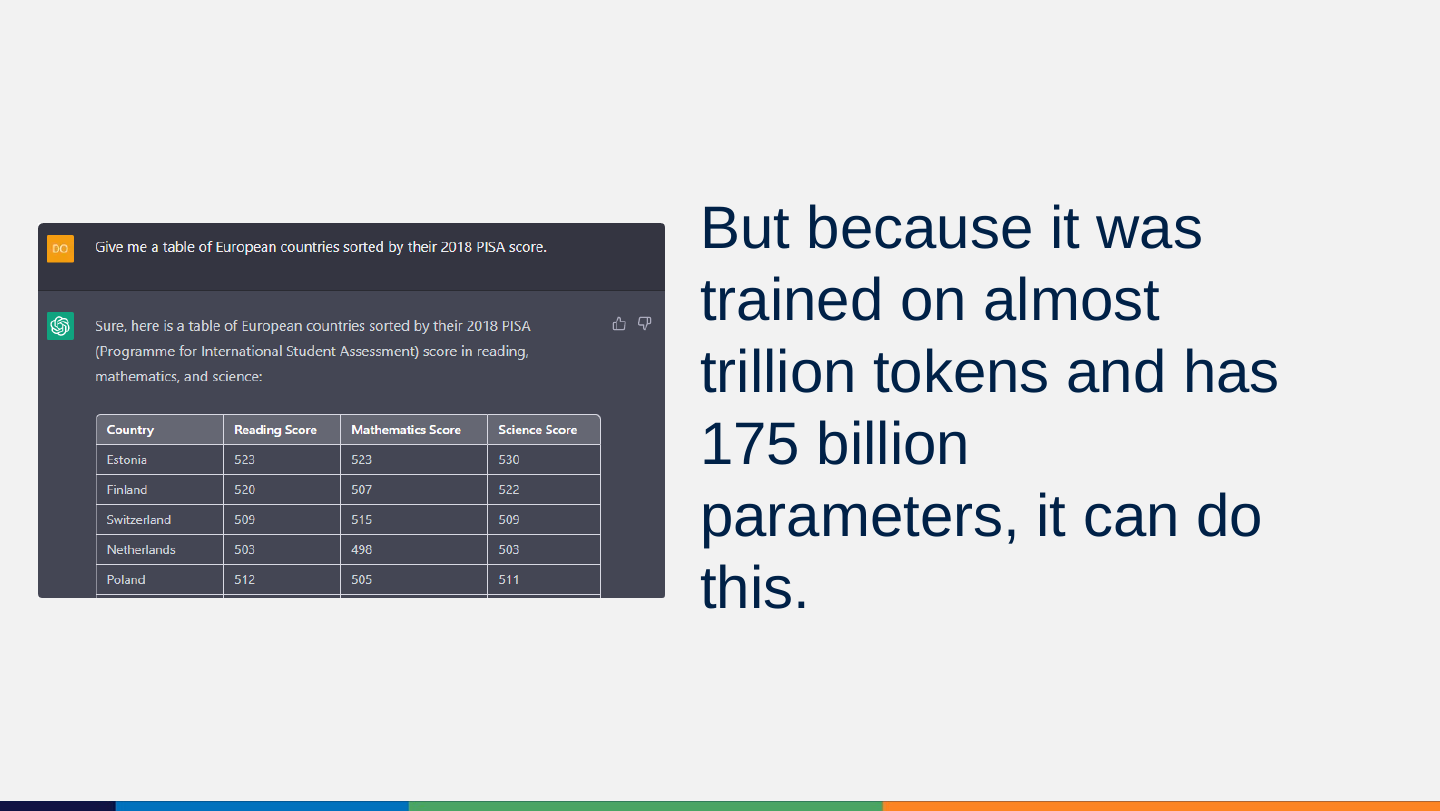
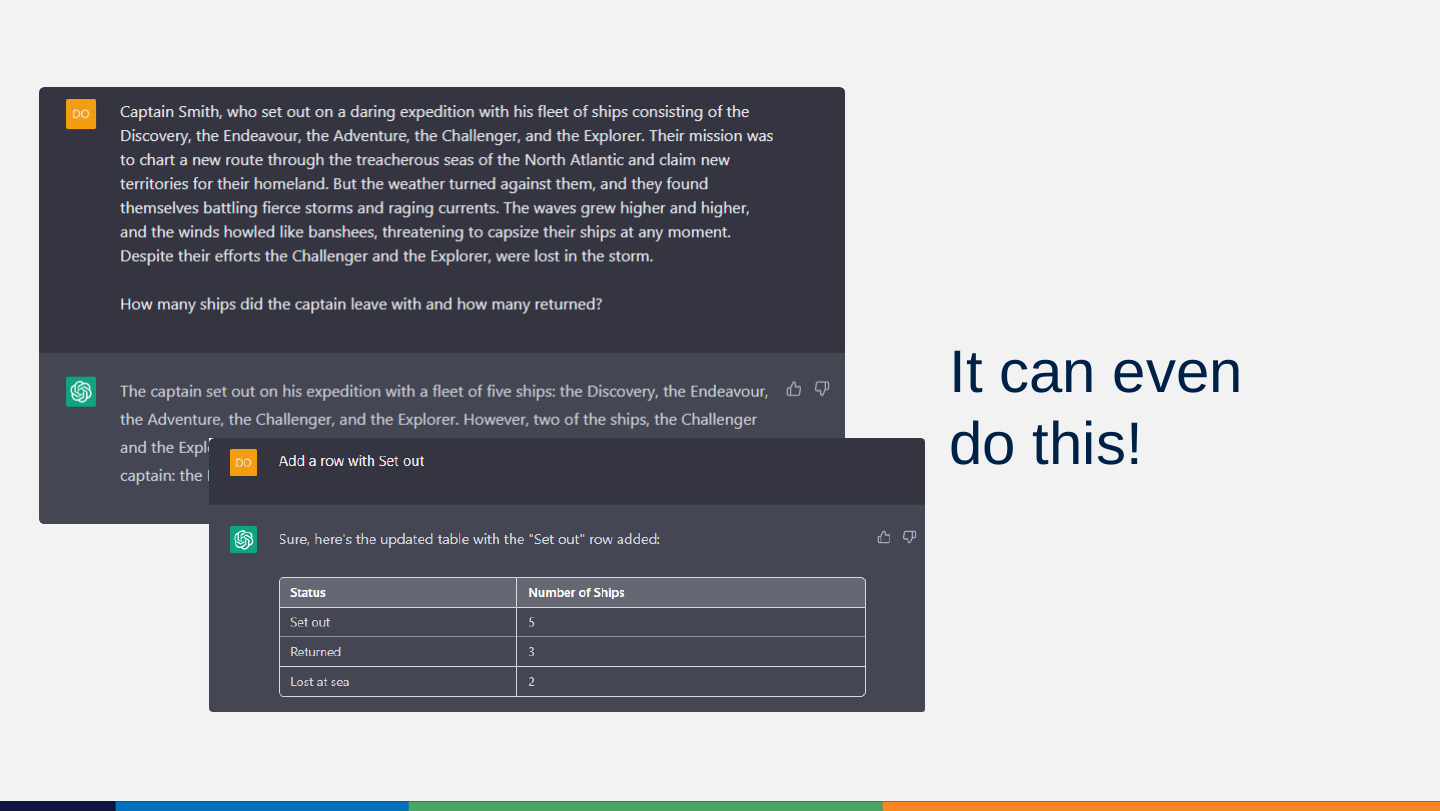
Slide 92: It can even do this!
It can even do this!
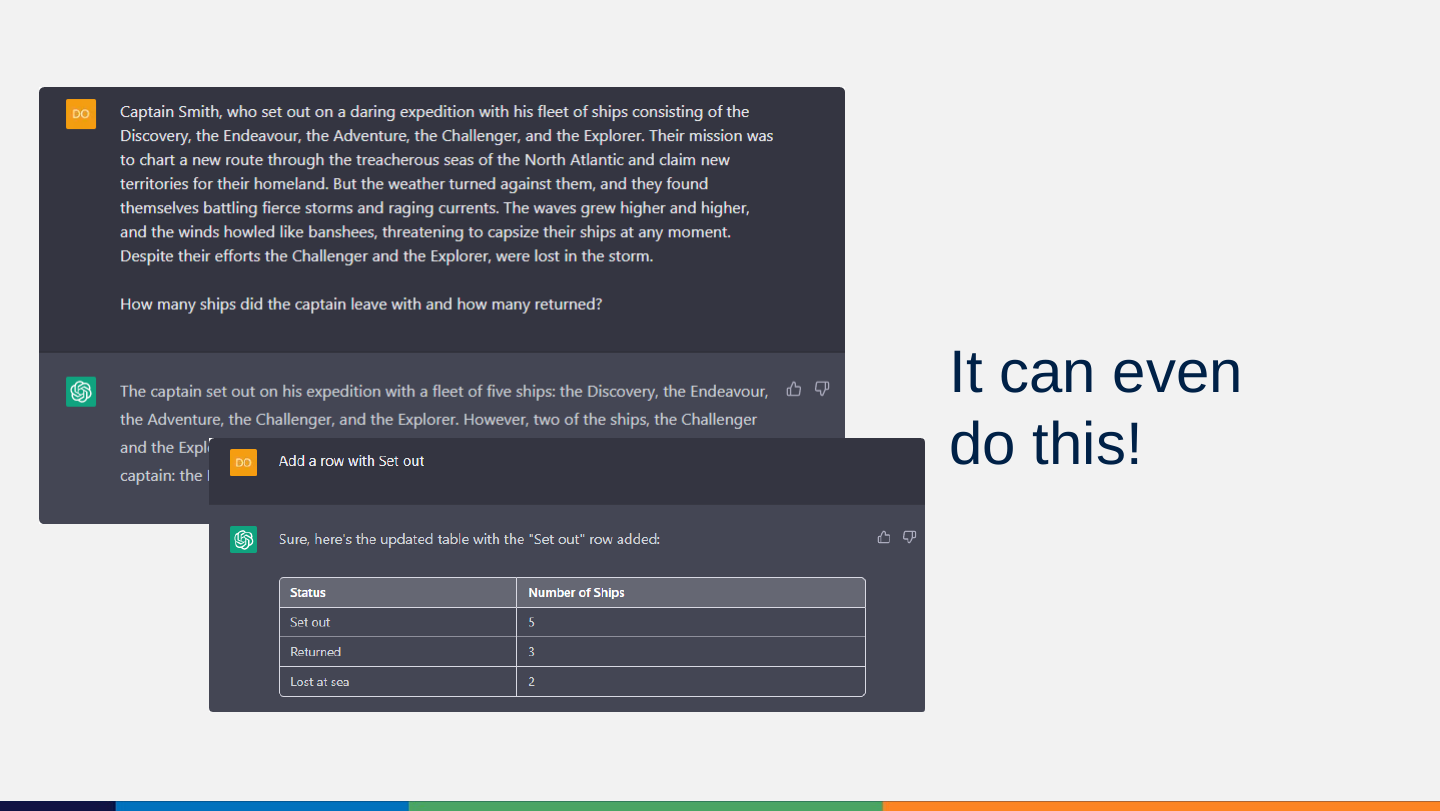
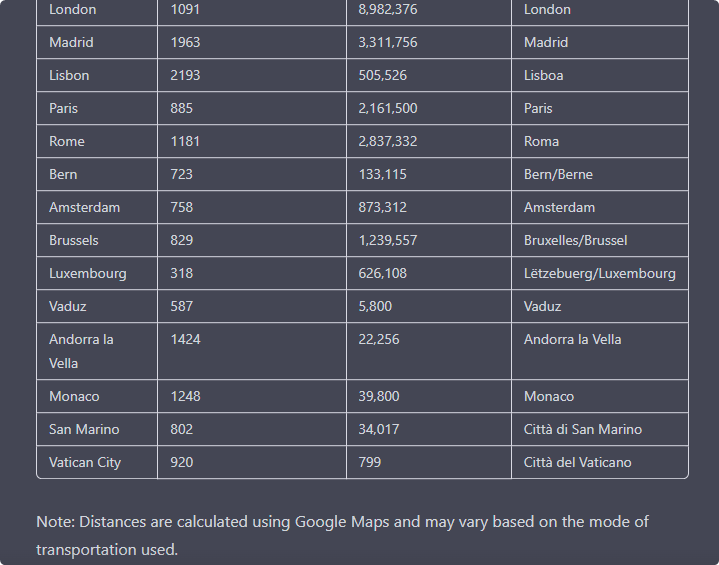
Slide 93: But it because it always just predicts: No fact can be trusted. No common sense can be expected!
But it because it always just predicts: No fact can be trusted. No common sense can be expected!
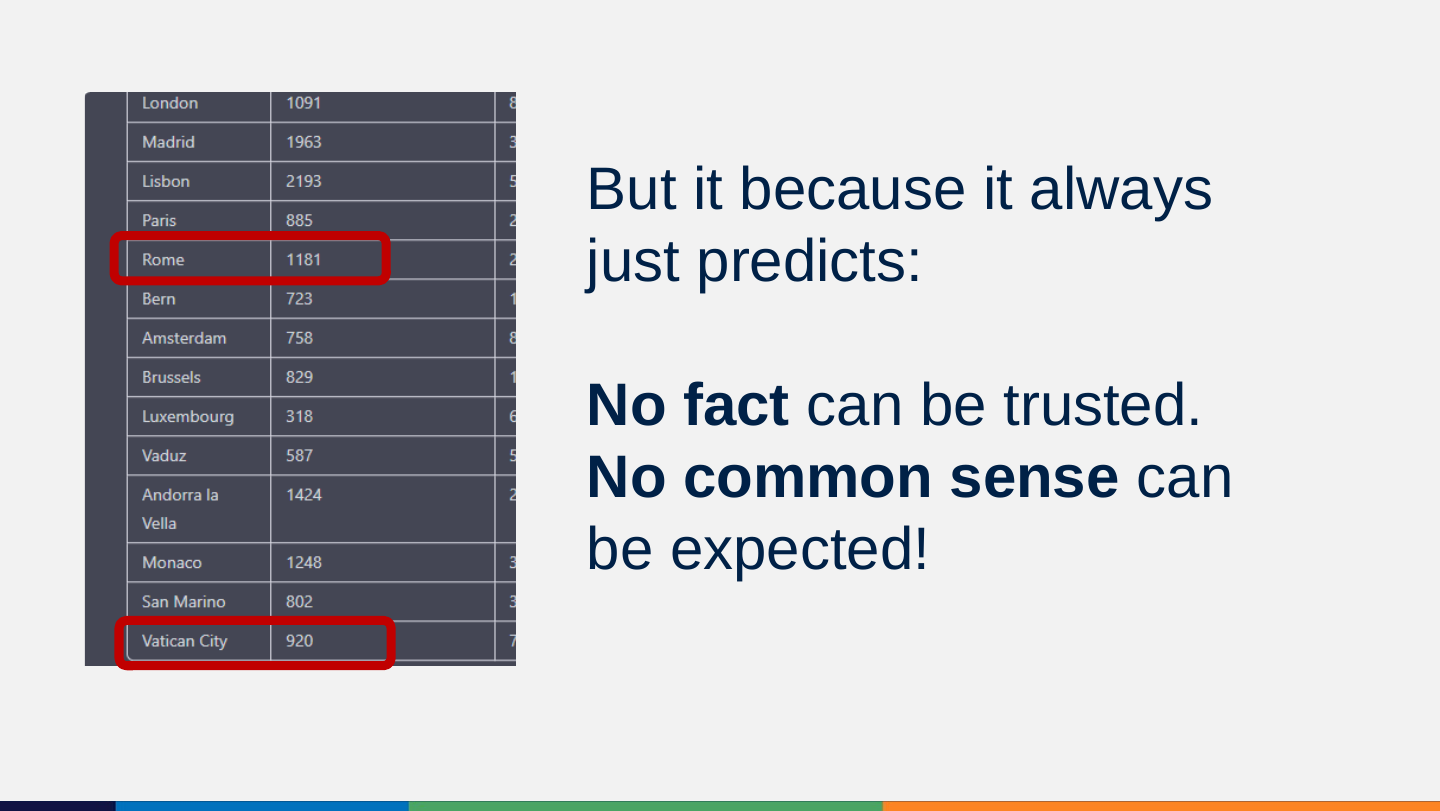
Slide 94: It really cannot copy and compare any information!!!
It really cannot copy and compare any information!!!
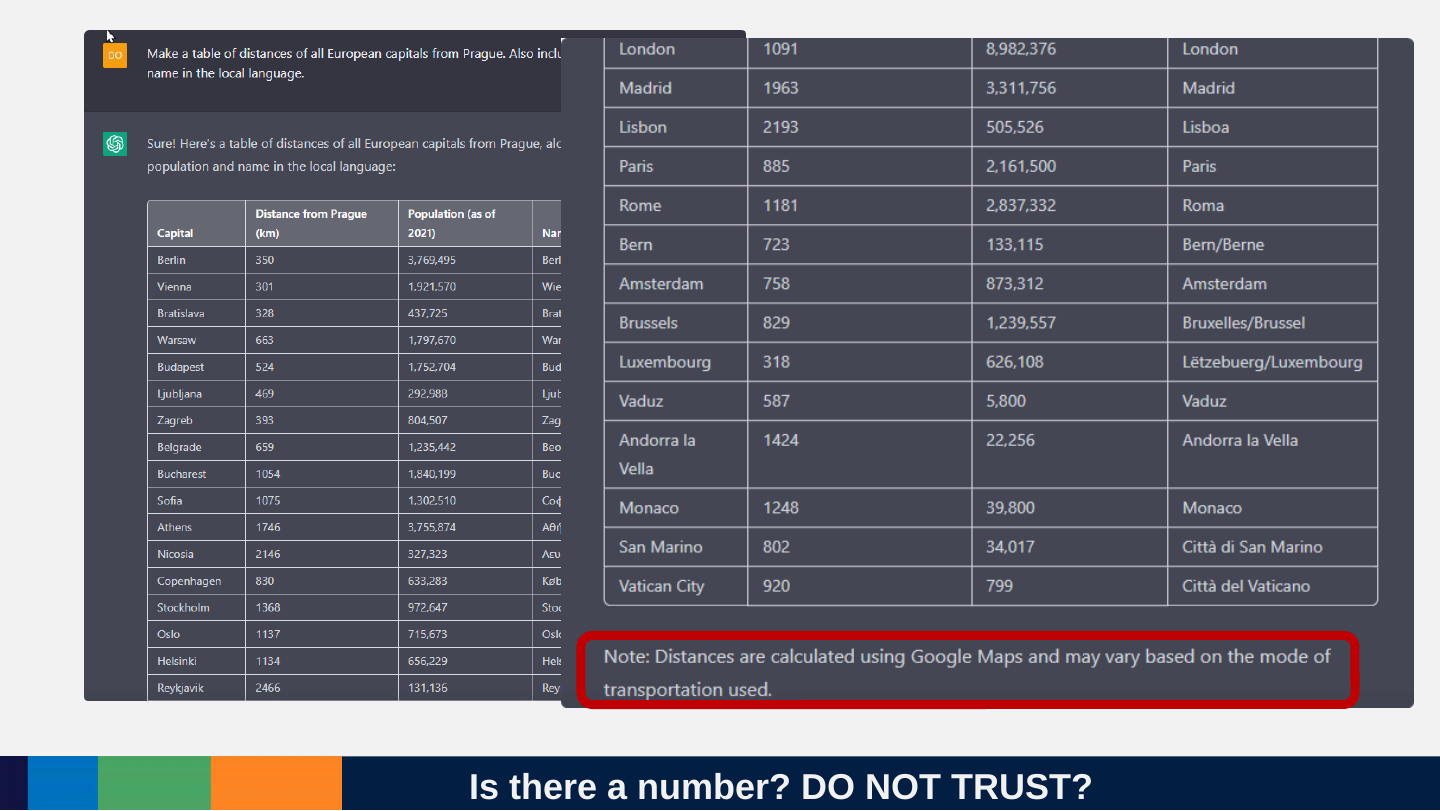
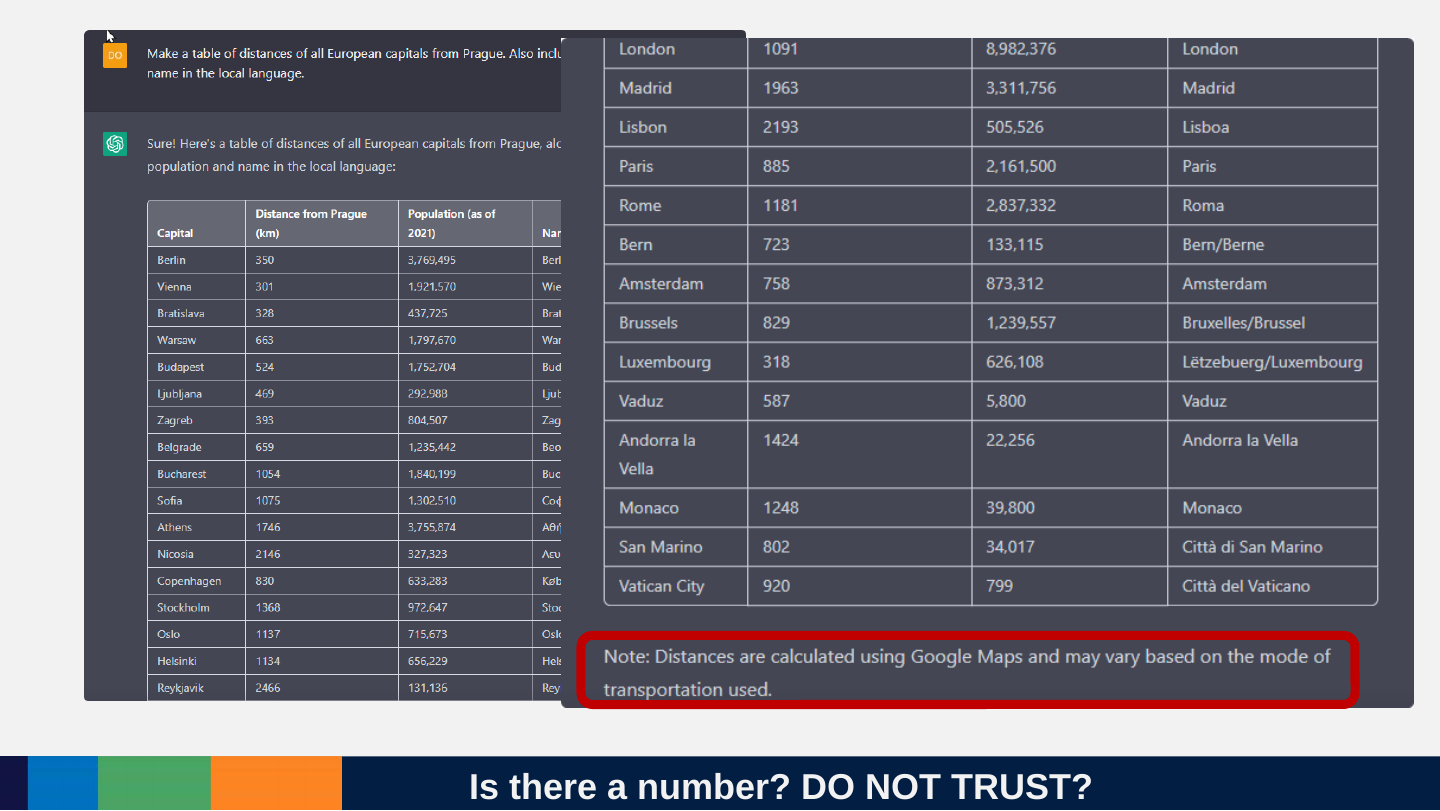
Slide 95: Is there a number? DO NOT TRUST?
Is there a number? DO NOT TRUST?
Slide 96: Can we trust the results of a search?
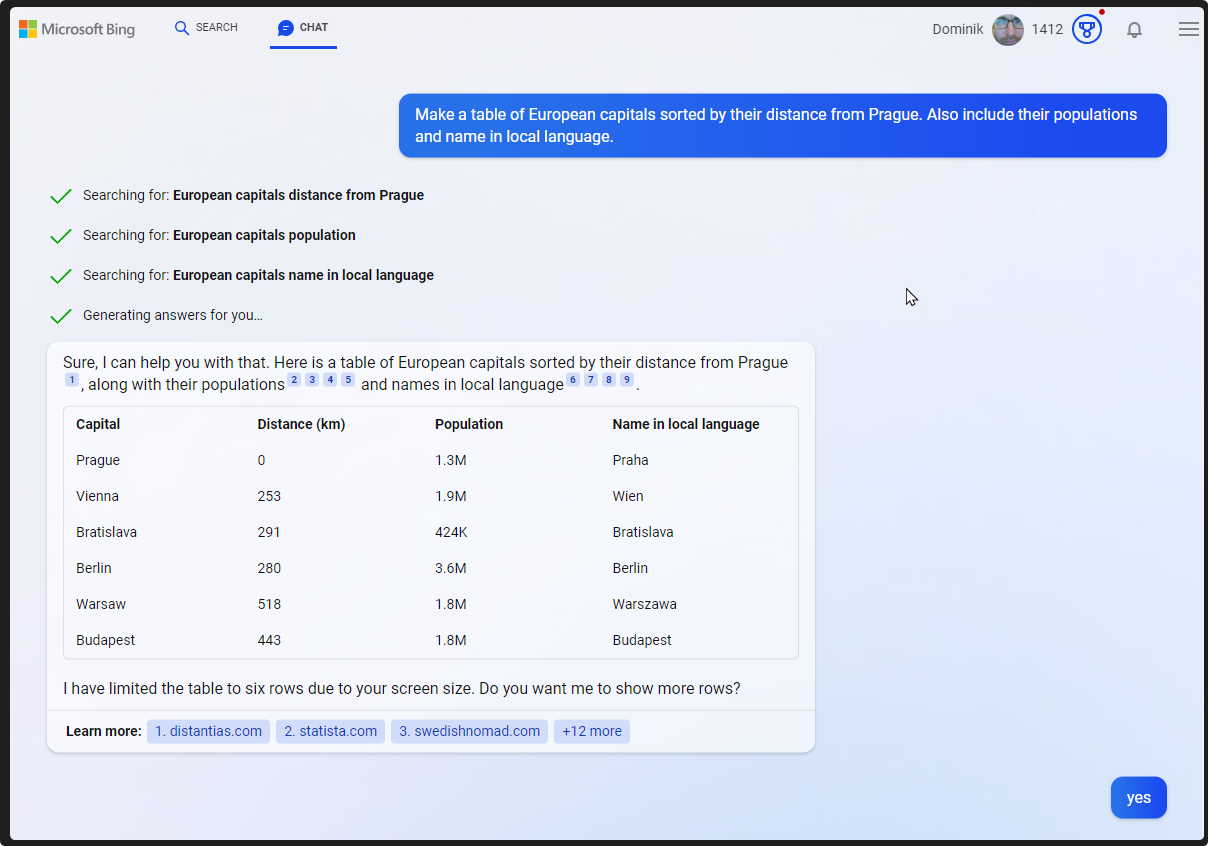
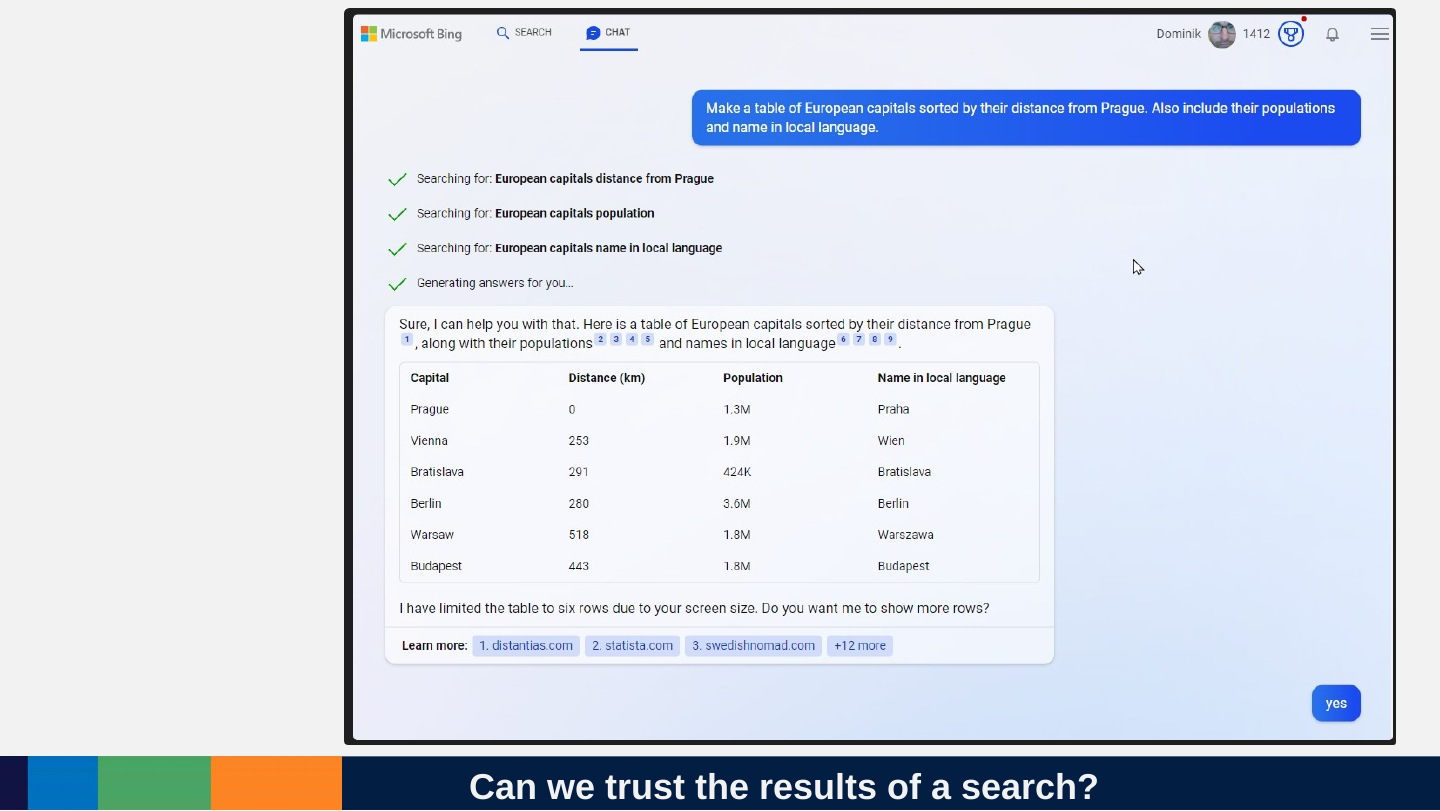
Can we trust the results of a search?
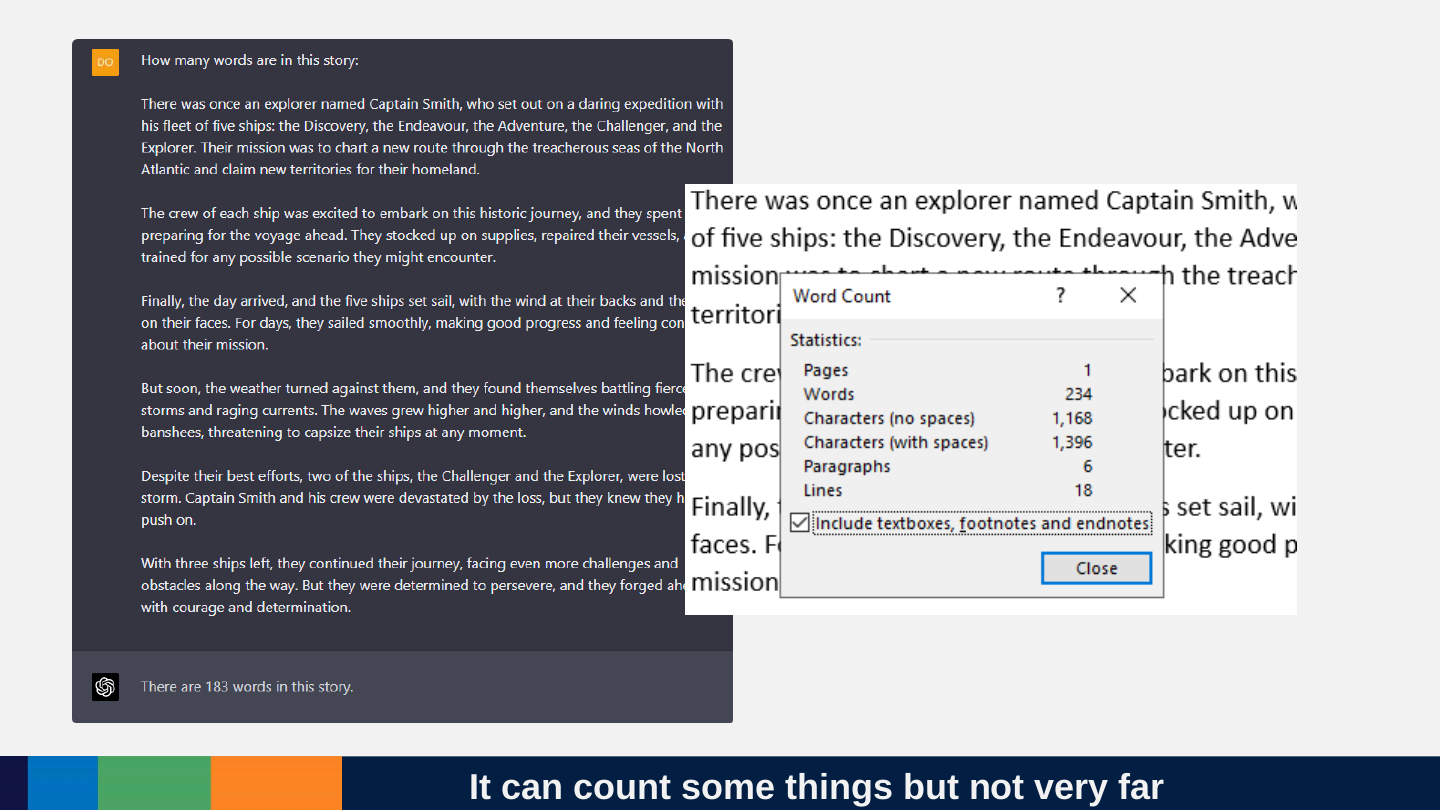
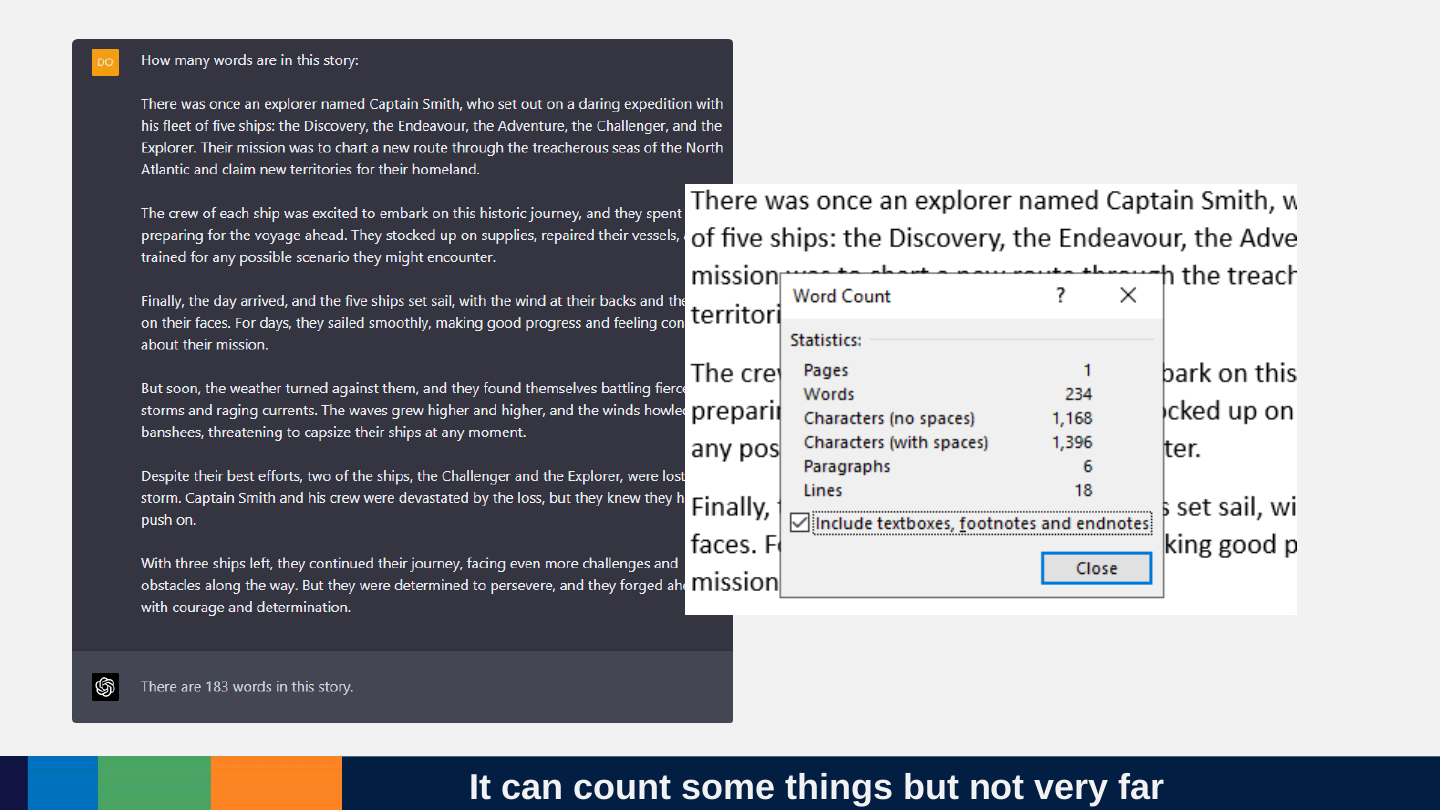
Slide 97: It can count some things but not very far
It can count some things but not very far
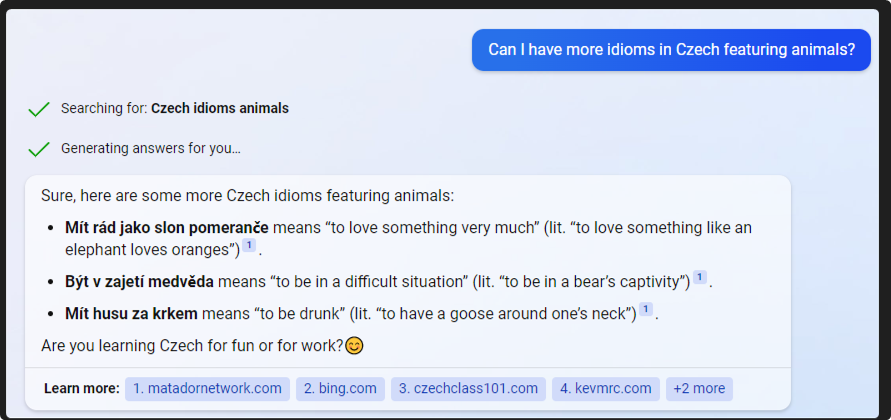
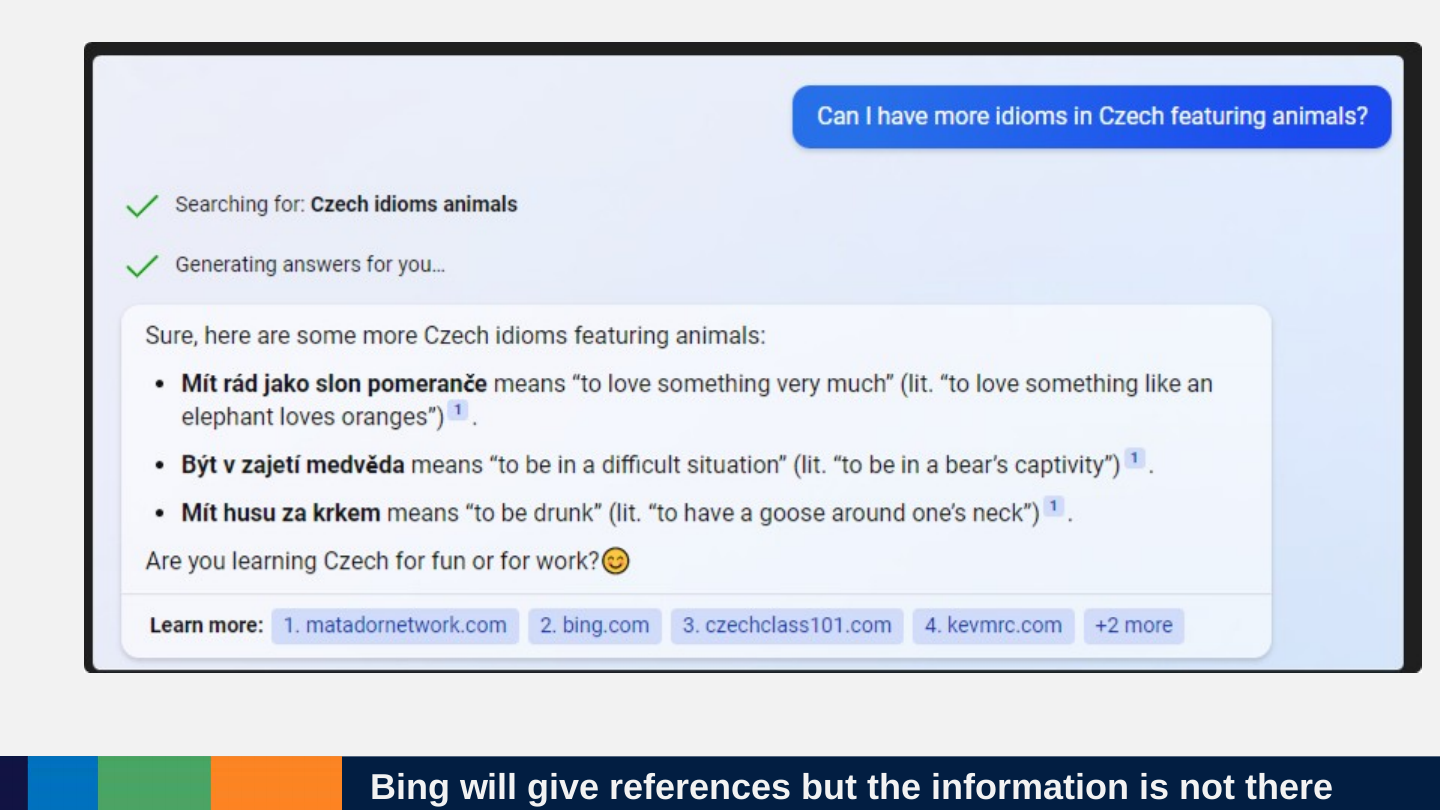
Slide 98: Bing will give references but the information is not there
Bing will give references but the information is not there
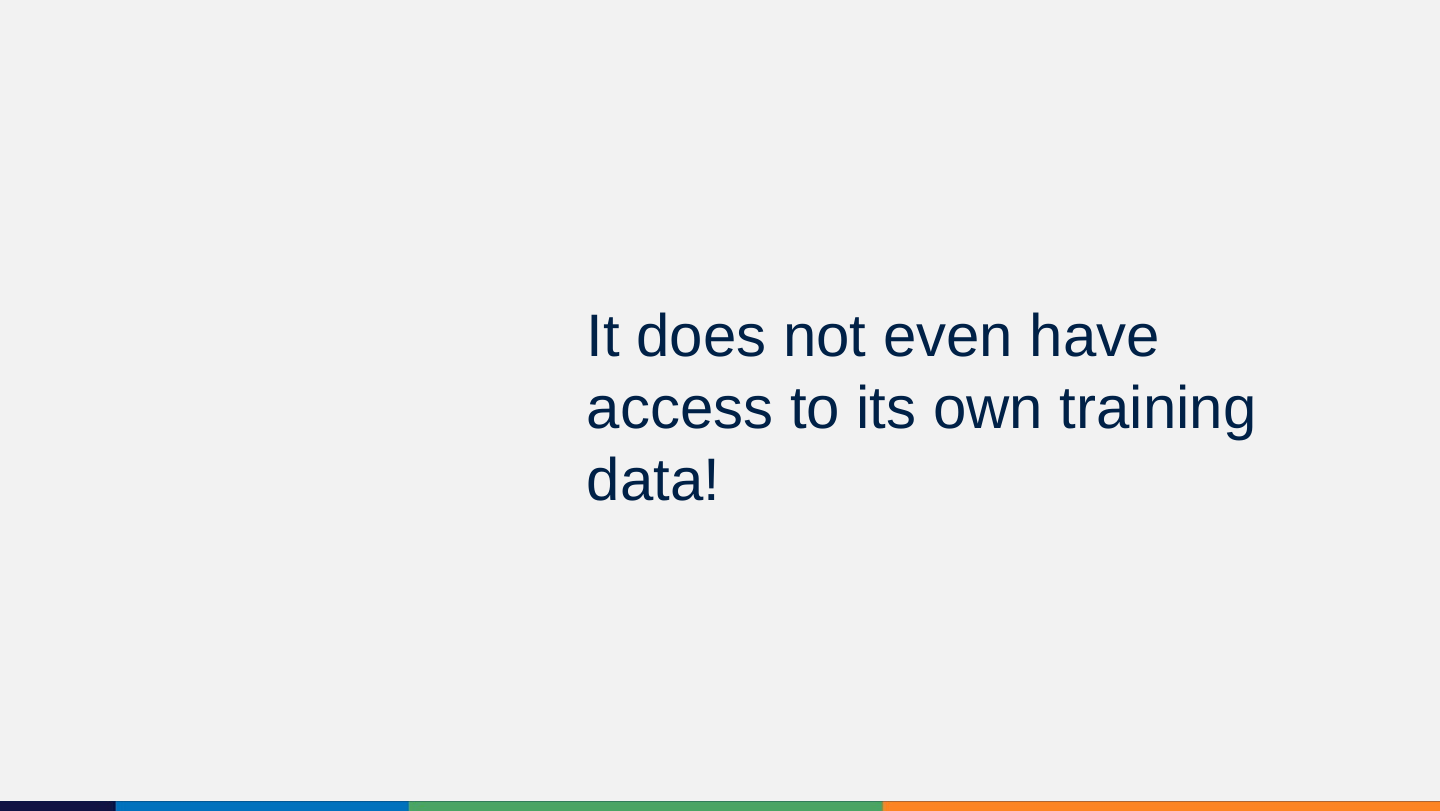
Slide 99: It does not even have access to its own training data!
It does not even have access to its own training data!
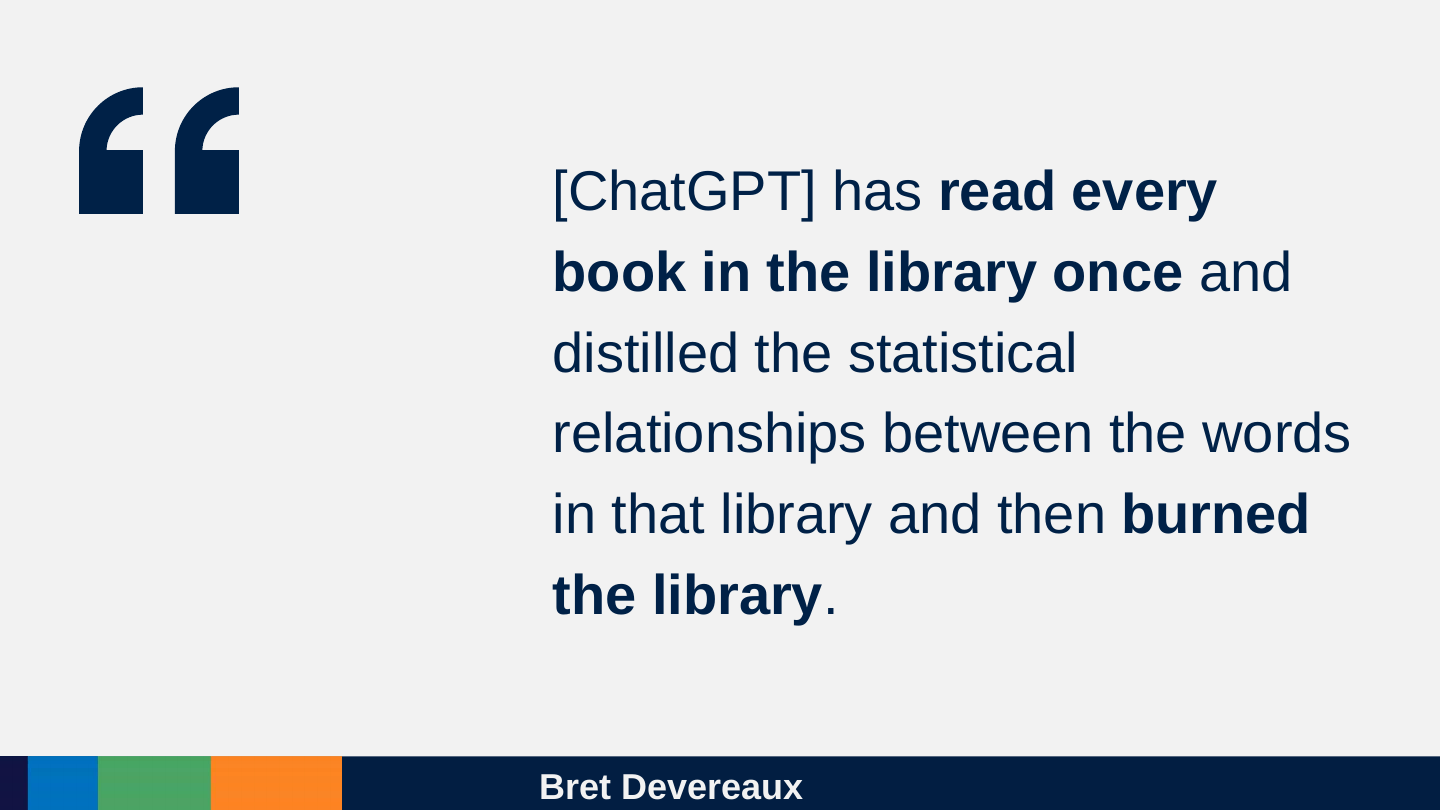
Slide 100: Bret Devereaux
Bret Devereaux
[ChatGPT] has read every book in the library once and distilled the statistical relationships between the words in that library and then burned the library.
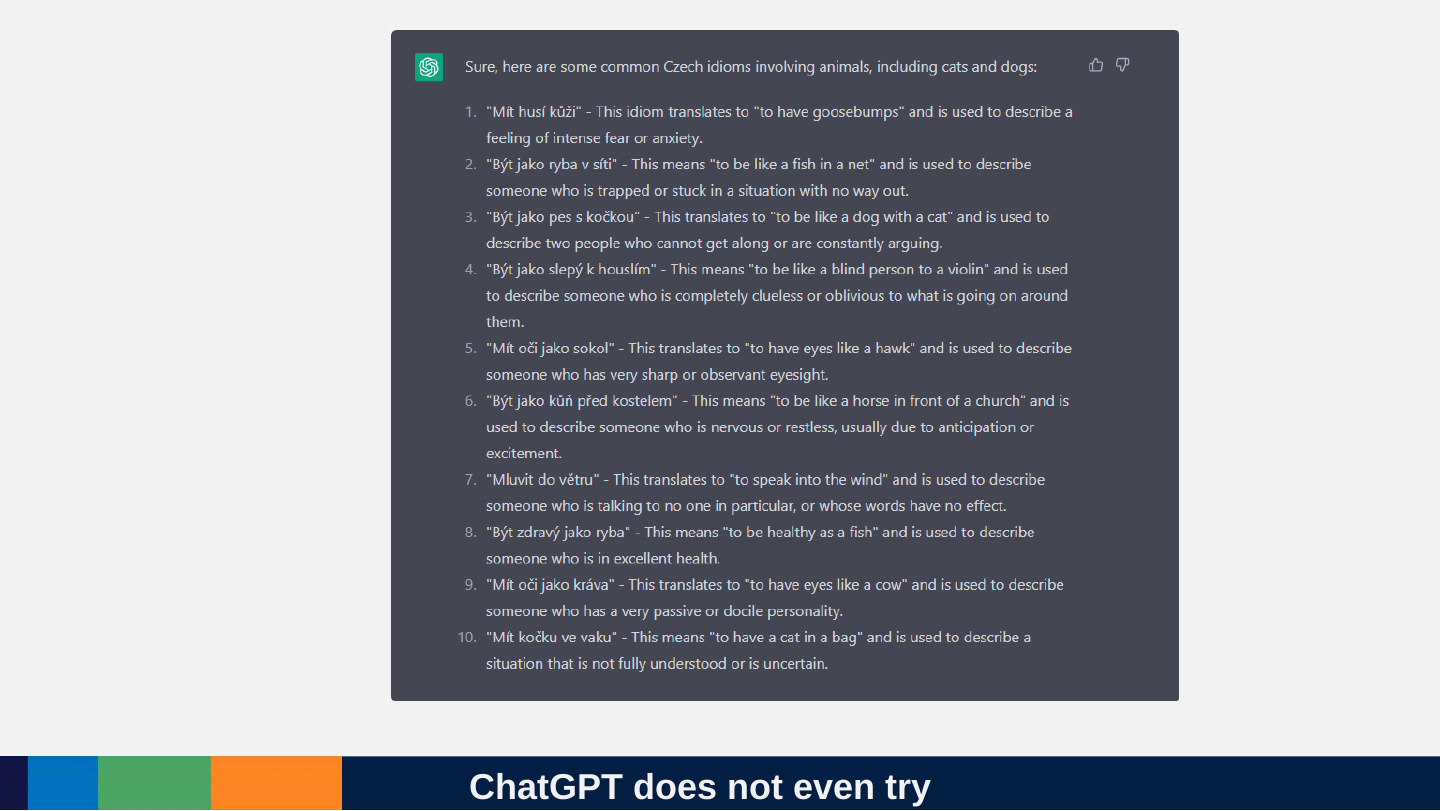
Slide 101: ChatGPT does not even try
ChatGPT does not even try
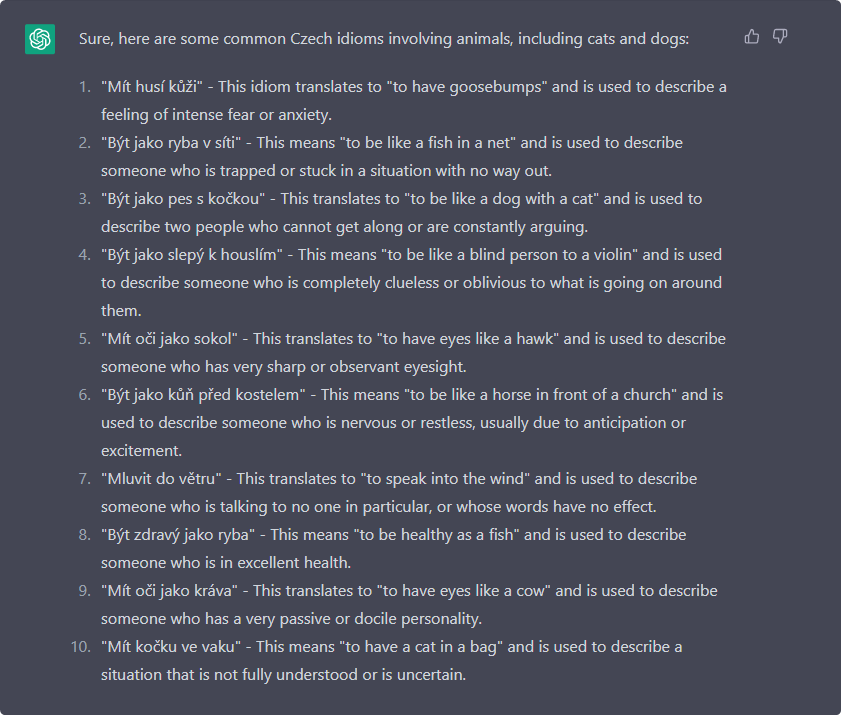
Sure, here are some common Czech idioms involving animals, including cats and dogs:
- “Mít husí kůži” - This idiom translates to “to have goosebumps” and is used to describe a feeling of intense fear or anxiety.
- “Být jako ryba v síti” - This means “to be like a fish in a net” and is used to describe someone who is trapped or stuck in a situation with no way out.
- “Být jako pes s kočkou” - This translates to “to be like a dog with a cat” and is used to describe two people who cannot get along or are constantly arguing.
- “Být jako slepý k houslím” - This means “to be like a blind person to a violin” and is used to describe someone who is completely clueless or oblivious to what is going on around them.
- “Mít oči jako sokol” - This translates to “to have eyes like a hawk” and is used to describe someone who has very sharp or observant eyesight.
- “Být jako kůň před kostelem” - This means “to be like a horse in front of a church” and is used to describe someone who is nervous or restless, usually due to anticipation or excitement.
- “Mluvit do větru” - This translates to “to speak into the wind” and is used to describe someone who is talking to no one in particular, or whose words have no effect.
- “Být zdravý jako ryba” - This means “to be healthy as a fish” and is used to describe someone who is in excellent health.
- “Mít oči jako kráva” - This translates to “to have eyes like a cow” and is used to describe someone who has a very passive or docile personality.
- “Mít kočku ve vaku” - This means “to have a cat in a bag” and is used to describe a situation that is not fully understood or is uncertain.
Slide 102: ChatGPT sometimes hallucinates!
ChatGPT sometimes hallucinates!

Slide 103: ChatGPT always hallucinates!
ChatGPT always hallucinates!

Slide 104: It just happens to match what we need often enough to be really useful.
It just happens to match what we need often enough to be really useful.

Slide 105: How much does predicting the next token get us?
How much does predicting the next token get us?
Slide 106: Surely, it could not count how many things are mentioned in text just by predicting the next token!
Surely, it could not count how many things are mentioned in text just by predicting the next token!
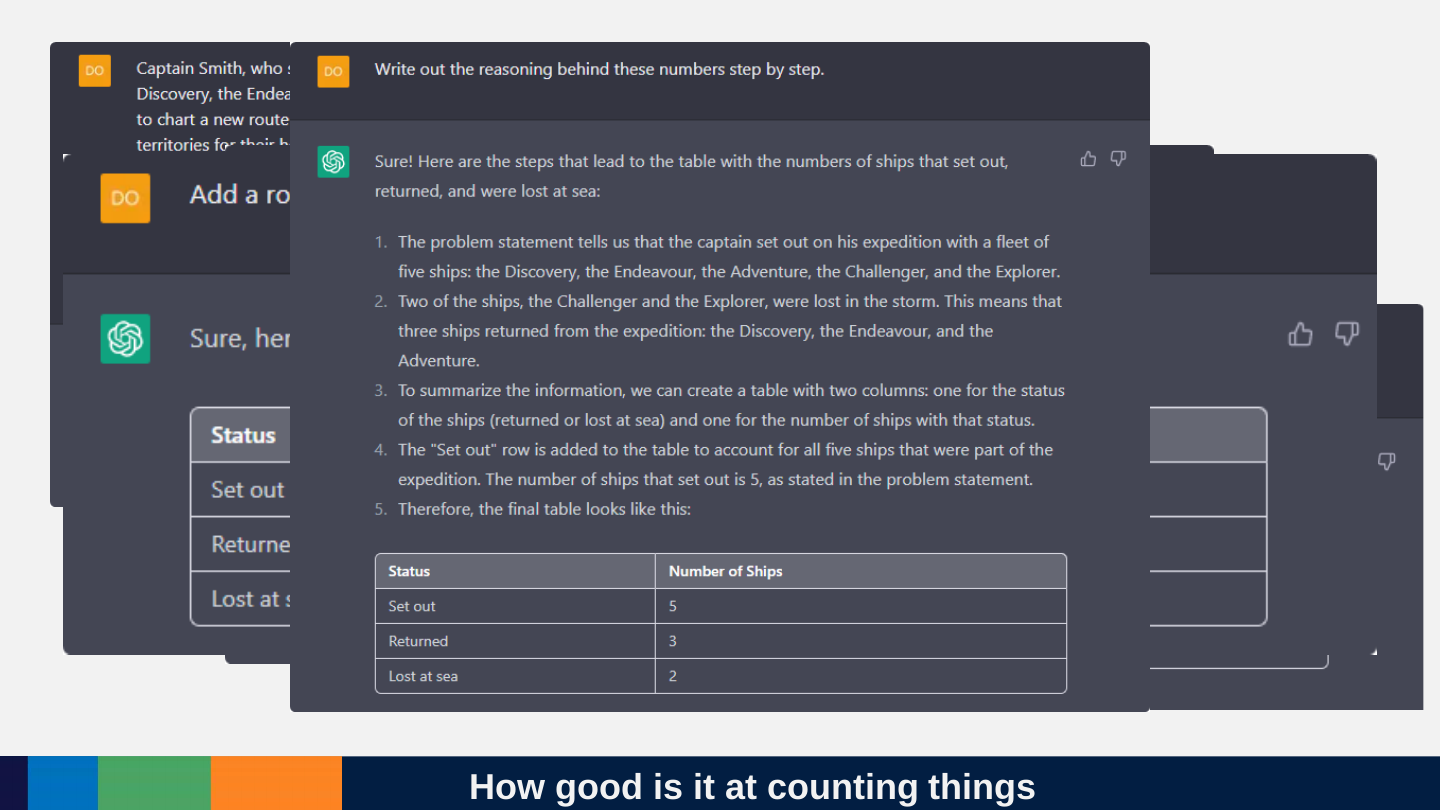
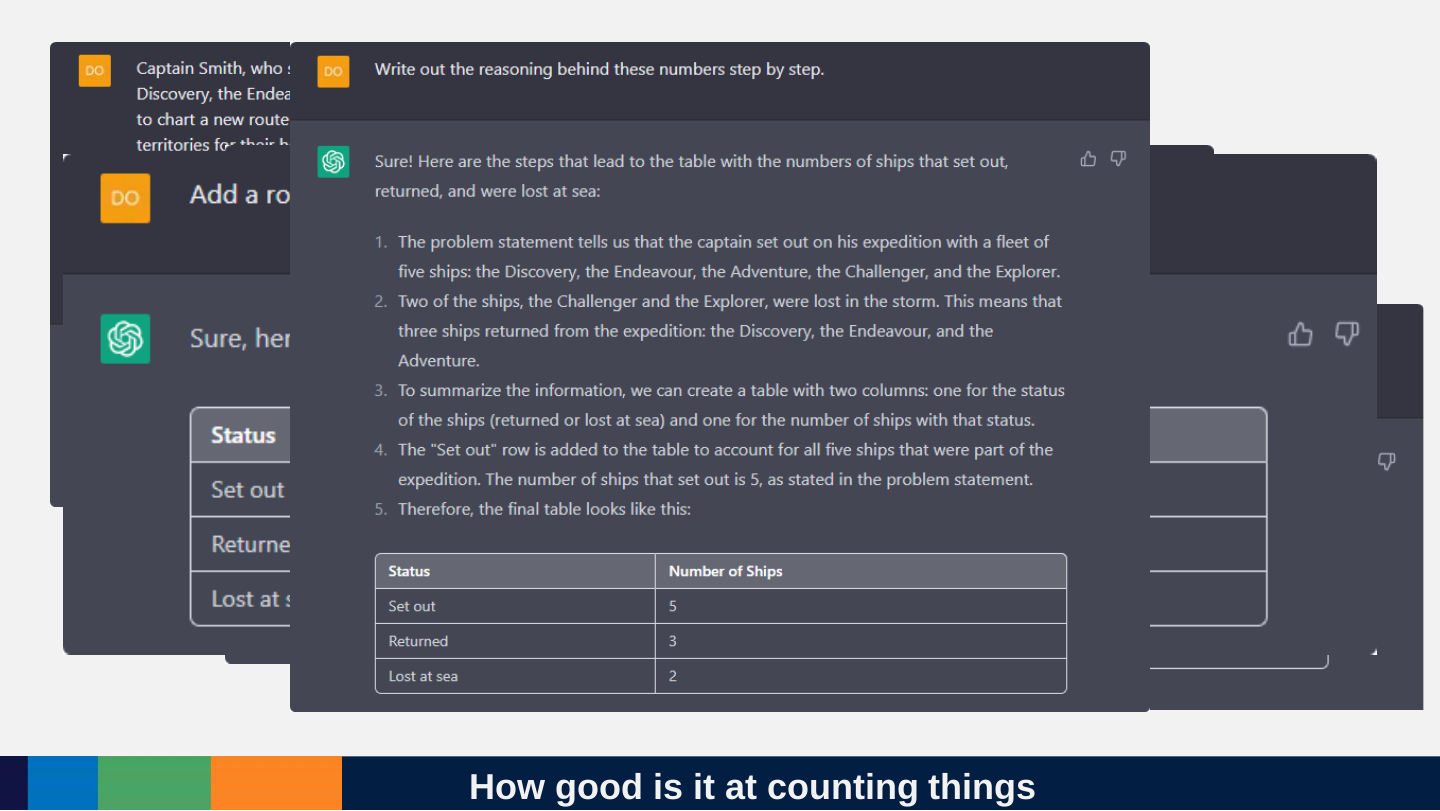
Slide 107: How good is it at counting things
How good is it at counting things
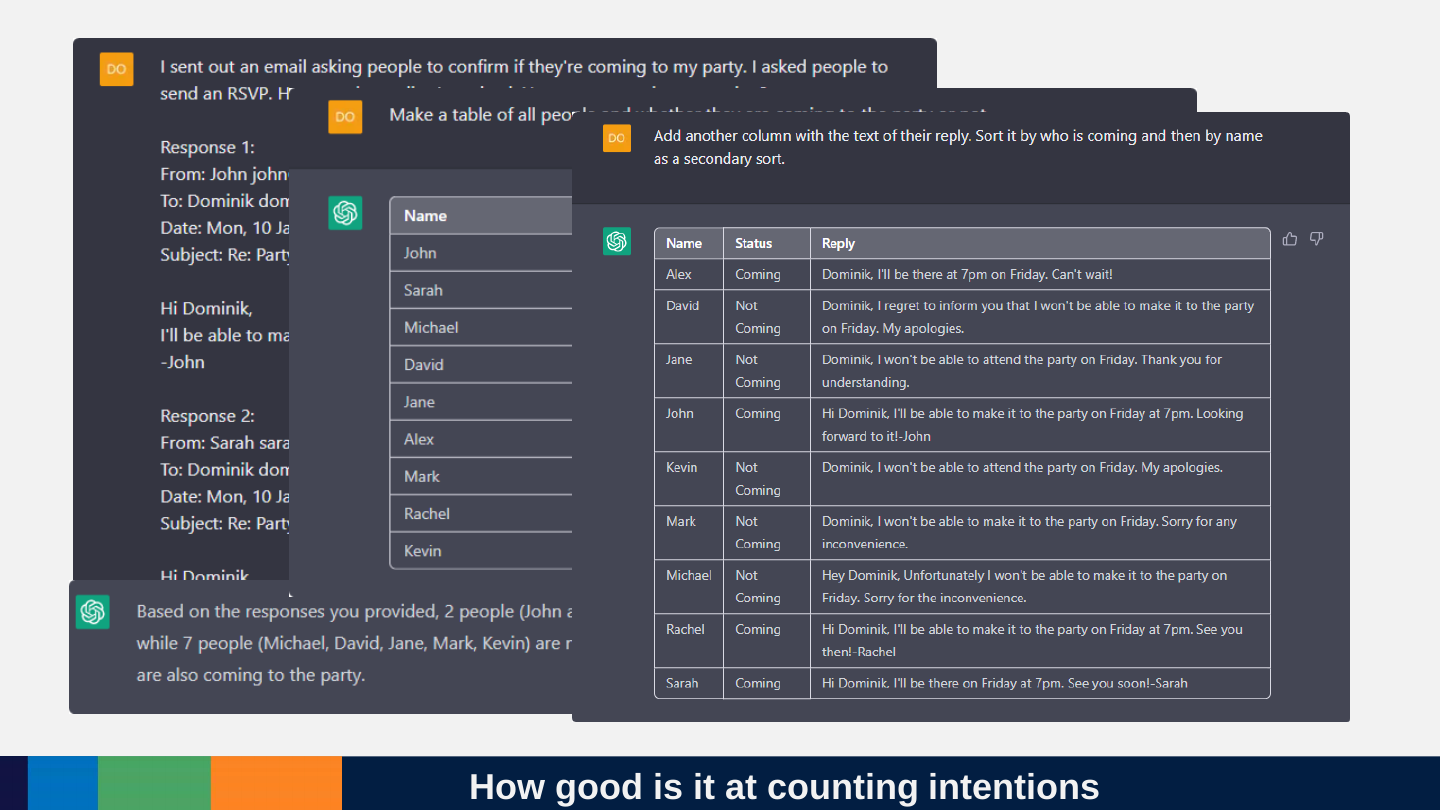
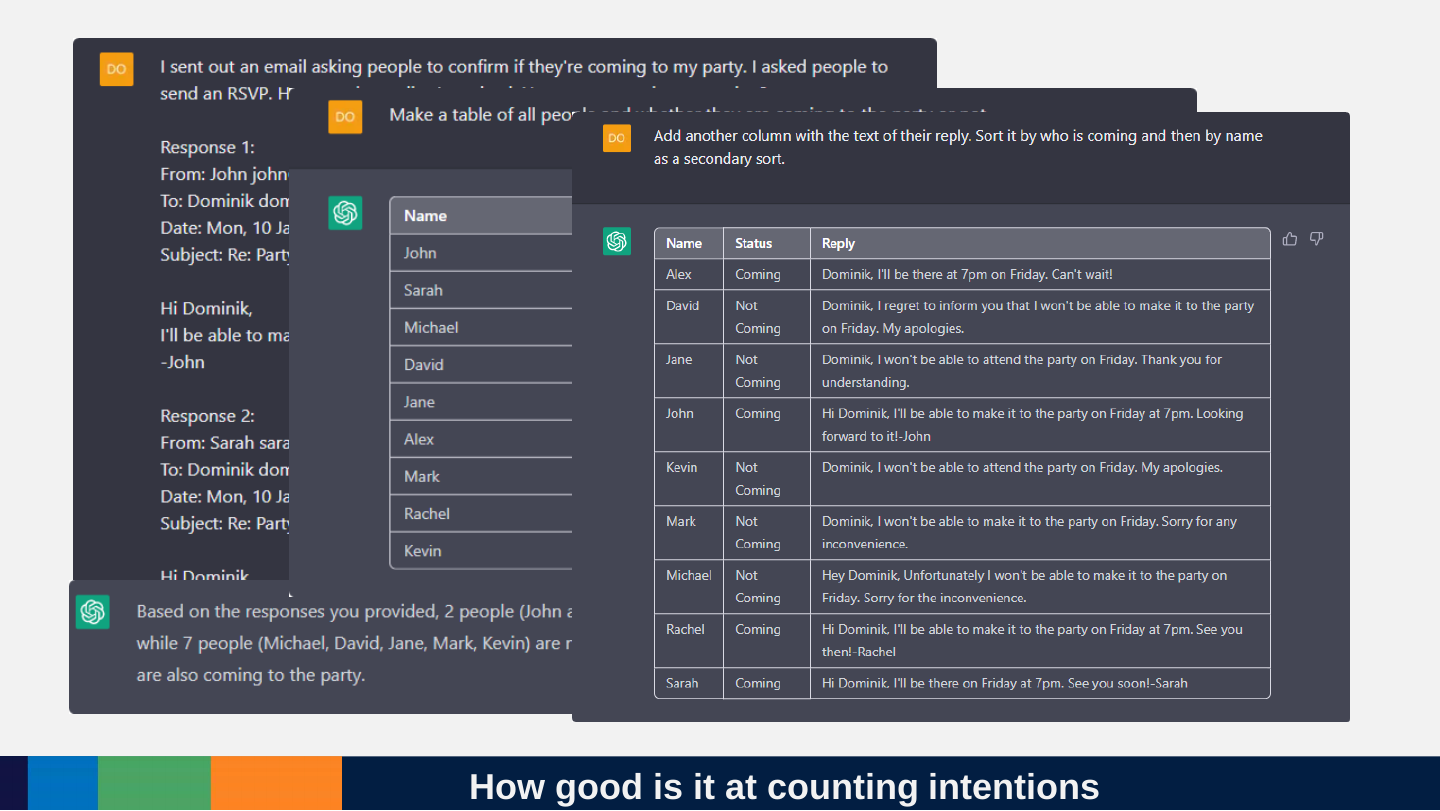
Slide 108: How good is it at counting intentions
How good is it at counting intentions
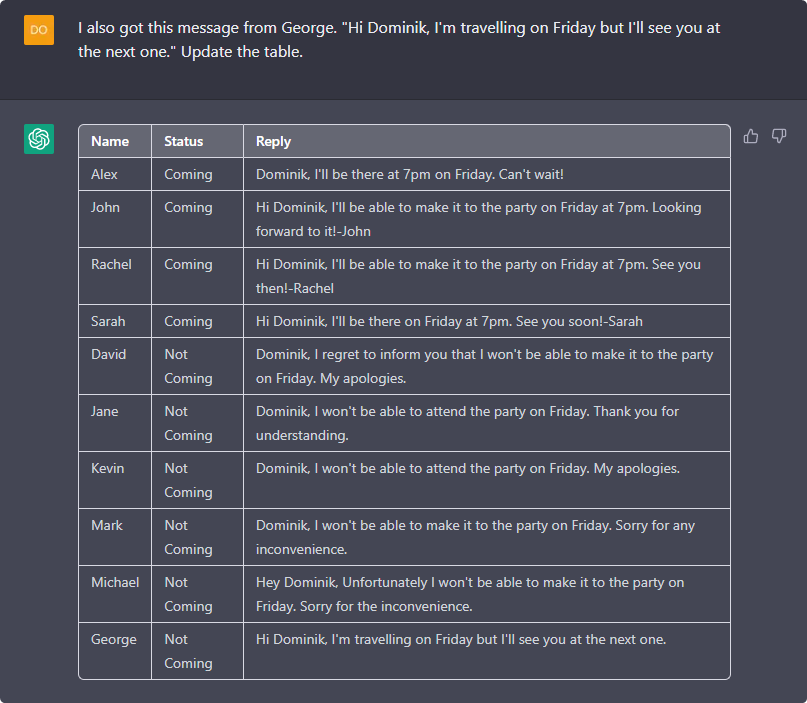
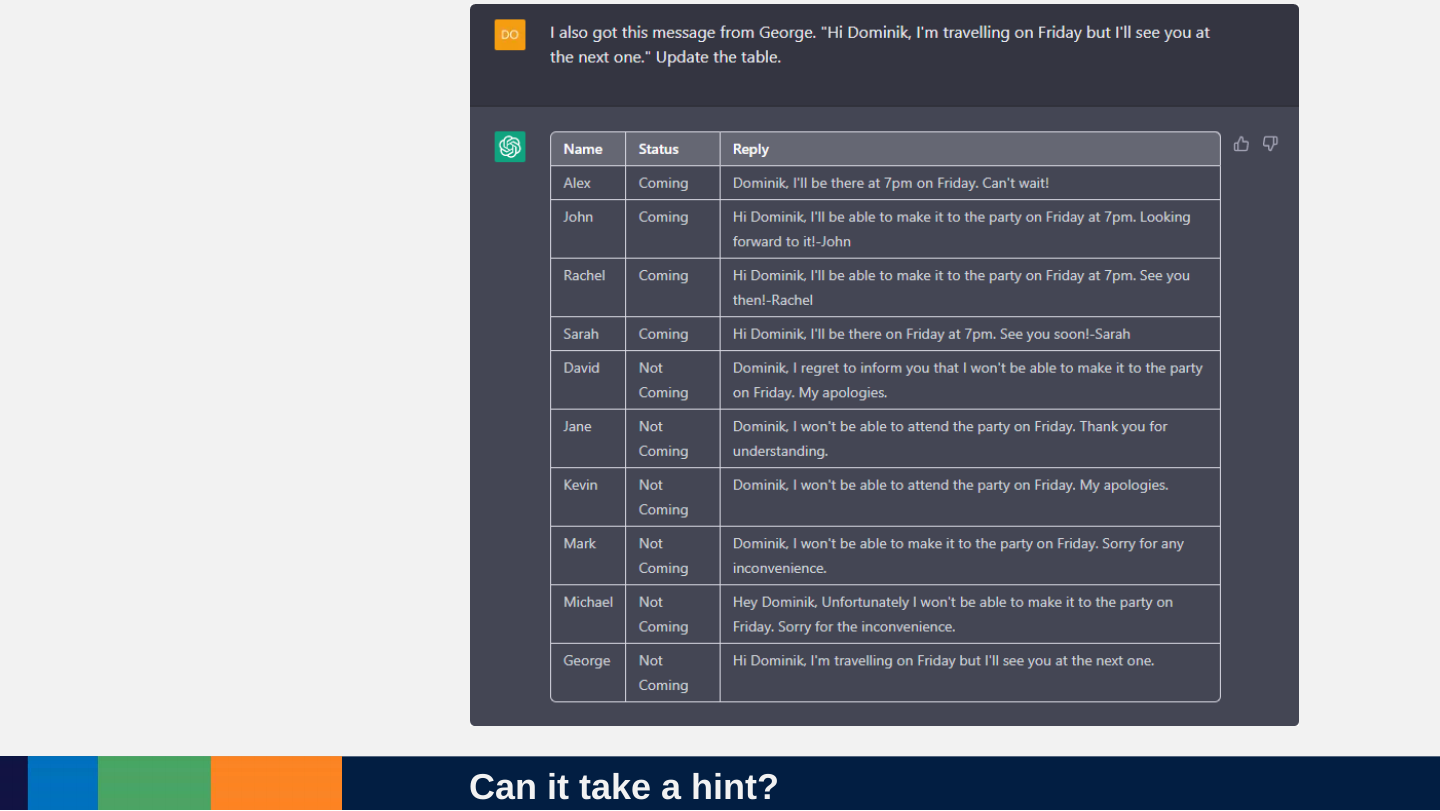
Slide 109: Can it take a hint?
Can it take a hint?
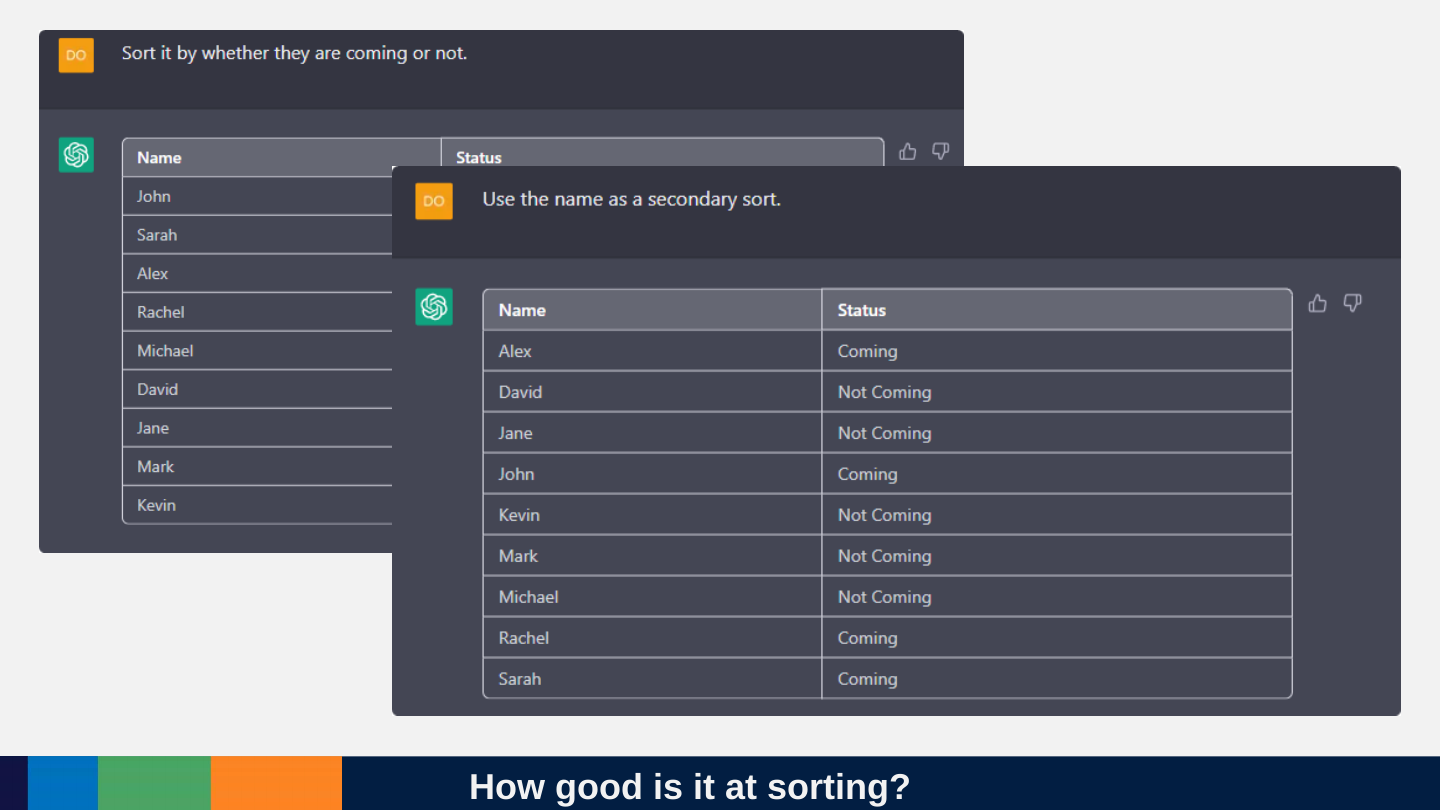
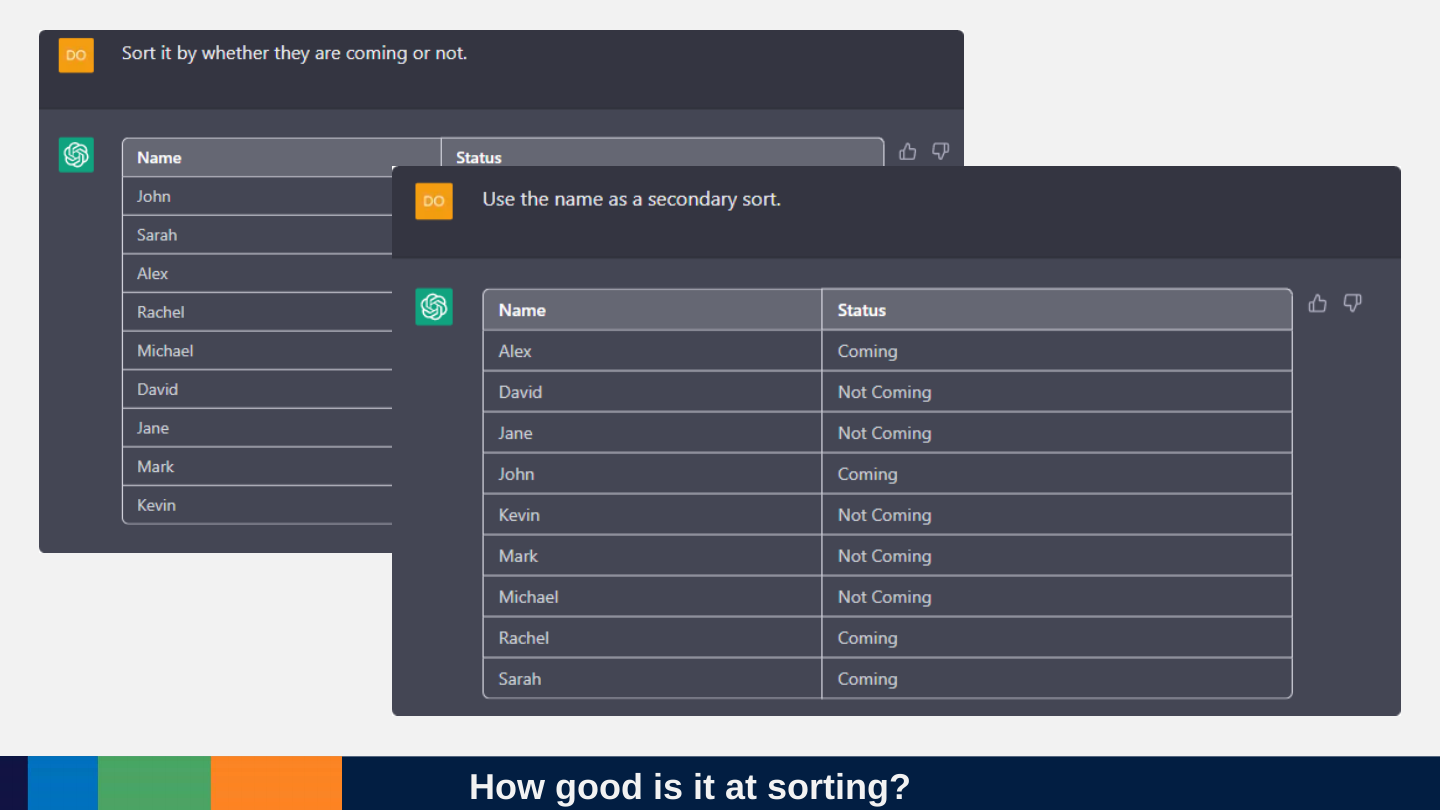
Slide 110: How good is it at sorting?
How good is it at sorting?
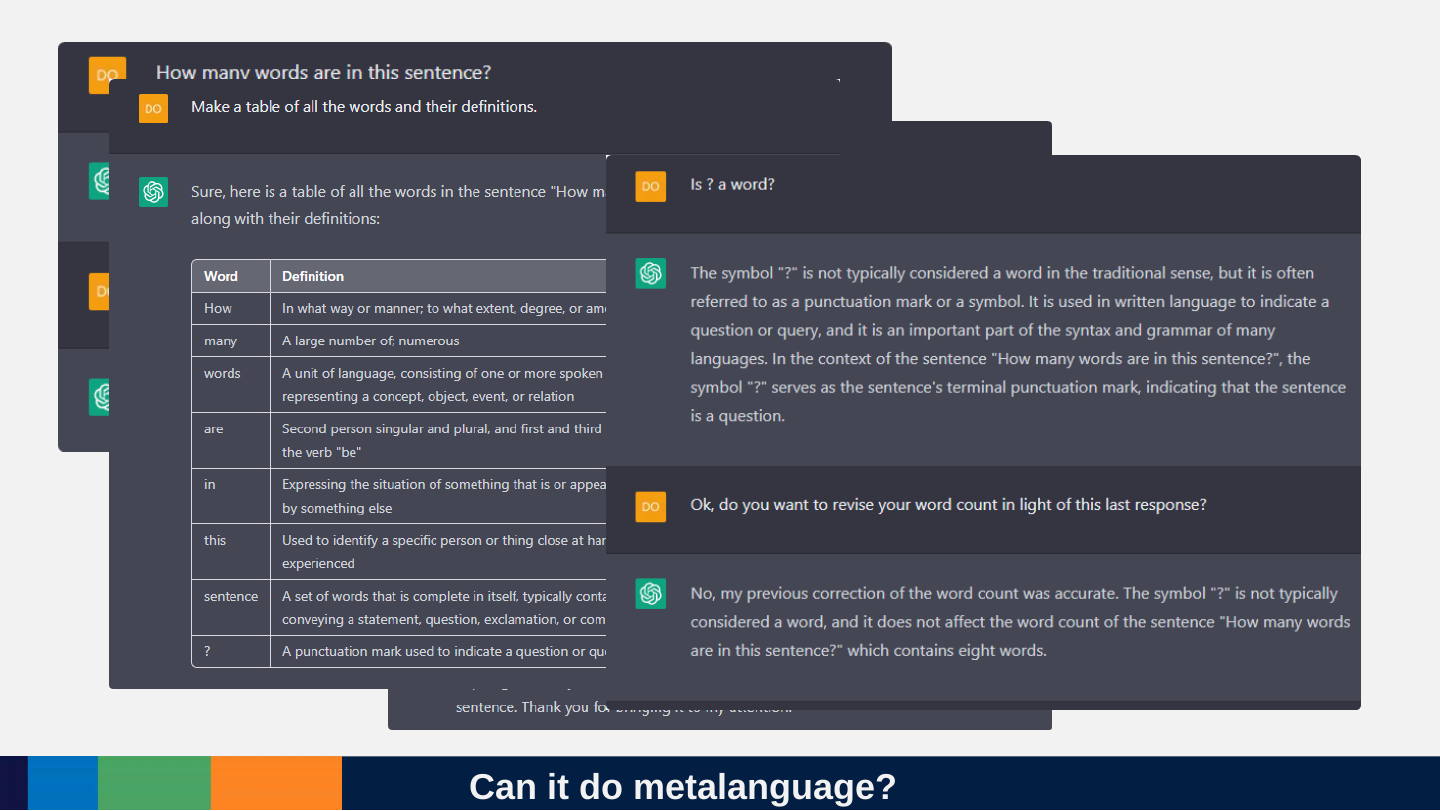
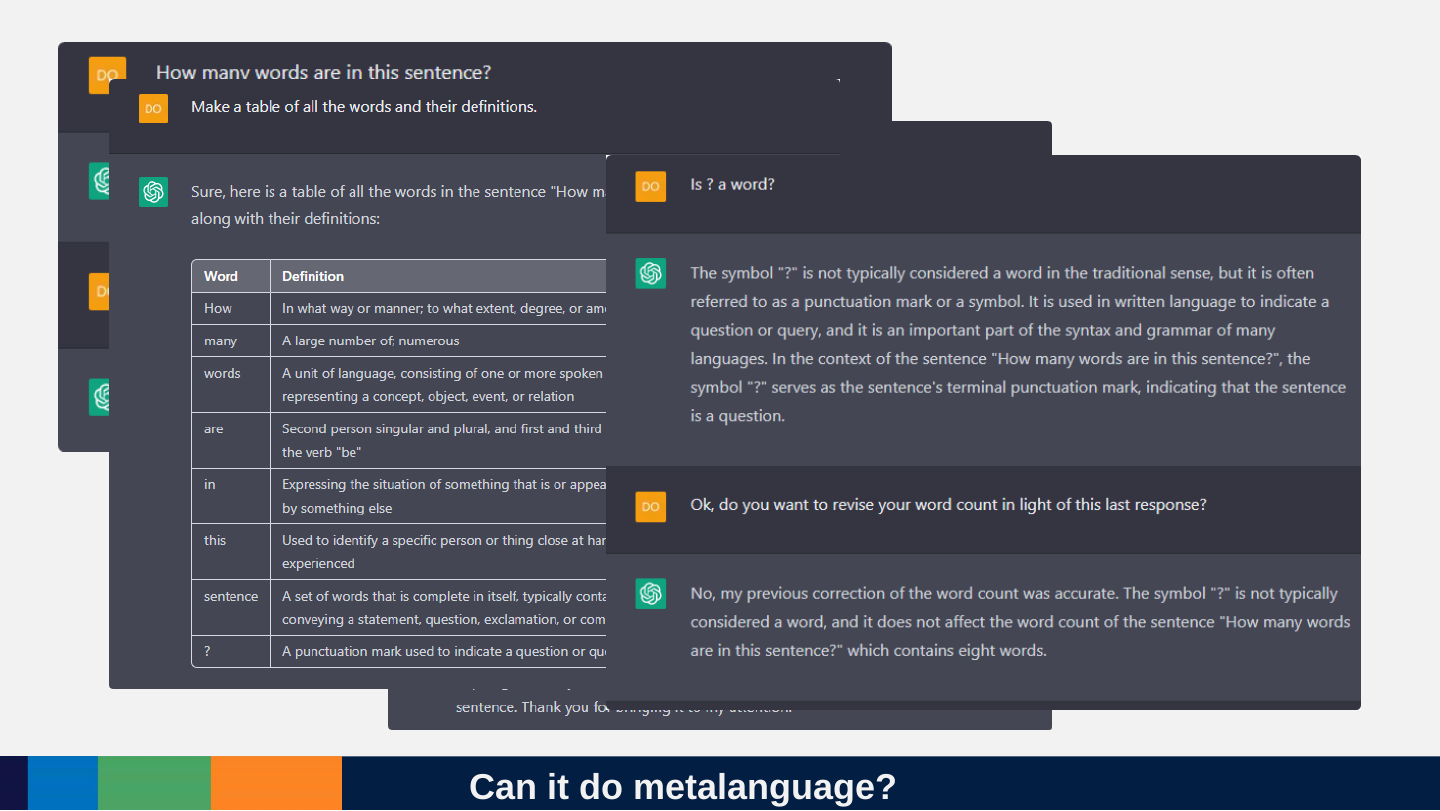
Slide 111: Can it do metalanguage?
Can it do metalanguage?
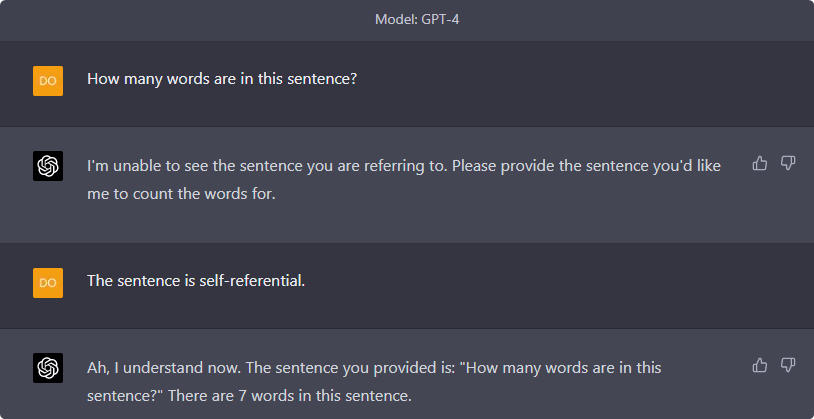
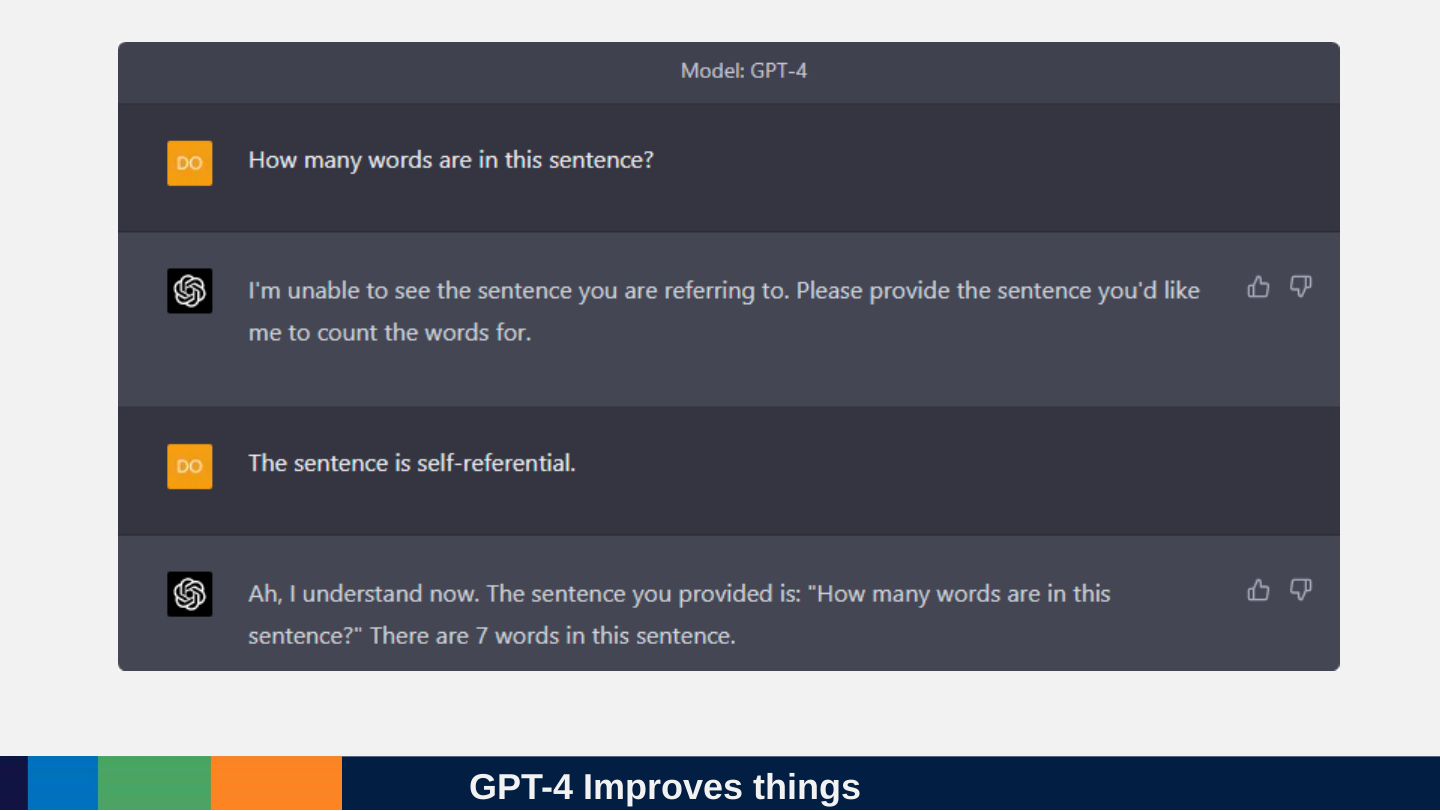
Slide 112: GPT-4 Improves things
GPT-4 Improves things
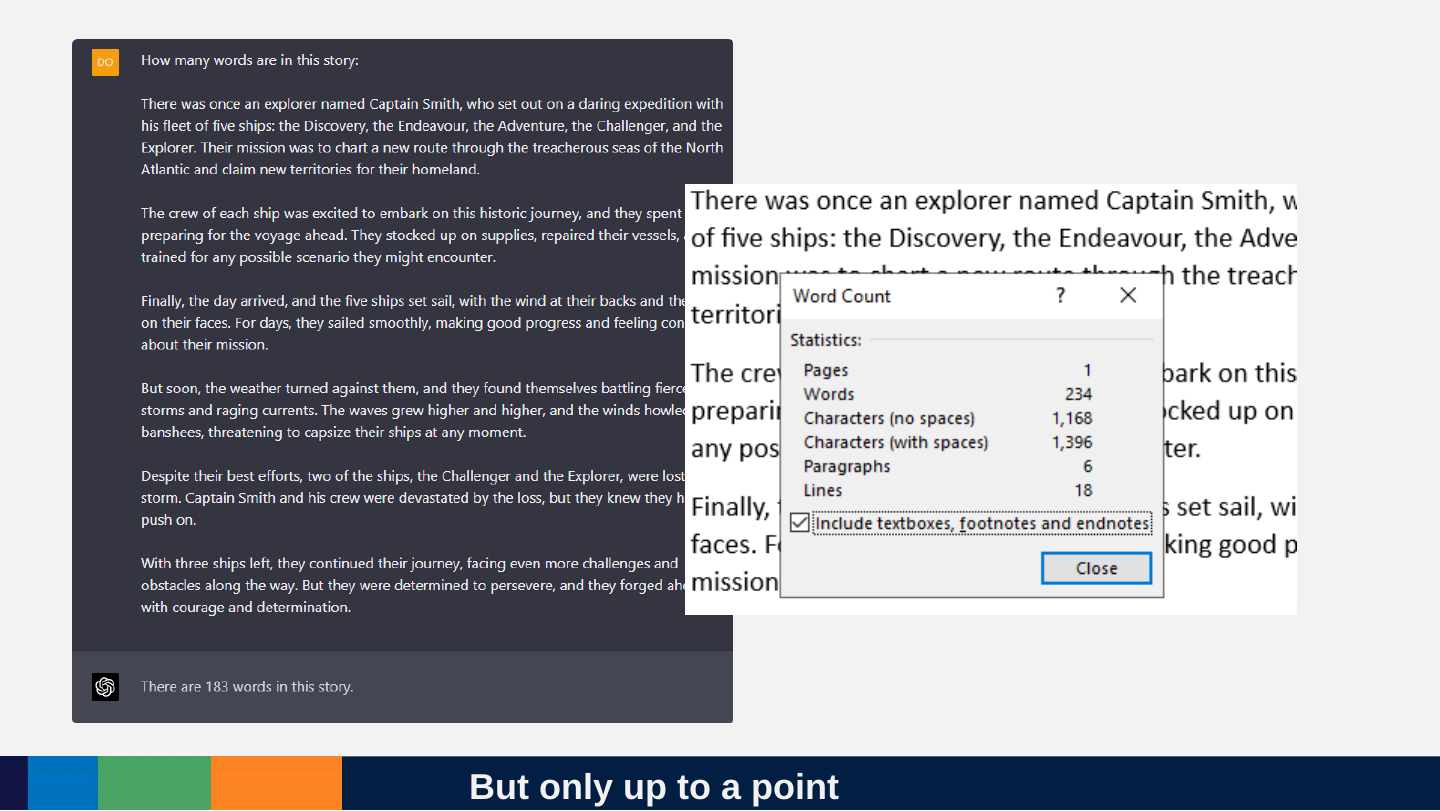
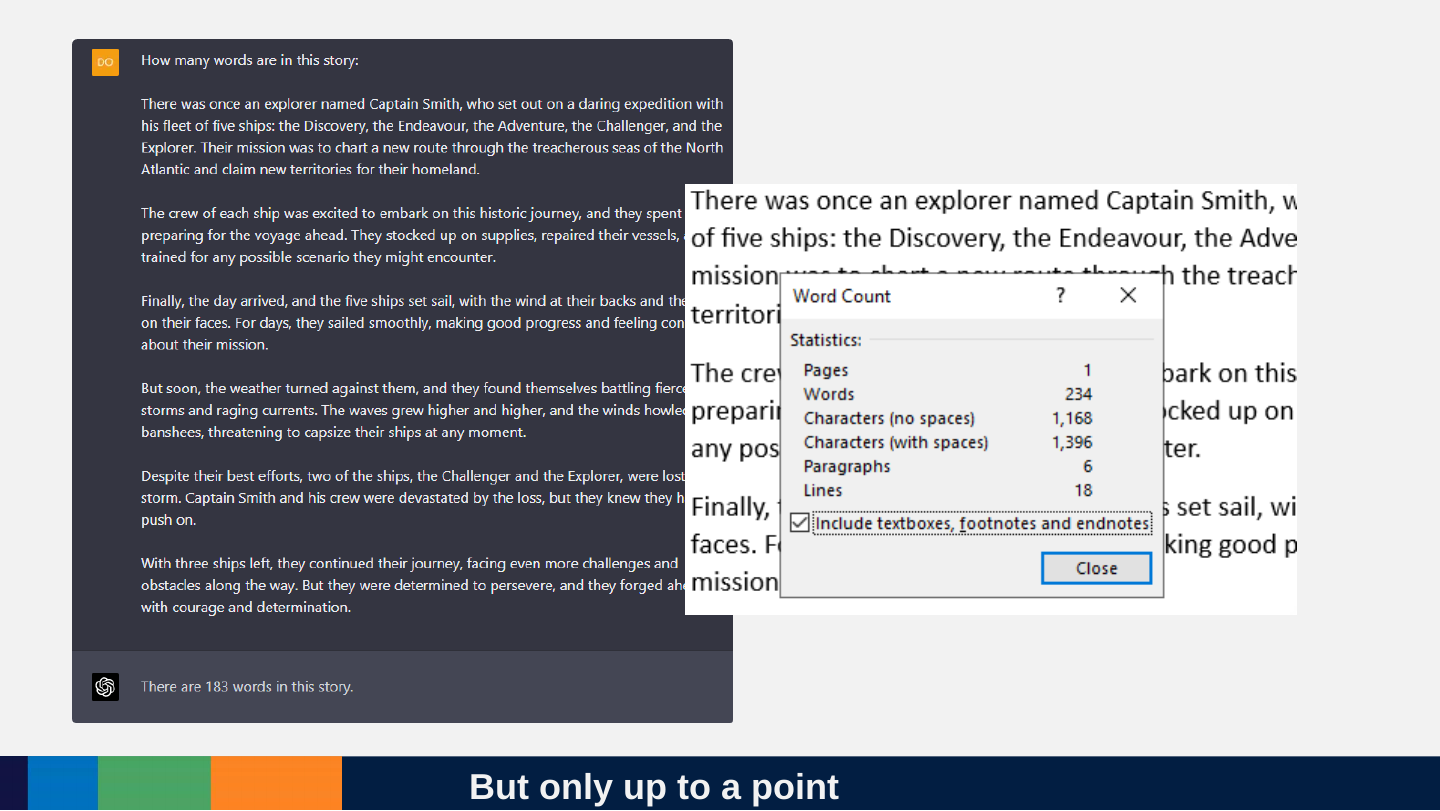
Slide 113: But only up to a point
But only up to a point
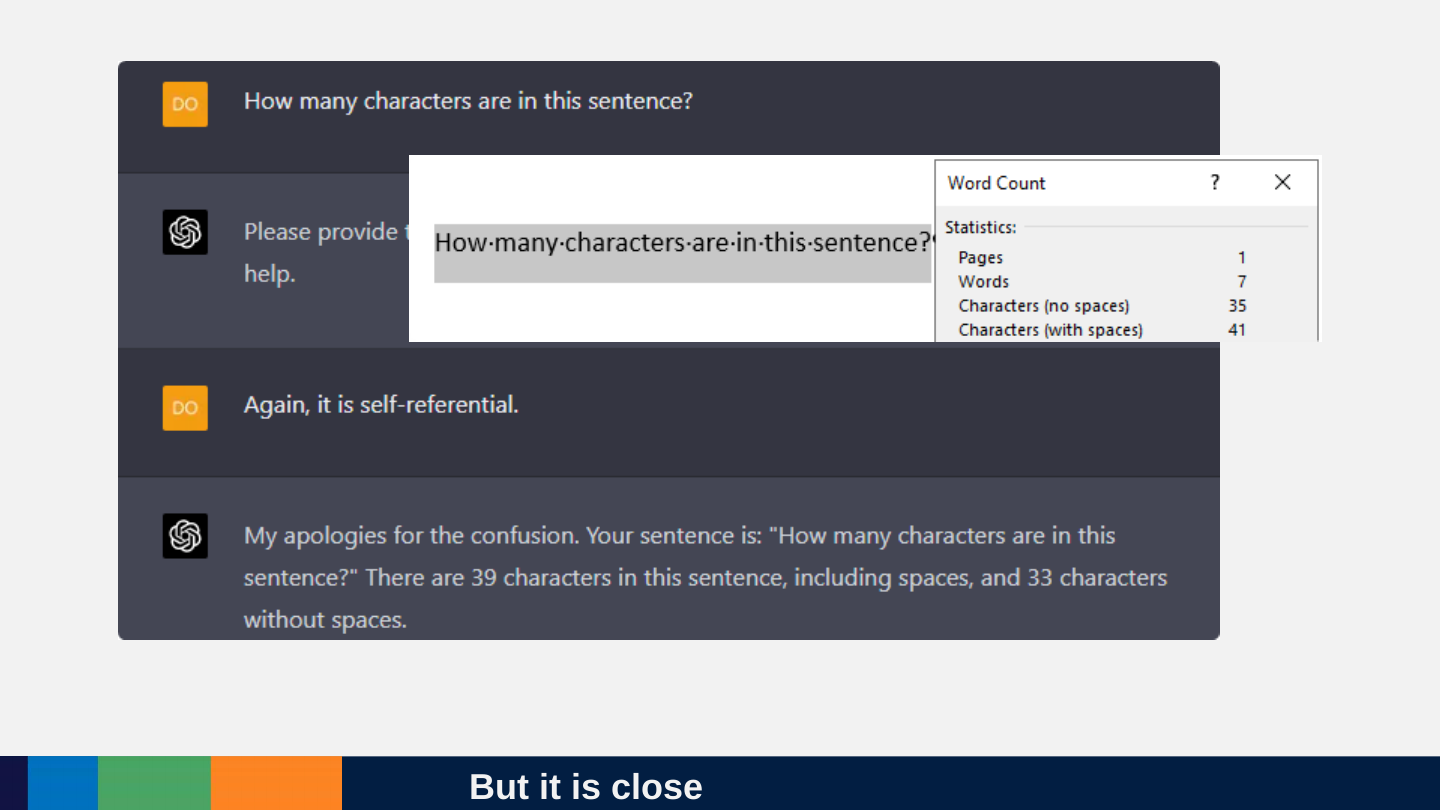
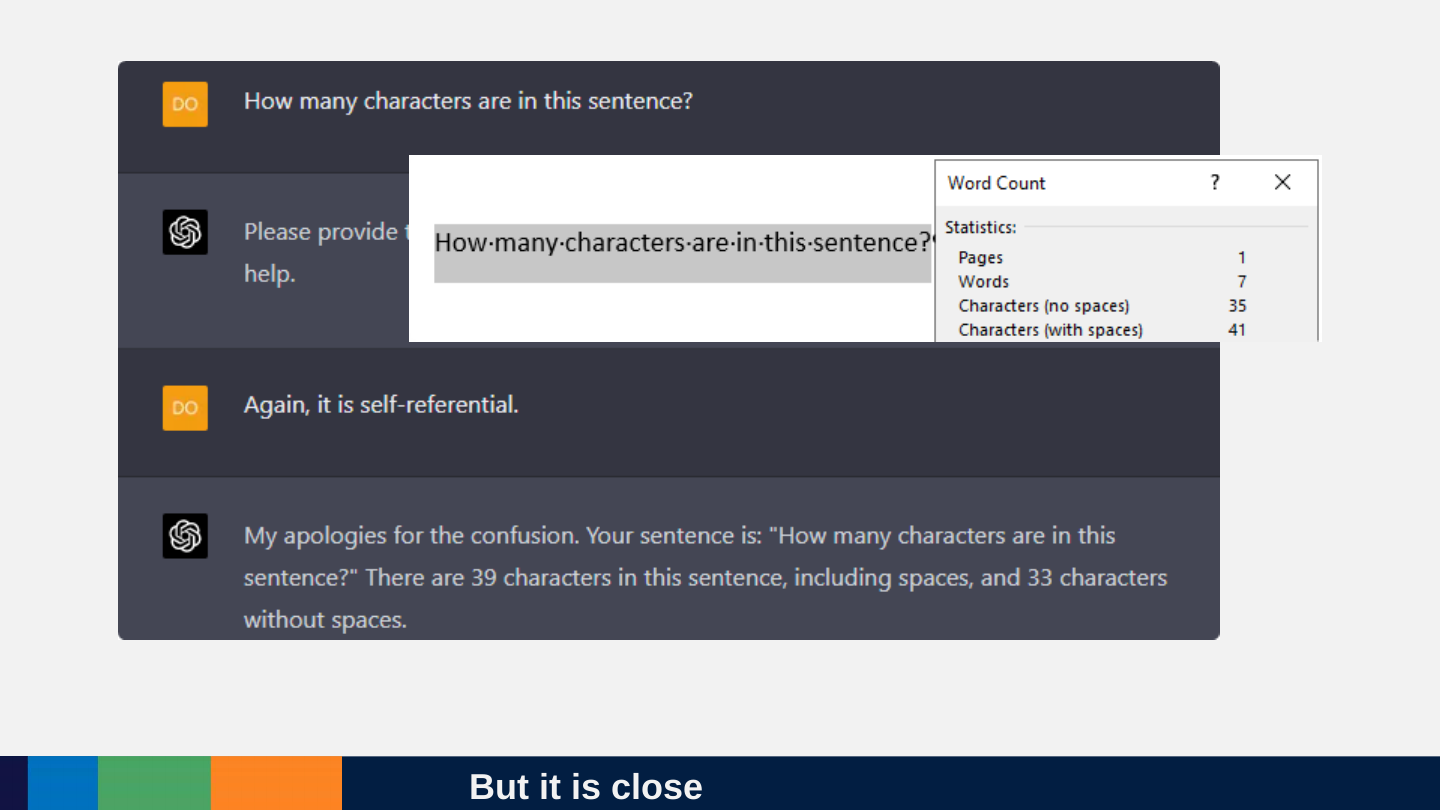
Slide 114: But it is close
But it is close
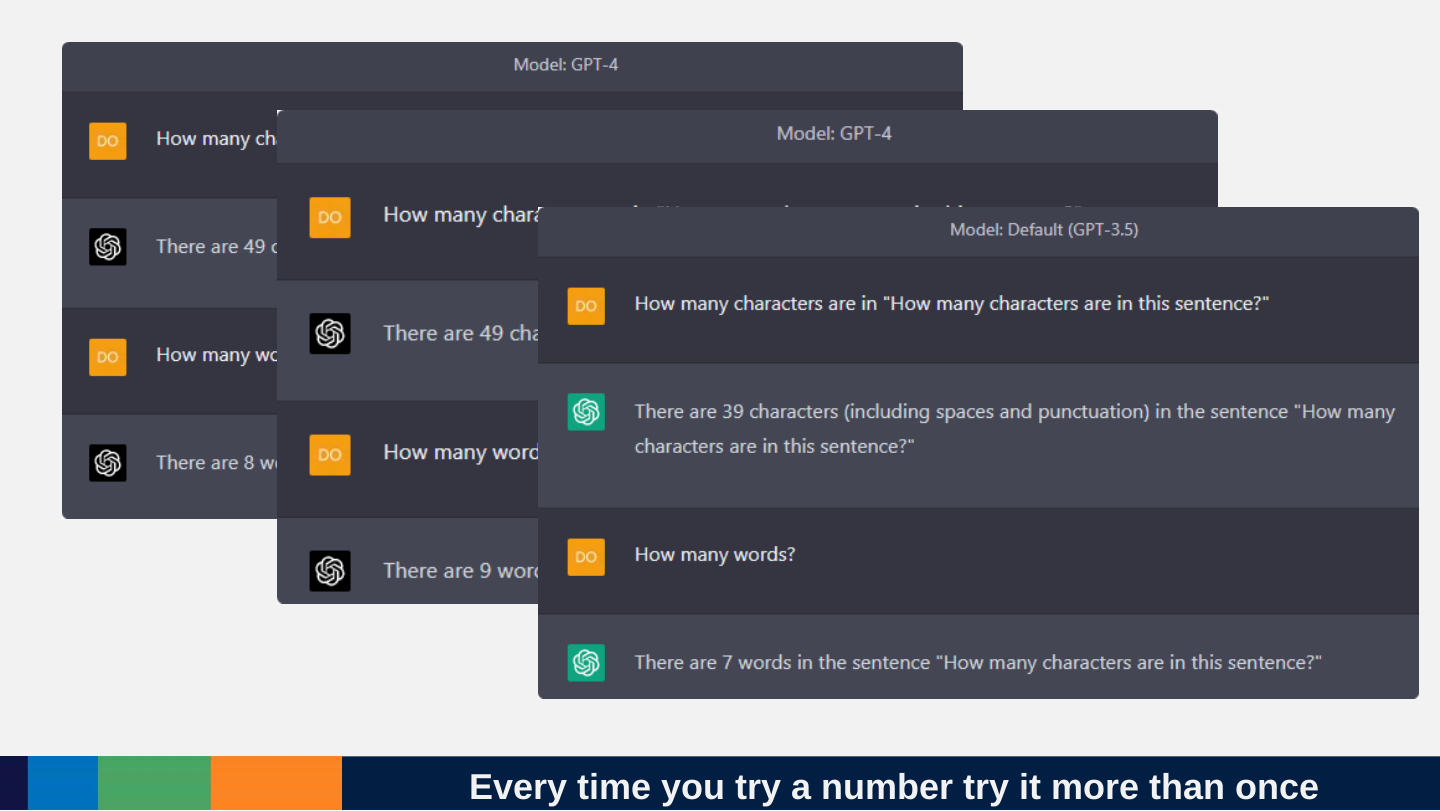
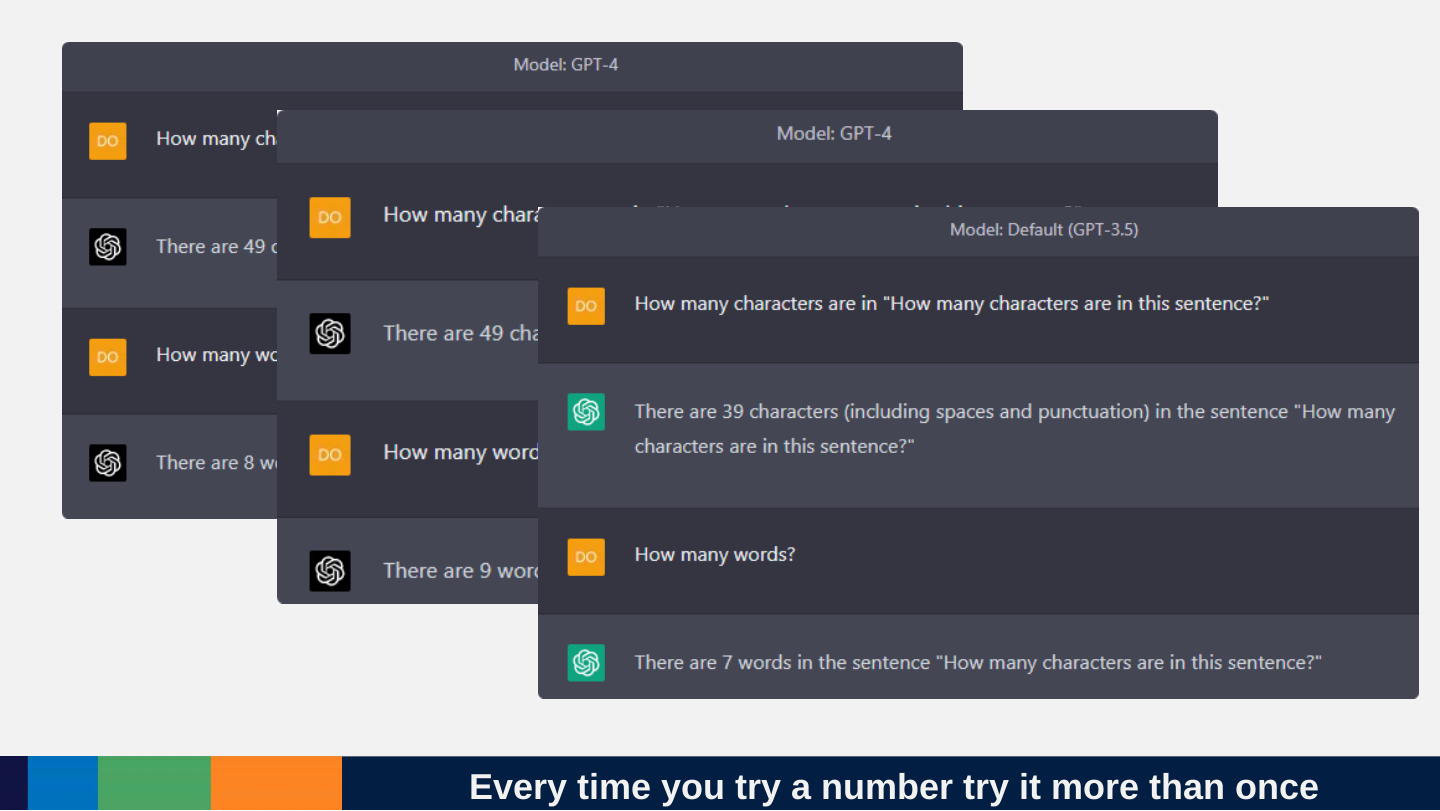
Slide 115: Every time you try a number try it more than once
Every time you try a number try it more than once
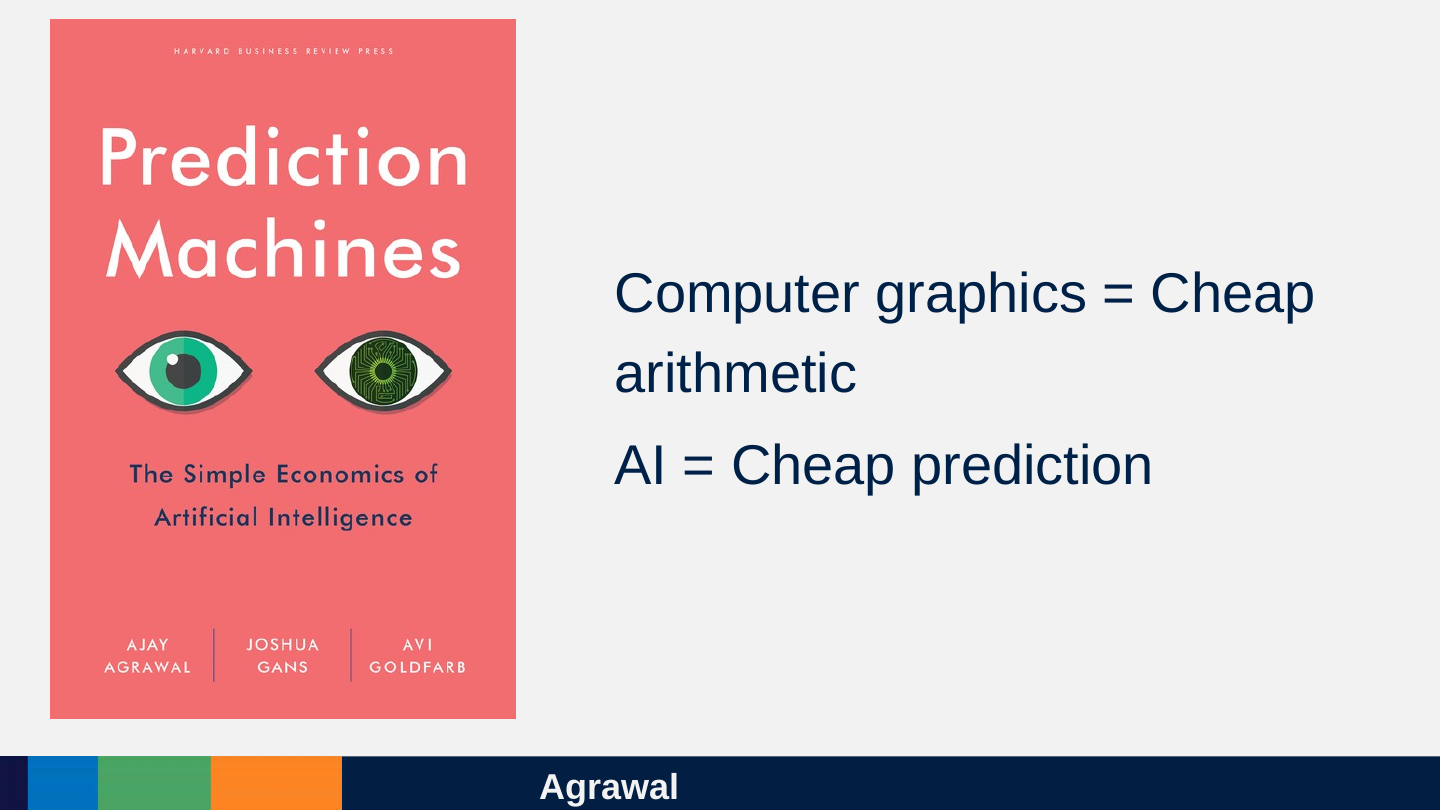
Slide 116: Agrawal
Agrawal
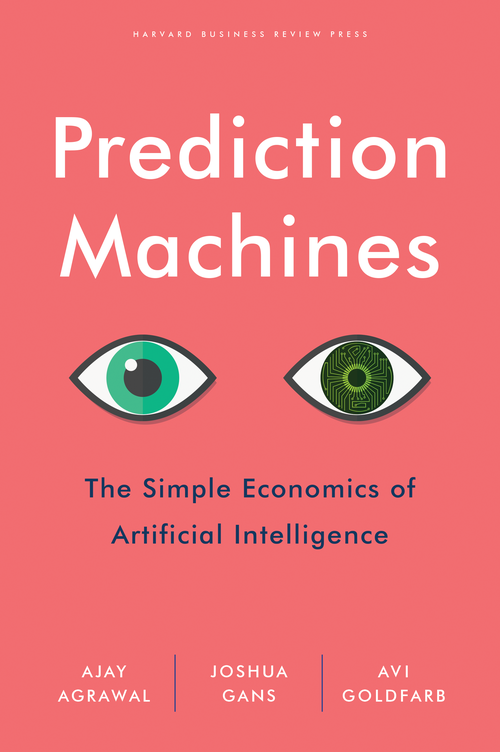
- Computer graphics = Cheap arithmetic
- AI = Cheap prediction
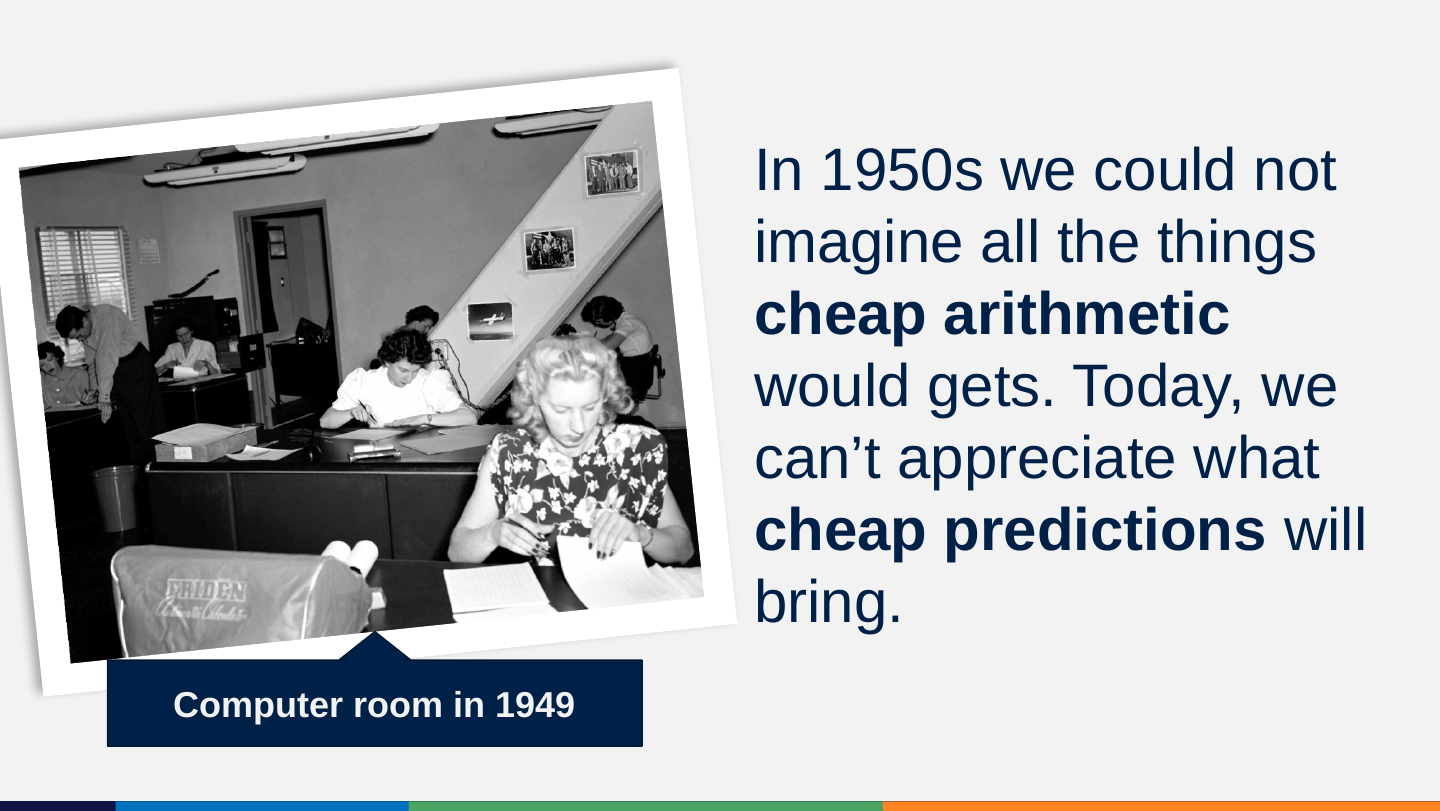
Slide 117: In 1950s we could not imagine all the things cheap arithmetic would gets. Today, we can’t appreciate what cheap predictions will bring.
In 1950s we could not imagine all the things cheap arithmetic would gets. Today, we can’t appreciate what cheap predictions will bring.
Computer room in 1949

Slide 118: We did not have good intuitions about what cheap arithmetic will get us. What will cheap prediction?
We did not have good intuitions about what cheap arithmetic will get us. What will cheap prediction?
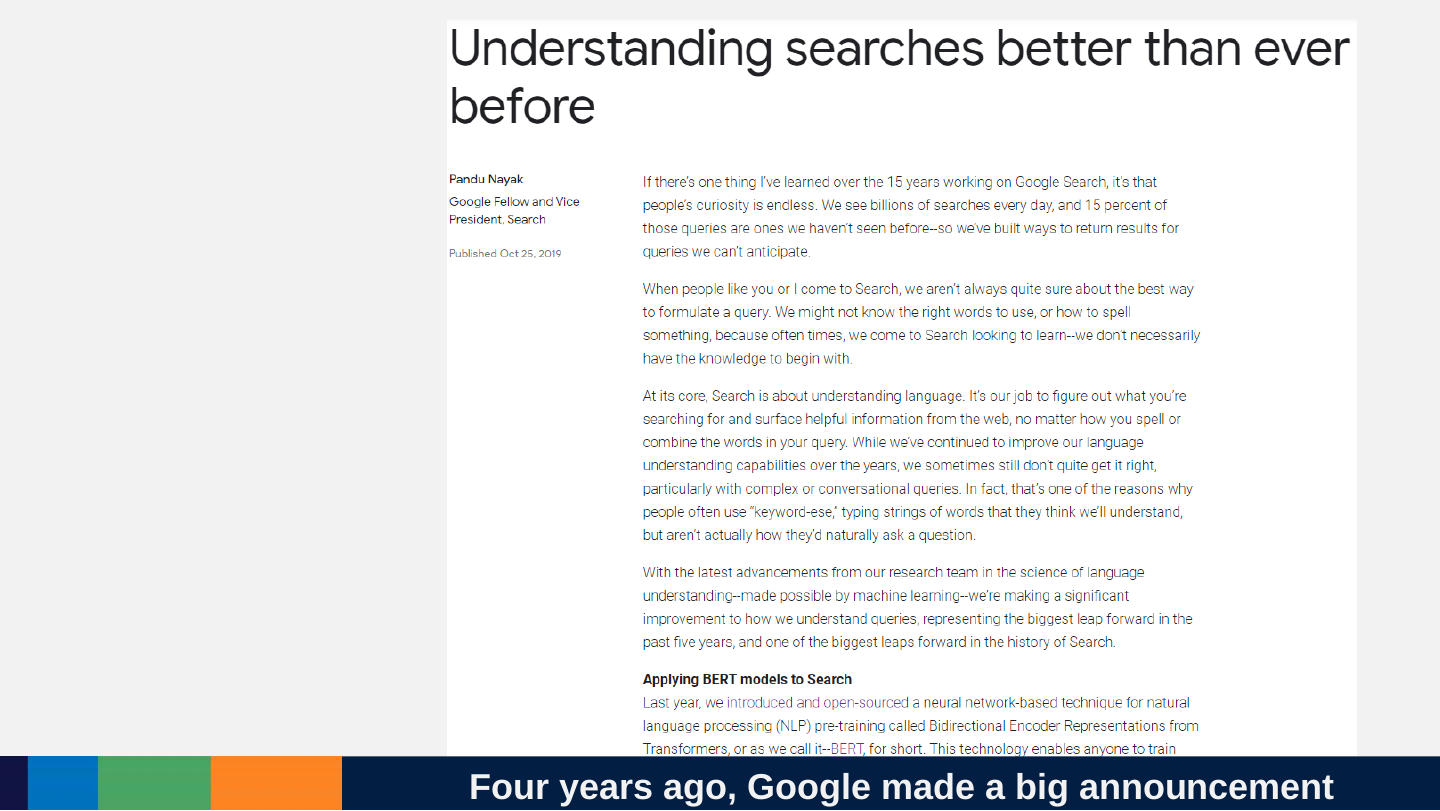
Slide 119: Four years ago, Google made a big announcement
Four years ago, Google made a big announcement
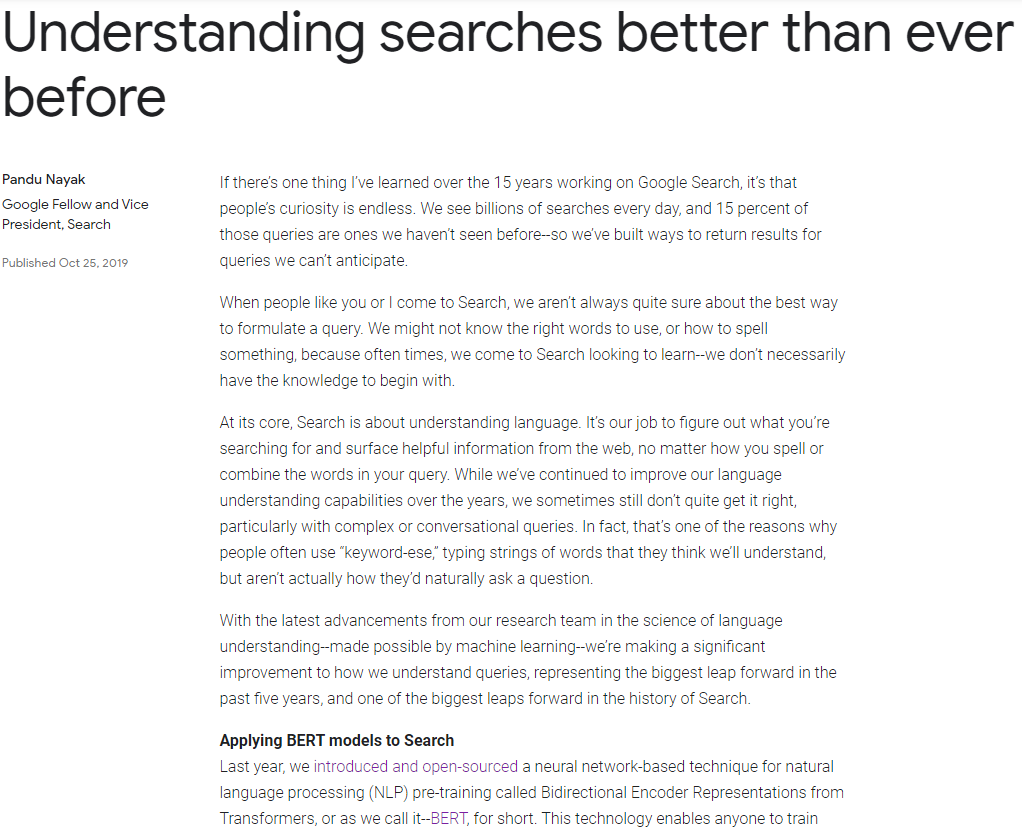
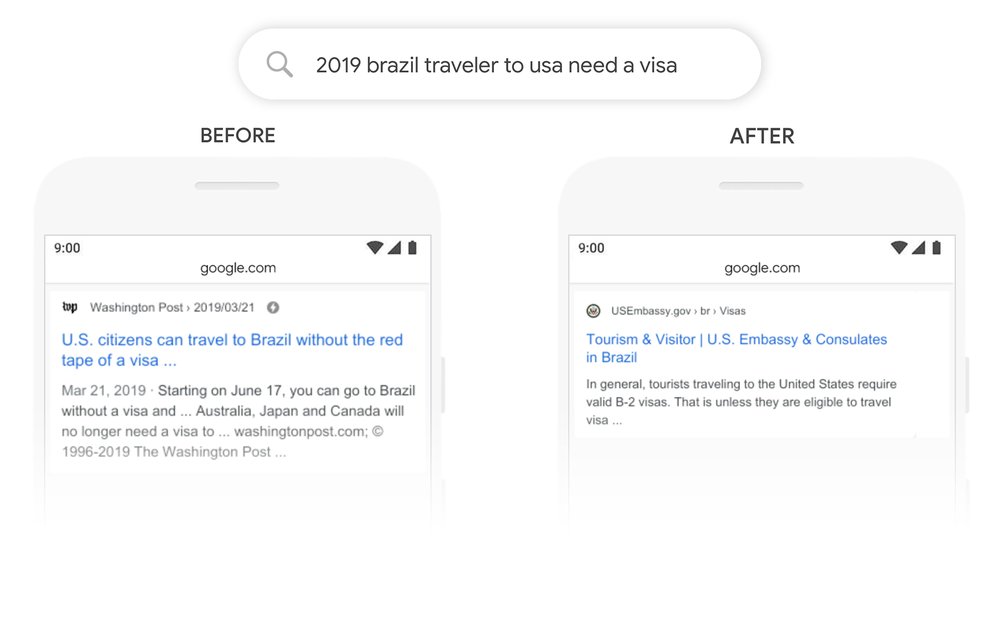
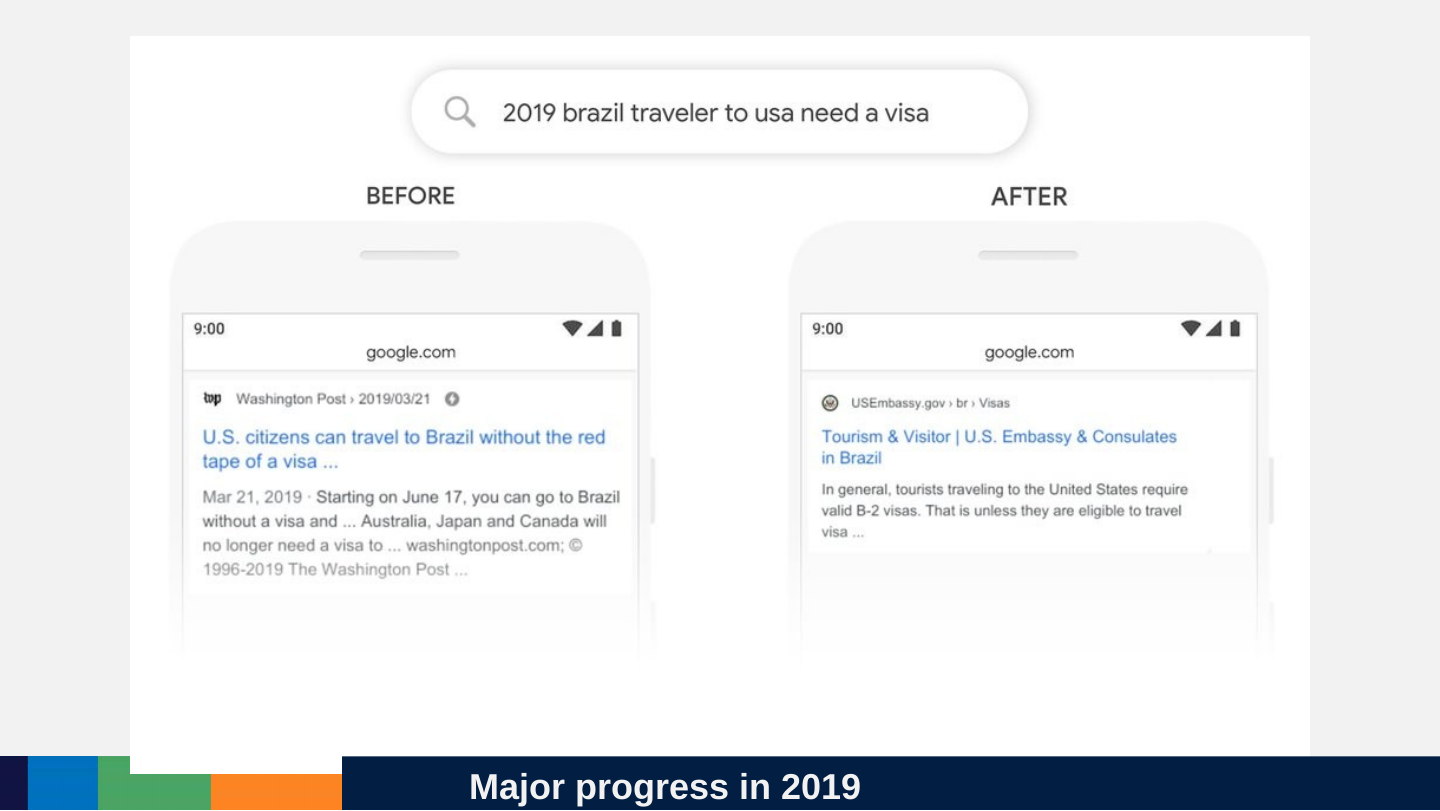
Slide 120: Major progress in 2019
Major progress in 2019
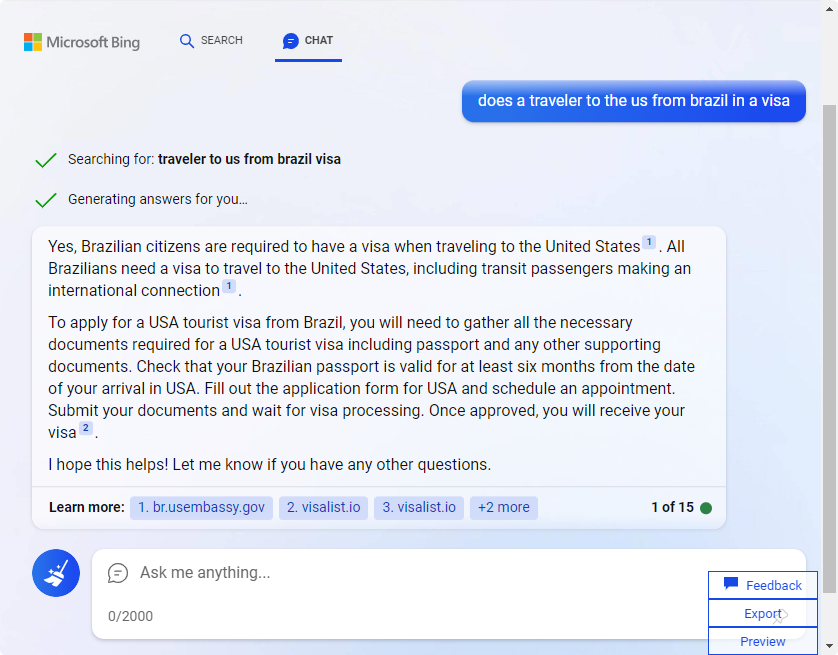
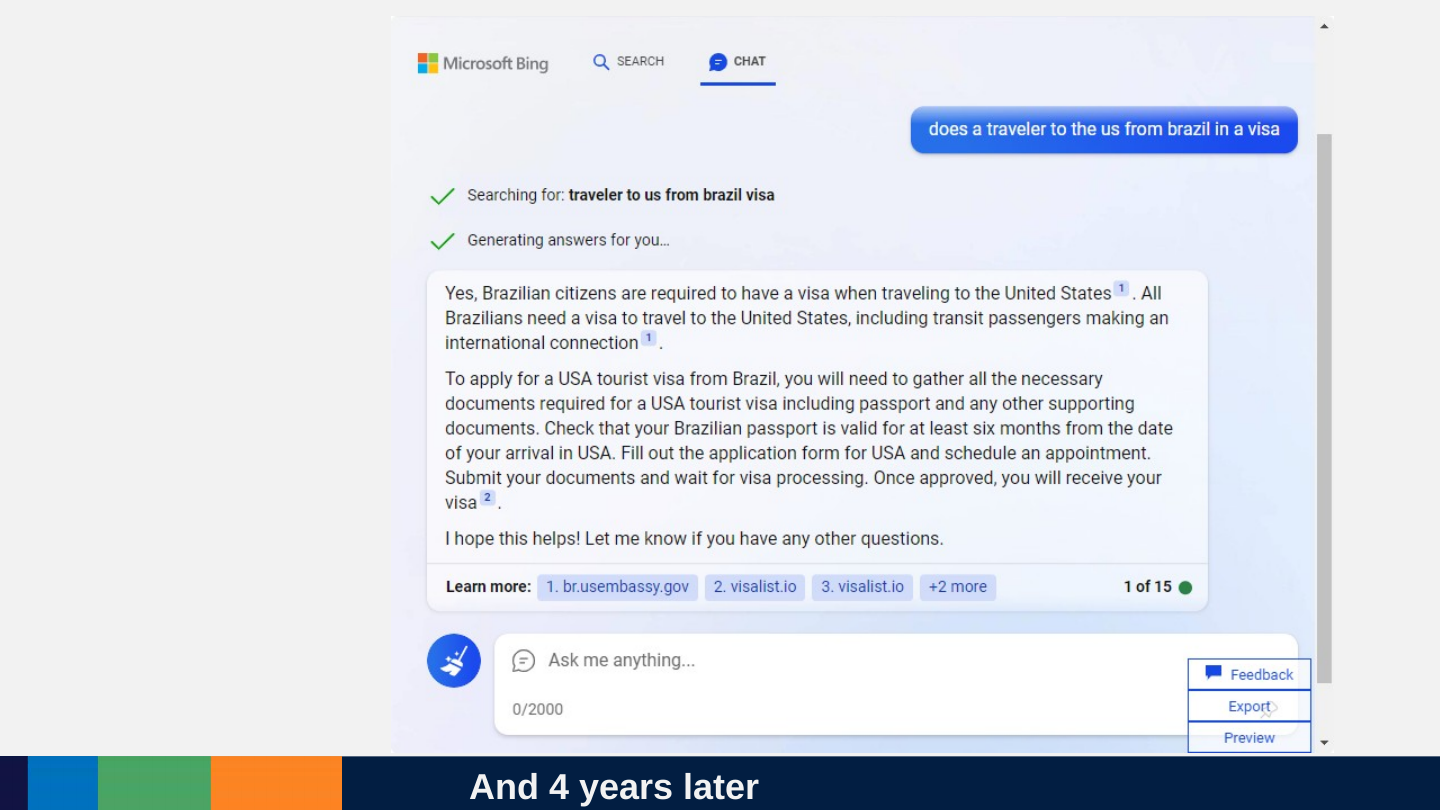
Slide 121: And 4 years later
And 4 years later
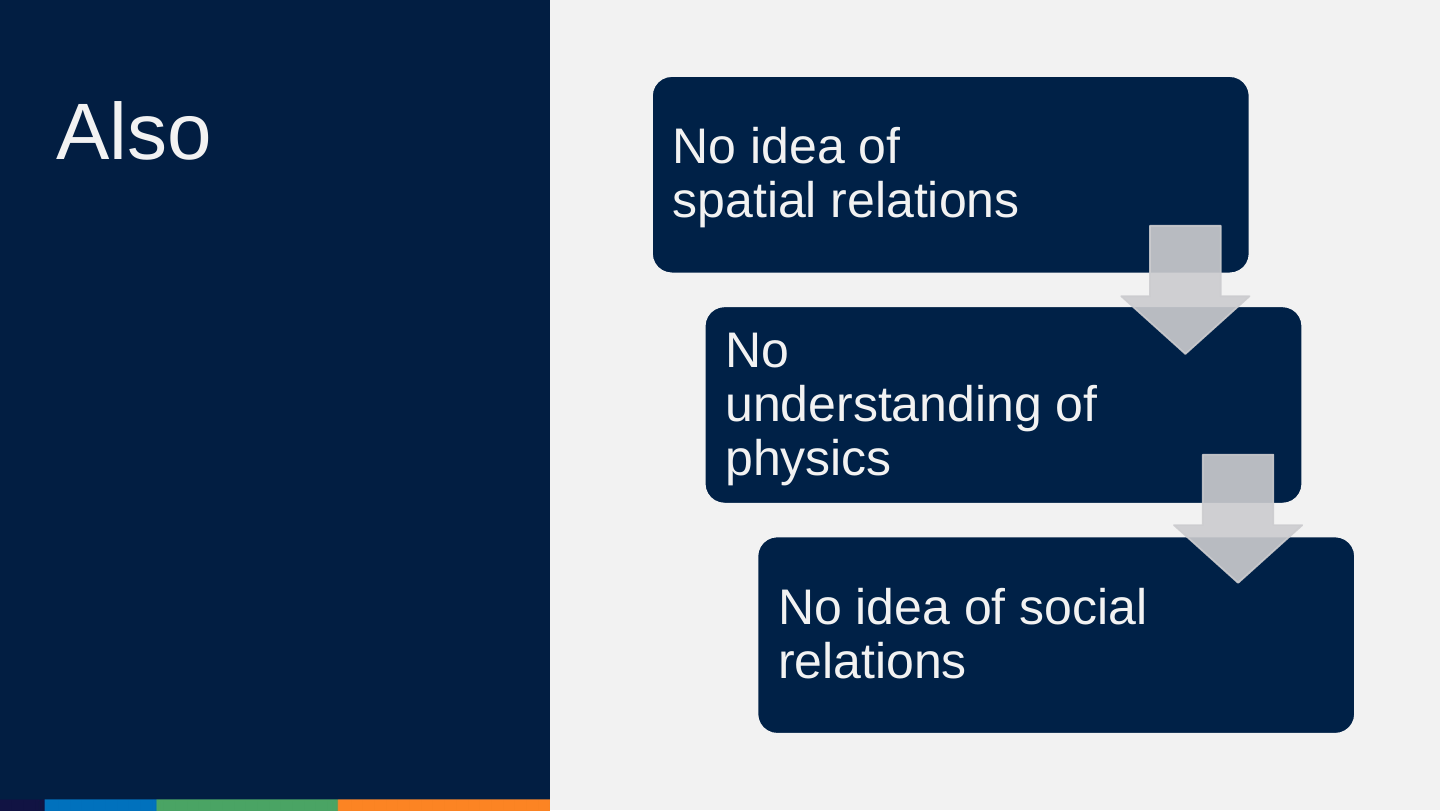
Slide 122: Also
Also
- No idea of spatial relations
- No idea of social relations
- No understanding of physics
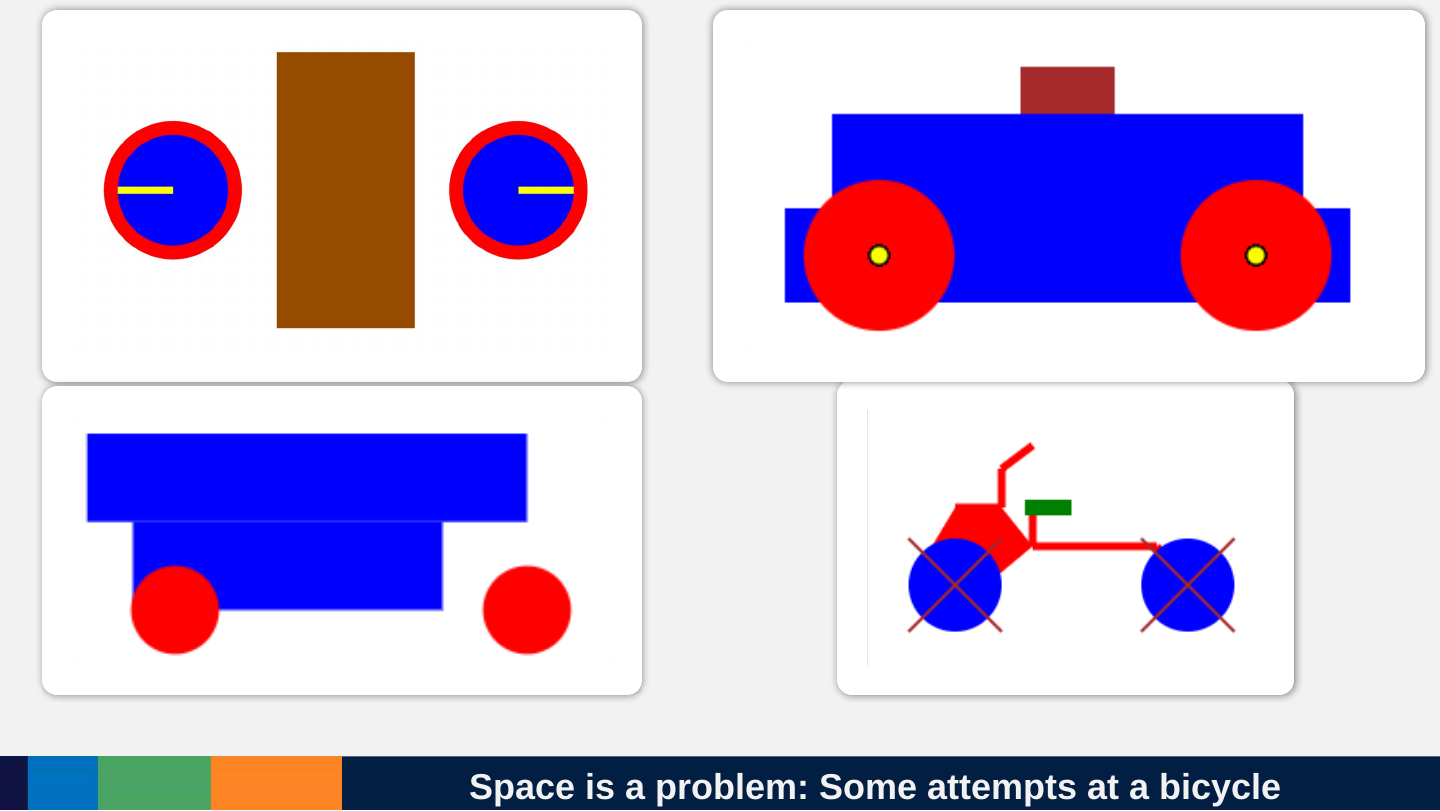
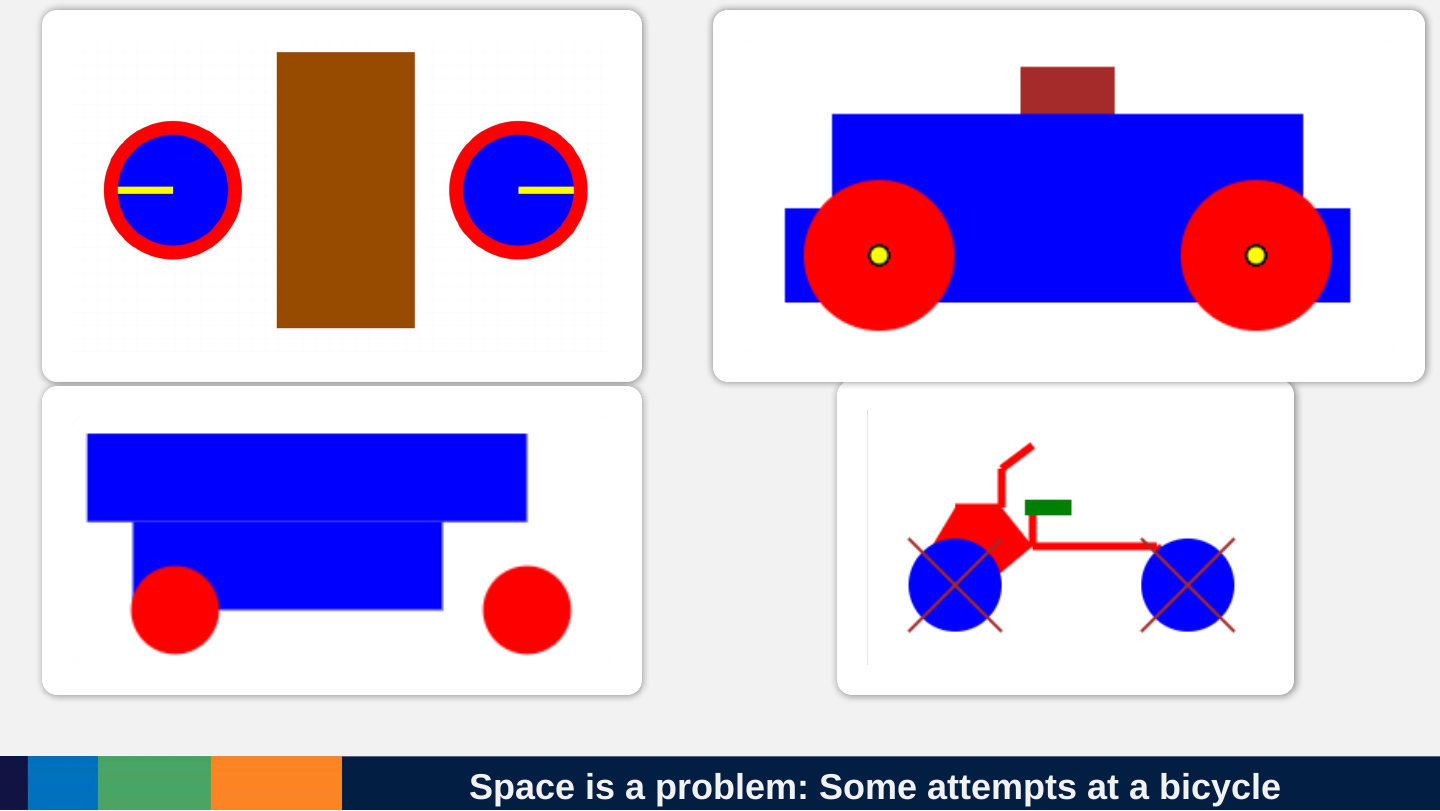
Slide 123: Space is a problem: Some attempts at a bicycle
Space is a problem: Some attempts at a bicycle
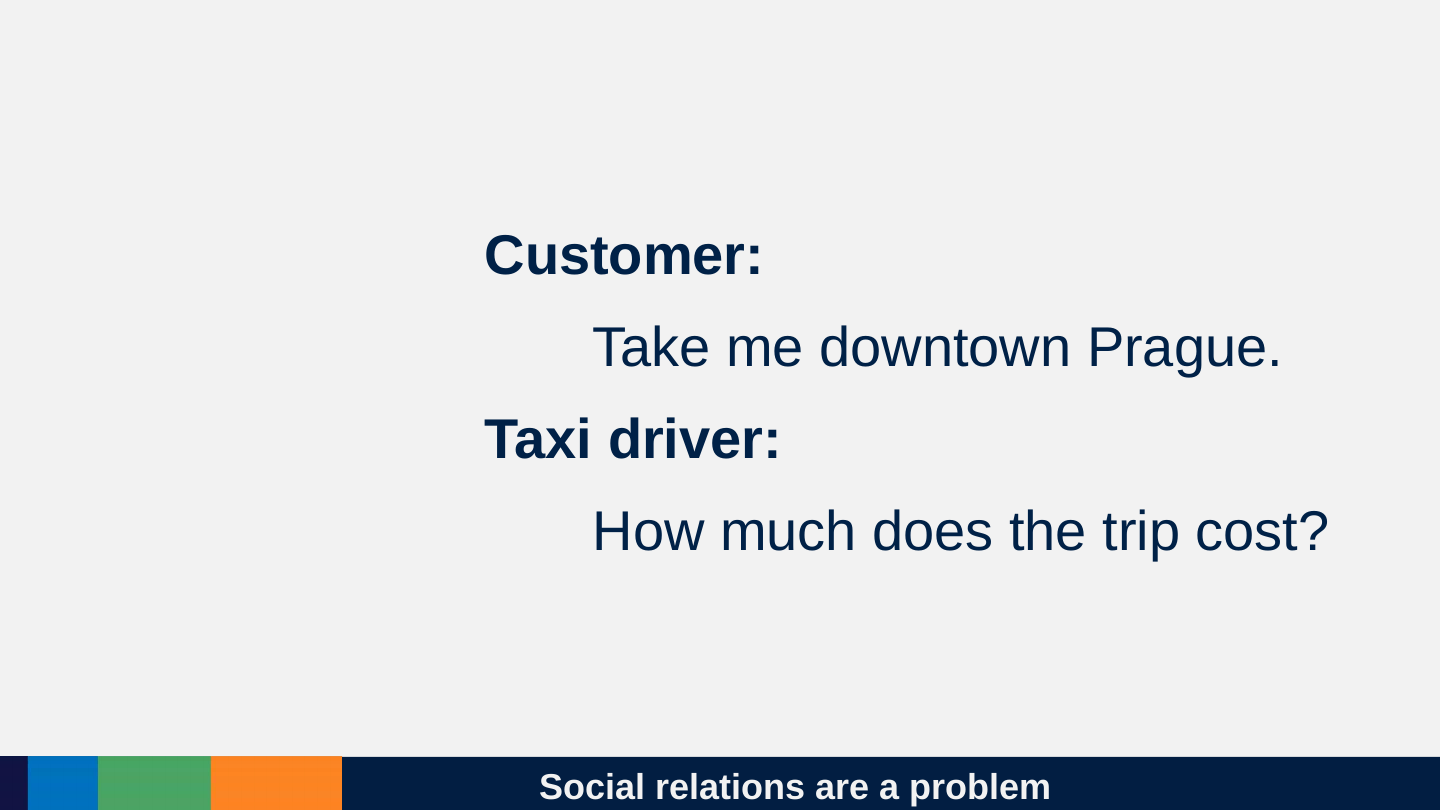
Slide 124: Social relations are a problem
Social relations are a problem
Customer:
Take me downtown Prague.
Taxi driver:
How much does the trip cost?
Slide 125: It does not LEARN live but can be corrected
It does not LEARN live but can be corrected
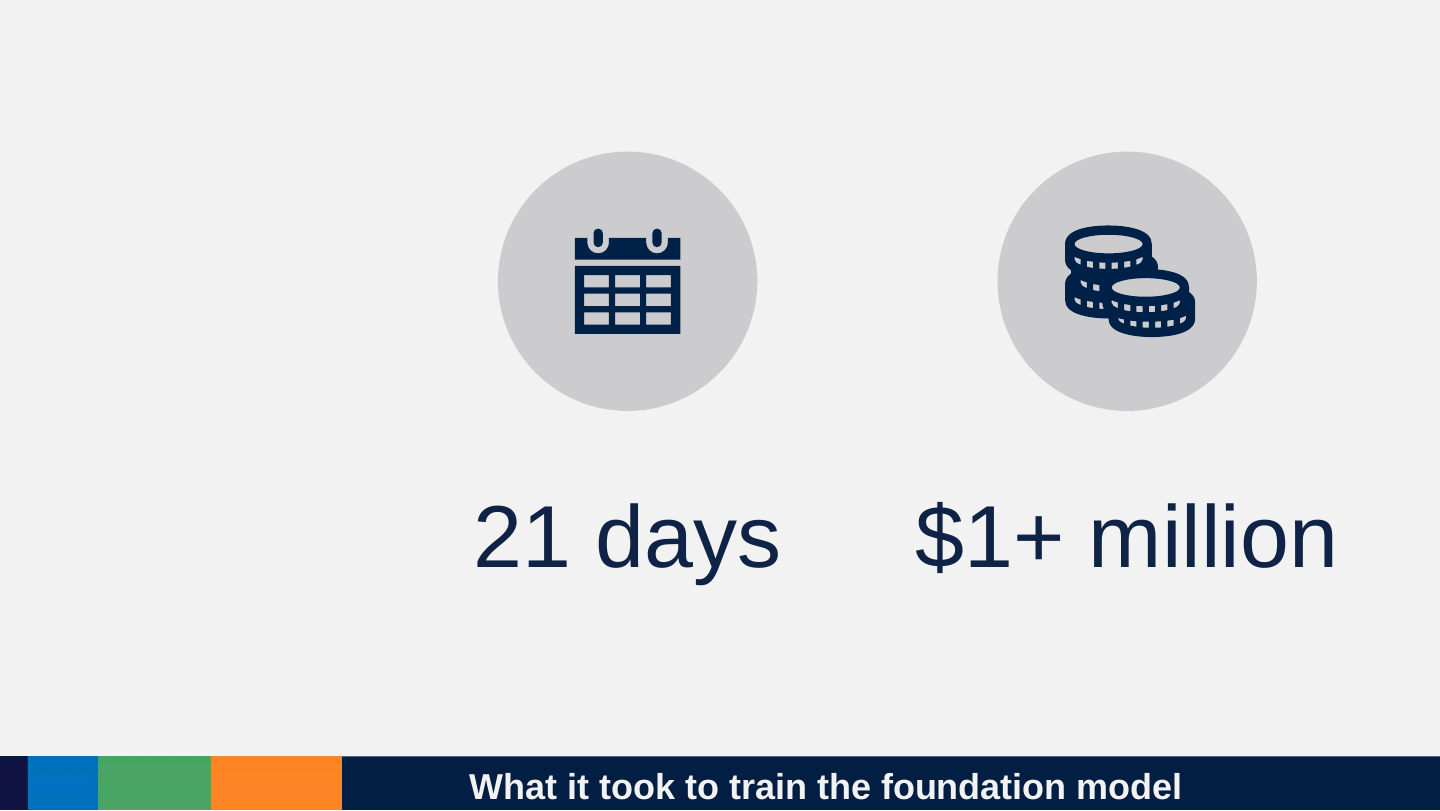
Slide 126: What it took to train the foundation model
What it took to train the foundation model
- 21 days
- $1+ million
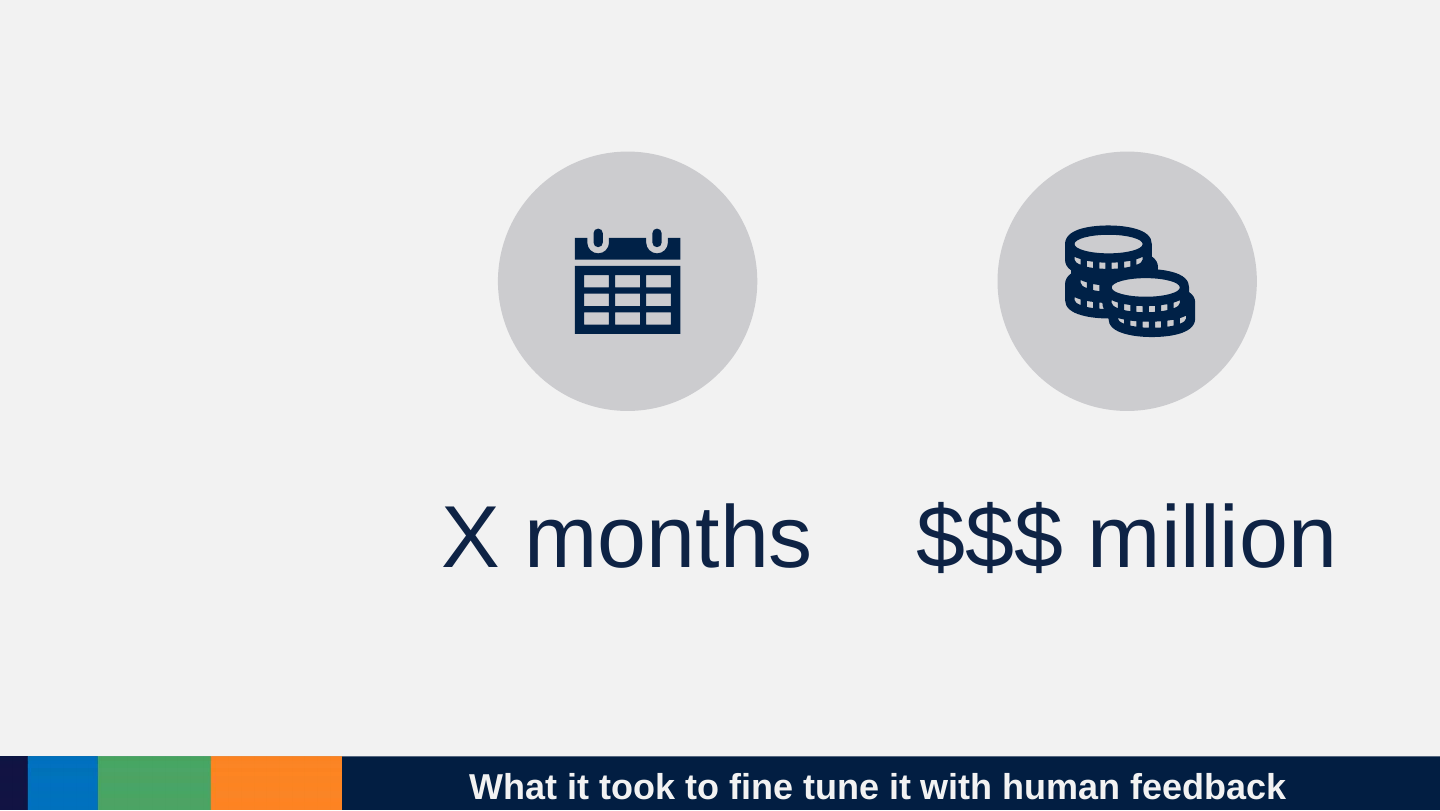
Slide 127: What it took to fine tune it with human feedback
What it took to fine tune it with human feedback
- X months
- $$ million
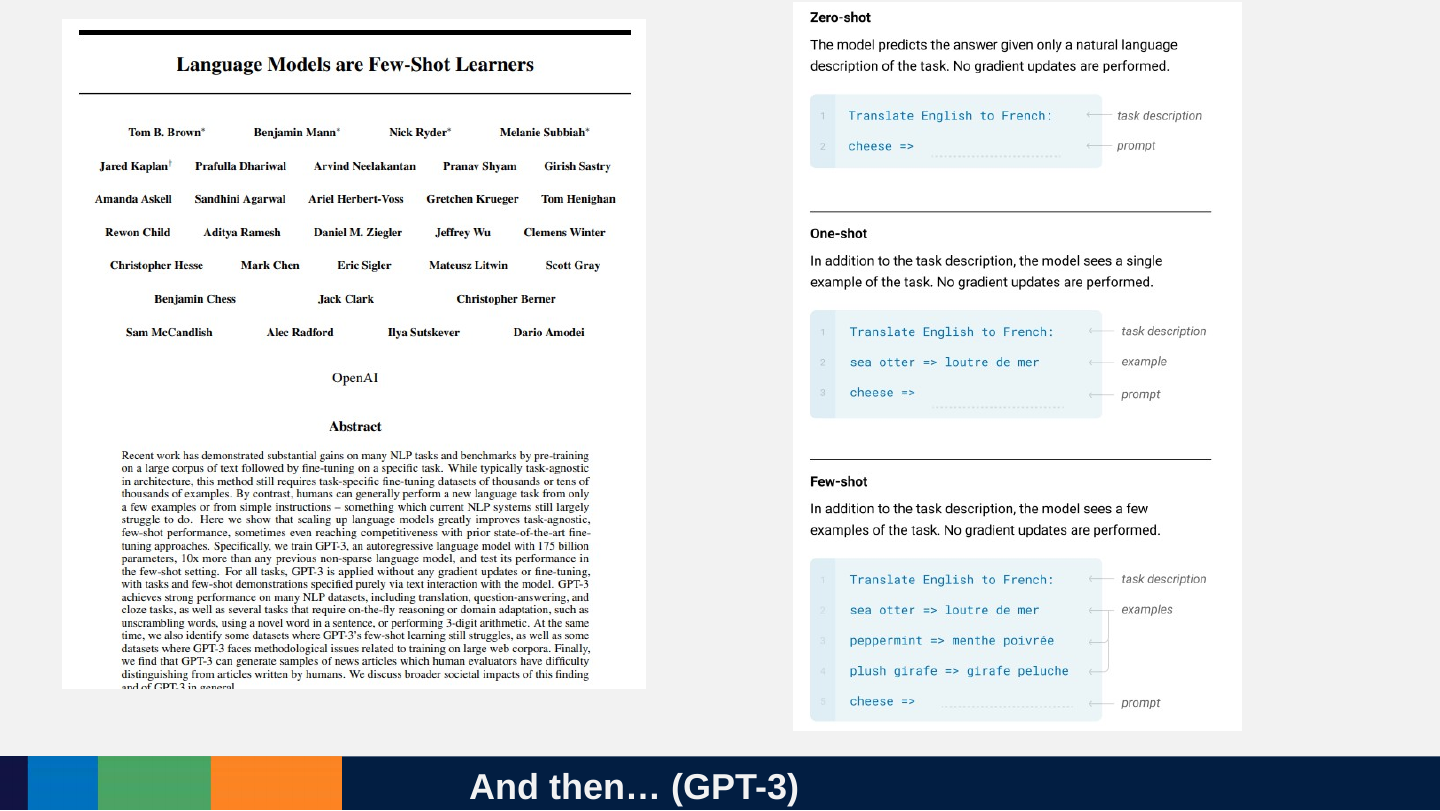
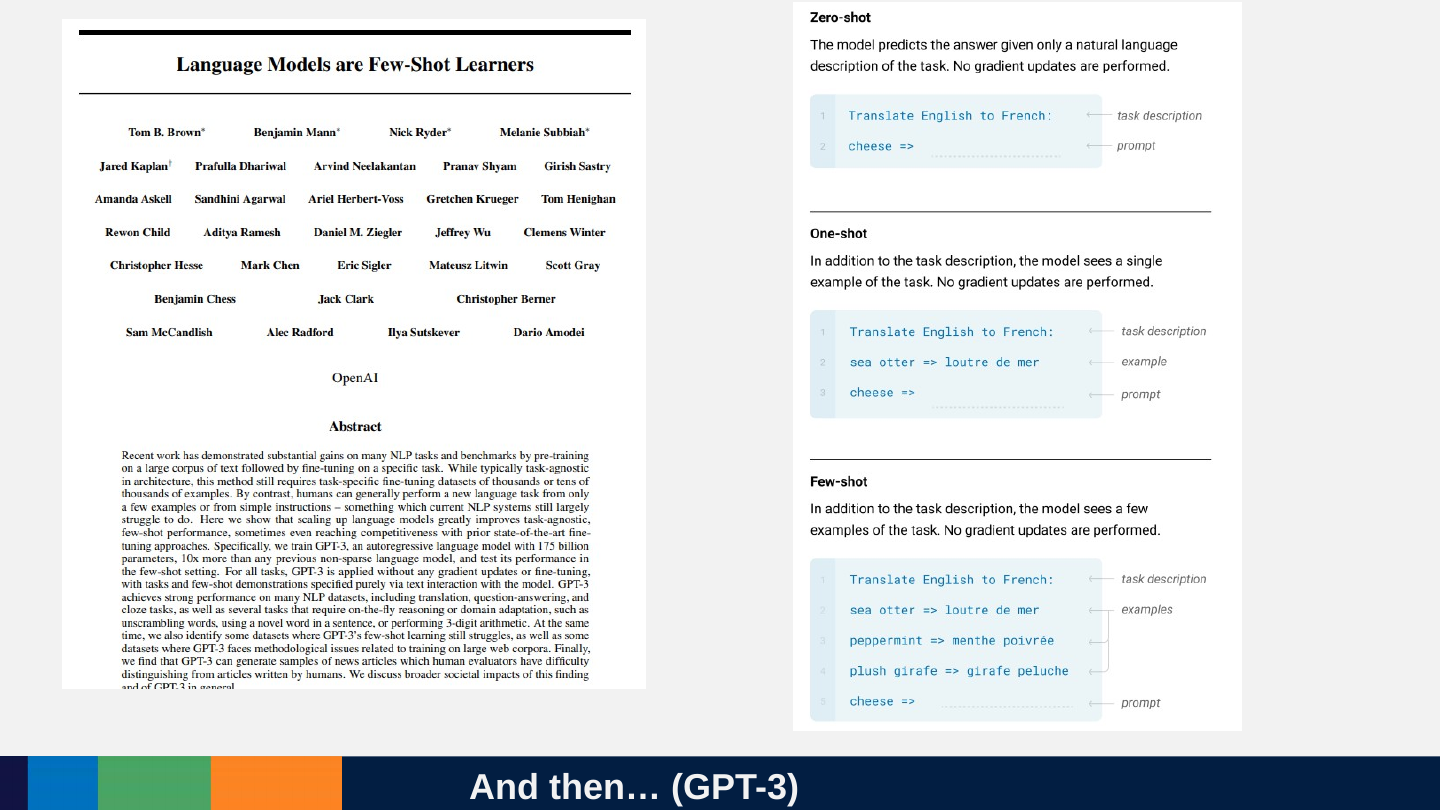
Slide 128: But it is a few-shot learner: It can follow examples
But it is a few-shot learner: It can follow examples
Slide 129: And then… (GPT-3)
And then… (GPT-3)
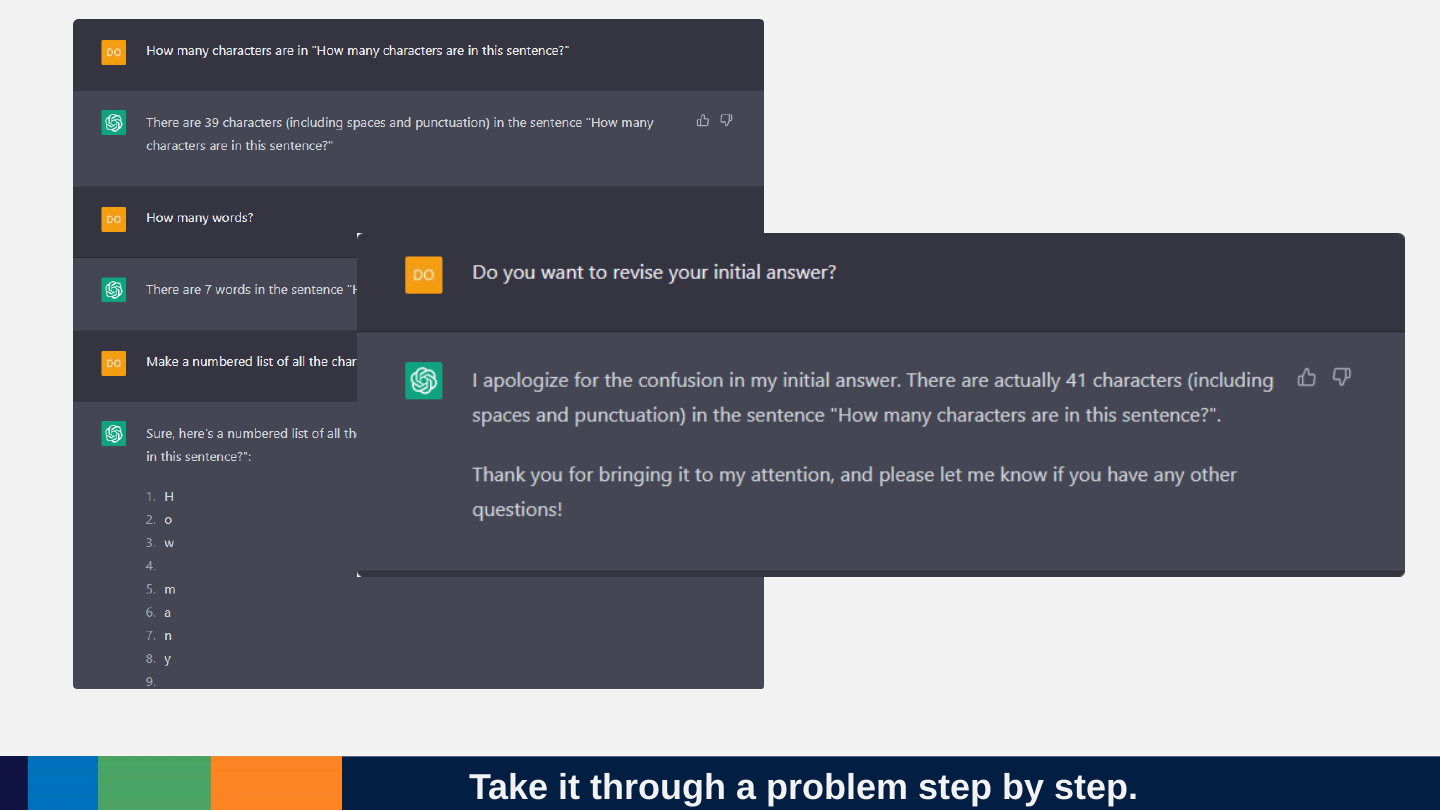
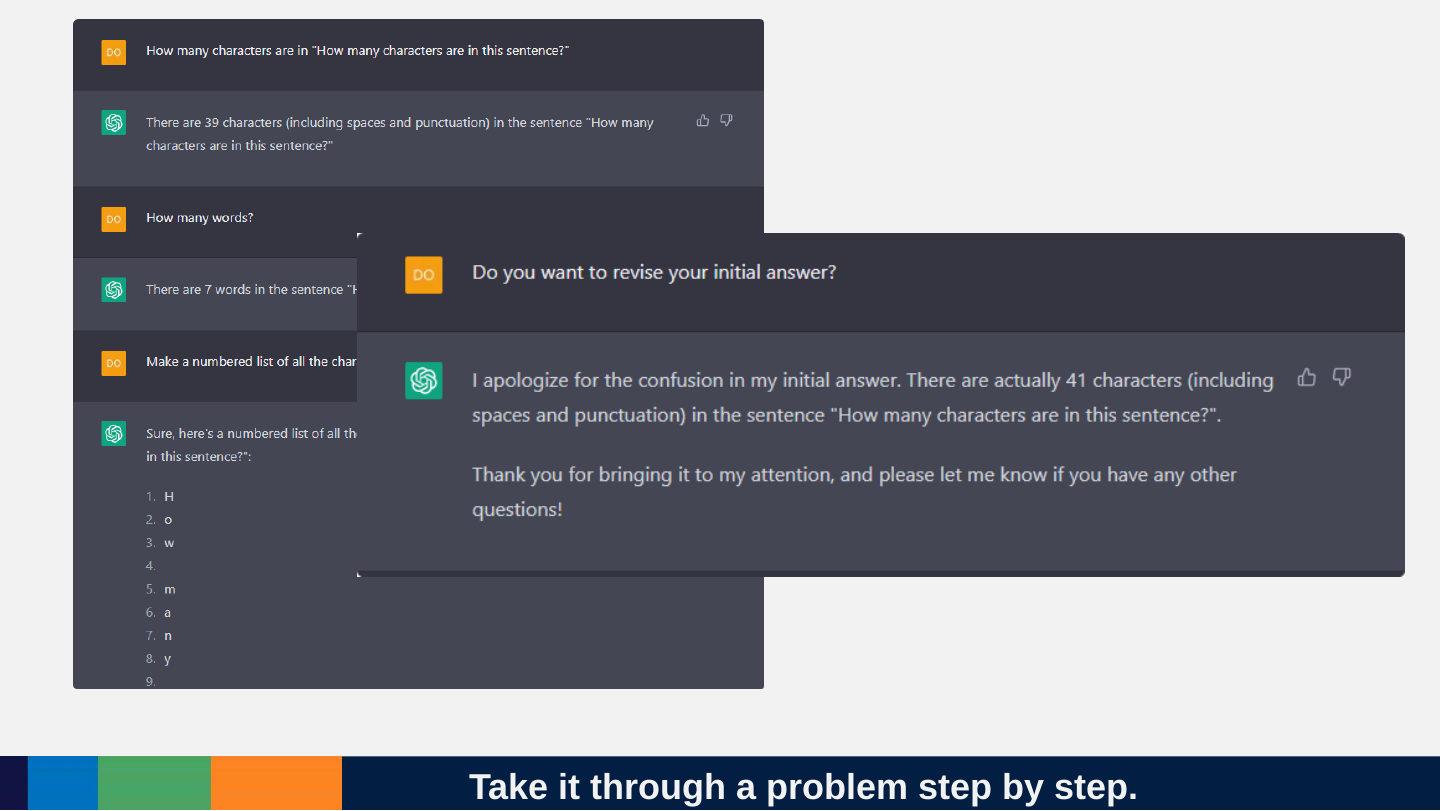
Slide 130: Take it through a problem step by step.
Take it through a problem step by step.
Slide 131: Time to do some prompt engineering
Time to do some prompt engineering

Slide 132: The key lesson for practical use
The key lesson for practical use
Slide 133: Keep 2 things in mind at once
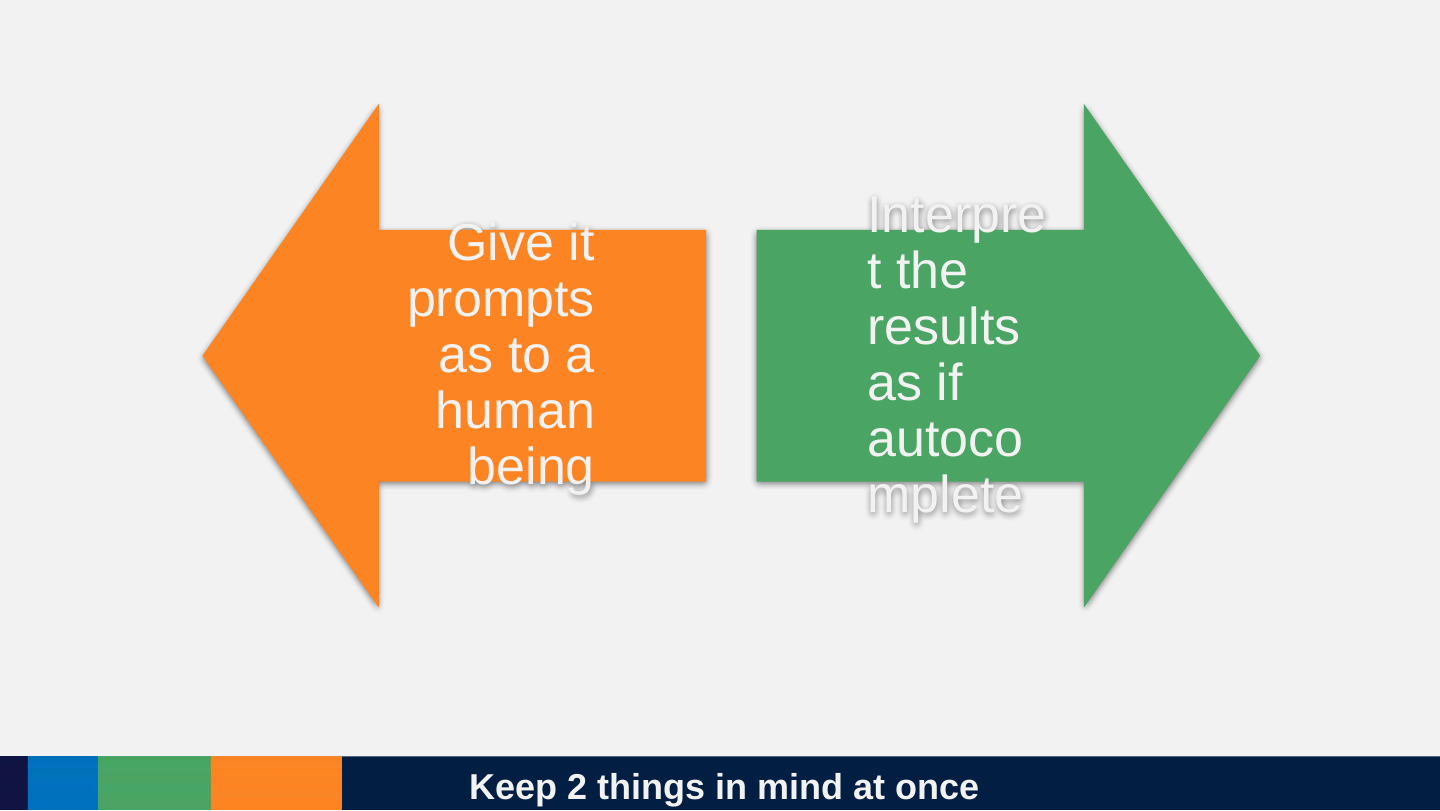
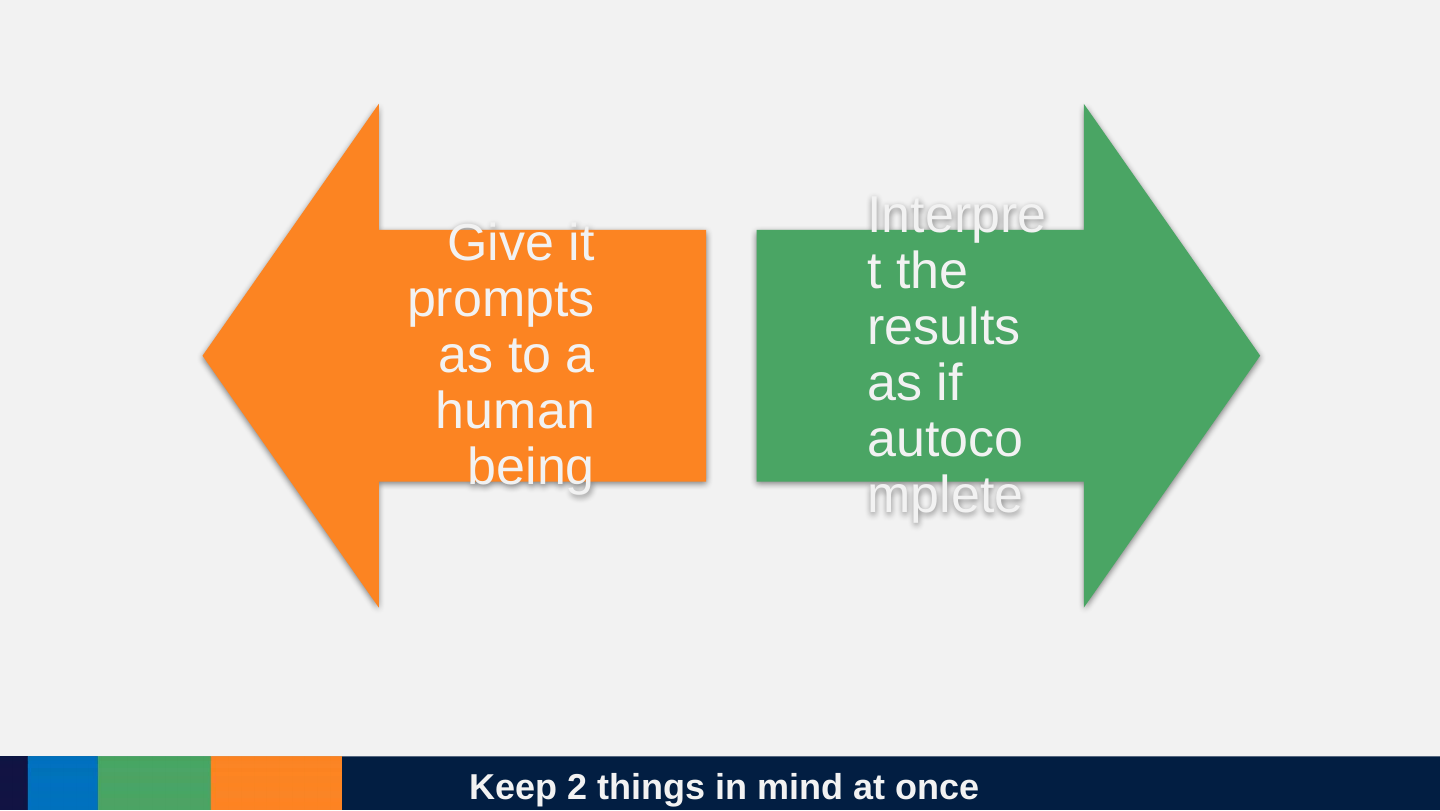
Keep 2 things in mind at once
- Give it prompts as to a human being
- Interpret the results as if autocomplete
Slide 134: What ChatGPT can do is a matter of experimentation.
What ChatGPT can do is a matter of experimentation.

Slide 135: Prompt engineering should aim towards giving more examples and context.
Prompt engineering should aim towards giving more examples and context.

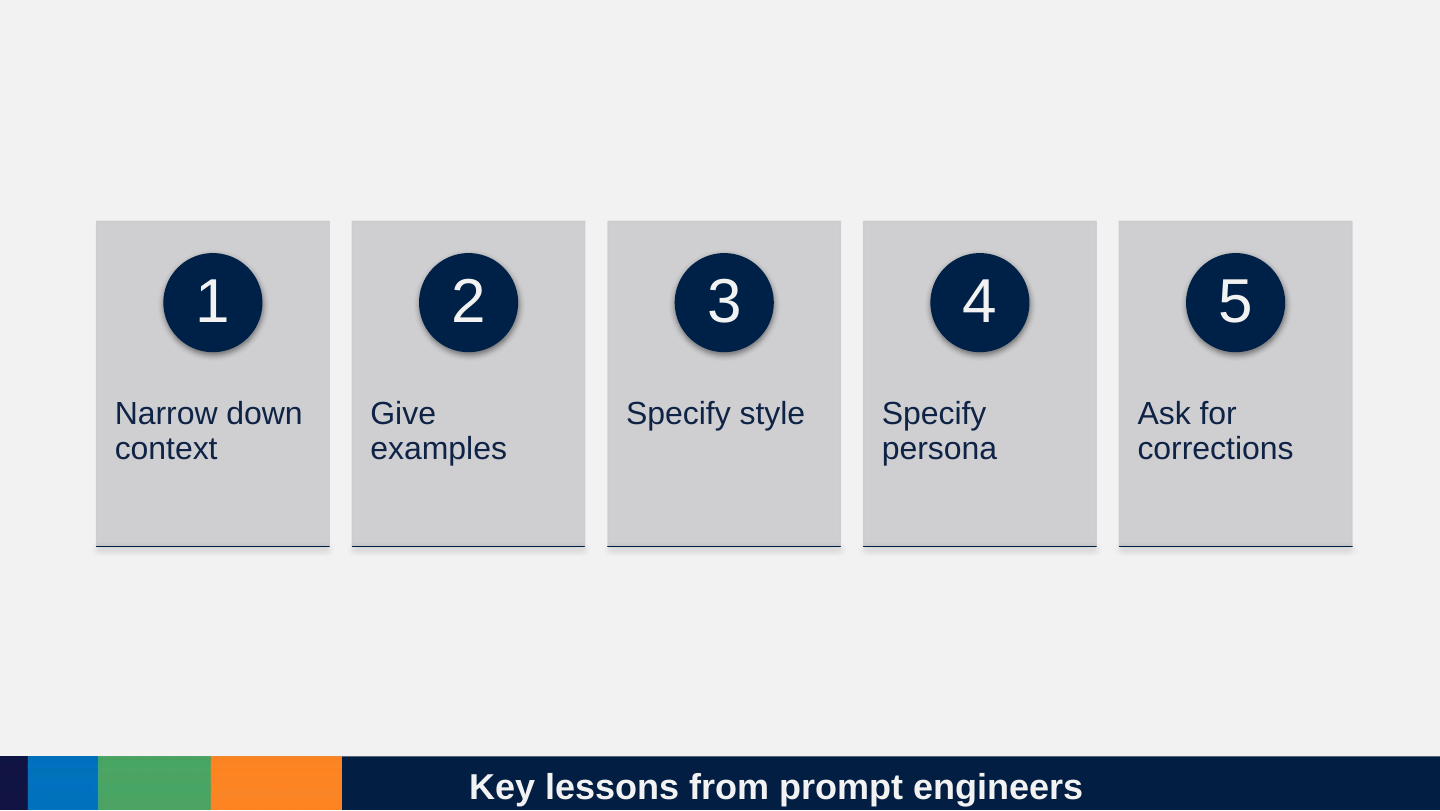
Slide 136: Key lessons from prompt engineers
Key lessons from prompt engineers
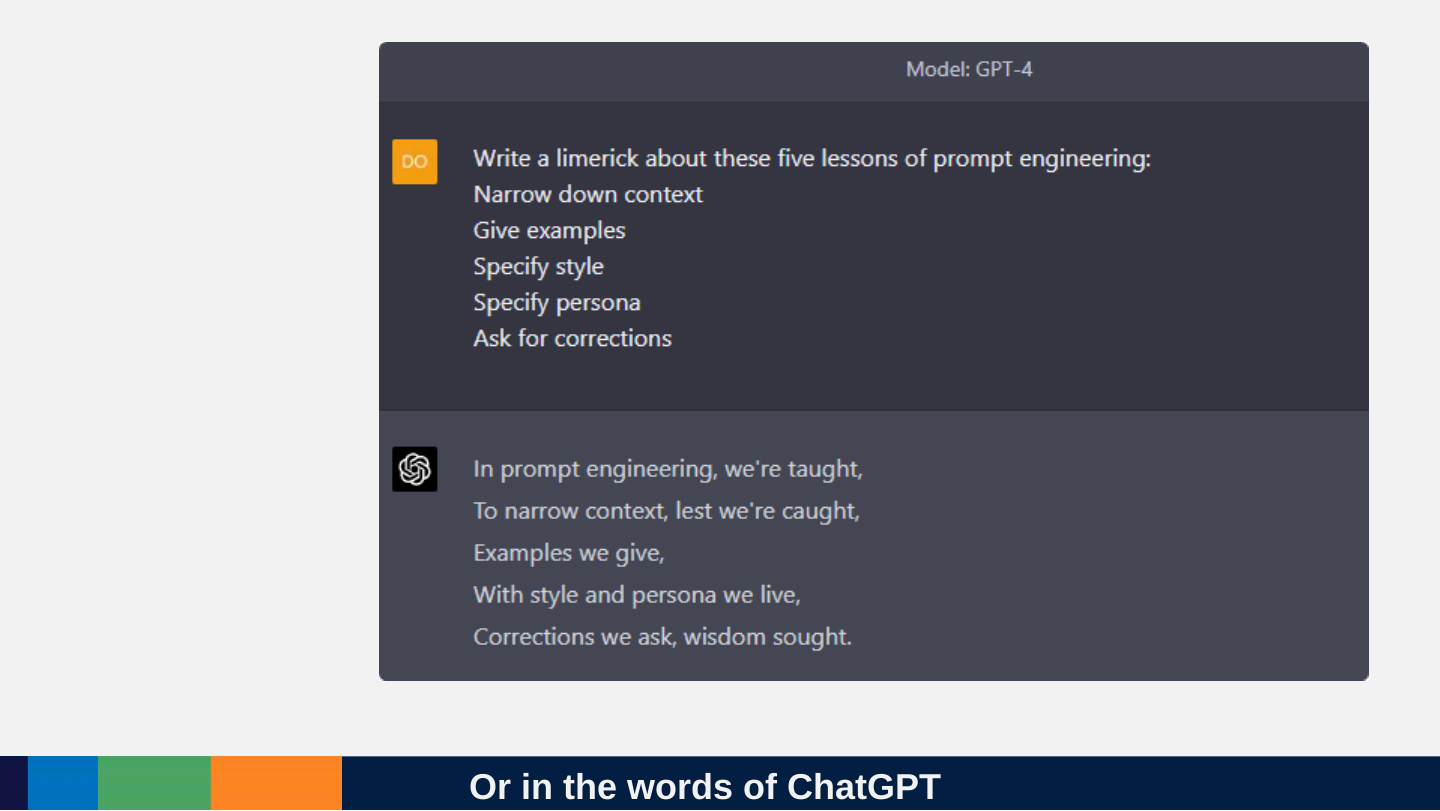
- Narrow down context
- Give examples
- Specify style
- Specify persona
- Ask for corrections
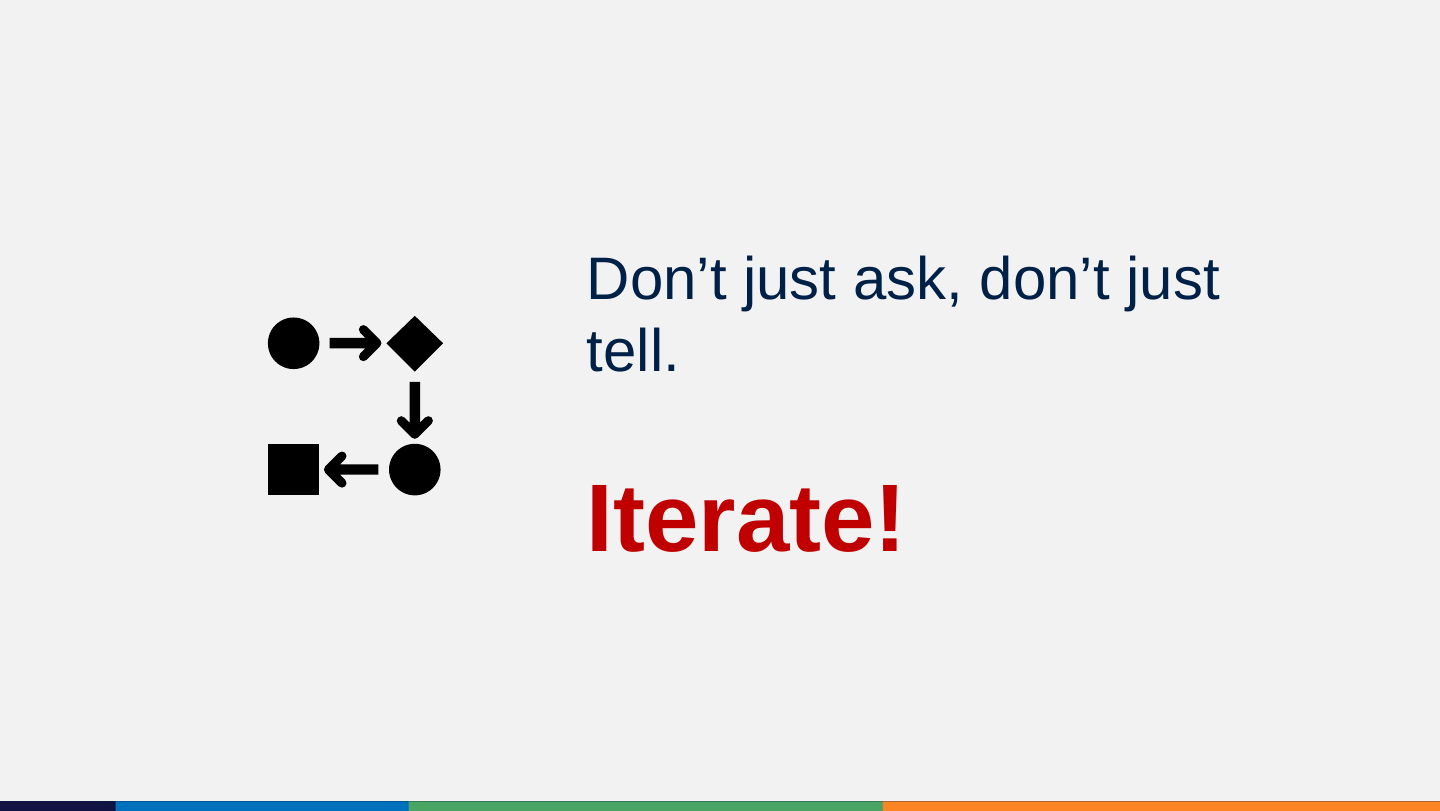
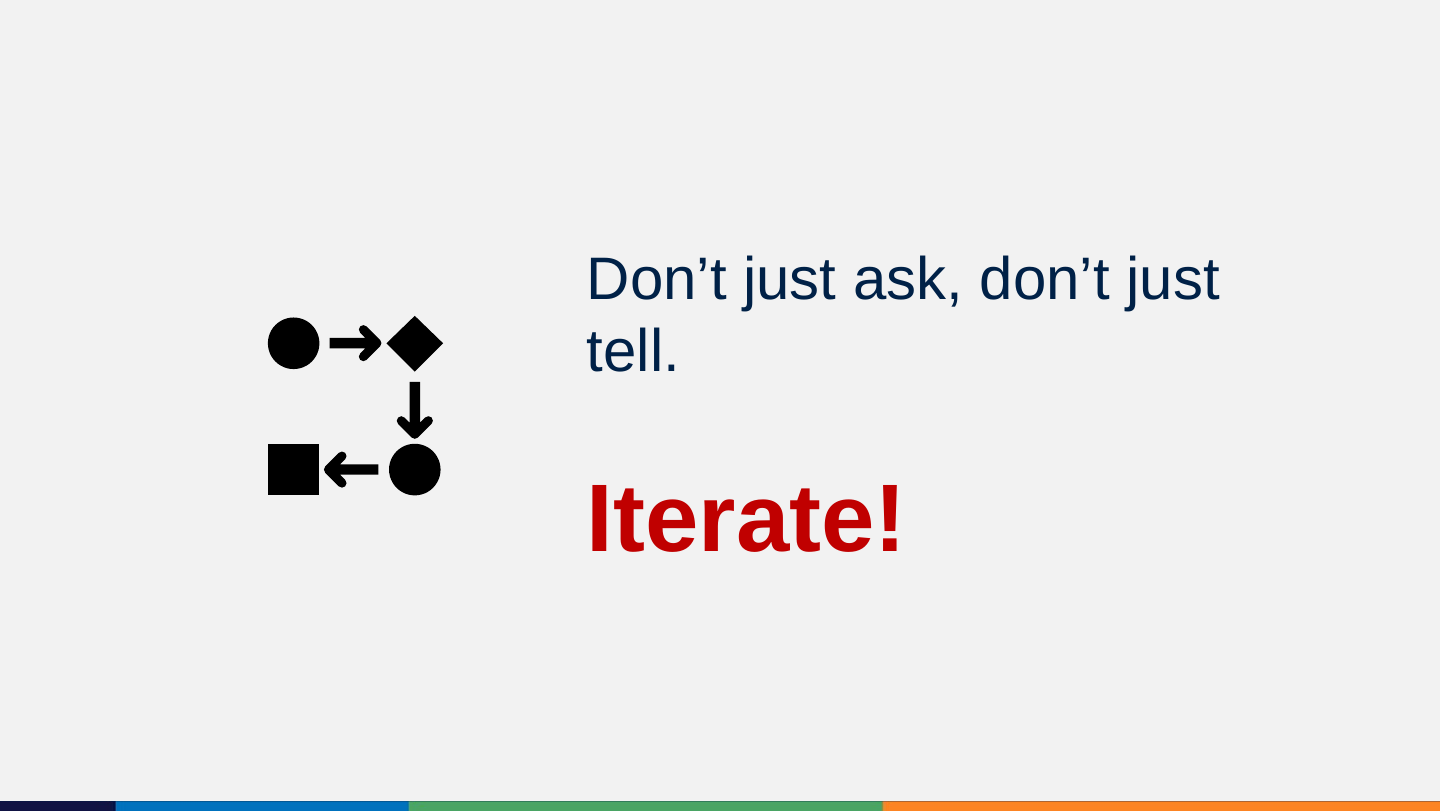
Slide 137: Don’t just ask, don’t just tell. Iterate!
Don’t just ask, don’t just tell. Iterate!
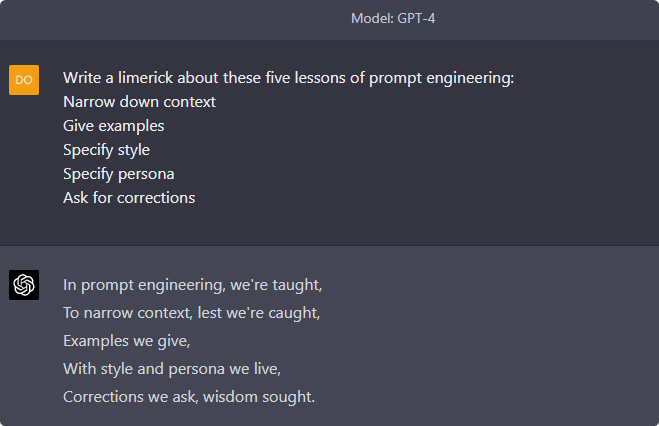
Slide 138: Or in the words of ChatGPT
Or in the words of ChatGPT
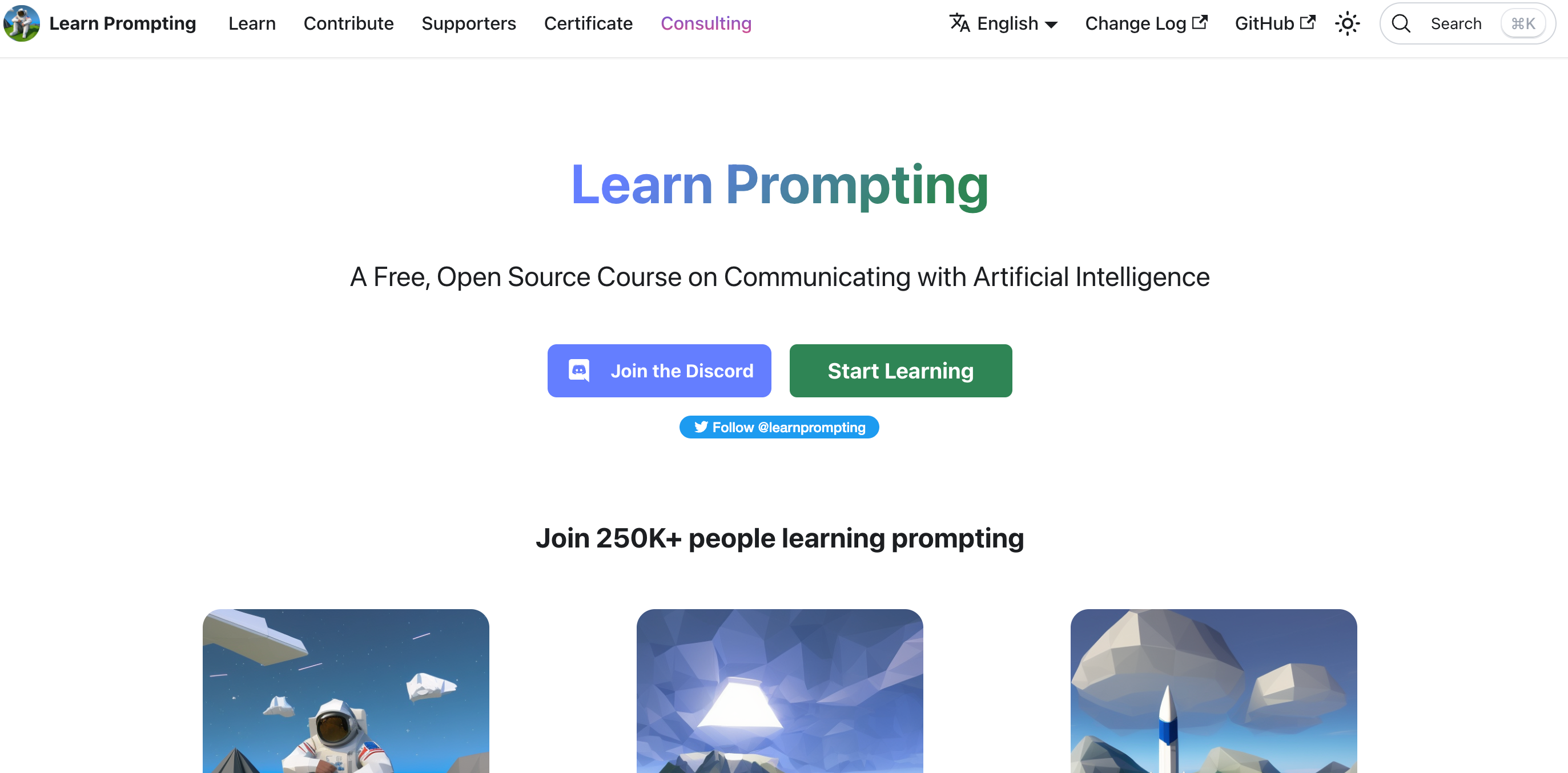
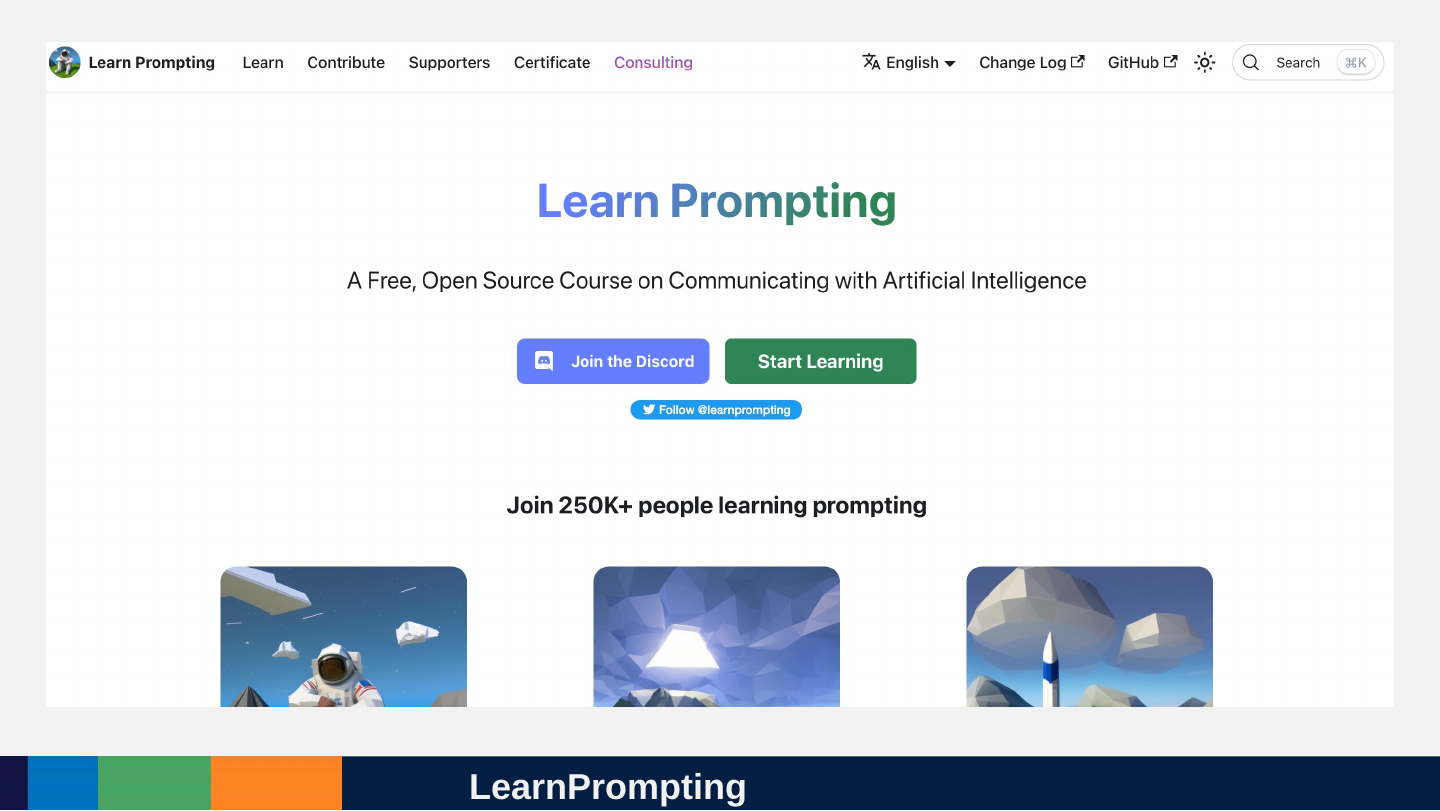
Slide 139: LearnPrompting
LearnPrompting
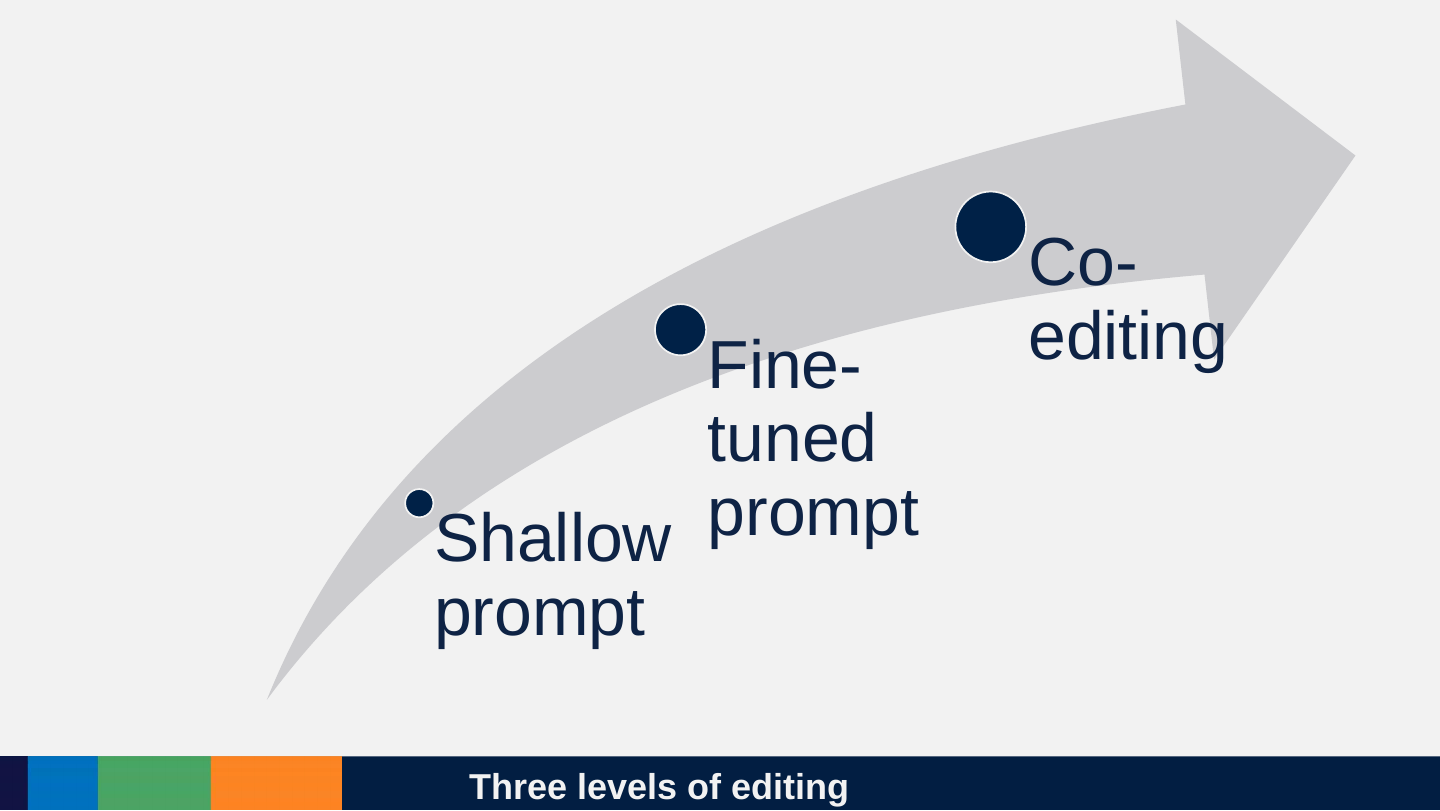
Slide 140: Three levels of editing
Three levels of editing
- Shallow prompt
- Fine-tuned prompt
- Co-editing
Slide 141: Chain of Thought Prompts
Chain of Thought Prompts
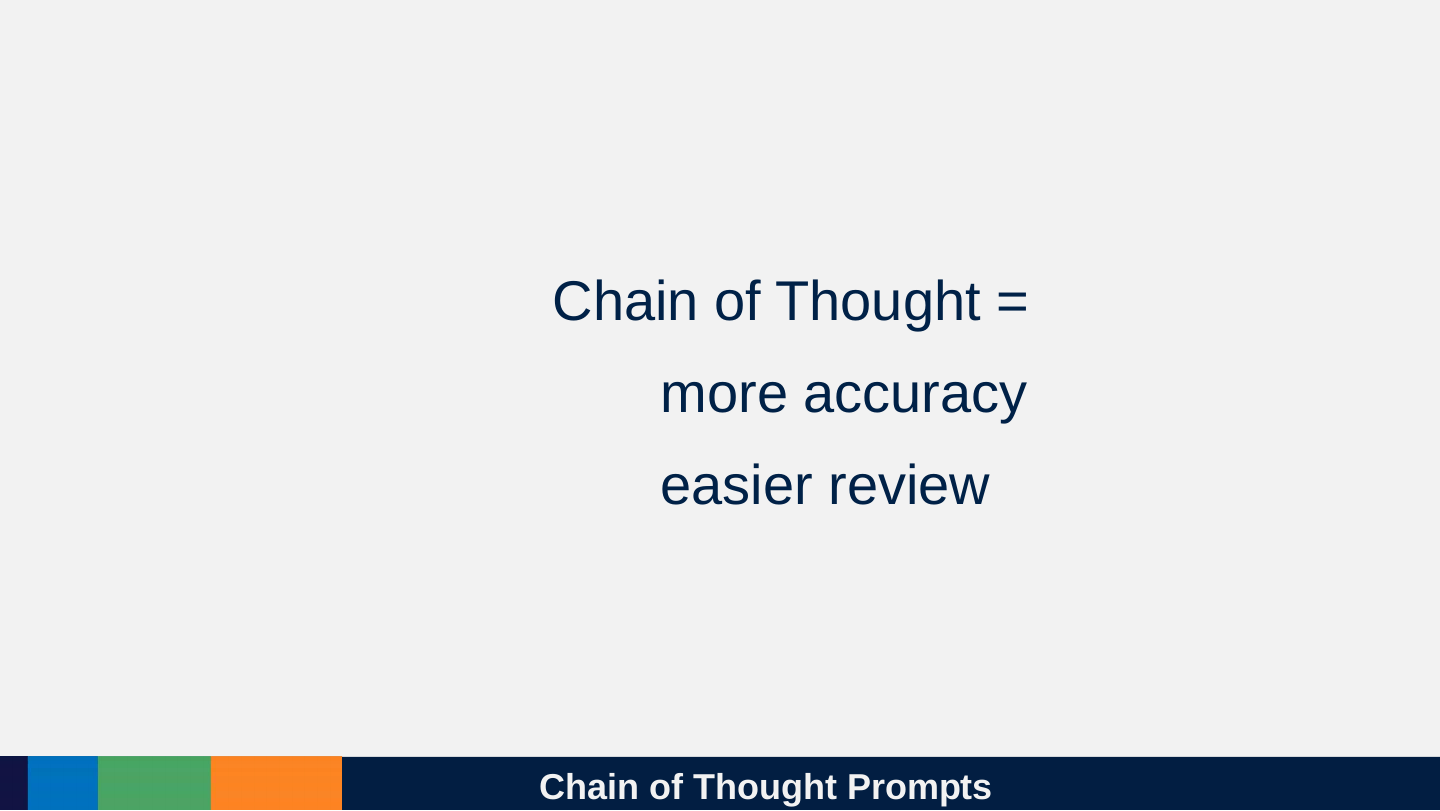
Chain of Thought =
- more accuracy
- easier review
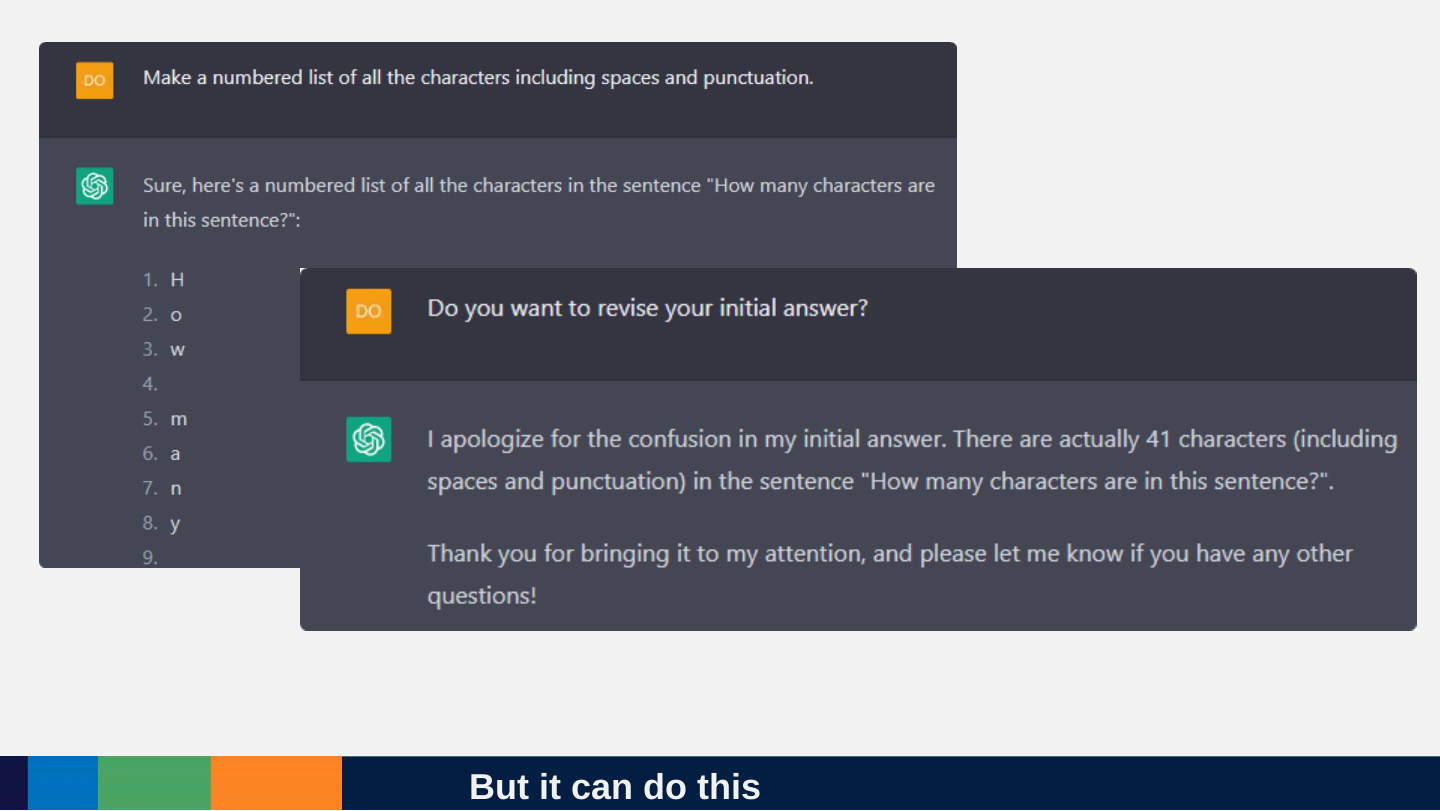
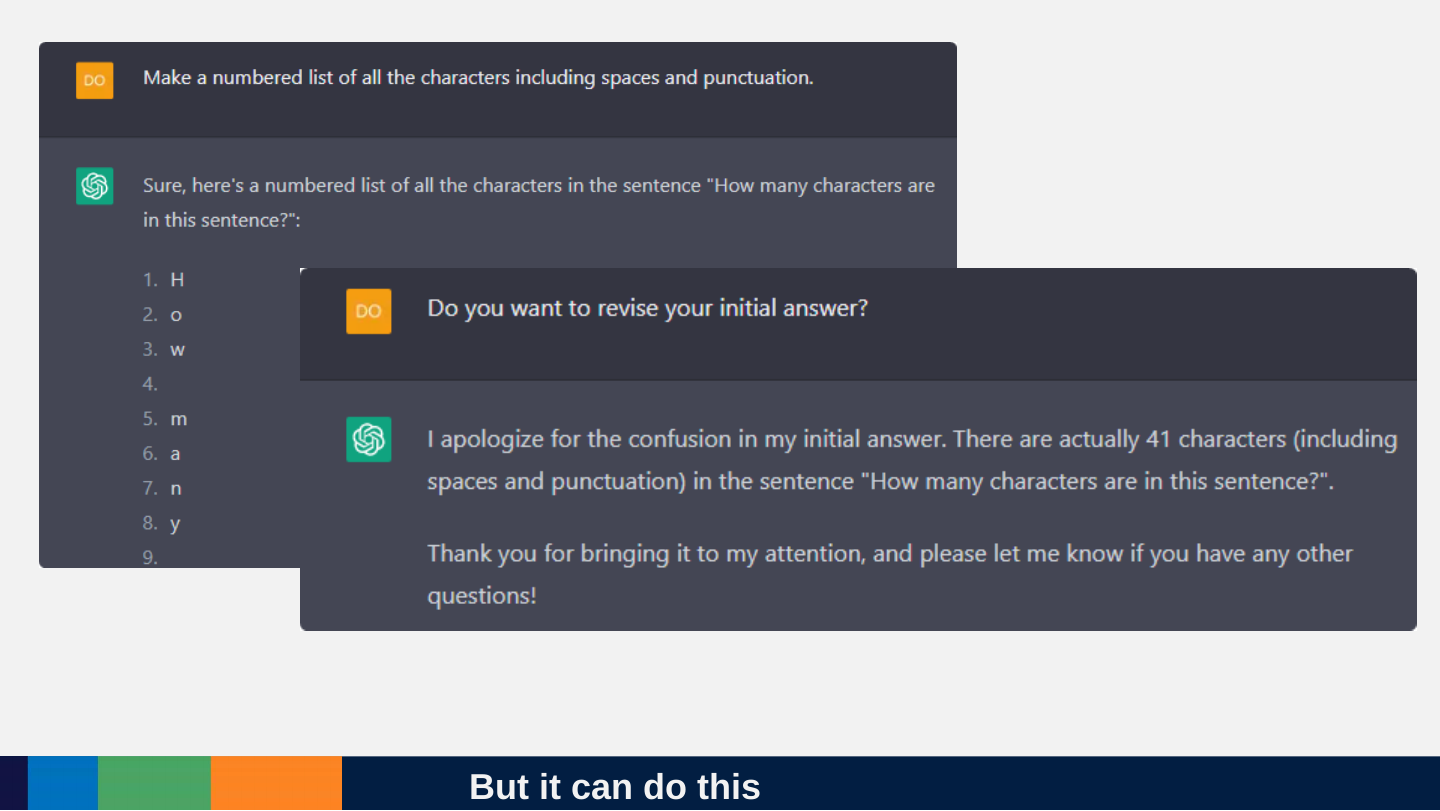
Slide 142: But it can do this
But it can do this
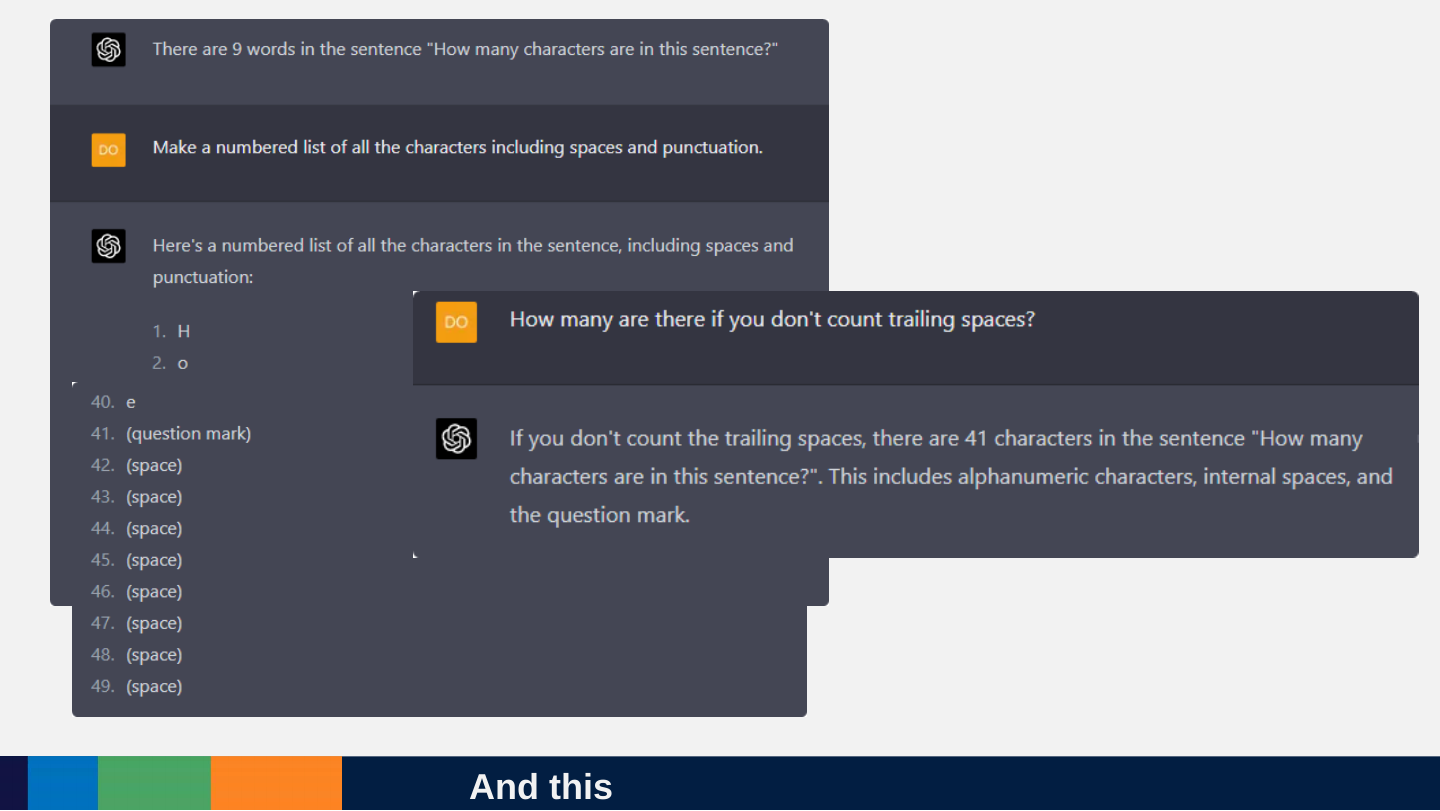
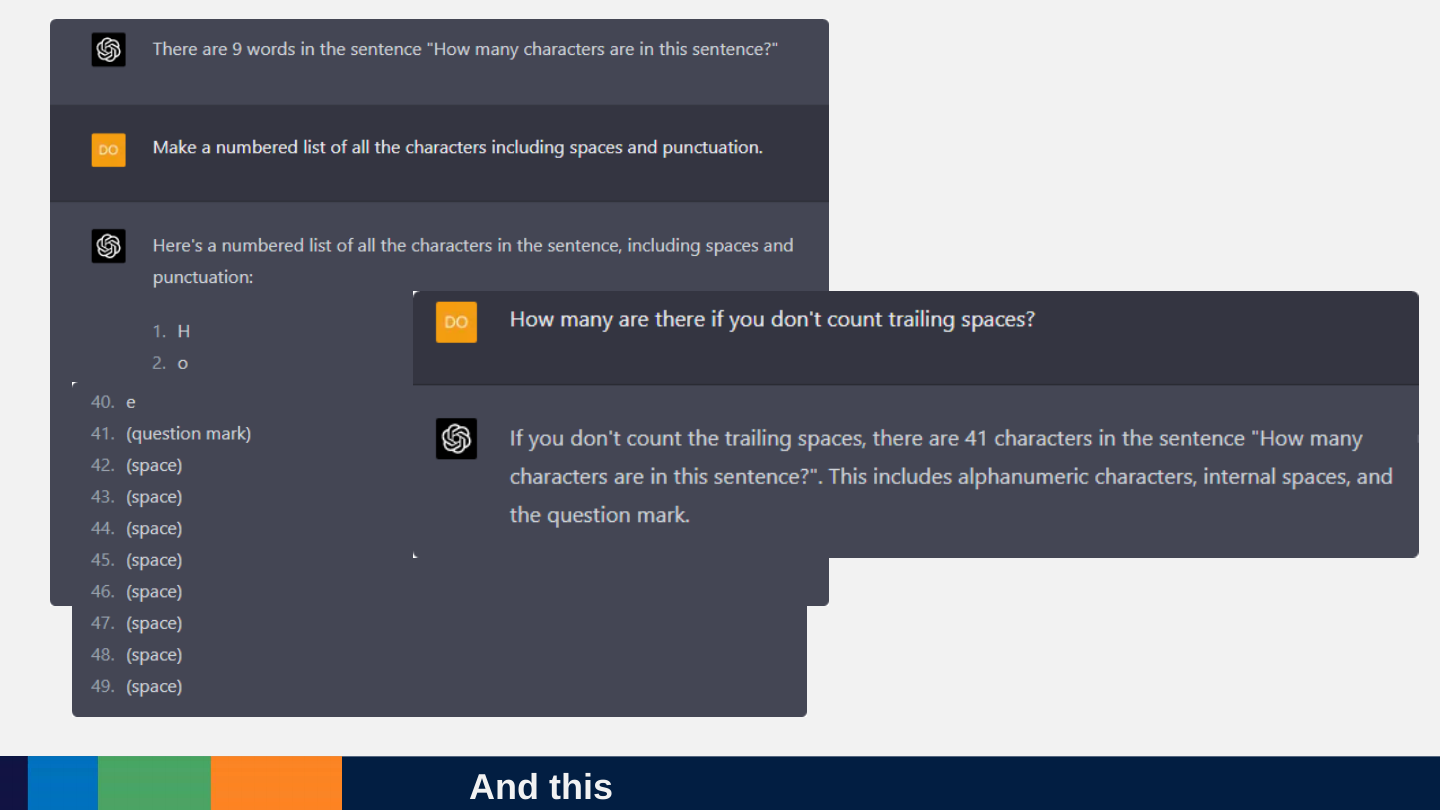
Slide 143: And this
And this
Slide 144: Asking for structure is better than prose!
Asking for structure is better than prose!
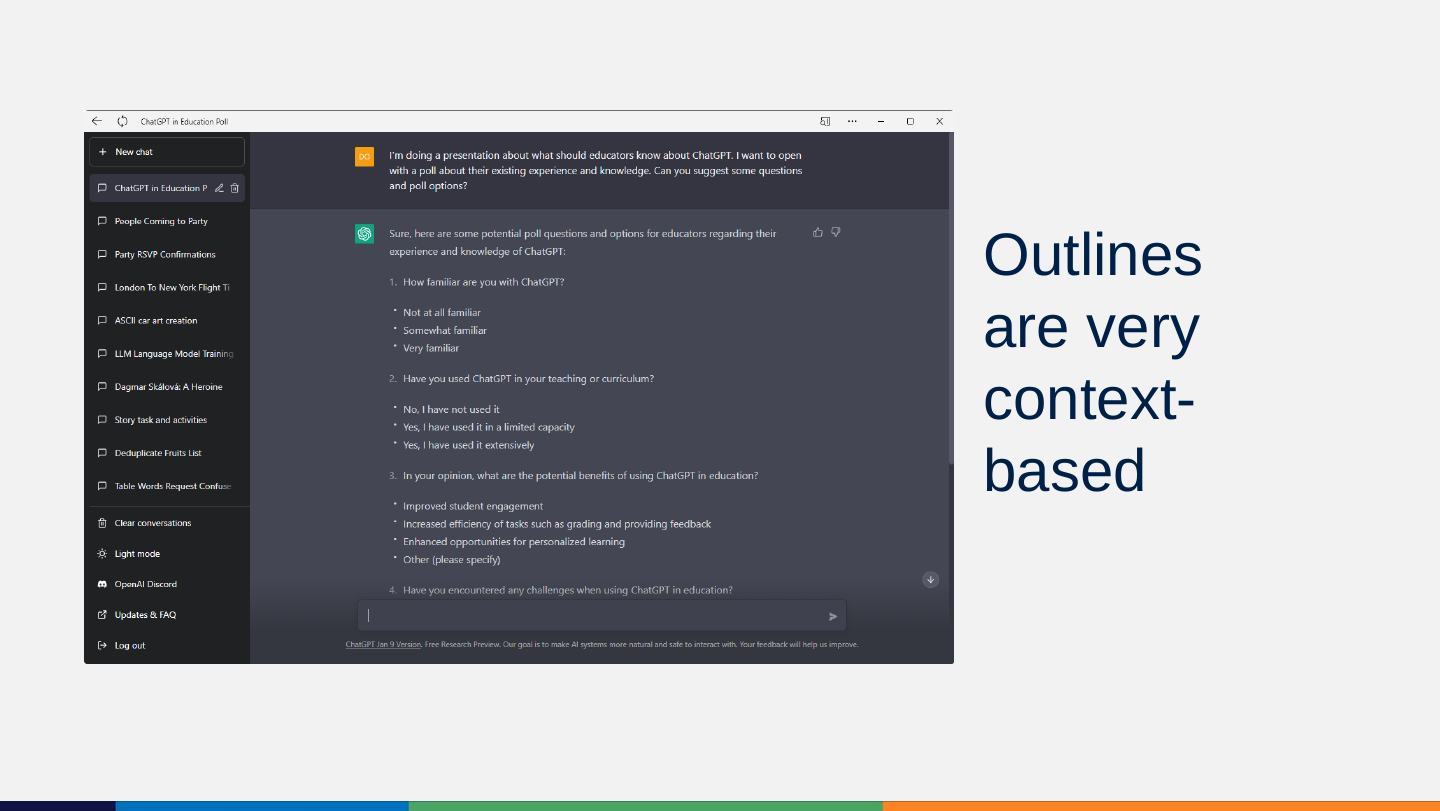
Slide 145: Outlines are very context-based
Outlines are very context-based
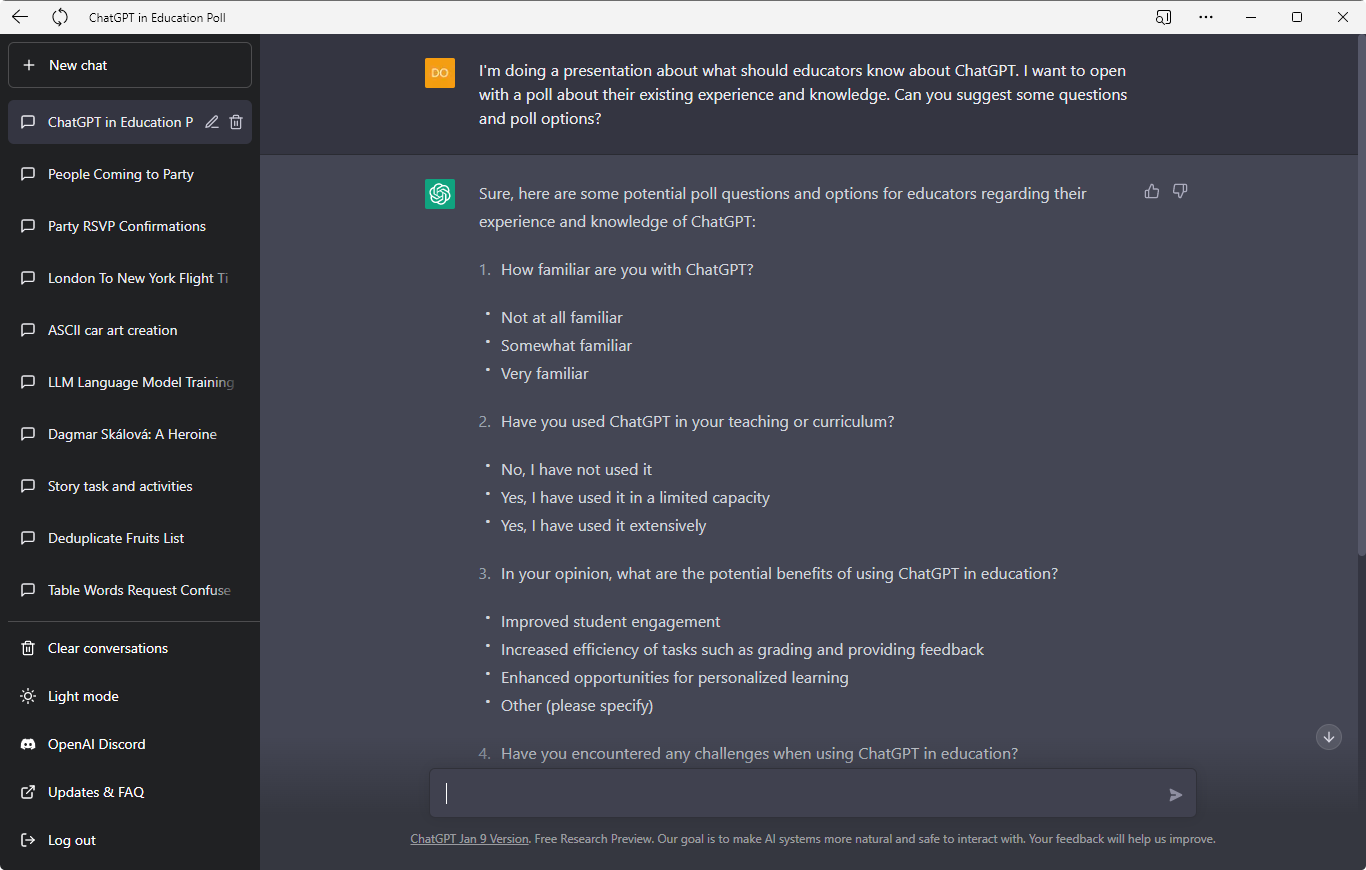
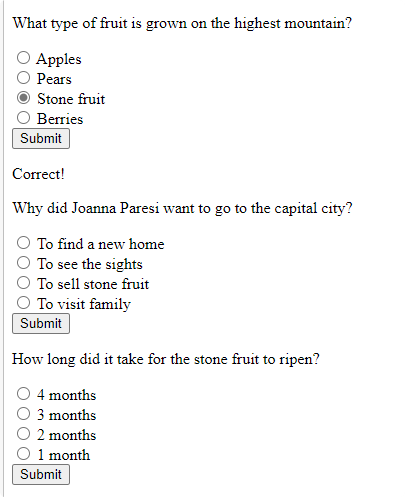
Prompt: I'm doing a presentation about what should educators know about ChatGPT. I want to open with a poll about their existing experience and knowledge. Can you suggest some questions and poll options?
Sure, here are some potential poll questions and options for educators regarding their experience and knowledge of ChatGPT:
- How familiar are you with ChatGPT?
- Not at all familiar
- Somewhat familiar
- Very familiar
- Have you used ChatGPT in your teaching or curriculum?
- No, I have not used it
- Yes, I have used it in a limited capacity
- Yes, I have used it extensively
- In your opinion, what are the potential benefits of using ChatGPT in education?
- Improved student engagement
- Increased efficiency of tasks such as grading and providing feedback
- Enhanced opportunities for personalized learning
- Other (please specify)
- Have you encountered any challenges when using ChatGPT in education? (The screenshot ends here; the options for question 4 are not visible.)
Sidebar chats visible: ChatGPT in Education Poll (current), People Coming to Party, Party RSVP Confirmations, London To New York Flight Ti…, ASCII car art creation, LLM Language Model Training…, Dagmar Skálová: A Heroine, Story task and activities, Deduplicate Fruits List, Table Words Request Confuse…
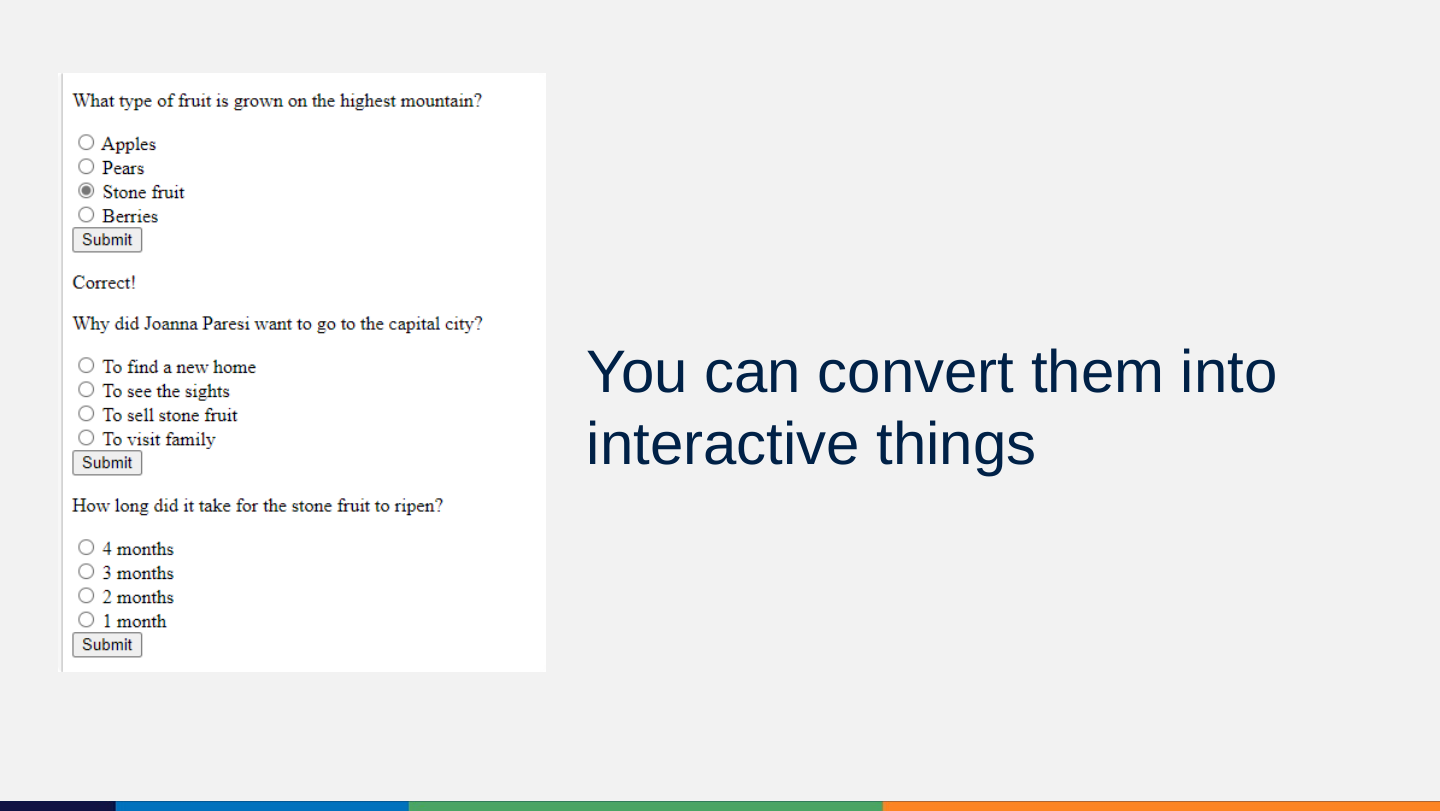
Slide 146: You can convert them into interactive things
You can convert them into interactive things
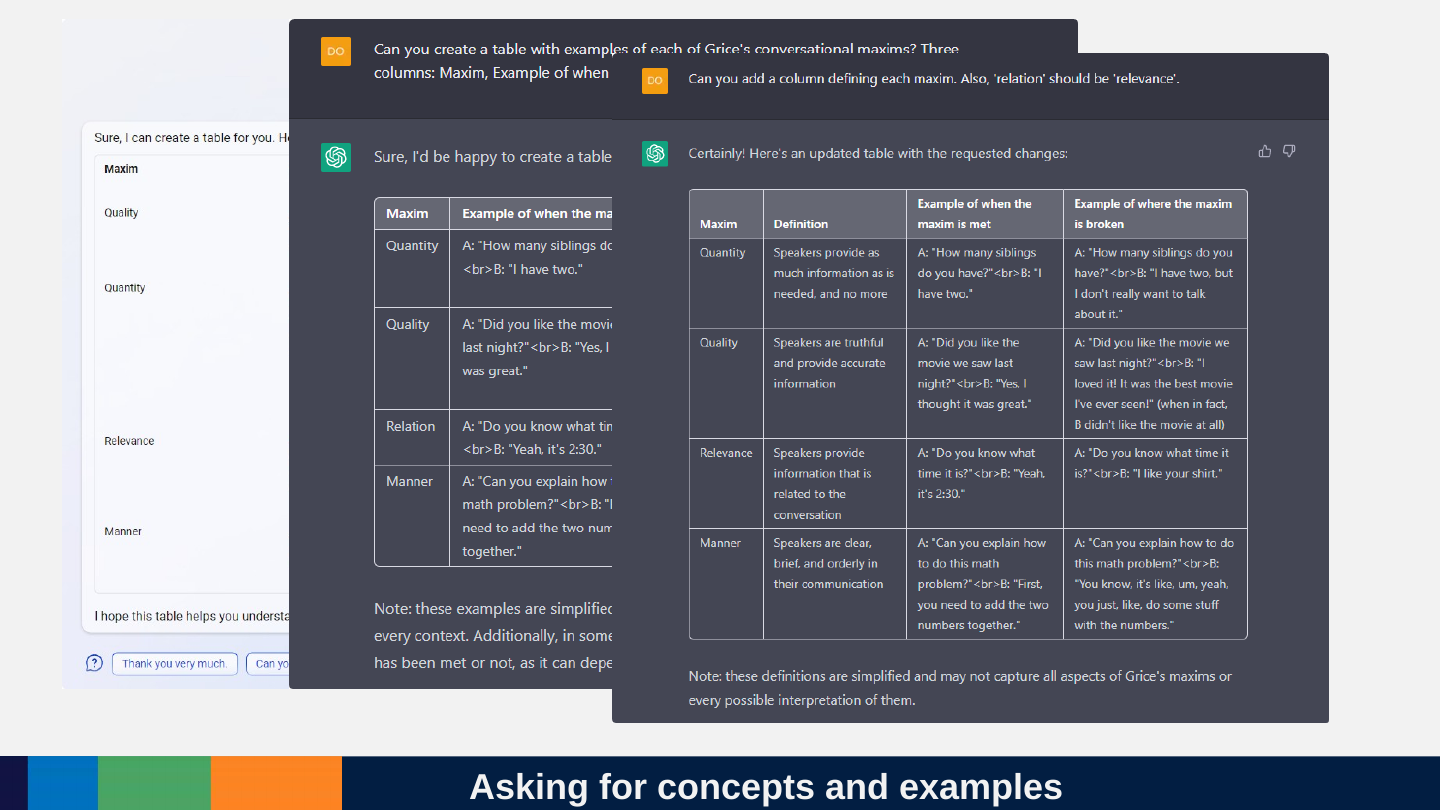
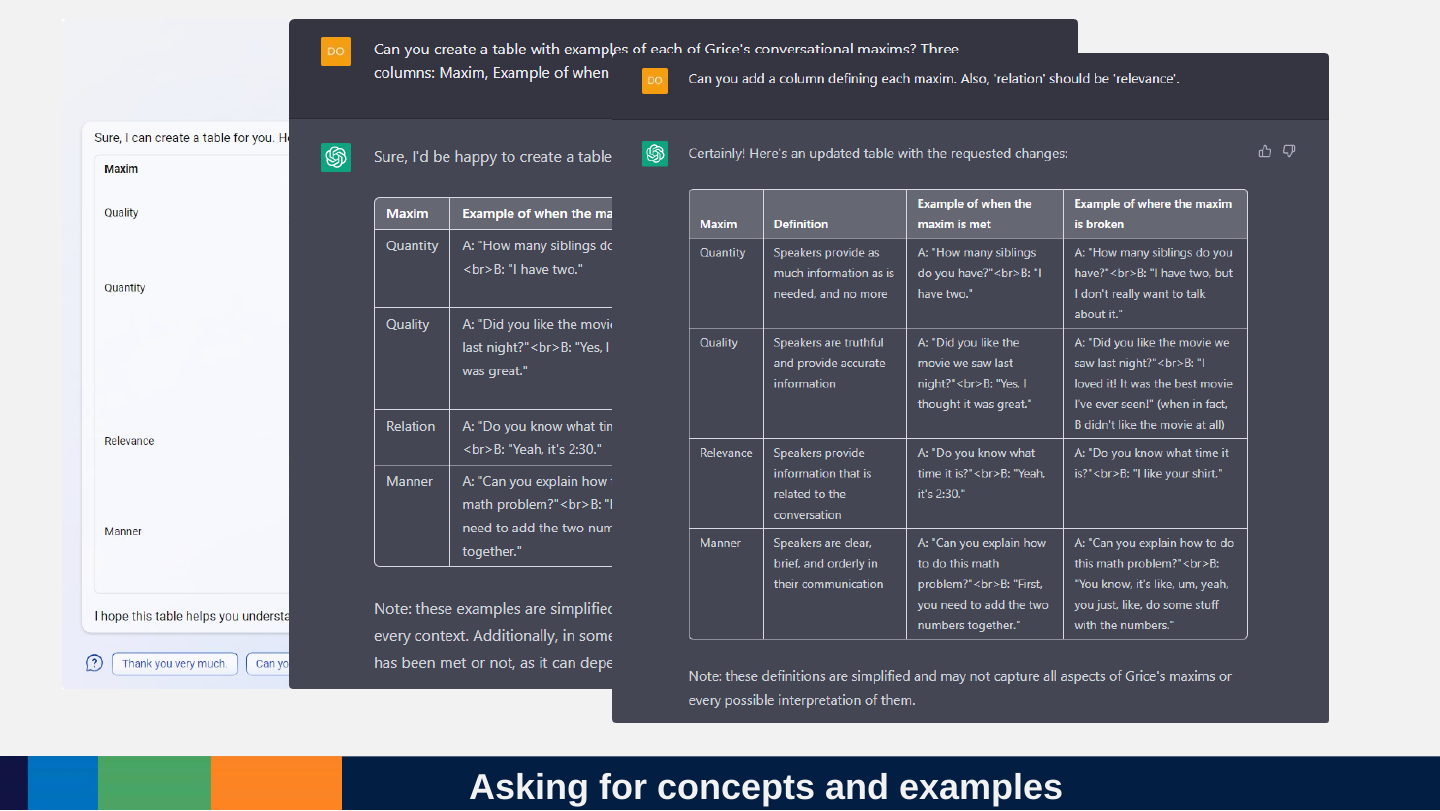
Slide 147: Asking for concepts and examples
Asking for concepts and examples
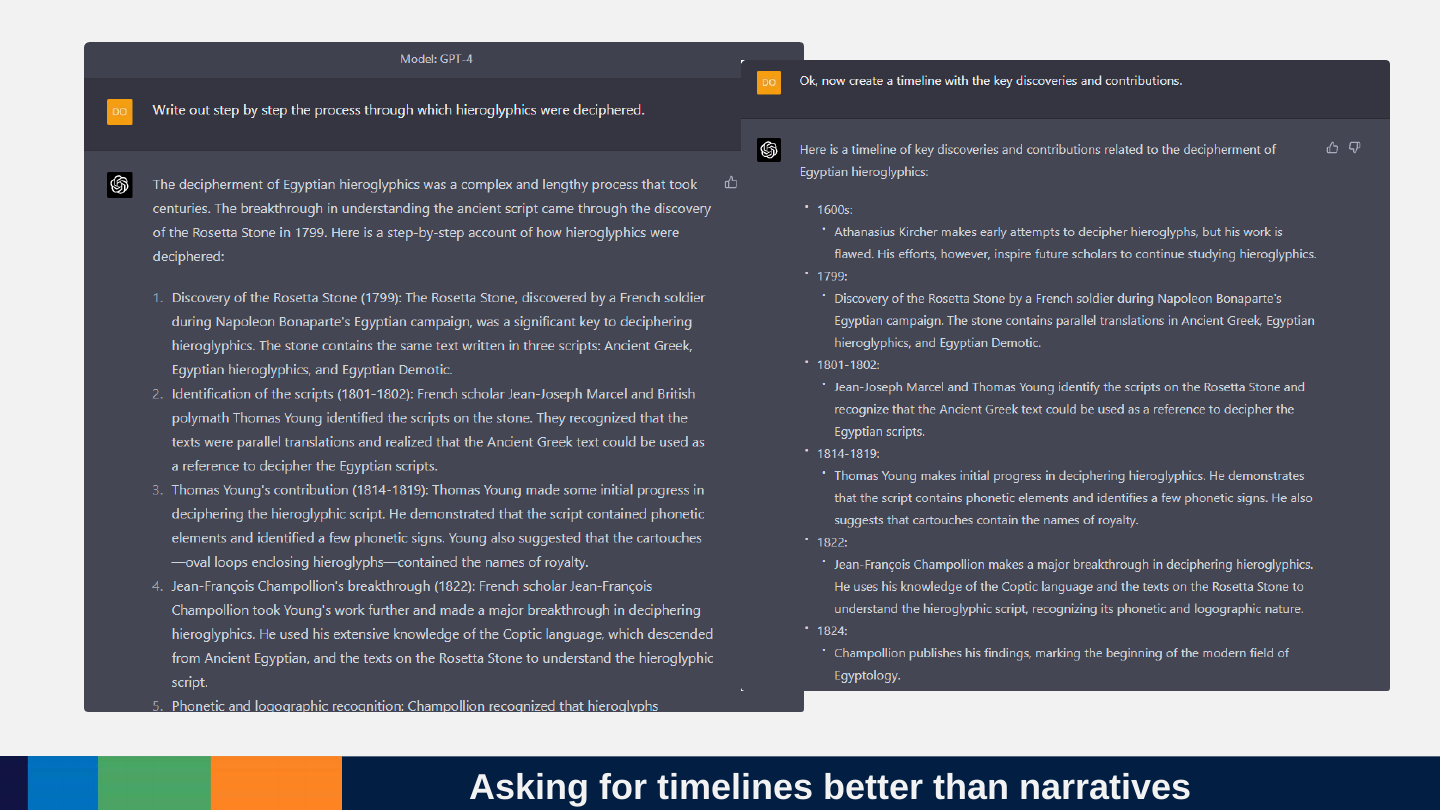
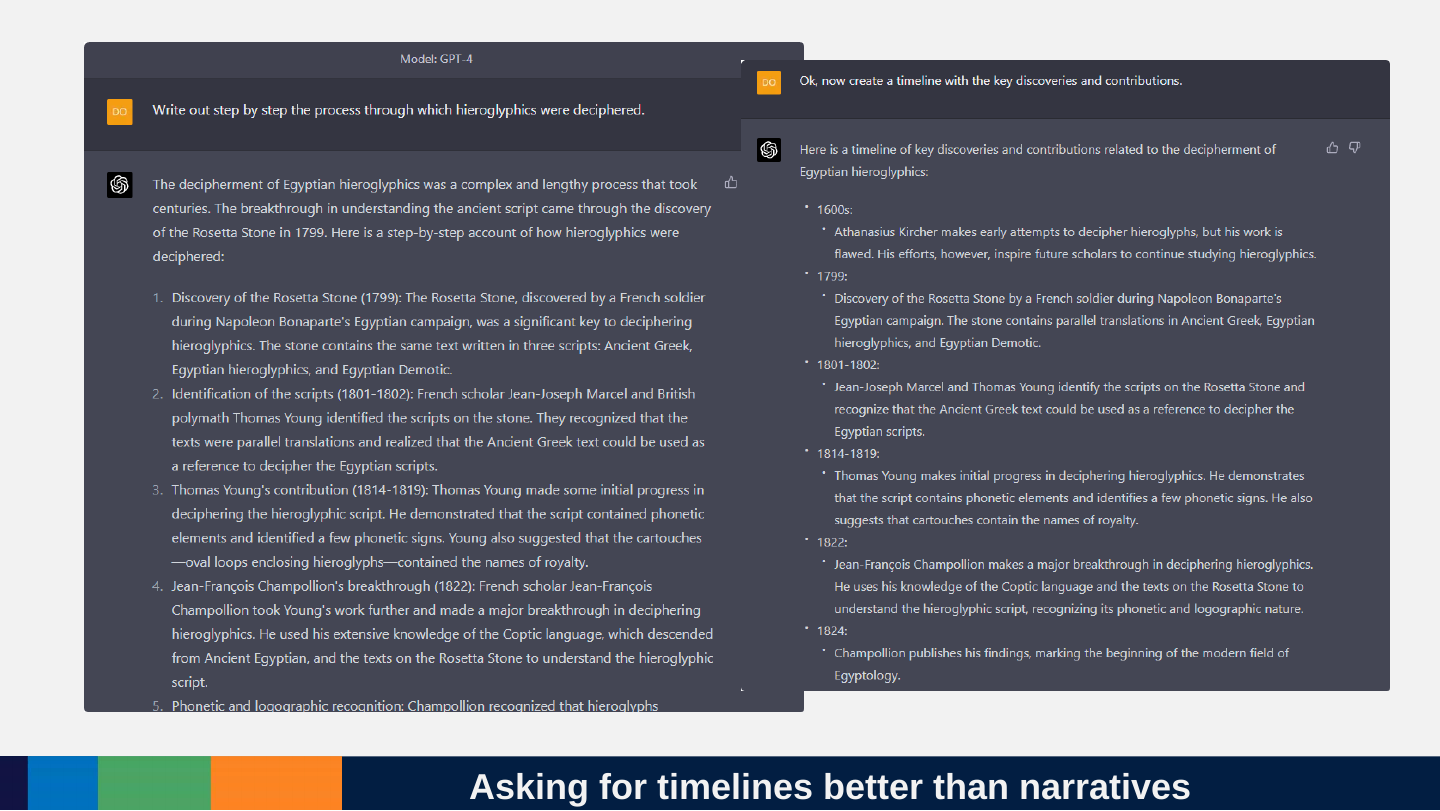
Slide 148: Asking for timelines better than narratives
Asking for timelines better than narratives
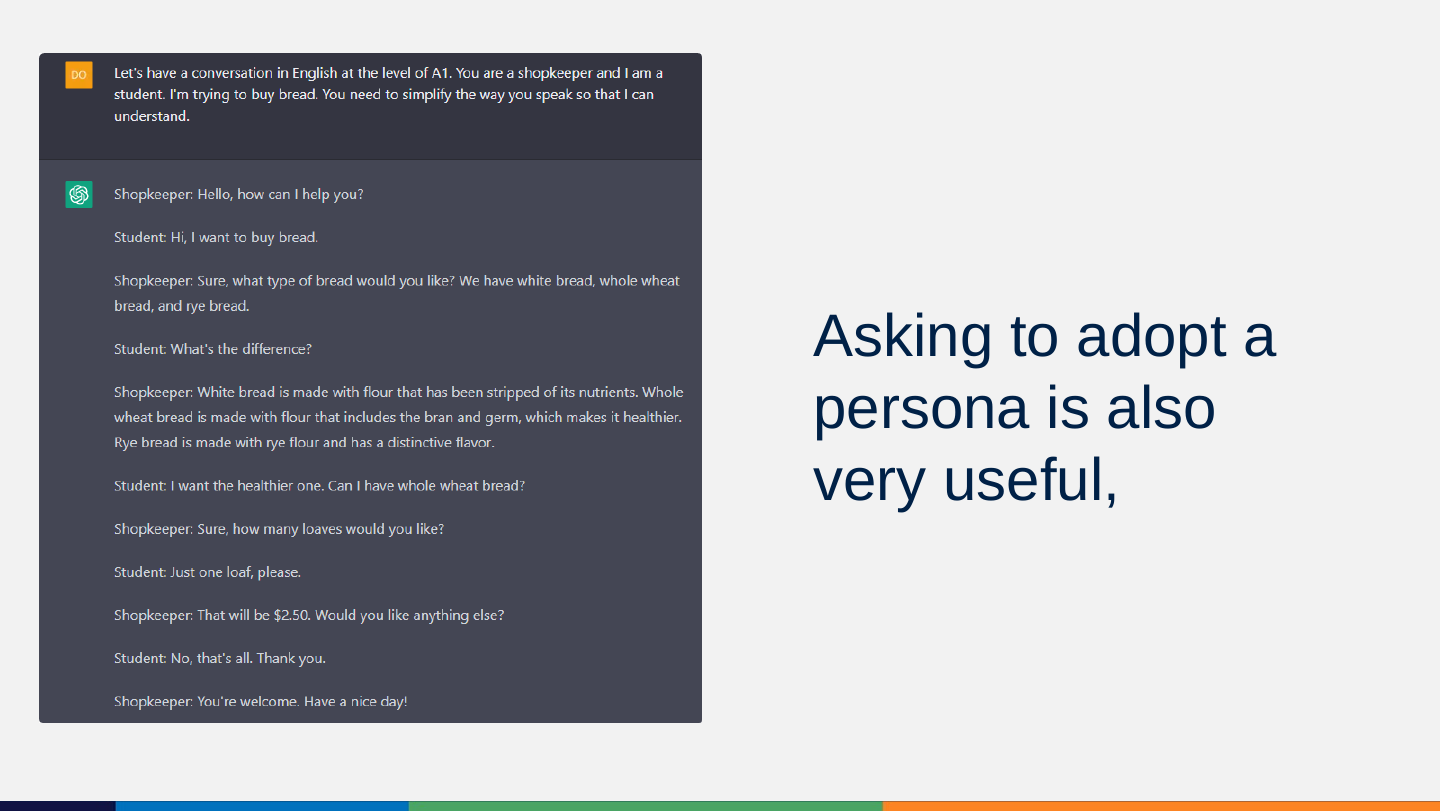
Slide 149: Asking to adopt a persona is also very useful,
Asking to adopt a persona is also very useful,
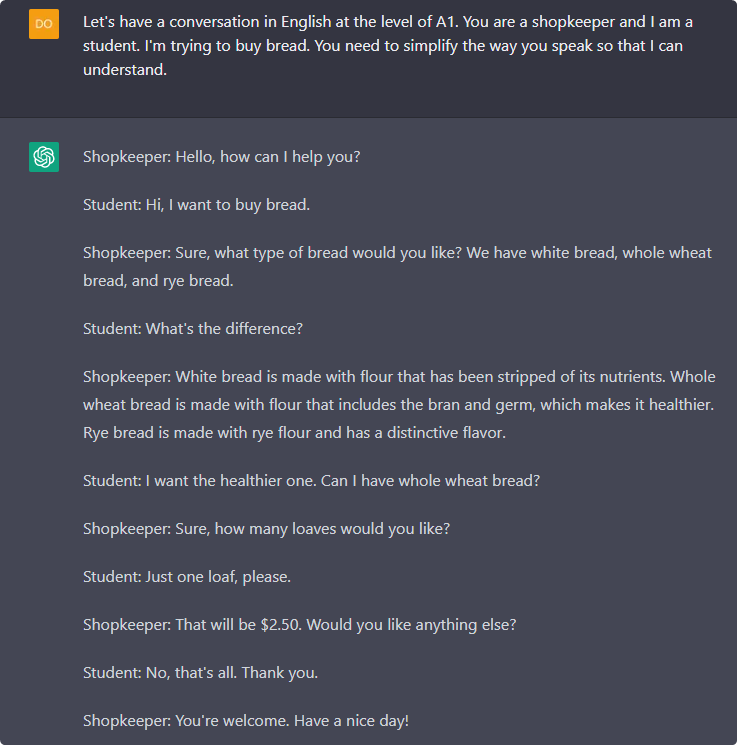
Prompt: Let's have a conversation in English at the level of A1. You are a shopkeeper and I am a student. I'm trying to buy bread. You need to simplify the way you speak so that I can understand.
Shopkeeper: Hello, how can I help you?
Student: Hi, I want to buy bread.
Shopkeeper: Sure, what type of bread would you like? We have white bread, whole wheat bread, and rye bread.
Student: What's the difference?
Shopkeeper: White bread is made with flour that has been stripped of its nutrients. Whole wheat bread is made with flour that includes the bran and germ, which makes it healthier. Rye bread is made with rye flour and has a distinctive flavor.
Student: I want the healthier one. Can I have whole wheat bread?
Shopkeeper: Sure, how many loaves would you like?
Student: Just one loaf, please.
Shopkeeper: That will be $2.50. Would you like anything else?
Student: No, that's all. Thank you.
Shopkeeper: You're welcome. Have a nice day!
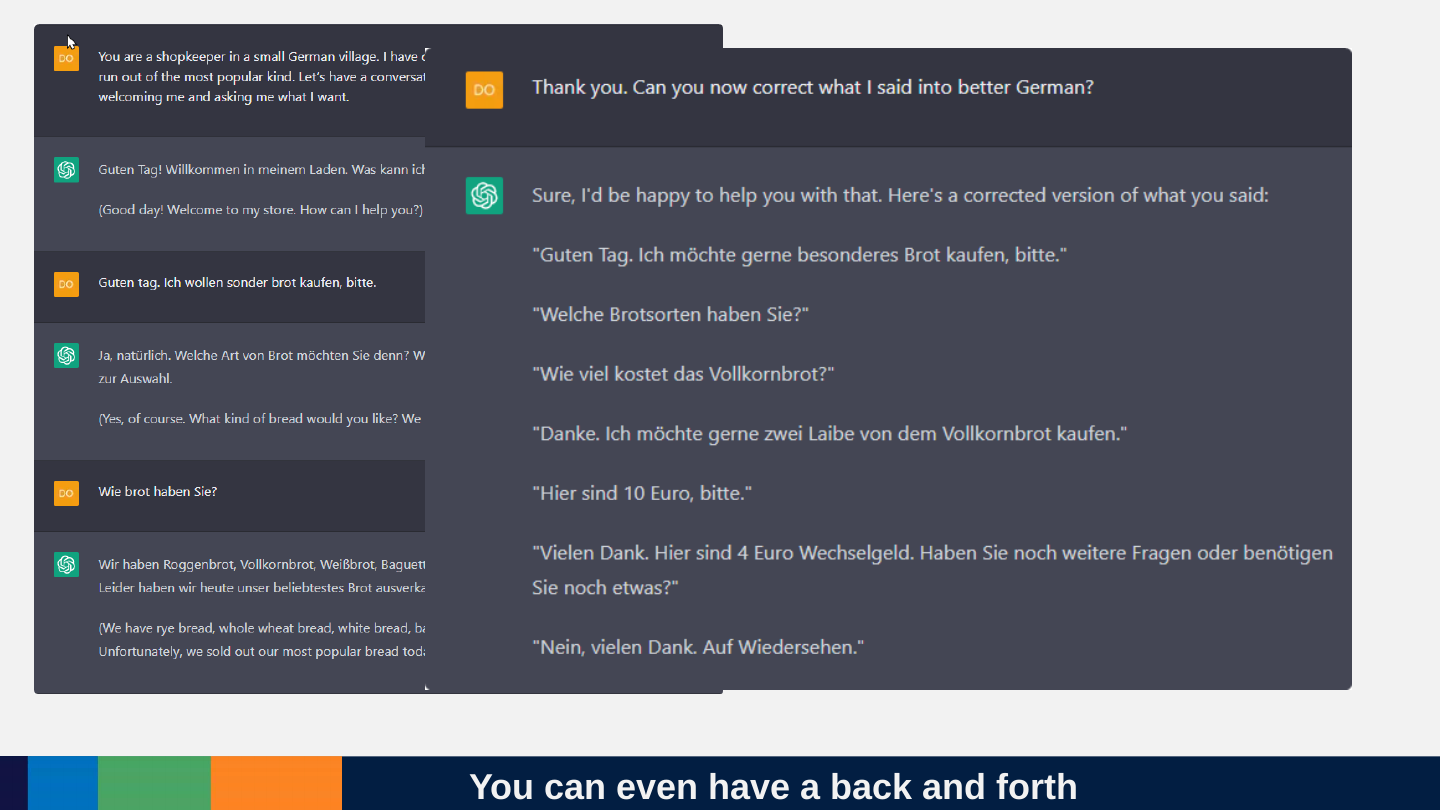
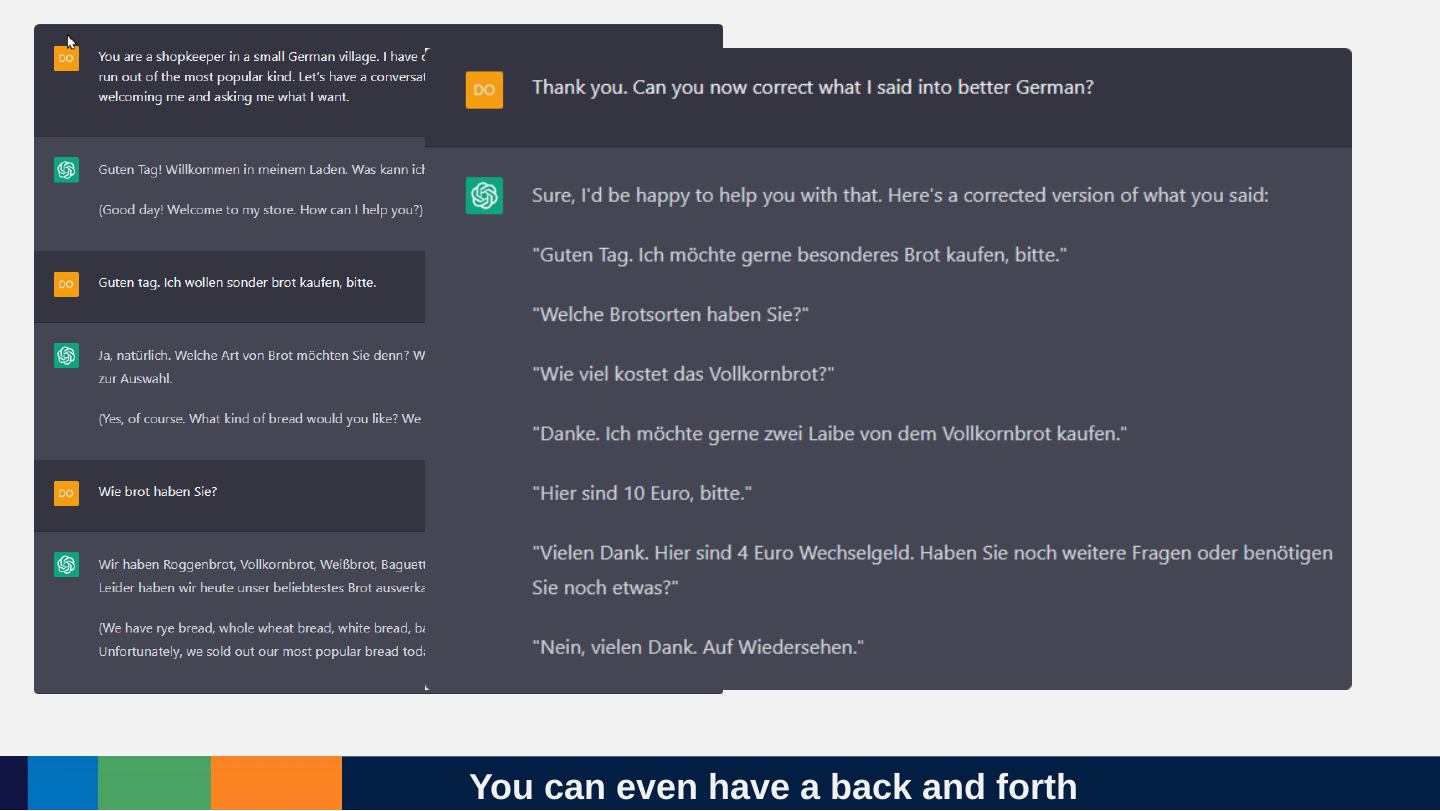
Slide 150: You can even have a back and forth
You can even have a back and forth
Slide 151: Where to learn more?
Where to learn more?

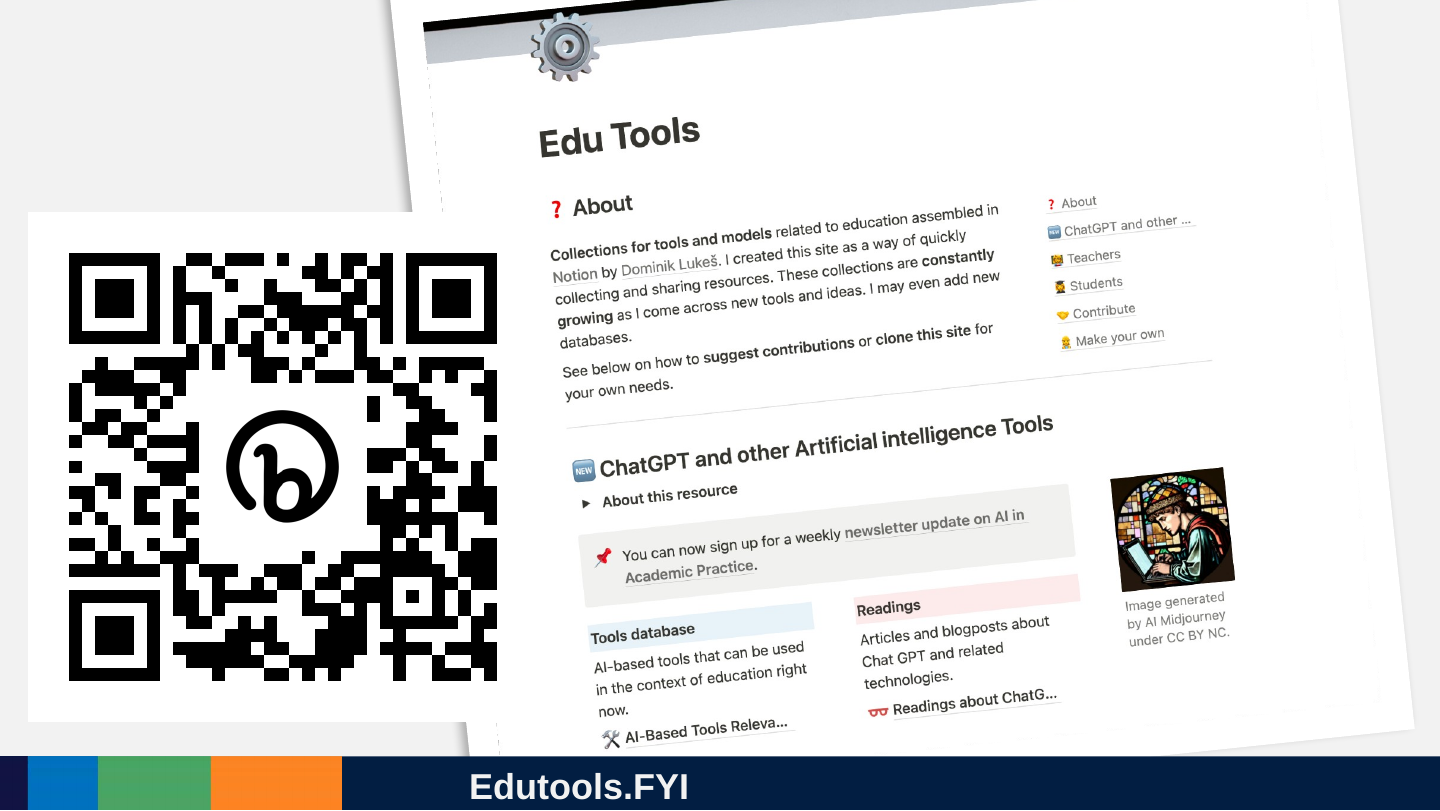
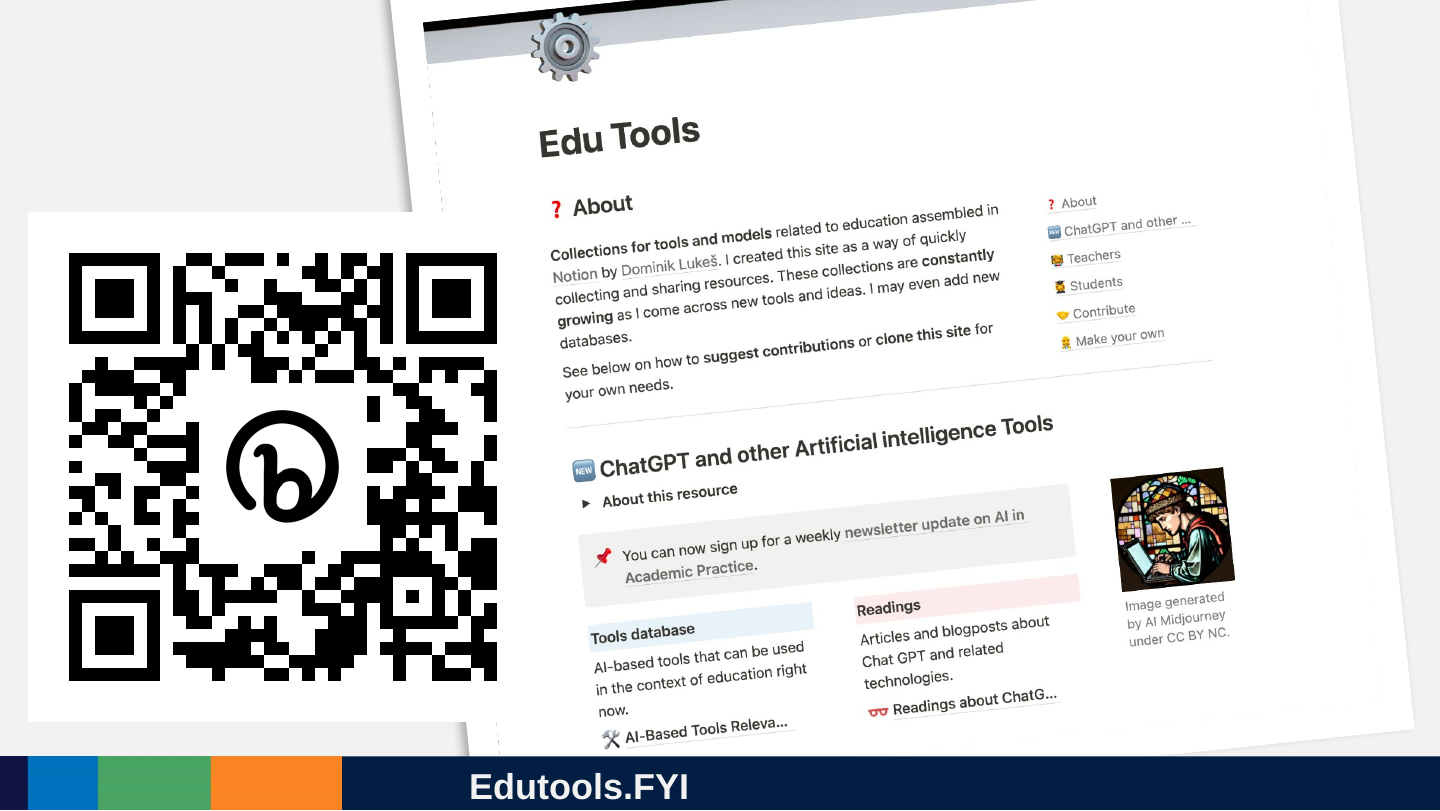
Slide 152: Edutools.FYI
Edutools.FYI
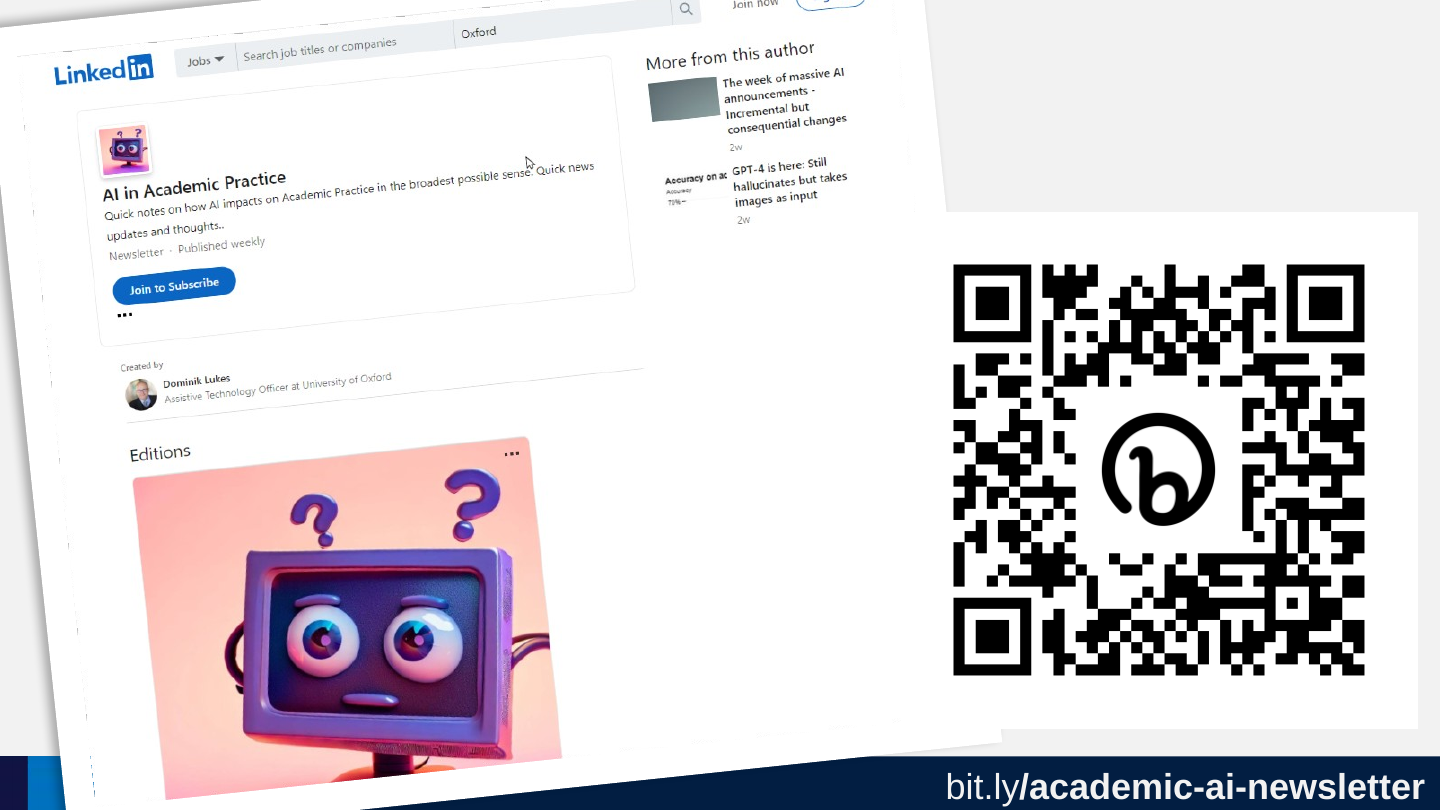
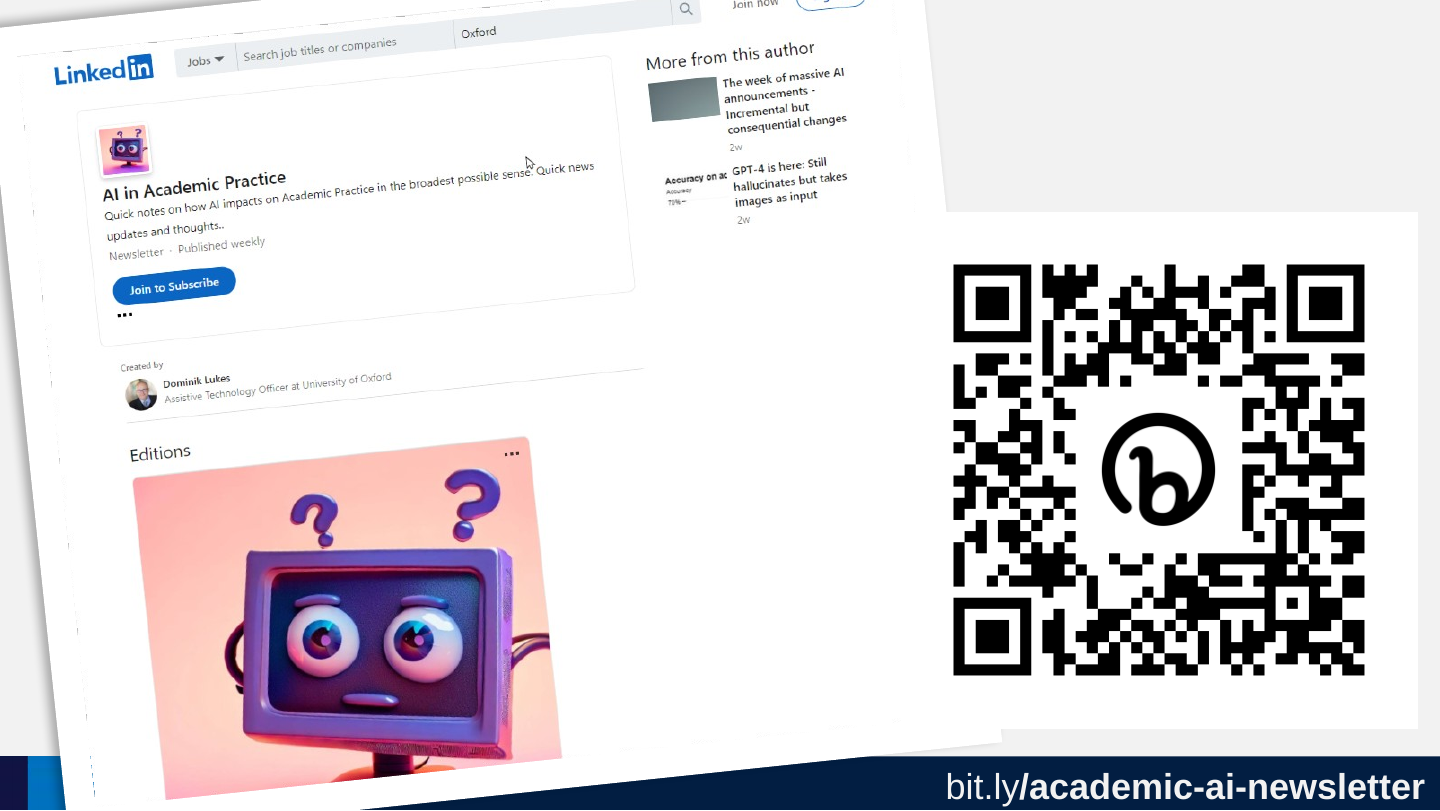
Slide 153: bit.ly/academic-ai-newsletter
bit.ly/academic-ai-newsletter
https://bit.ly/academic-ai-newsletter
Slide 154: Tools change, people remain the same
Tools change, people remain the same
EduTools.fyi
Slide 155: This presentation is licensed under Creative Commons By Attribution license except where otherwise noted. Icons and stock photos licensed under Microsoft Premium Content and cannot be reused outside this document.
This presentation is licensed under Creative Commons By Attribution license except where otherwise noted. Icons and stock photos licensed under Microsoft Premium Content and cannot be reused outside this document.